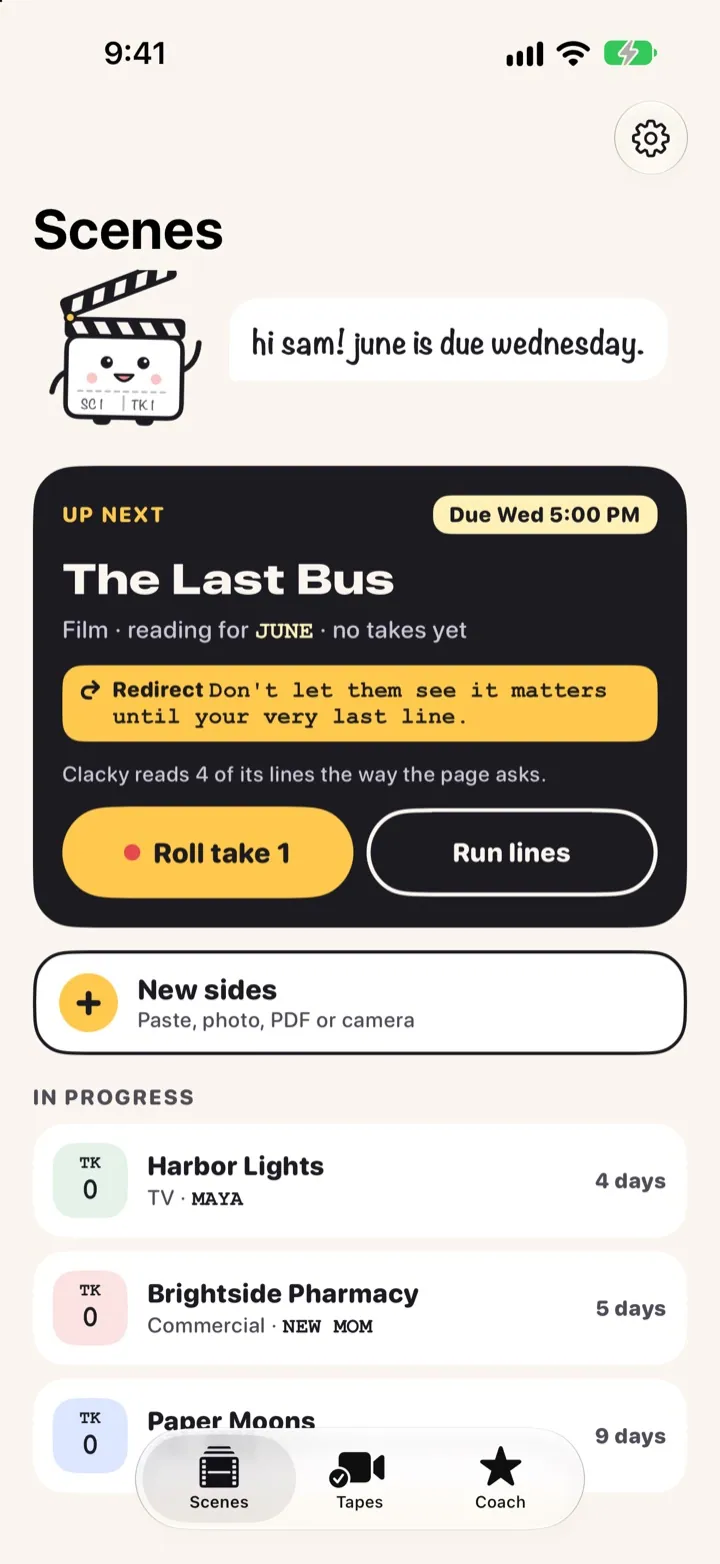
Casting rarely wants just one take. “Lovely. Can we get one more, with an adjustment?” Clacky is a self-tape studio built around that second take. It reads the other parts the way the page directs them, and hands you the redirect before you roll again.
Meet Clacky, a little clapperboard who reads the other parts, holds your line by the lens and tells you what landed. It’s free on iPhone, with no account required.
Get Clacky free on the App Store The Clacky page
Who it’s for
Clacky is for actors who self-tape auditions: for film, TV and commercials, with a deadline on the calendar and no one around to read the other lines.
If you’ve ever propped a phone on a stack of books and read the scene partner yourself between your own lines, Clacky is the reader who shows up every time and takes direction.
A reader that takes direction
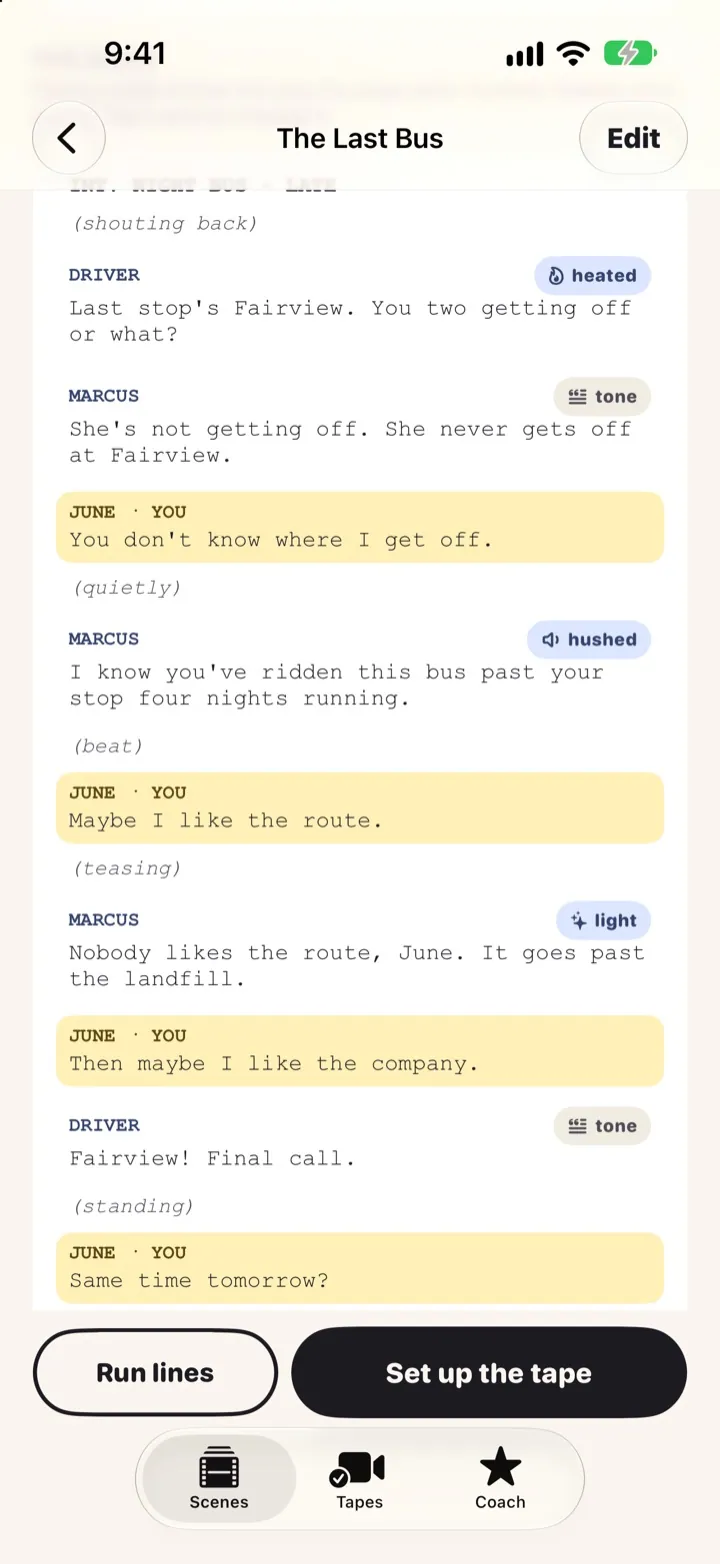
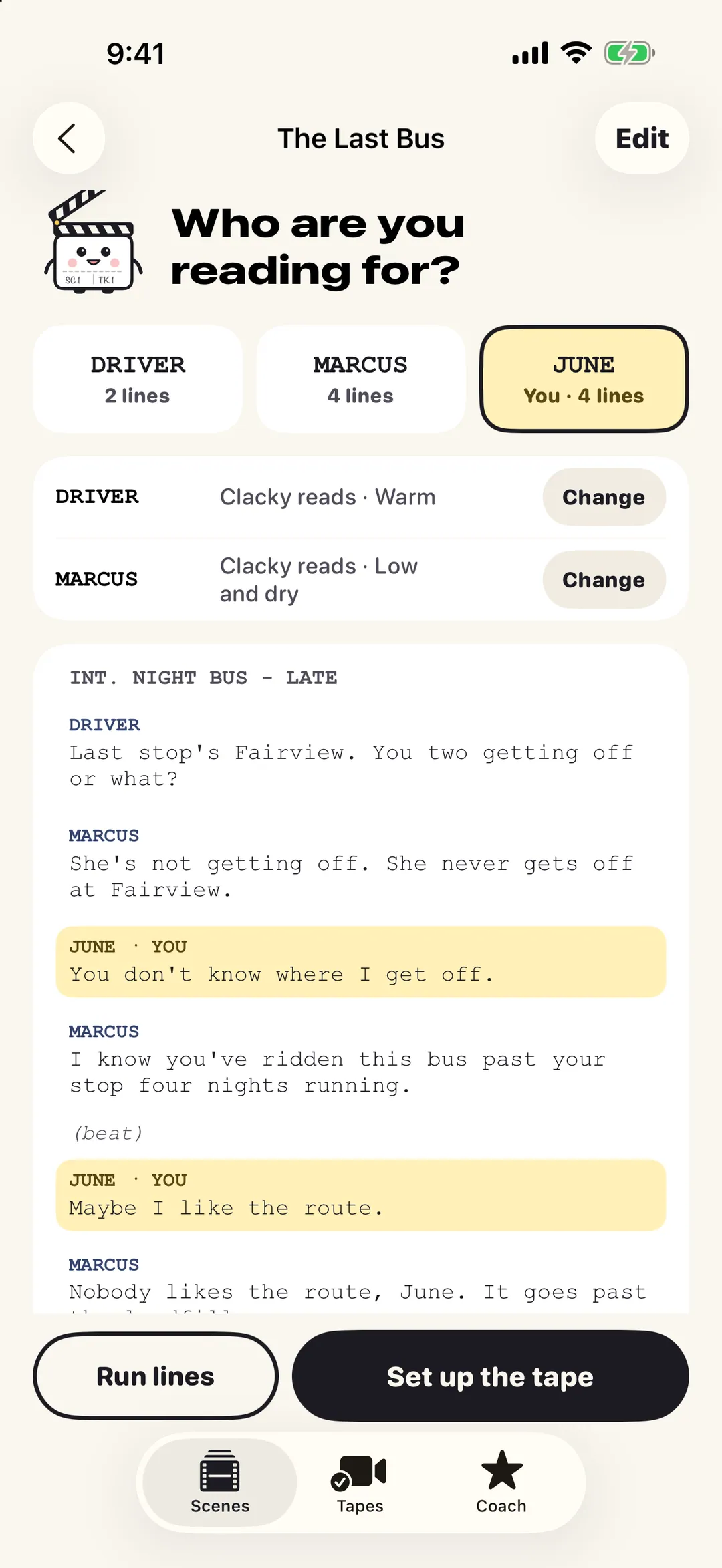
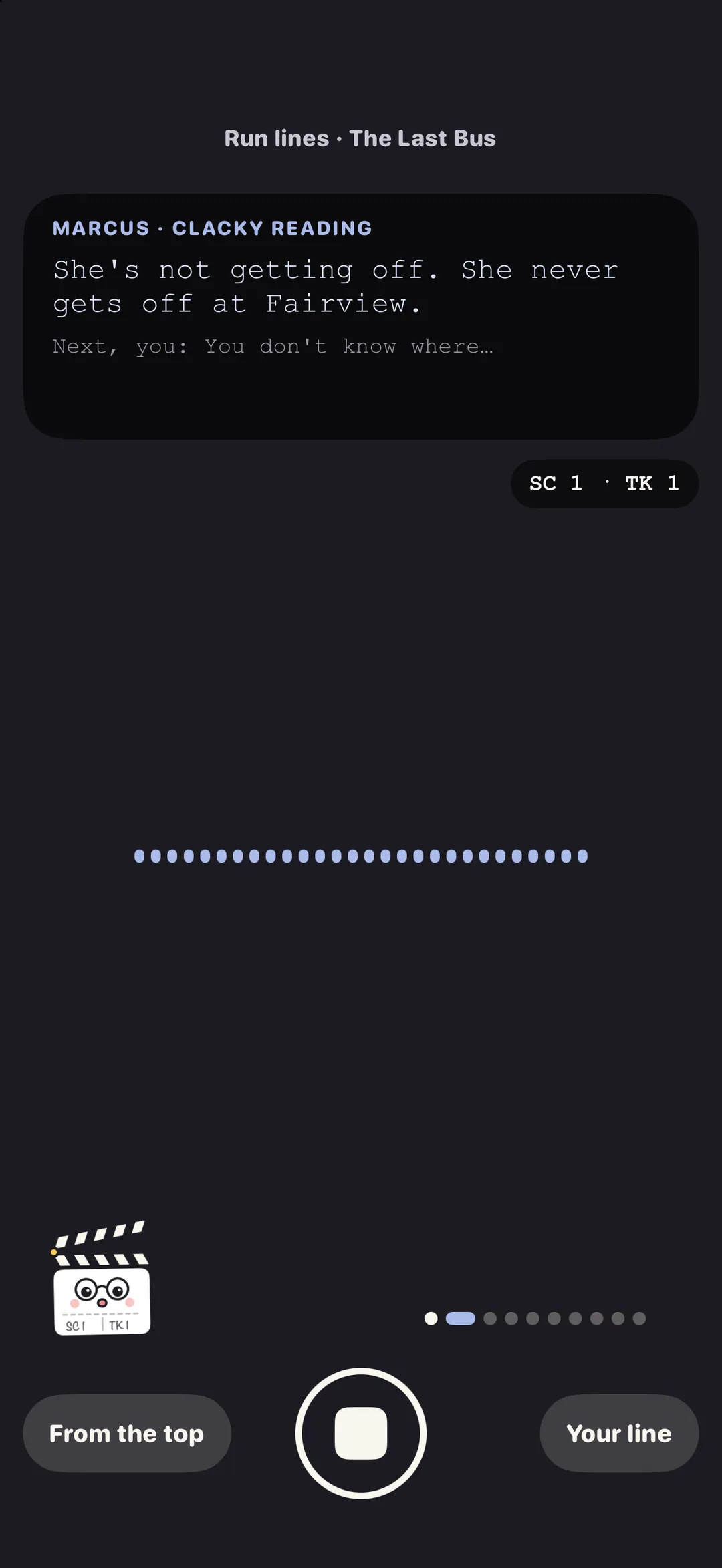
Sides are full of parentheticals, and Clacky reads them. A line marked (whispering) comes hushed and close, (furious) comes hot and quick, (beat) gets a real pause, (tired) slows down and drops. Every line Clacky reads carries a tone you can change with a tap, each character keeps a voice of its own, and it waits until you’ve finished your line before it answers.
Getting sides in is easy. Paste them, pick photos or screenshots, scan printed pages, or open the PDF from your email. Clacky sorts out who says what, and you can fix any line by hand.
Redirects for the next take
After every take, Clacky offers three redirects written from your sides: play it as if you’ve already decided, don’t let them see it matters until the last line, let them win the scene. With Apple Intelligence they’re written for your scene and your last take; without it, Clacky picks from its own book. Or type the note casting actually gave you.
The redirect sits under the lens while you roll, stays stamped on that take, and the take’s notes tell you whether it landed.
Your line under the lens, and notes on every take
Your next line sits right by the camera and fills in as you say it. Shrink it to the first few words when you’re nearly off book, or switch it off.
After each take you get a word-by-word line check, how much of the take you spent near the lens, your pickups and your level, all measured on the iPhone. Apple Intelligence adds what worked and one thing to try.
Splice, slate and send
Take lines from one take and lines from another. The cuts fall while the reader is talking, so the joins don’t show. Add your slate and a full-body shot, trim to the clap, and export MOV, MP4, M4A or WAV at the size casting asks for.
The rest of the room
Clacky covers the whole self-tape routine, from prep to the moment you hit send.
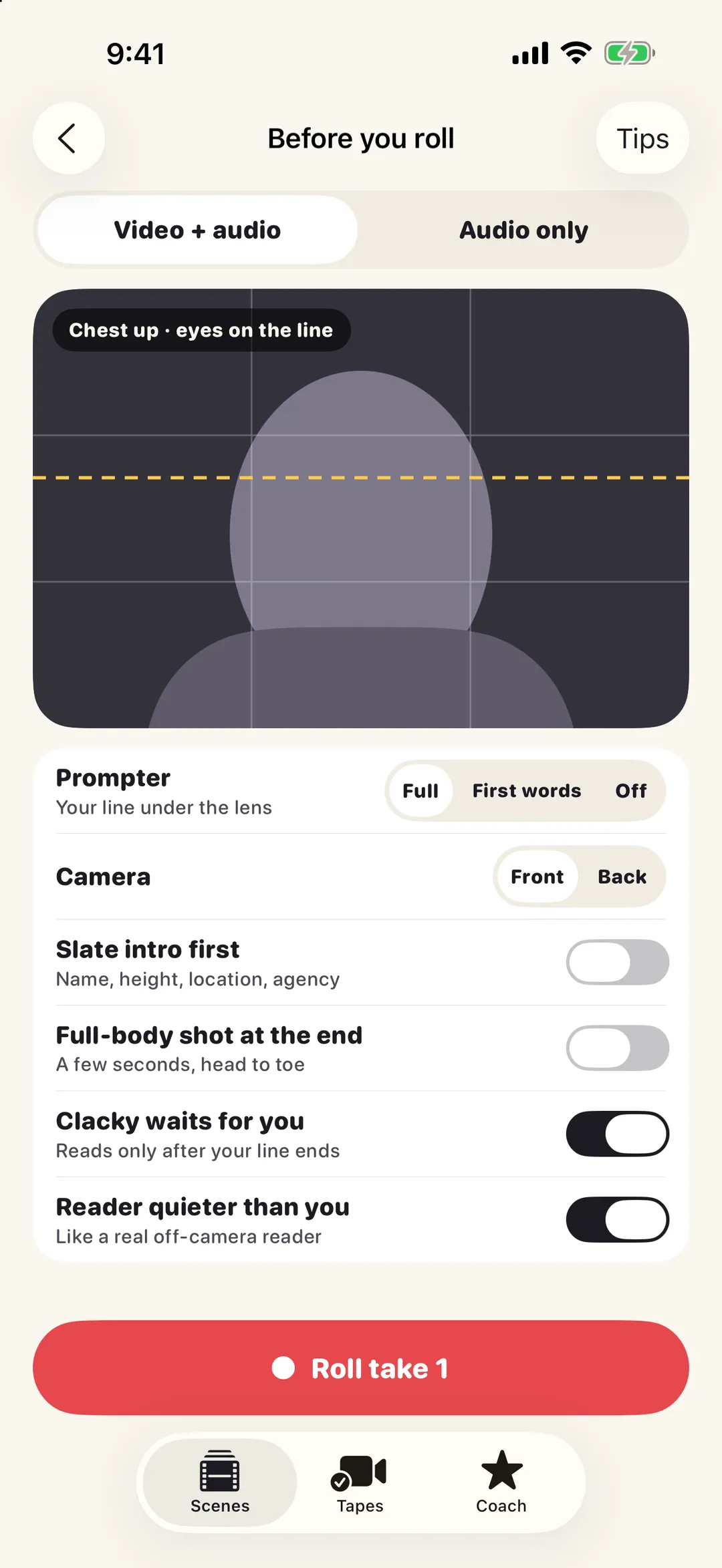
- Video or audio only, with a countdown and a real clap
- Run lines with nothing recorded
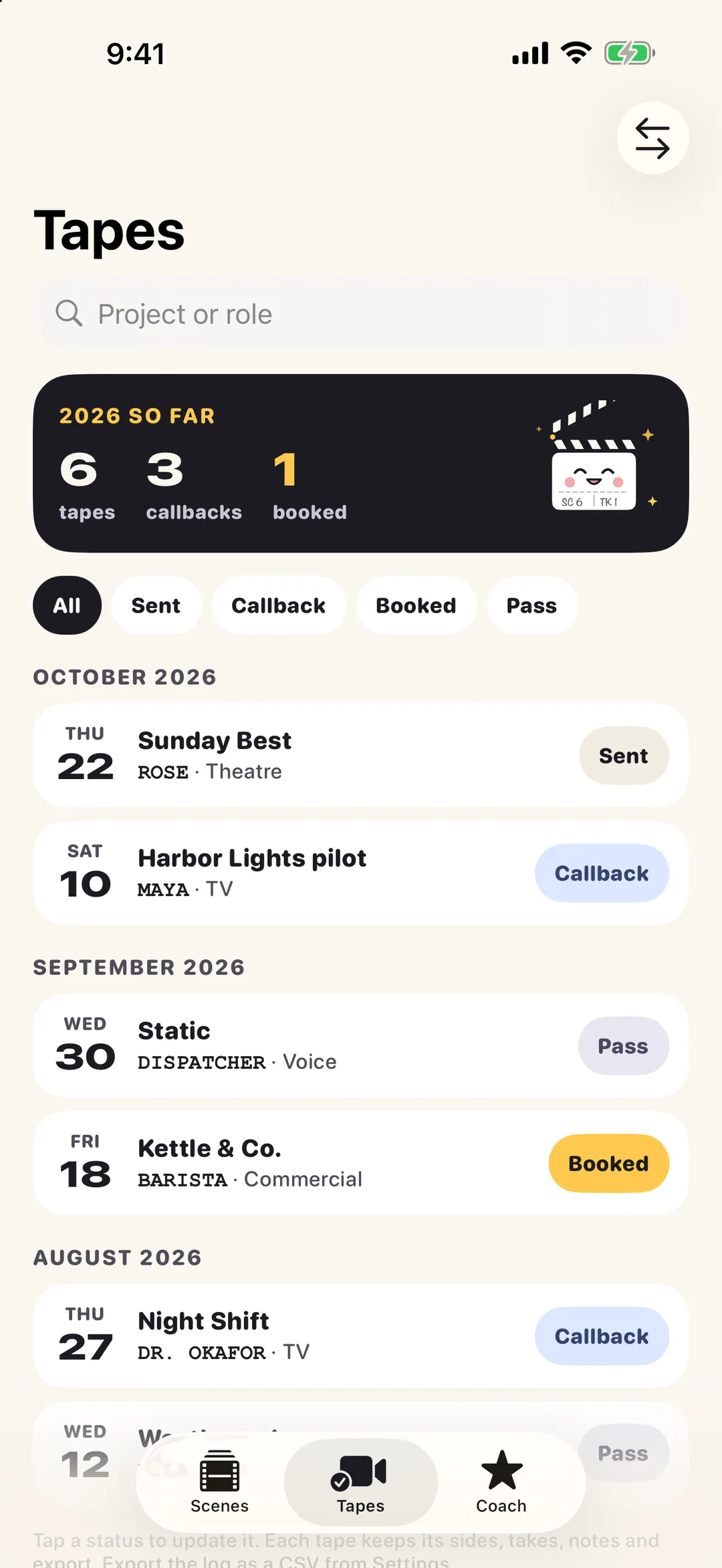
- A tape log for sent, callback, booked and pass, with deadline reminders
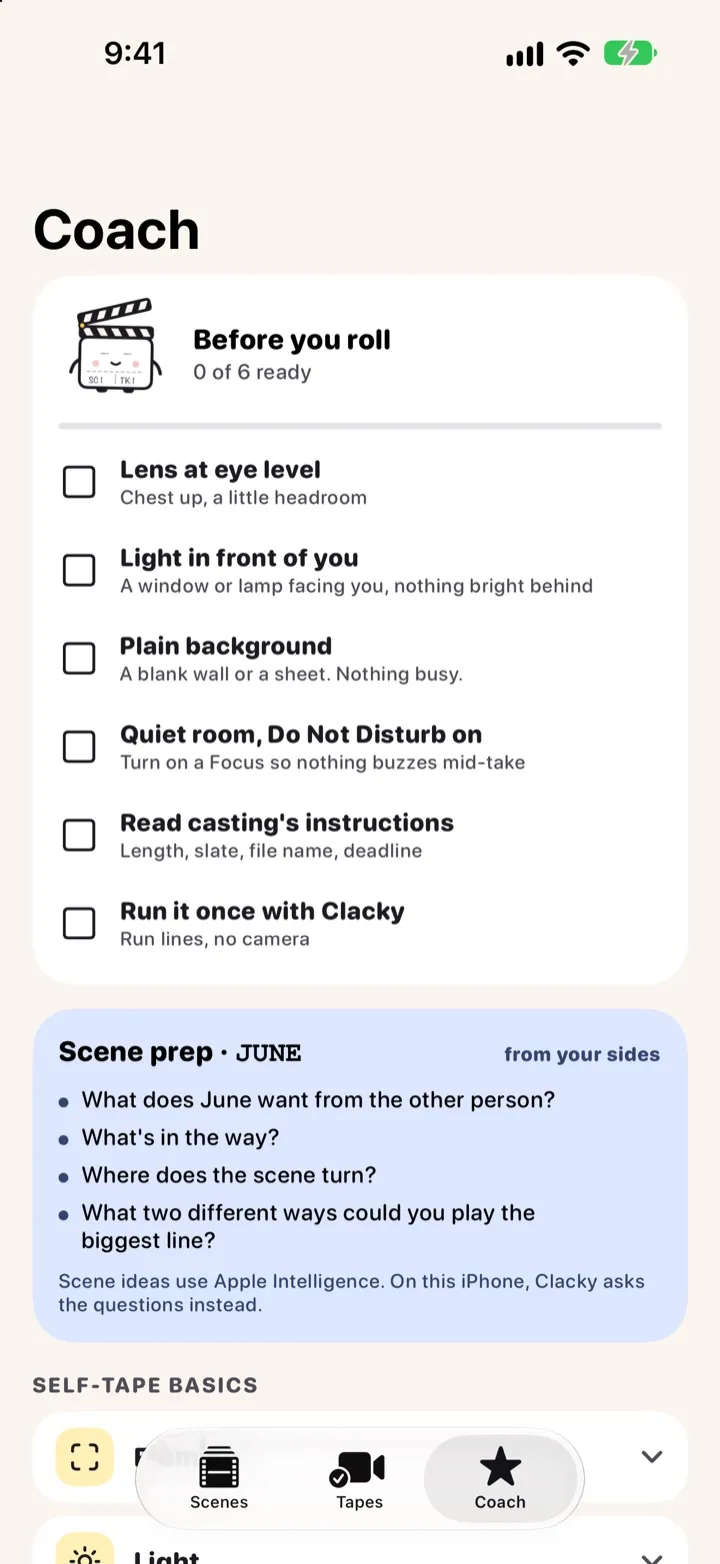
- Scene prep and a pre-roll checklist
- A deadline widget and a Live Activity while rolling
- An Apple Watch remote that taps your wrist before your line
Why we made Clacky
Self-tapes ask actors to be performer, reader, camera operator and editor all at once. Clacky takes the reader’s job and the busywork off your hands so you can spend your energy on the take, and on the adjustment casting is likely to ask for next.
Sides are scanned, voiced and checked on the iPhone itself, and a take only leaves the phone when you export it to send to casting.
Get Clacky free on the App Store Screenshots, FAQ and privacy for Clacky