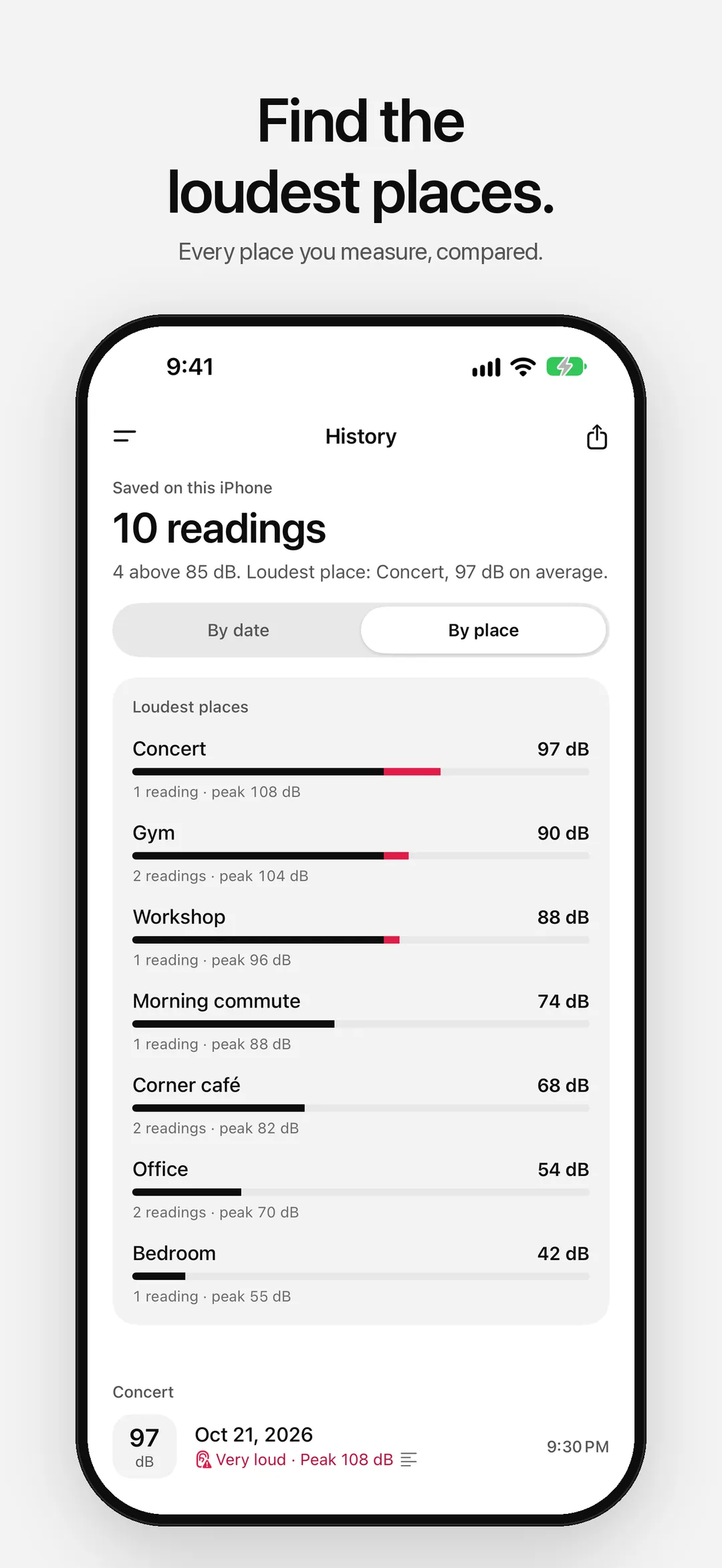
Which of the places you spend time in is the loudest? Decibel measures the room you’re in, files the reading under that place, and ranks your places by their average level, so the gym, the café and the school hall can be compared side by side.
It’s a sound level meter for iPhone with a calm, ink-on-paper look, where color shows up only where it matters: on a level past 85 dB. Above that line, it shows the time NIOSH recommends as a daily limit at that level. It’s free, with no account and nothing recorded.
Get Decibel free on the App Store The Decibel page
Who it’s for
Decibel is for anyone around loud sound: people at concerts, clubs and festivals, people in workshops, gyms and on job sites, and people in classrooms, offices and open-plan floors. It’s also handy for checking a noisy neighbor or street.
If you’ve ever wondered whether the gym is louder than the school hall, or which café is the quietest, Decibel keeps the readings so you can compare.
A meter that reads like the real thing
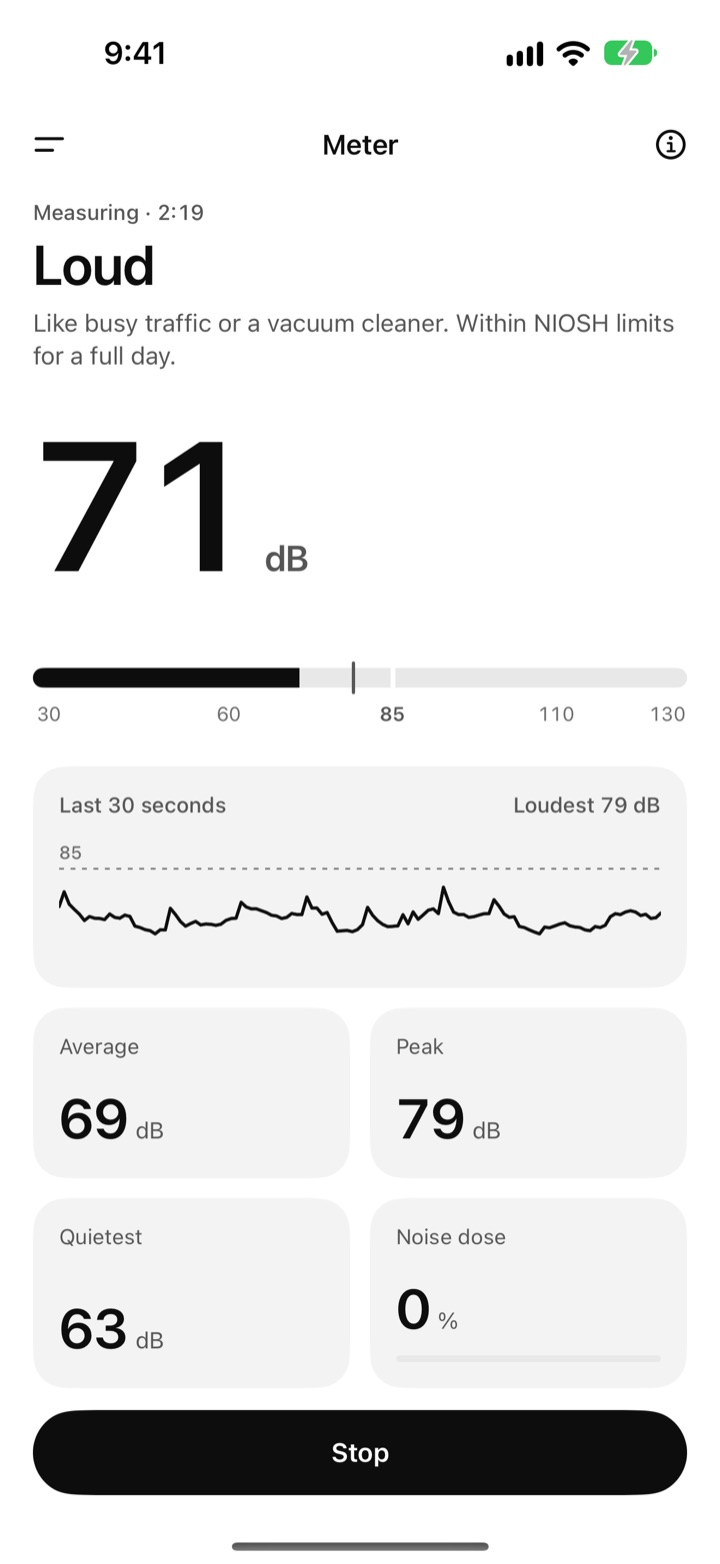
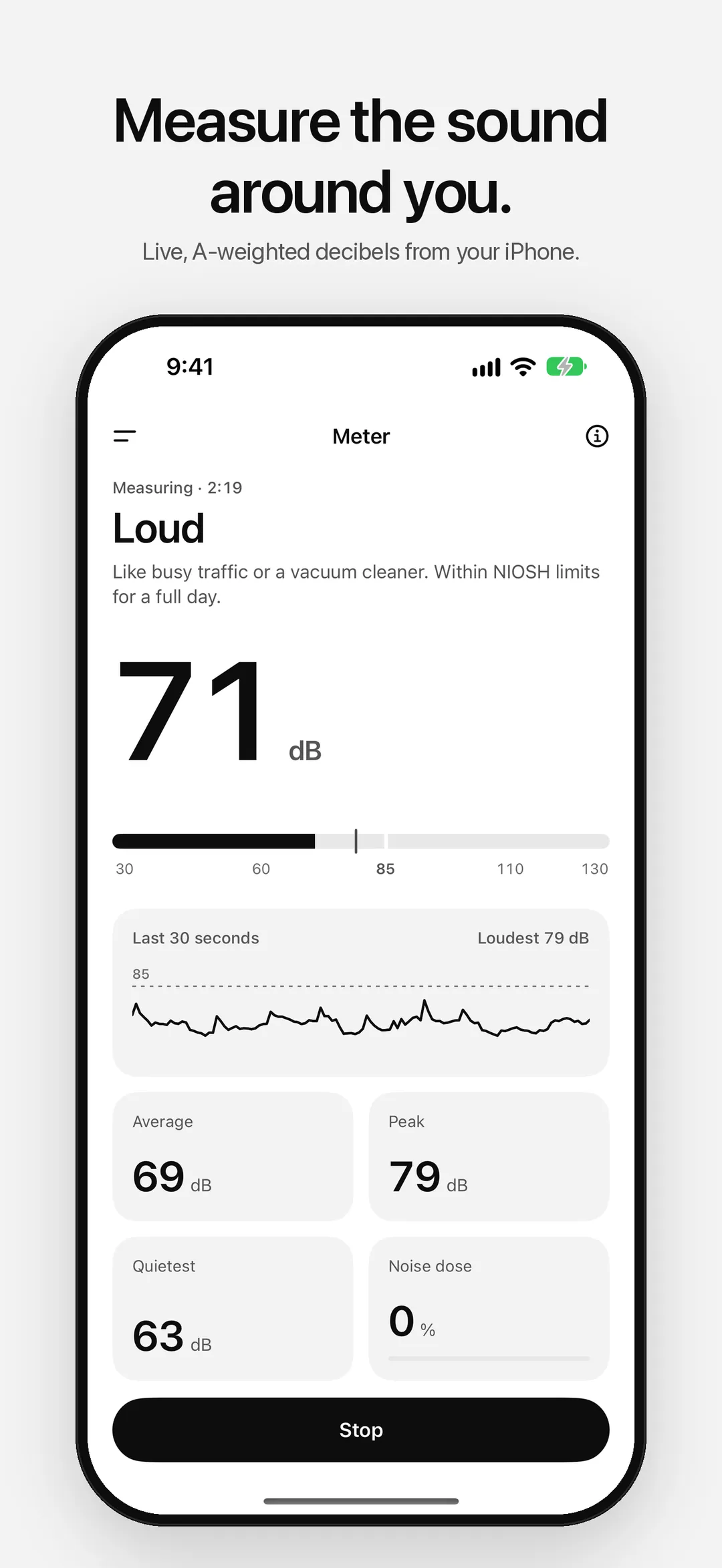
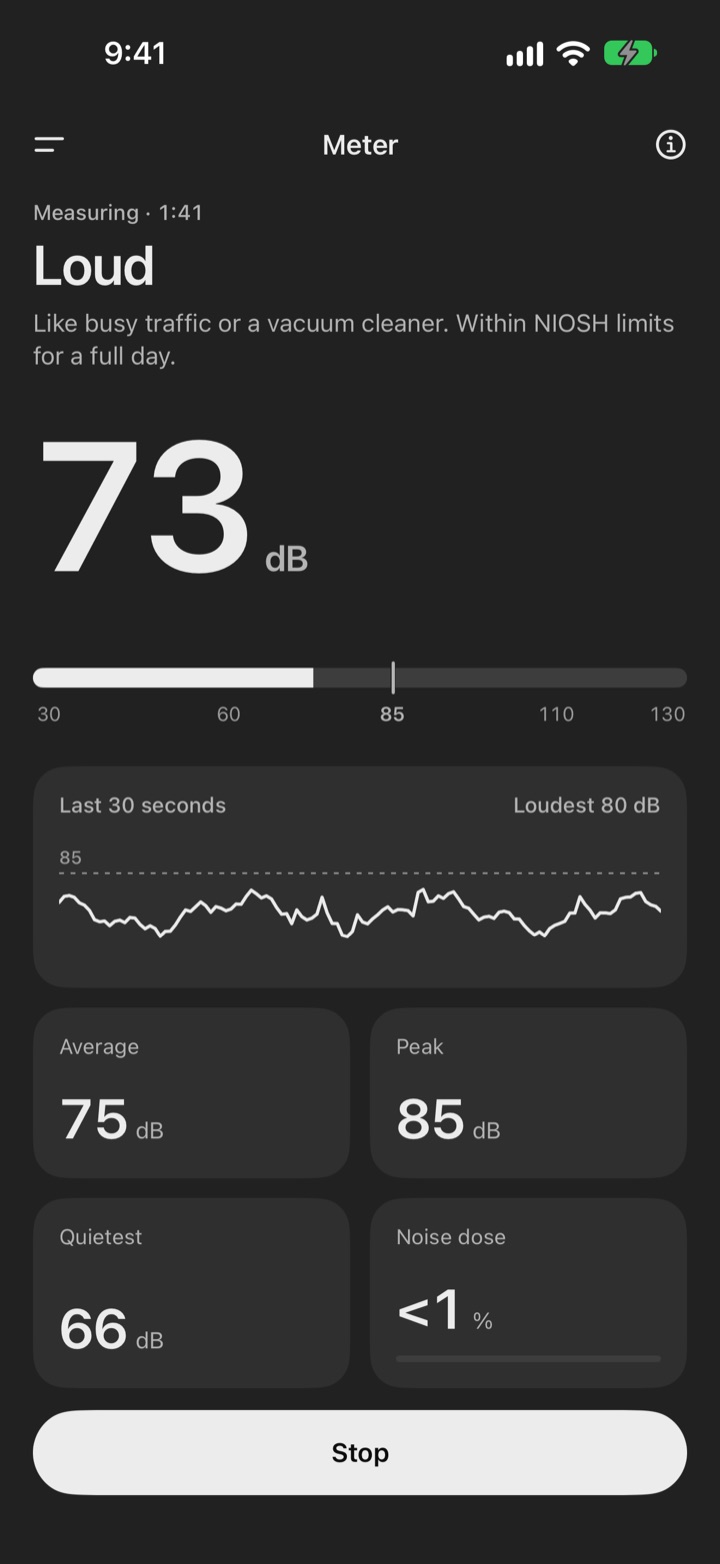
Decibel shows A-weighted decibels with fast time weighting, the way a handheld sound level meter reads, and a trace of the last 30 seconds. Tap the number to hold it. Each session keeps its average, peak and quietest level, and a plain-words label tells you what the level is like.
How long at this level
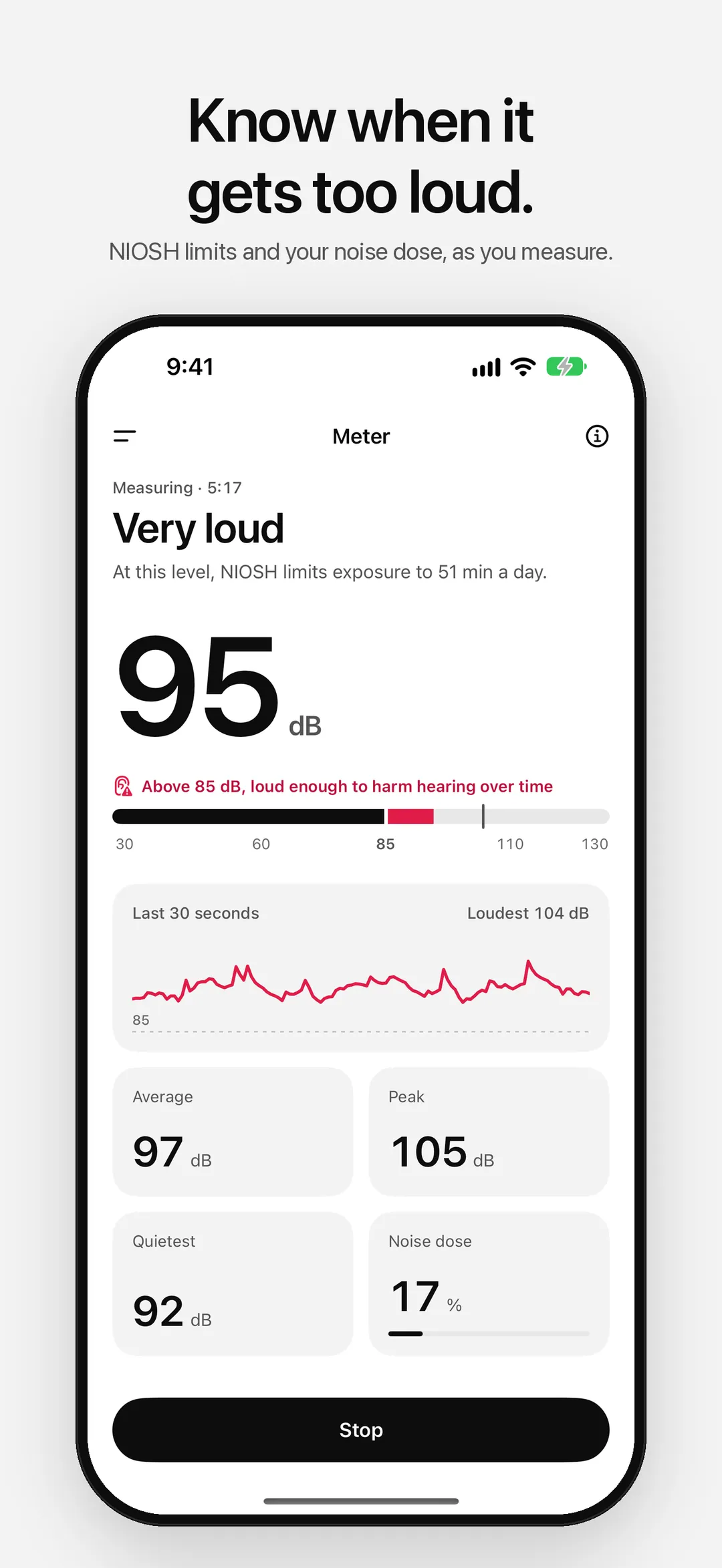
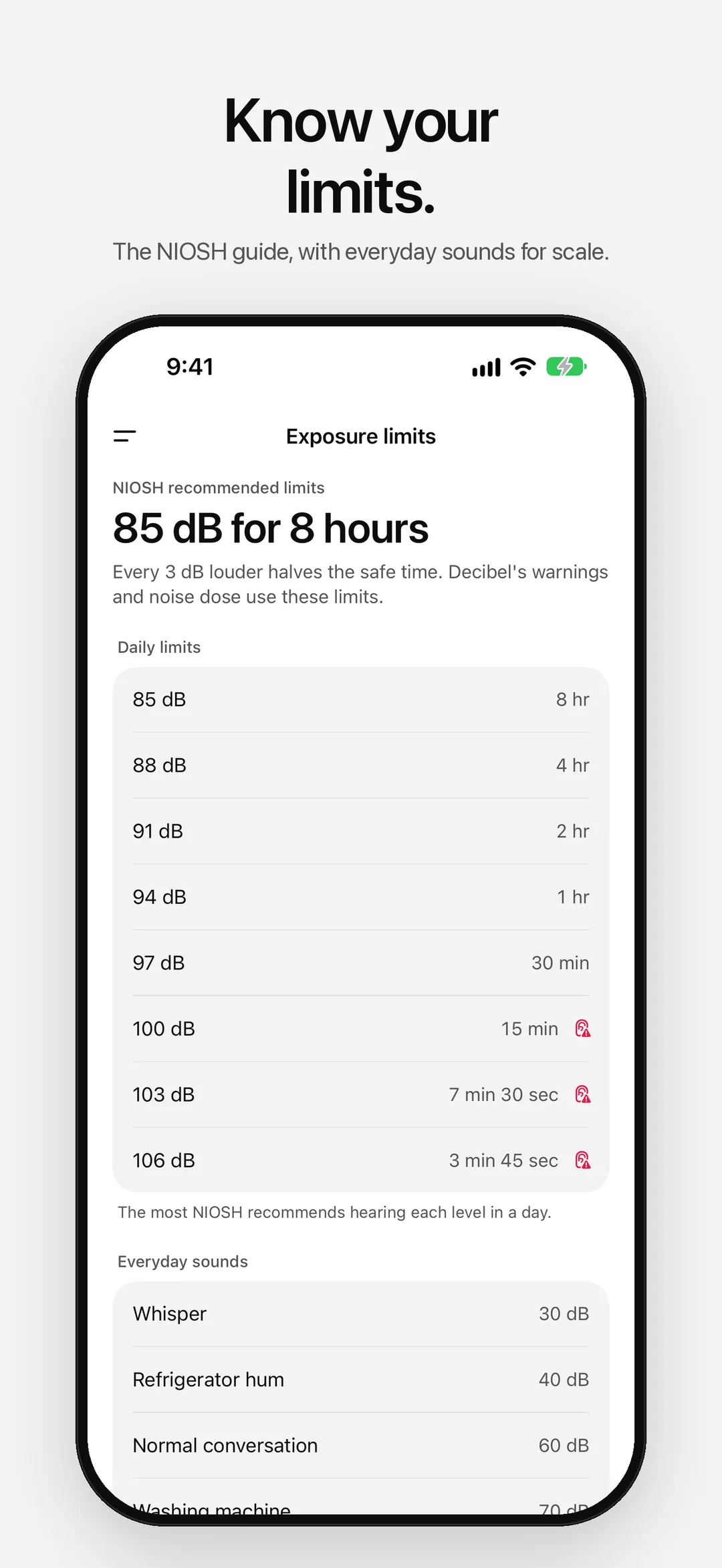
Above 85 dB the meter marks the level and gives the time NIOSH recommends as a daily limit at it. A running noise dose shows how much of that daily allowance the session has used: 8 hours at 85 dB, 15 minutes at 100 dB.
For scale, the Exposure screen sets the NIOSH limits beside everyday sounds, from a whisper to a siren close by.
Your loudest places
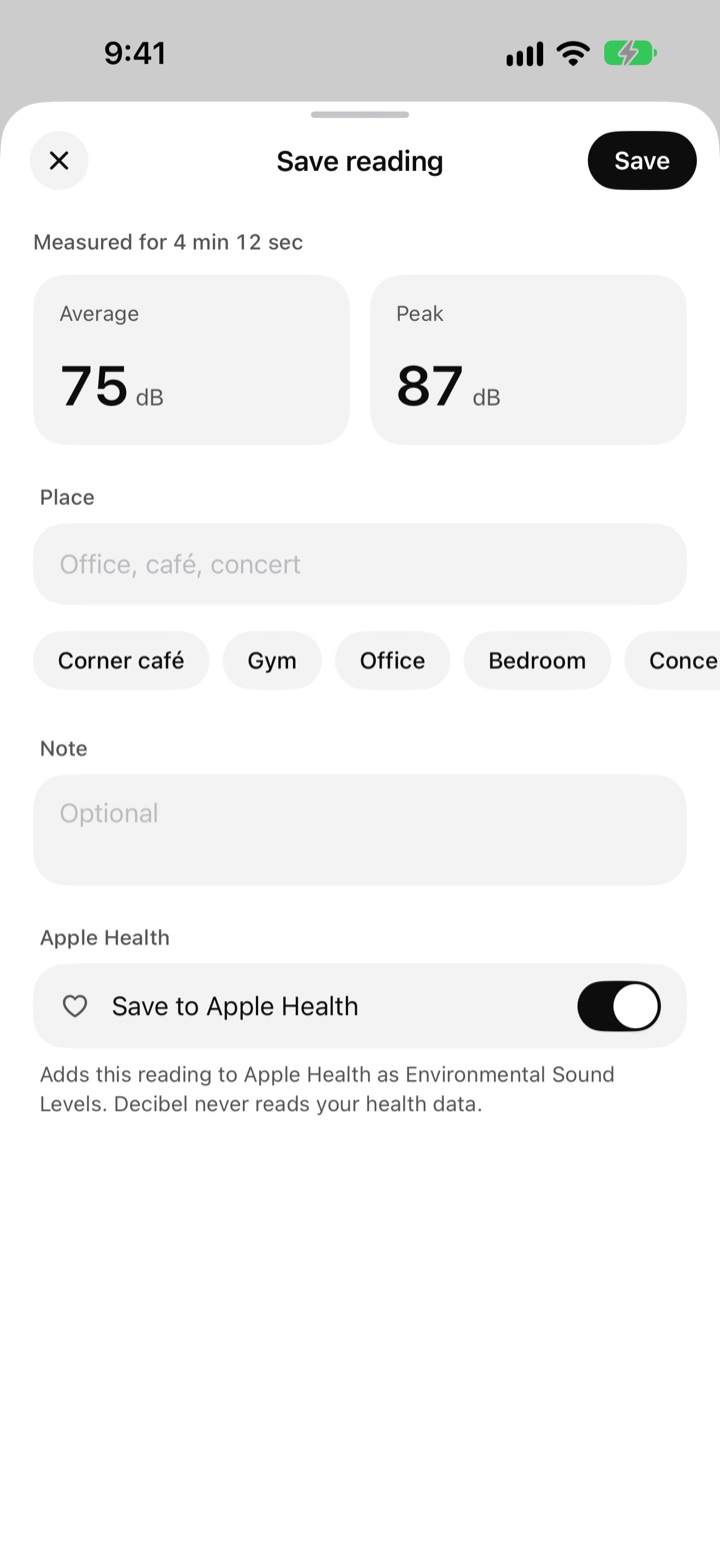
Save a reading with a place and a note. History has two views: by date, and by place. In the places view, each place shows its average, its peak and how many readings it rests on, loudest first.
Health, widgets and Apple Watch
Save readings to Apple Health as Environmental Sound Levels if you like; Decibel never reads anything back. Home Screen and Lock Screen widgets show the last reading, and you can export every place and note as CSV.
The Apple Watch app measures with the watch’s own microphone, for when the phone is in a bag. The meter has a dark look too, easy on the eyes day or night.
Nothing recorded
There are no accounts, no ads and no tracking. Levels are worked out on the device and the audio itself is never recorded, stored or sent. Readings stay on your iPhone, and go to Apple Health only if you turn that on. Anonymous diagnostics, never audio or your readings, help fix problems, and you can turn them off in Settings.
Why we made Decibel
Loud is easy to notice and hard to compare. Decibel turns the places you spend time into numbers you can line up side by side, and puts the NIOSH daily limits right where you can see them when a level climbs past 85 dB.
Decibel estimates levels with your phone’s microphone. It isn’t a calibrated instrument or medical advice; if you own a calibrated meter, you can set Calibration in Settings to match it.
Get Decibel free on the App Store Screenshots, FAQ and privacy for Decibel