Your Home Screen is a lot of noise: dozens of colorful icons, badges asking to be cleared, apps you forgot you installed. Focus Easy replaces that with a quiet page.
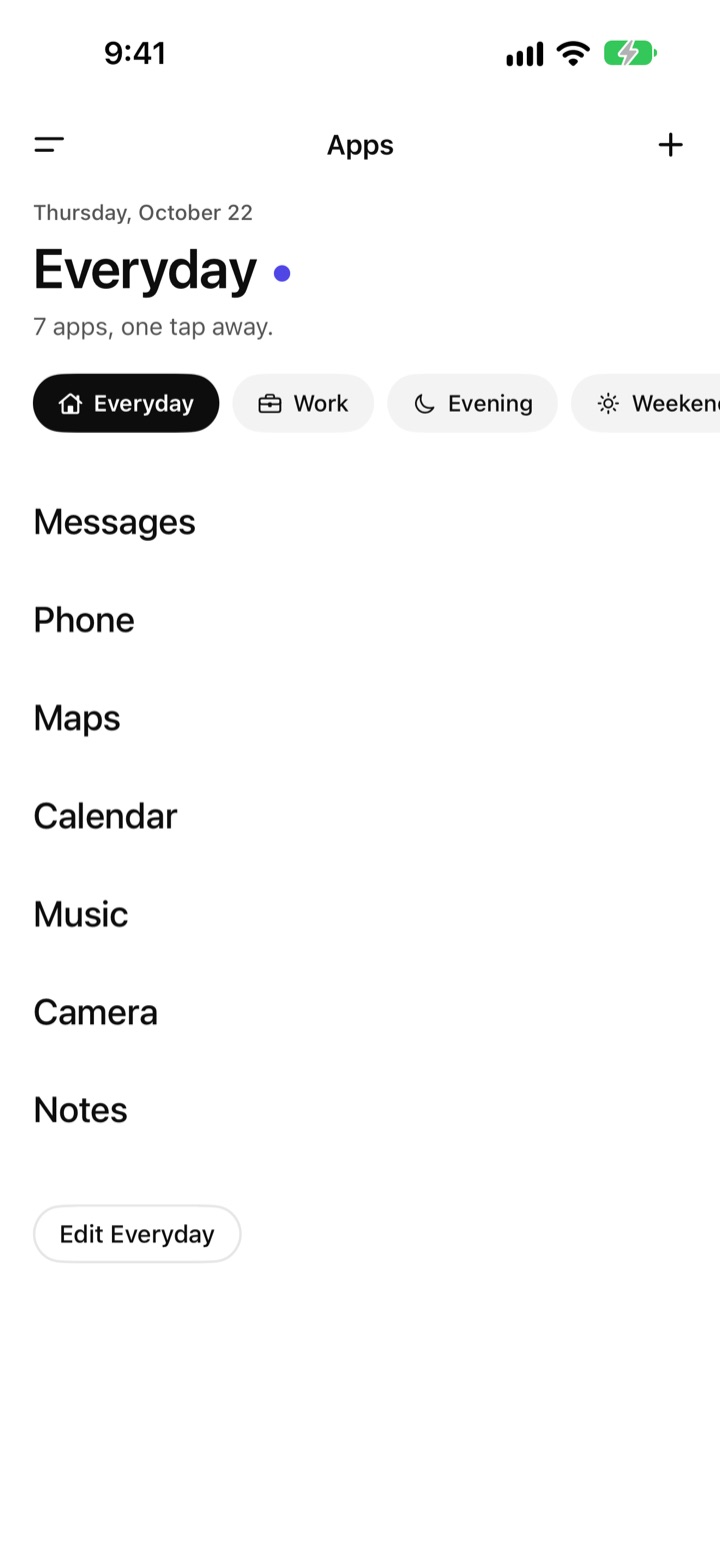
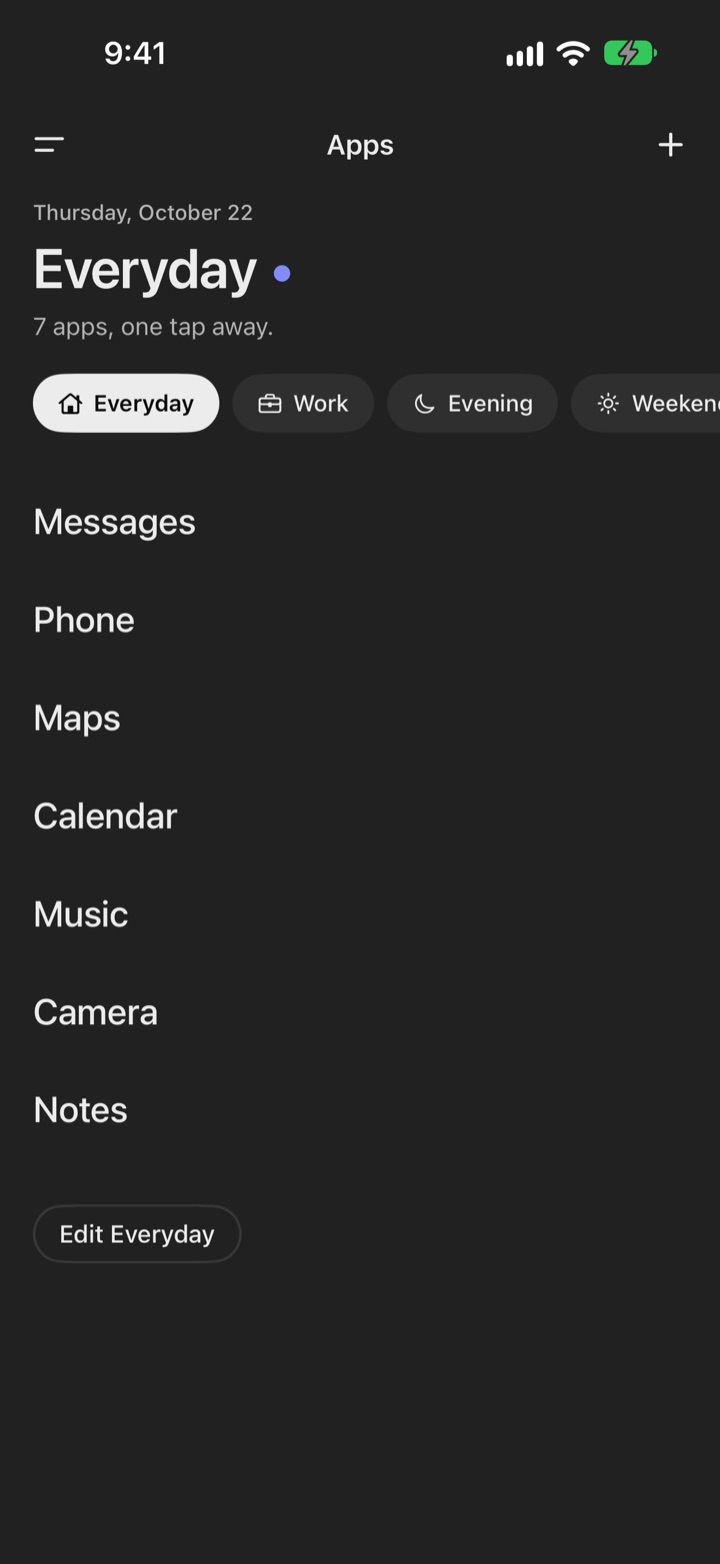
It’s a minimalist launcher for iPhone and iPad. Pick the few apps you need, give them a page of their own, and open each with one tap. Your apps show as big, plain names. No badges, no icons calling for you, no account.
Get Focus Easy free on the App Store The Focus Easy page
Who it’s for
Focus Easy is for anyone who wants to use their phone on purpose, not by habit. If you’ve been drawn to the dumb phone movement or digital minimalism but still need a real iPhone for work and life, this is a gentle middle ground.
It’s also for people whose days have different shapes. You can keep one set of apps for work and another for the evening, and switch between them in a tap or let a Focus switch them for you.
Your apps in plain type
The launcher shows your apps as big, plain names. Tap one and it opens. That’s the whole idea.
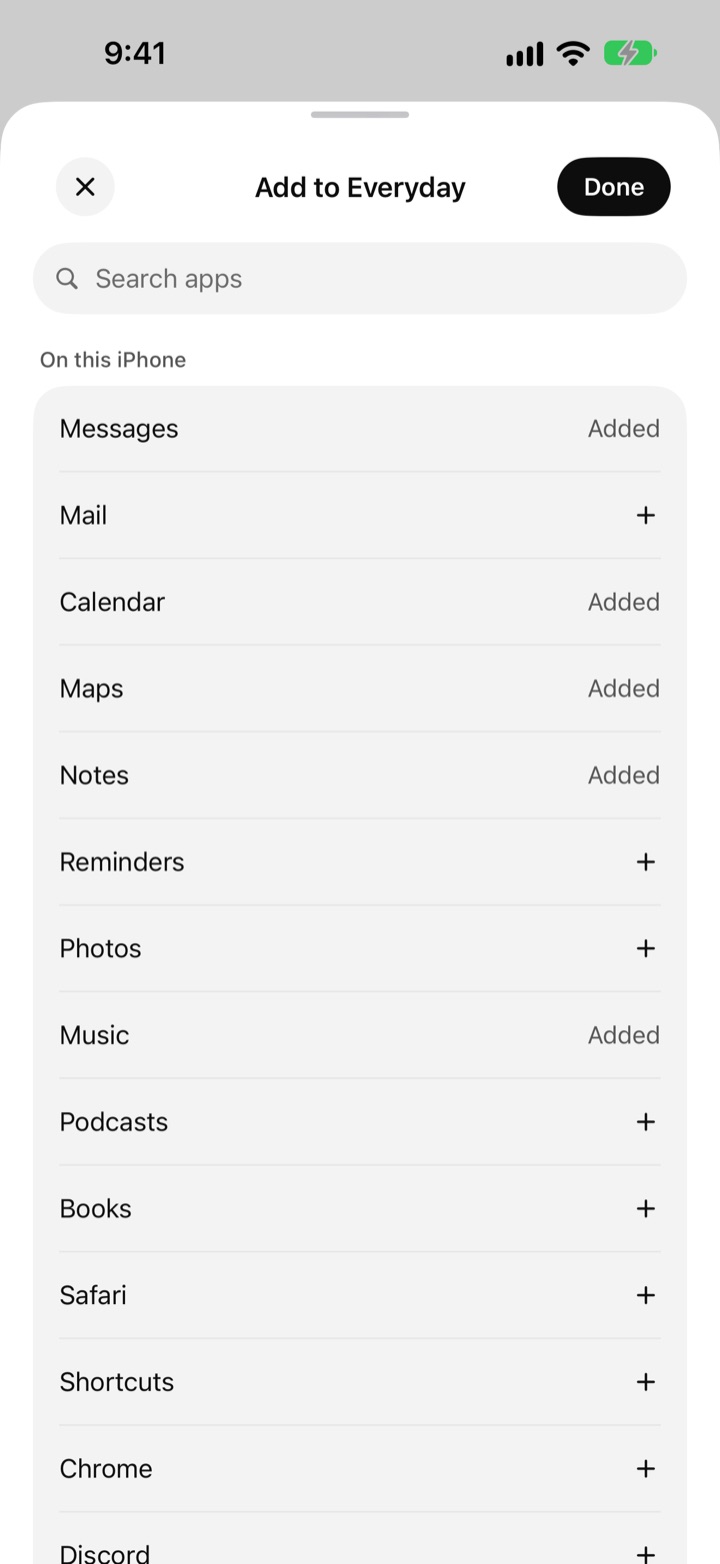
Adding apps is just as simple: pick the apps on your iPhone or iPad from a list in a tap. Apps with no link, such as Camera or Clock, open through a shortcut you make once in the Shortcuts app, and Focus Easy shows you how.
Contexts for your day
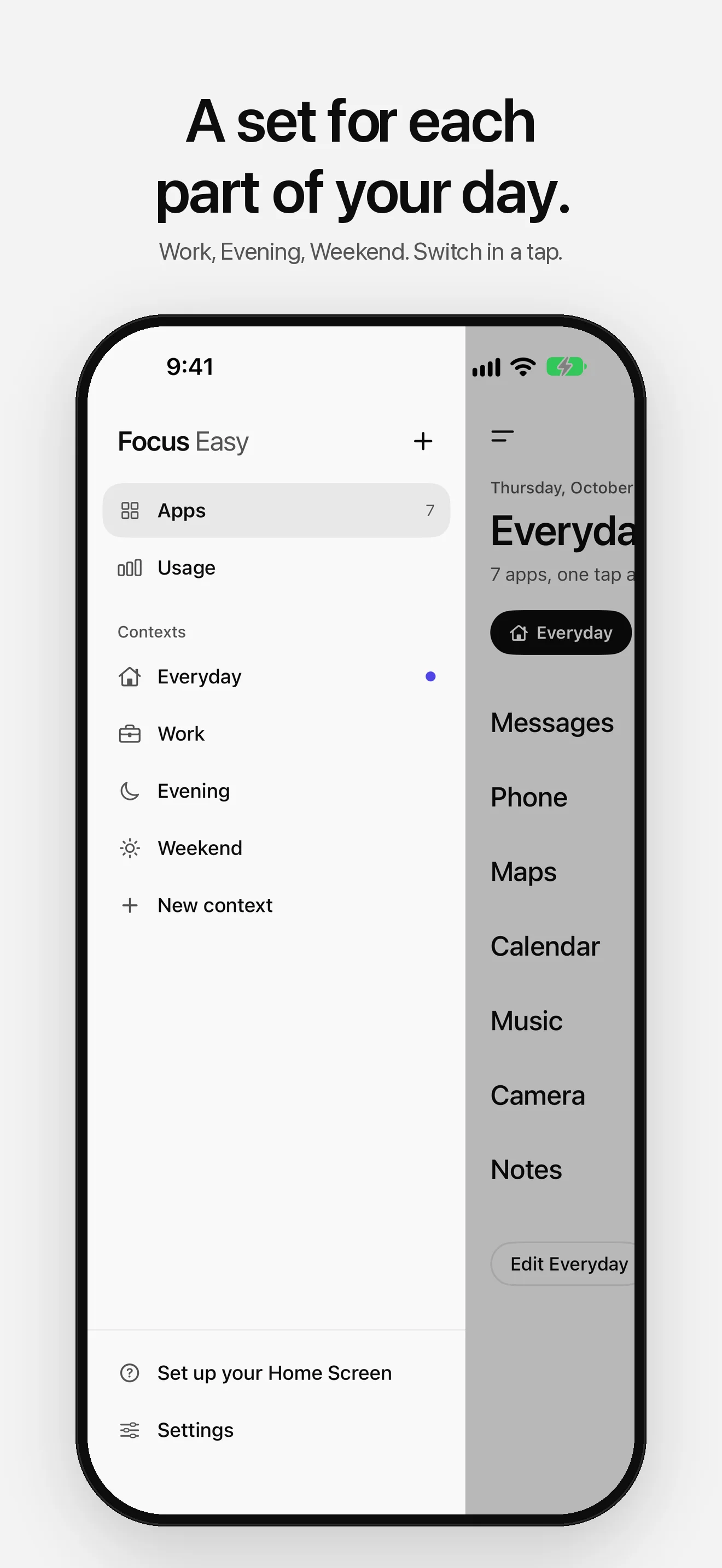
Make a set of apps for each part of your day, such as Everyday, Work and Evening, and switch between them in a tap. Focus Easy can suggest the one that fits the time of day.
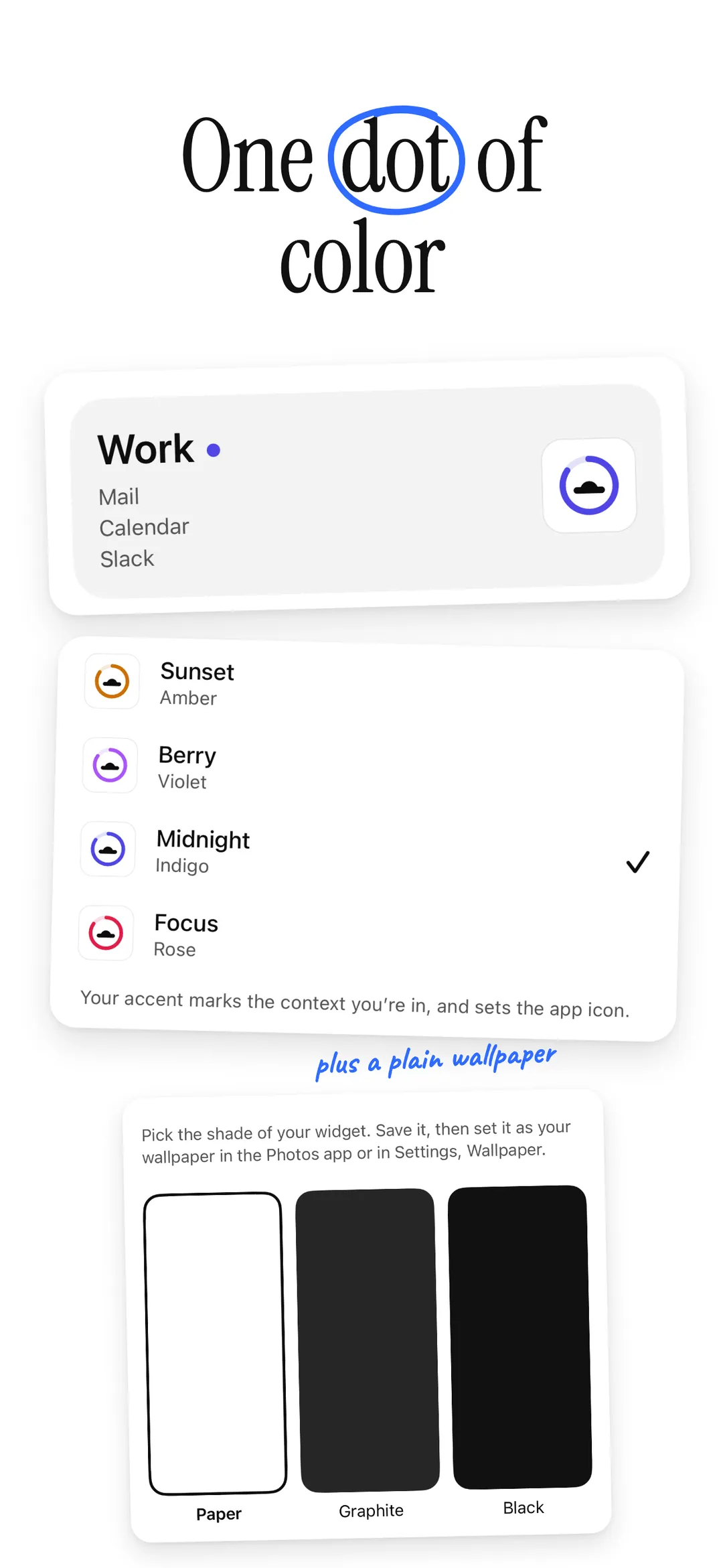
A single colored dot marks the context you’re in, and the icon on your Home Screen takes the same color.
A widget with a page of its own
Put the Focus Easy widget on a Home Screen page of its own, in small, medium or large, or extra large on iPad. Each widget follows your current context or shows one you pick.
On the Lock Screen, the One app widget sits beside the clock so you can reach the app you use most without hunting for it. Pick the app, or let it follow the first app of your current context.
Works with Focus and Siri
Pair the widget’s page with an iOS Focus, and it’s the only page you see while that Focus is on. Add the Focus Easy filter to a Focus, and Focus Easy switches to the right context, then back again after.
Or just say “Switch to Work in Focus Easy”, and use the same action in Shortcuts automations.
- Usage counts the apps you open through Focus Easy over the last week. It doesn’t read Screen Time, and the counts stay on your device.
- Black type on a pale page, or pale type in Graphite or Black after dark.
- On iPad, your contexts stay beside your apps, and it works in Split View, Stage Manager, any orientation and with a keyboard.
Why we made Focus Easy
We wanted a phone that waits for you instead of calling for you. Focus Easy keeps just the apps you actually need on one page, in ink on paper, so reaching for your phone starts with a choice rather than a scroll.
It’s free and has nothing to unlock, with no account and no ads. Your apps, contexts and counts stay on your device; anonymous diagnostics help fix problems, never include your apps, contexts or counts, and can be turned off in Settings. If it helps you keep your Home Screen quiet, there’s an optional one-time tip in Settings.
Get Focus Easy free on the App Store Screenshots, FAQ and privacy for Focus Easy