The meeting ends, and someone has to write up what was decided and who’s doing what. Meeting Easy does that part. It turns a meeting into minutes: a summary, the decisions, and every action item, with each one on a single list across all your meetings.
It works on iPhone, iPad and Mac, and everything happens on your devices. The minutes are written on the device that heard the meeting and travel only to your other devices through your own iCloud. There’s no login to make.
Get Meeting Easy on the App Store The Meeting Easy page
Who it’s for
Meeting Easy is built for the people who run meetings: team leads, managers, founders and project owners who walk out of one call and into the next and need to know who promised what.
It suits in-person meetings with an iPhone or iPad on the table, and video calls on a Mac, where it hears both your microphone and the call.
Who’s doing what, across every meeting
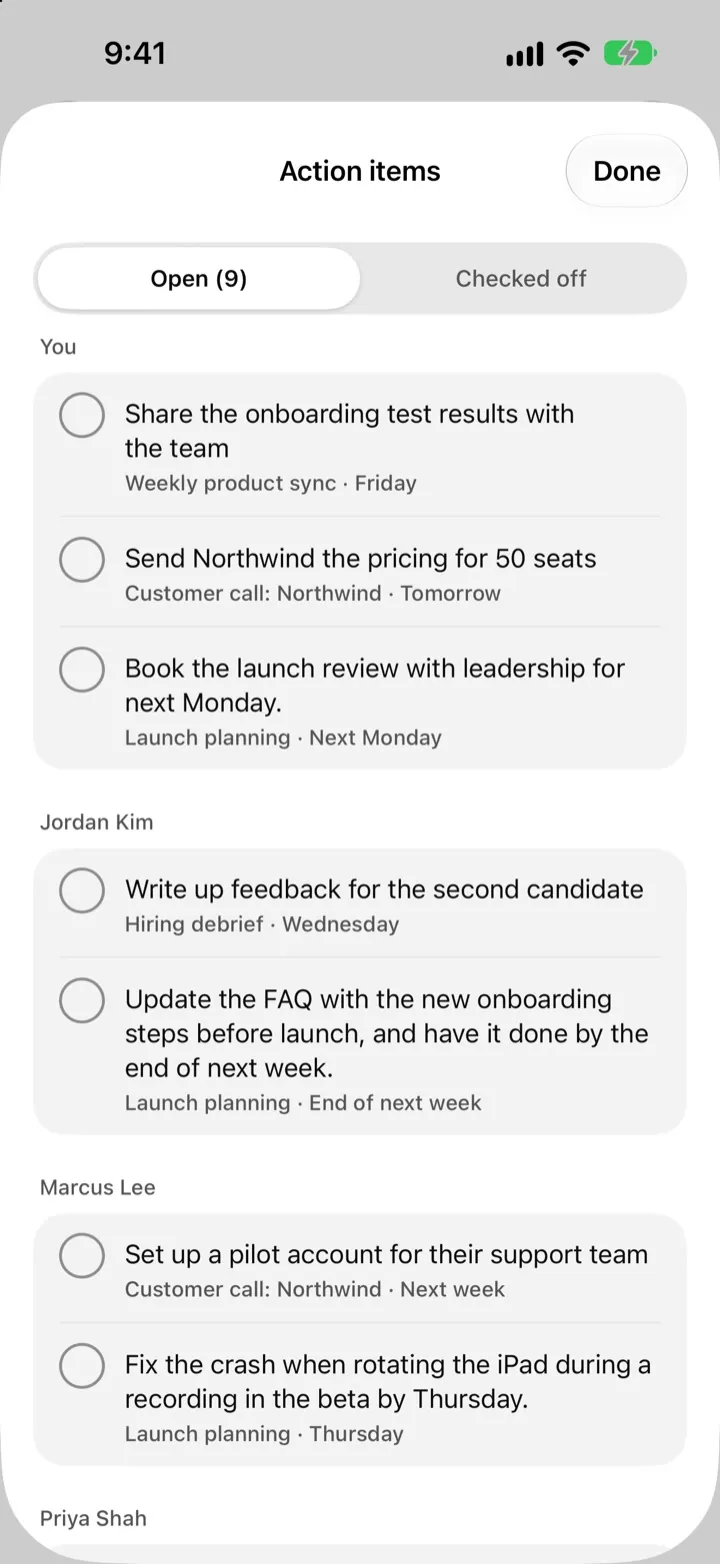
Every action item from every meeting lands on one list, grouped by person: yours first, then each colleague’s, each with the meeting it came from and when it’s due. Check items off as they’re done, or hand one to someone else.
Minutes that write themselves
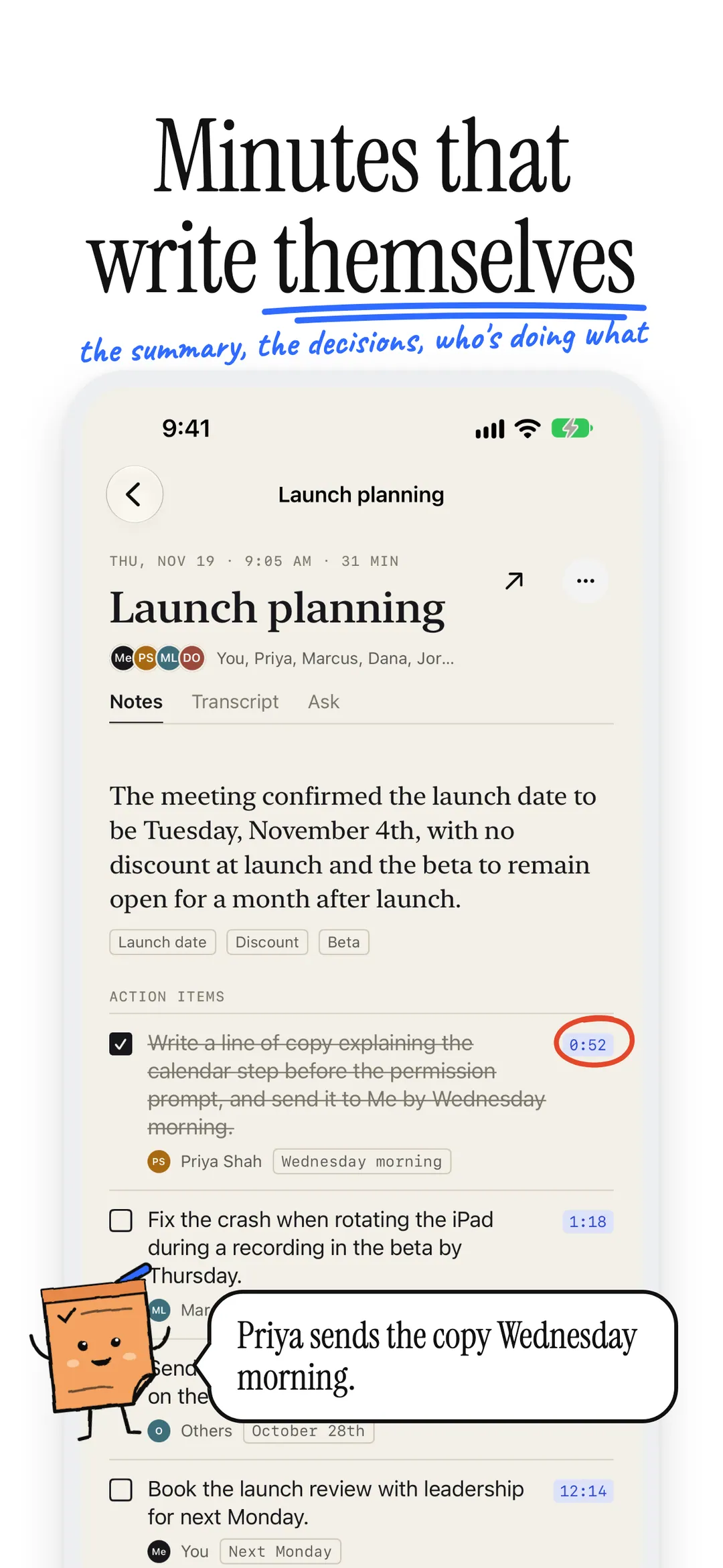
When the meeting ends, Apple Intelligence writes the summary, the decisions and the action items, each with the moment it came up. Add an action item the notes missed, and share the minutes, grouped by person, in one tap.
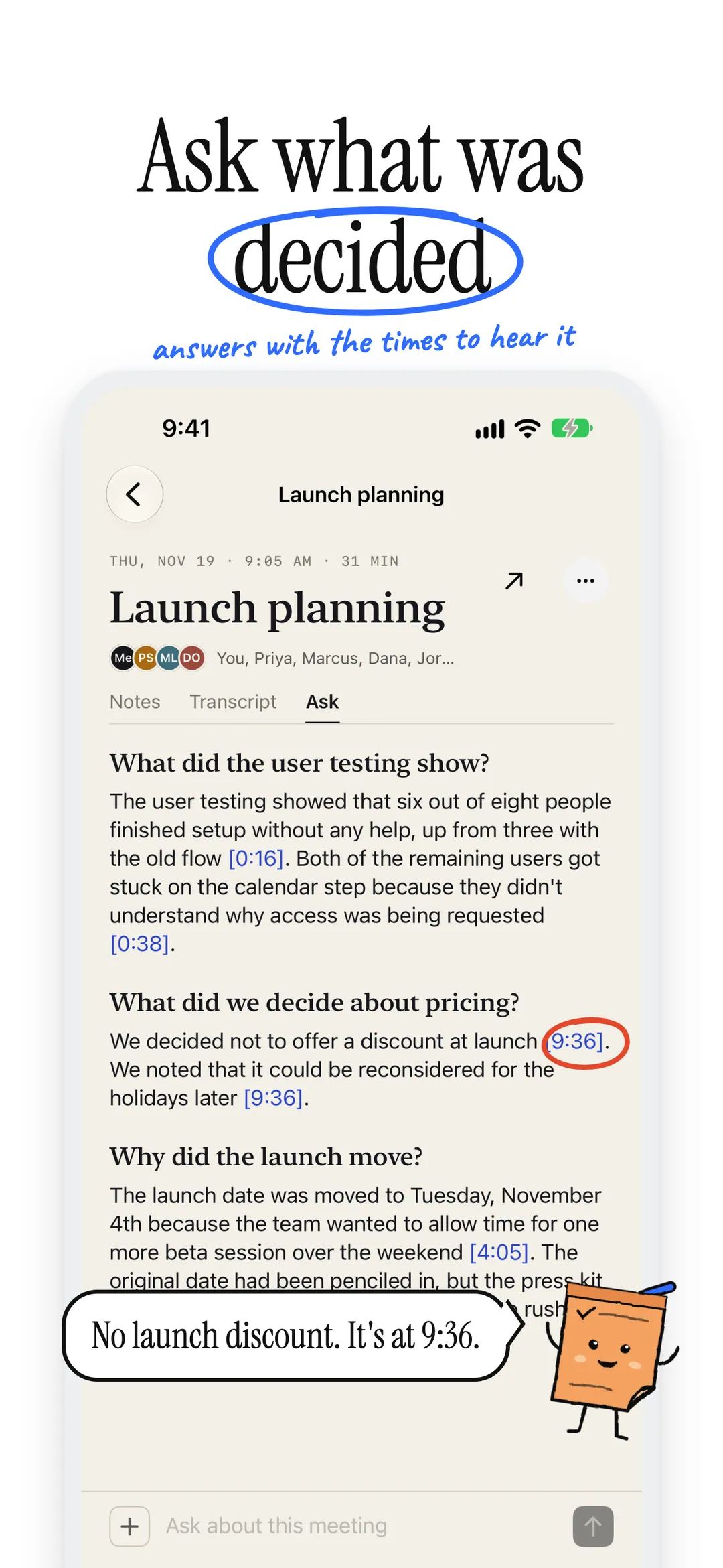
Then ask it what you need. “What did we decide about pricing?” or “What are my action items?” gets an answer from the meeting, with the times to hear it.
Know who was there
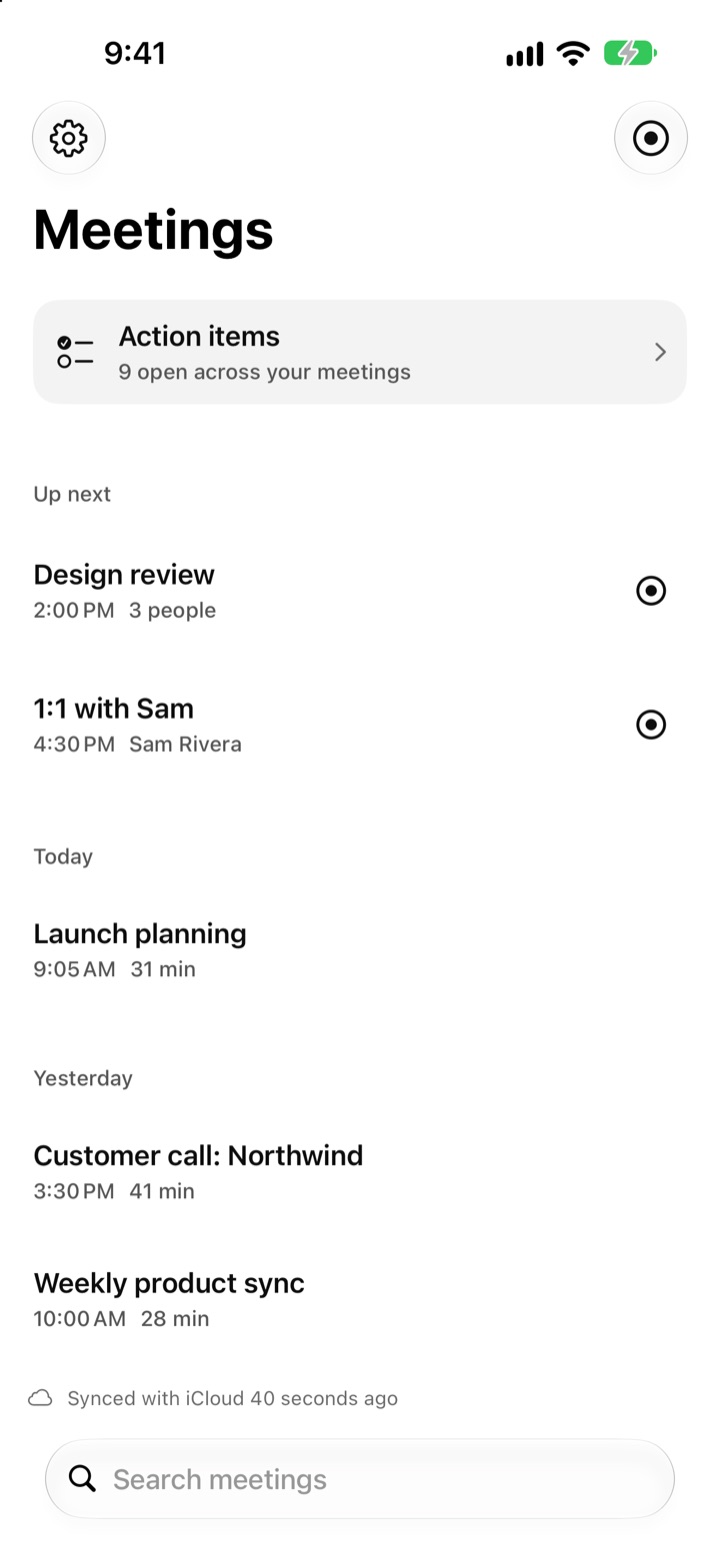
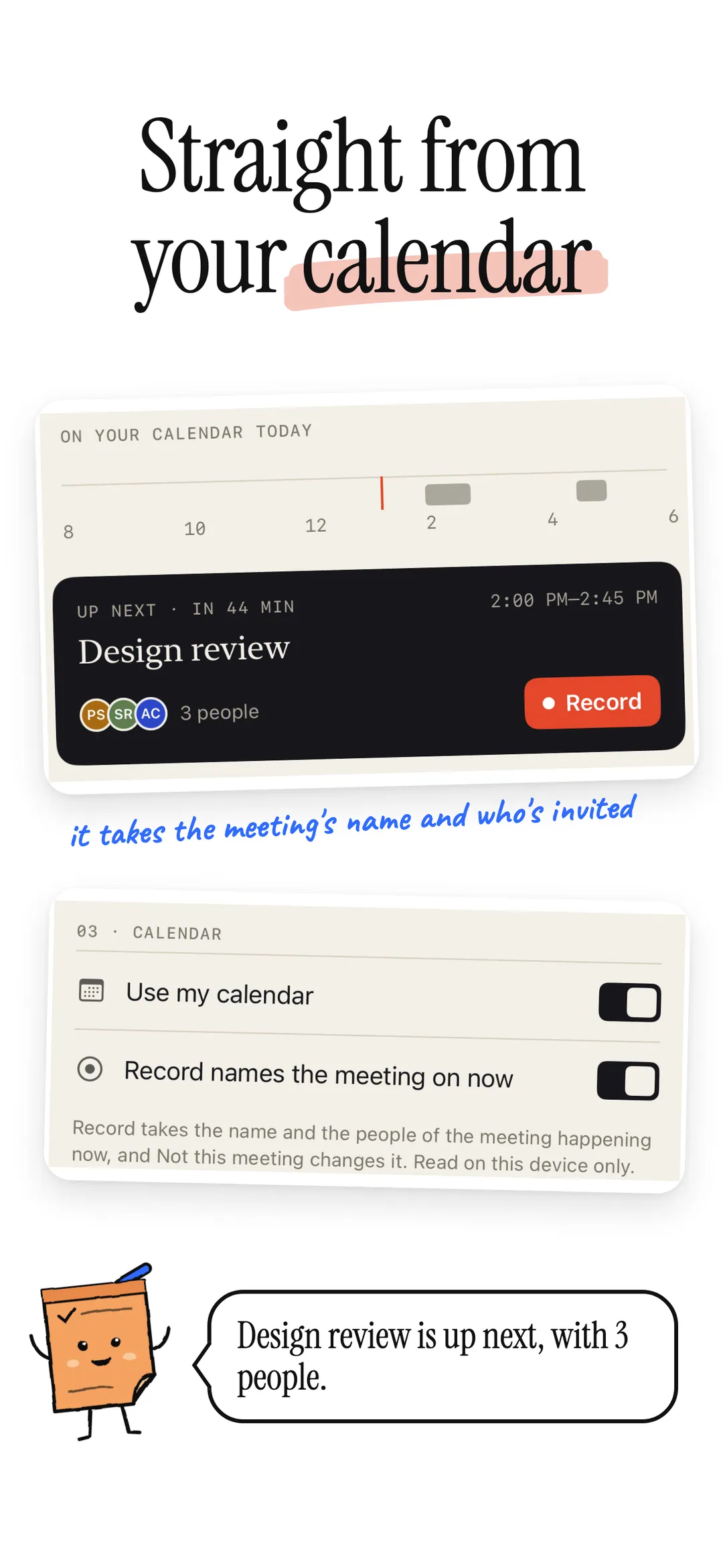
Record from your calendar and the meeting takes its name and attendees. Today’s meetings show up under Up next. Each person’s open items show beside their name, and you can add anyone the invite missed.
Run the meeting, not the notes
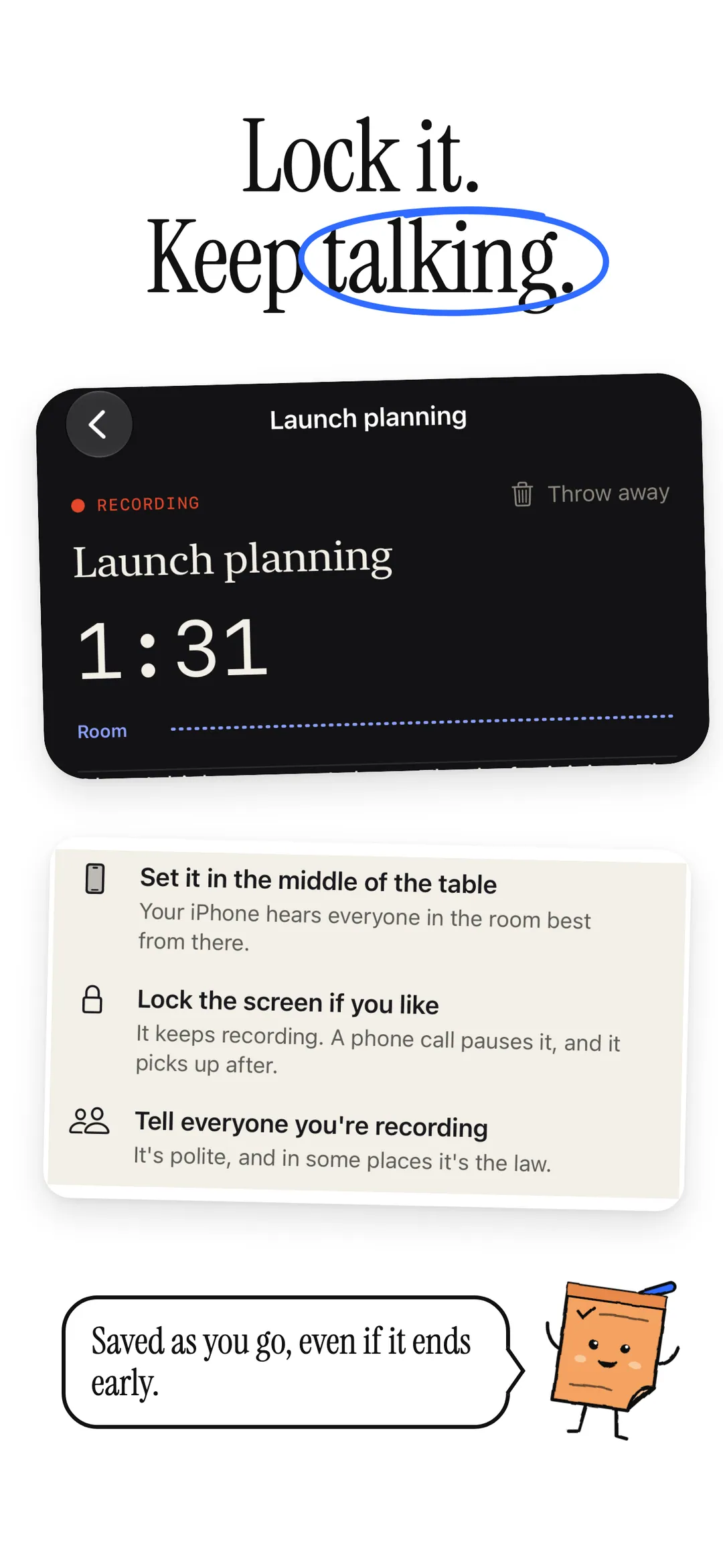
Put your iPhone or iPad on the table, with the screen locked if you like. Notes are saved as the meeting goes, so a meeting cut short is still kept.
On a Mac, Meeting Easy hears your microphone and the call, so a meeting in FaceTime, Zoom or any other app is noted with you as Me and everyone else as Others. Start and stop from the menu bar. On iPad, your meetings sit beside the one you open, with the notes beside the transcript; on iPhone Duo unfolded, they sit either side of the fold.
Kept between you and your team
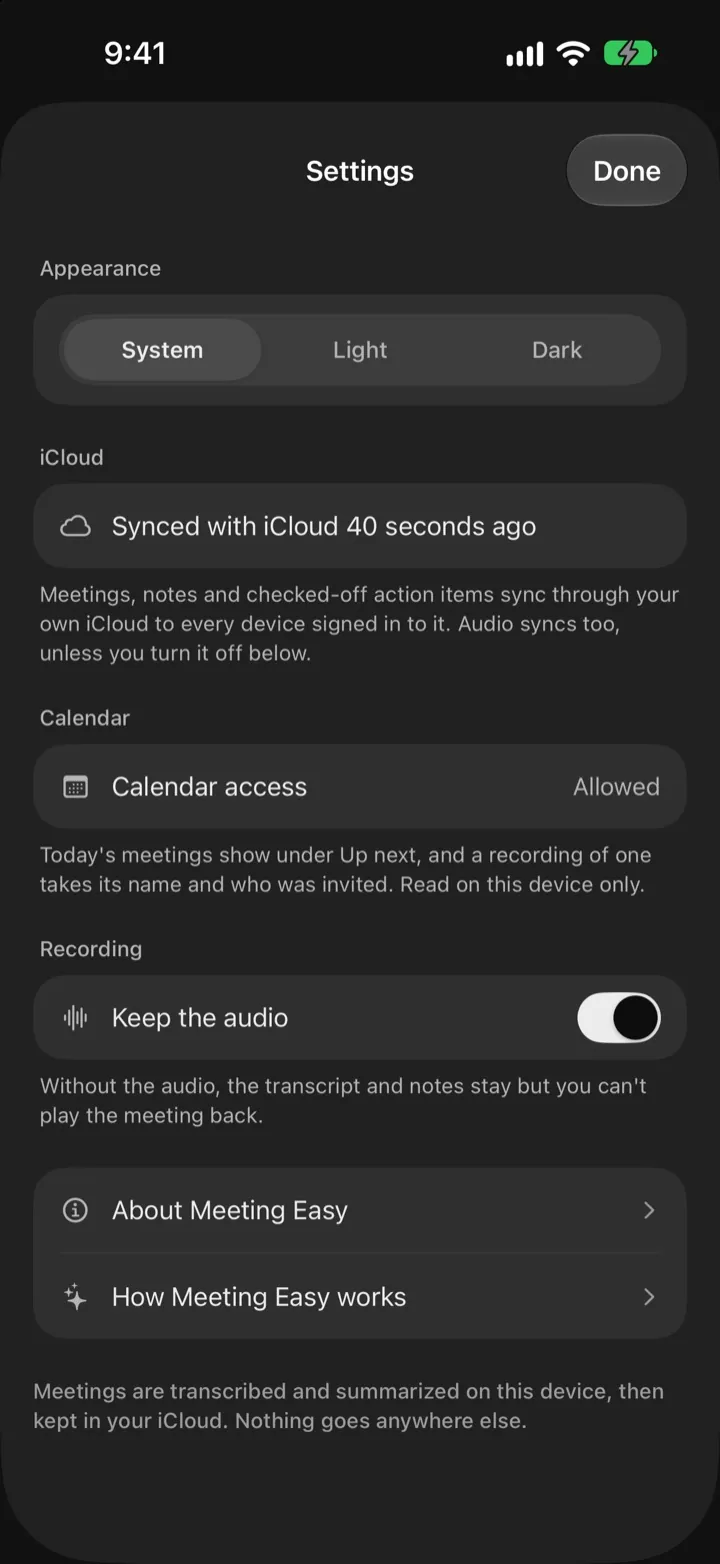
The minutes are written on the iPhone, iPad or Mac that heard the meeting, and they travel only to your other devices through your own iCloud. You won’t make a login, and Idle Fusion runs no server for your meetings.
To help fix problems, Meeting Easy sends anonymous diagnostics, such as crash reports and which screens you open. They never include a meeting, its people, what was said or your calendar, and you can turn them off in Settings.
Why we made Meeting Easy
The point of a meeting is what happens after it. Meeting Easy exists so the person running the meeting can stay in the conversation and still walk out with clear minutes and a list of who’s doing what, without sending the meeting to anyone’s server.
Meeting Easy needs iOS 27, iPadOS 27 or macOS 27. Summaries, decisions, action items and answers use Apple Intelligence, on devices that support it with Apple Intelligence turned on. And please ask the people in the meeting before you start recording.
Get Meeting Easy on the App Store Screenshots, FAQ and privacy for Meeting Easy