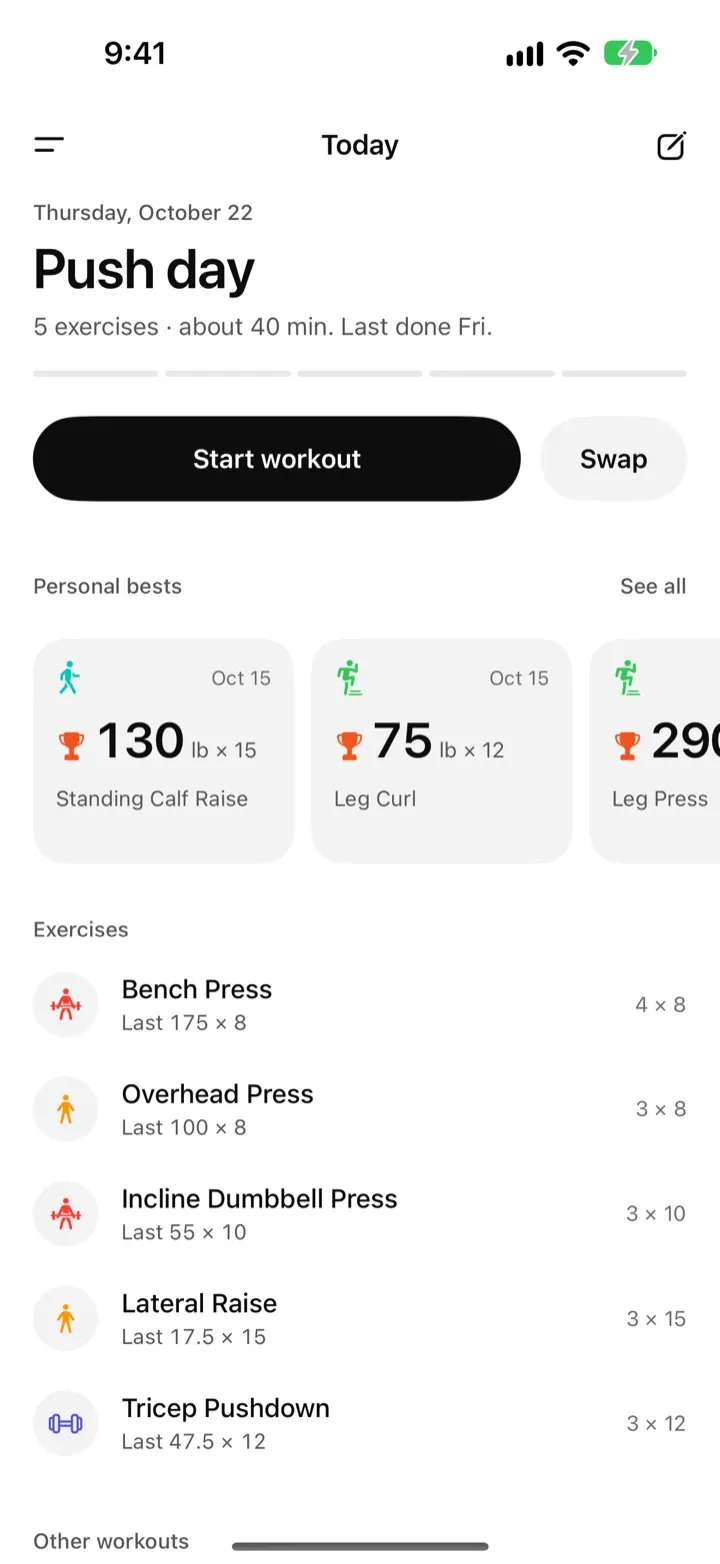
In the gym, the hard part should be the lifting, not the logging. Set Easy is a strength training log for iPhone and iPad that gets out of the way. Open it and today’s workout is ready, with the weights you lifted last time already filled in.
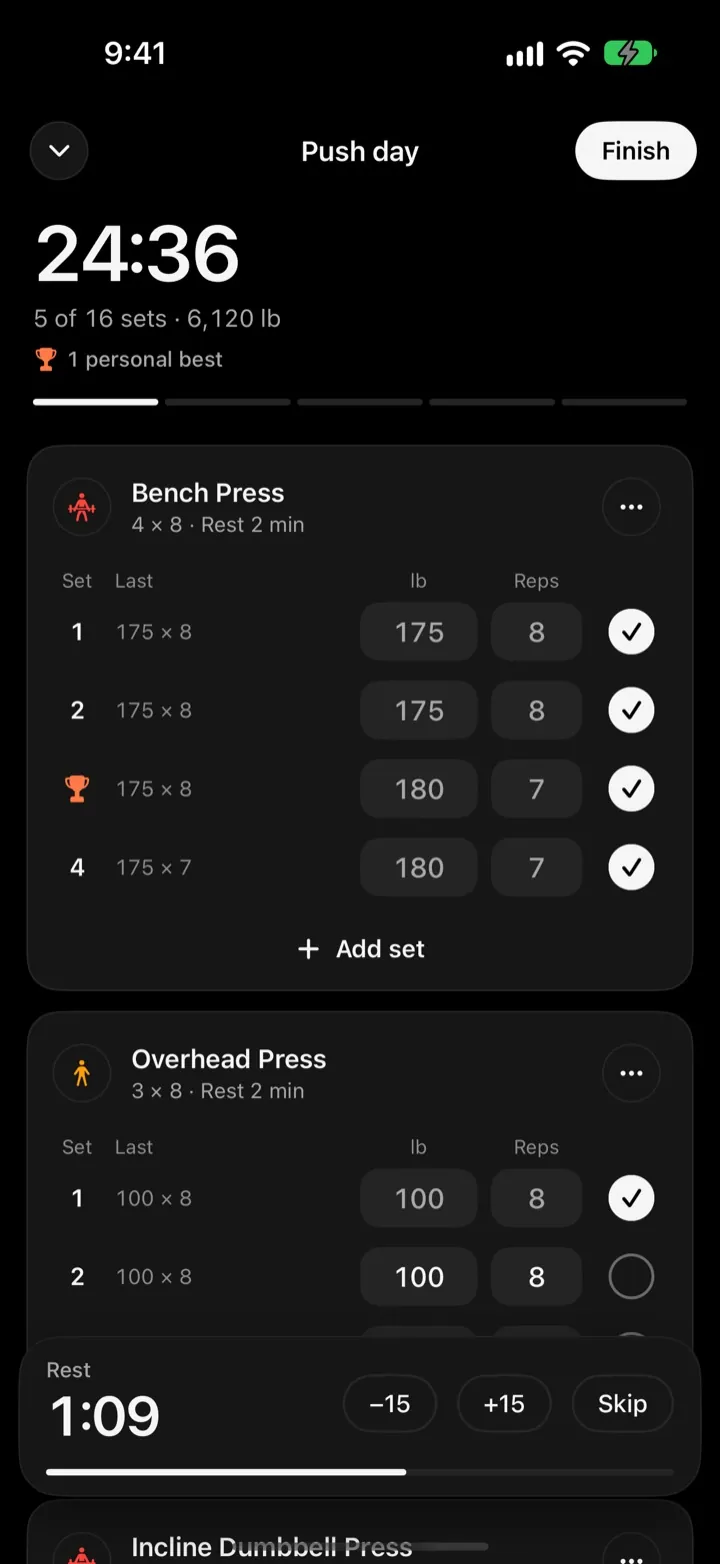
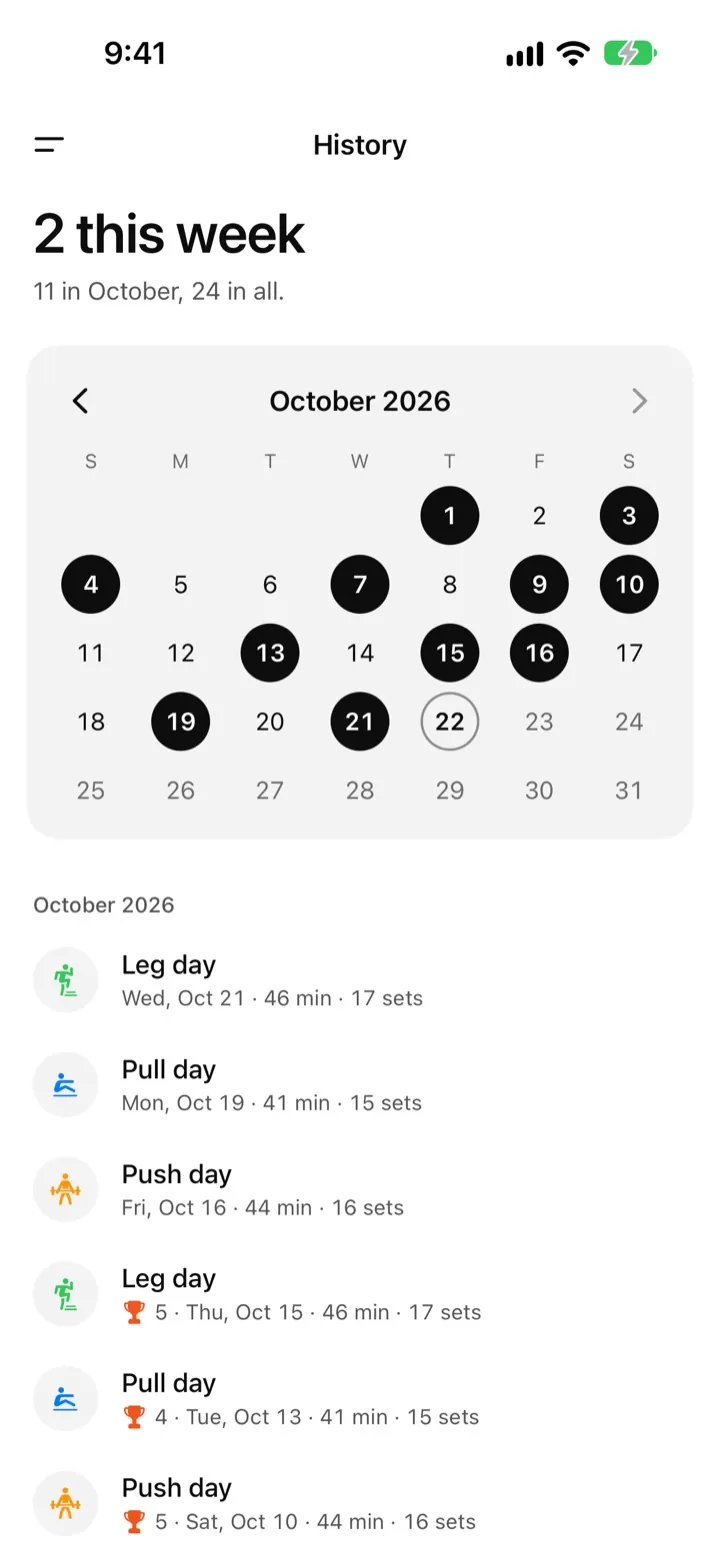
Check off each set, rest, and go again. The rest timer starts on its own, personal bests get a trophy, and your whole history sits in a calendar for when you want to look back.
Get Set Easy free on the App Store The Set Easy page
Who it’s for
Set Easy is for people who lift: someone running a push, pull and legs split, someone following a plan for their goal and equipment, or someone who just wants to know what they benched last Tuesday.
It also suits lifters moving from another app. Bring your history over from Strong or Hevy, and leave your phone in your bag with the Apple Watch app.
Today’s workout, ready when you are
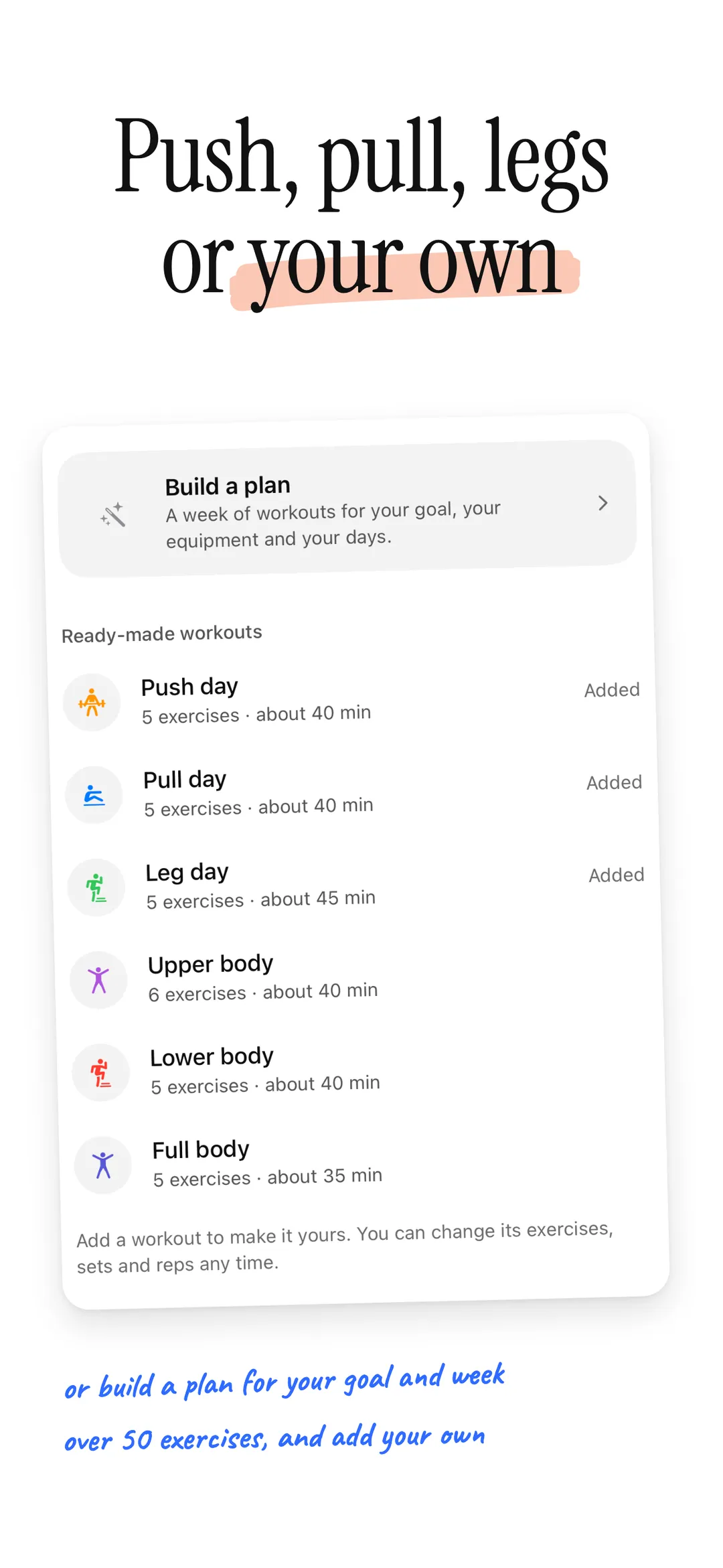
Your workouts take turns: the one you did longest ago is up next, so a push, pull and legs rotation stays in order even after a skipped day. Pick another one any time, or start an empty workout and add exercises as you go.
Start from ready-made workouts like Push day, Pull day and Leg day, build a plan for your goal, equipment and days a week, or make your own with target sets, reps and rest. Over 50 exercises are built in, and you can add your own.
Log a set in one tap
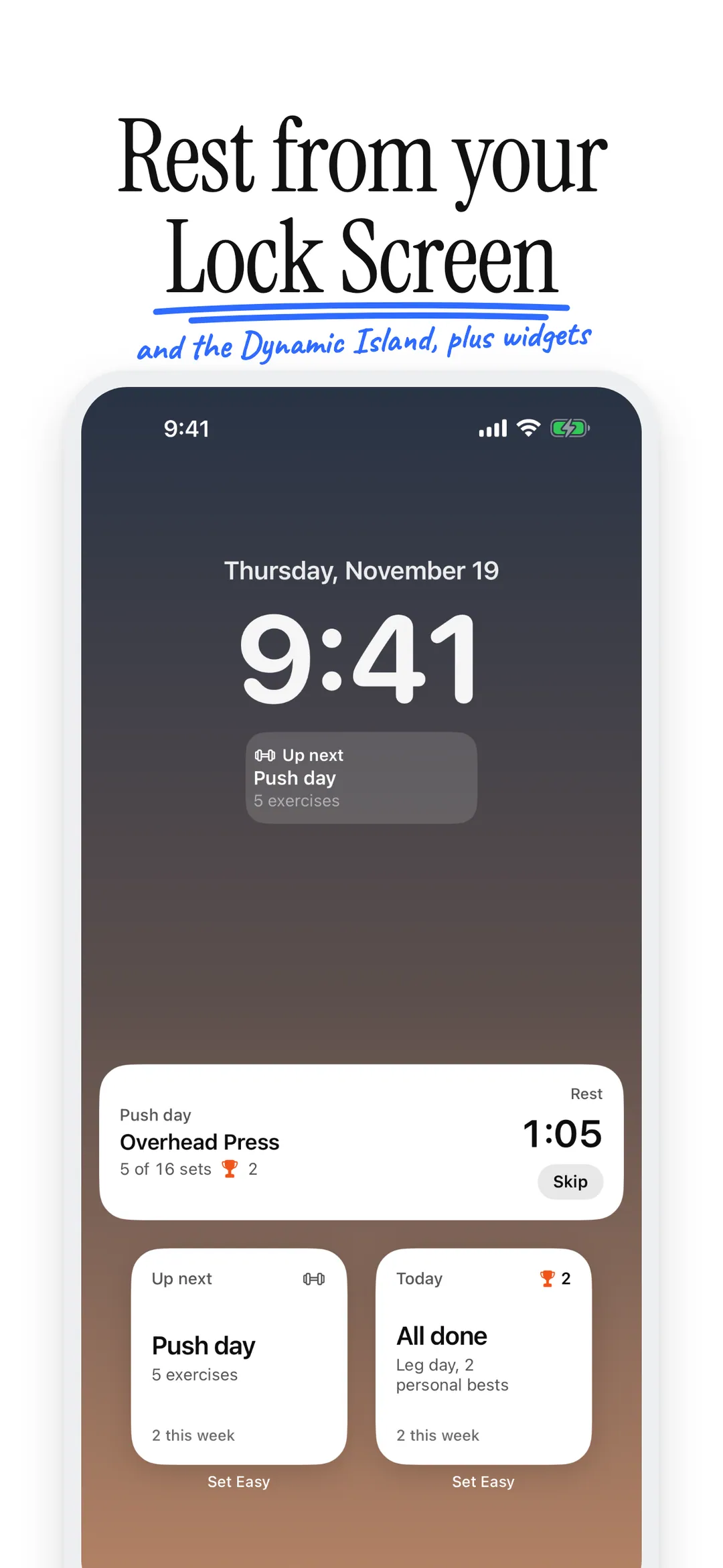
Every set shows what you did last time. Change the weight or reps if you need to, then check it off. The rest timer starts on its own, with its own length for each exercise, and shows on your Lock Screen and in the Dynamic Island while you rest.
Lift more than ever before and Set Easy marks it with a trophy. When you hit the same top weight two workouts in a row, it suggests a little more next time.
History and progress
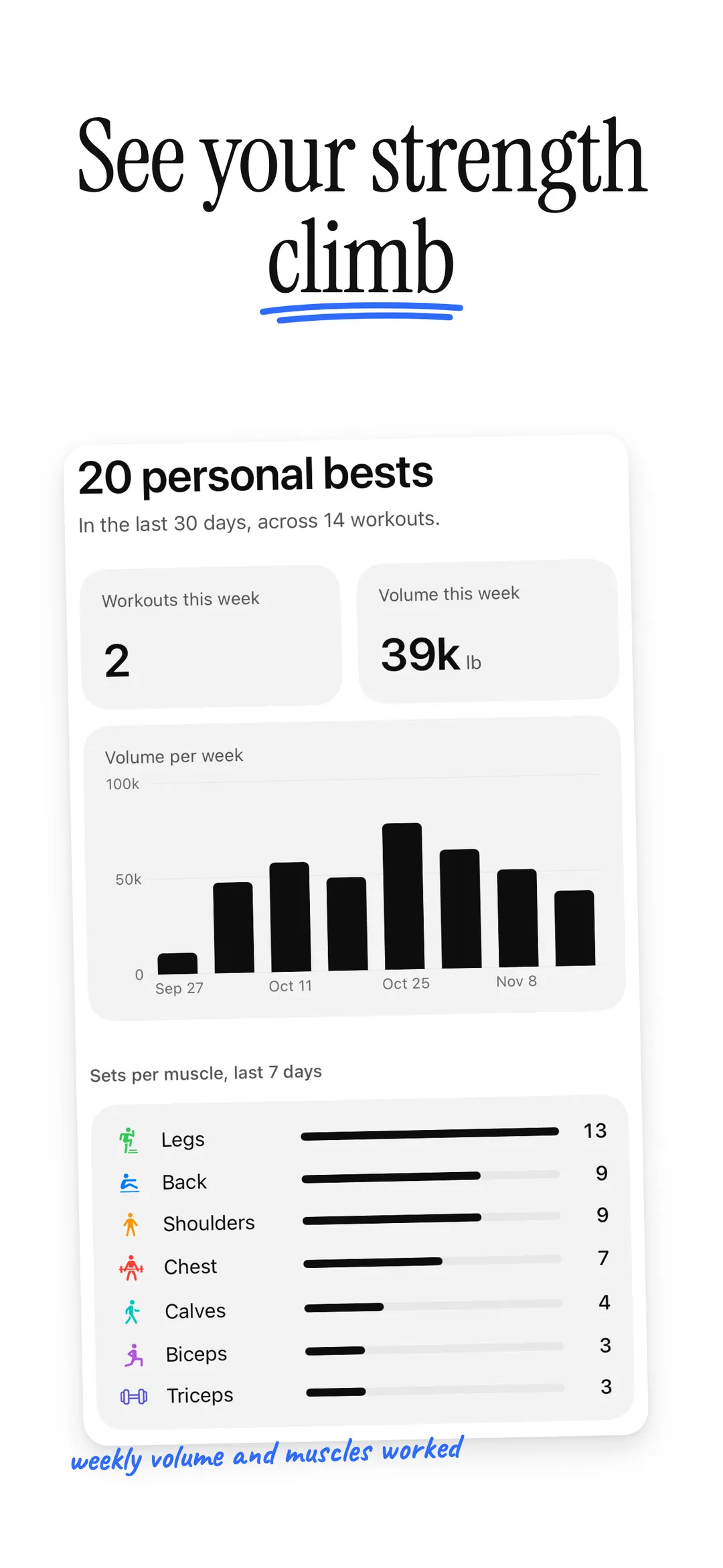
A calendar holds every workout, with every set. Charts for each exercise show your top set, estimated one-rep max and volume over time, and you can see your weekly volume and which muscles you’ve worked this week.
On iPad, and on iPhone Duo unfolded, the exercise you’re on shows its history and trend beside your workout, with the rest timer large above it.
Apple Watch, Apple Health and widgets
Set Easy on Apple Watch shows your workouts with last time’s weights. Turn the Digital Crown to set the weight and reps, check off the set, and feel a tap when rest is over. Finished workouts go to History on your iPhone.
- Optional Apple Health: save each finished workout as Traditional Strength Training, and see your average and highest heart rate for each workout in History
- Widgets show today’s workout, or that it’s done, on the Home Screen and Lock Screen
- Import from Strong or Hevy, export everything as a CSV file, and back up or restore all your data in one file
Why we made Set Easy
We wanted a lifting log you can use between sets without thinking about it: the right workout up next, last time’s numbers already there, and one tap to move on. Less typing, more lifting.
Set Easy is free with nothing to unlock: no accounts, no subscriptions, no ads. Your training history stays on your device. Anonymous diagnostics, such as crash reports and which screens you open, help fix problems; they never include your workouts or health data, and you can turn them off in Settings. If it helps you keep lifting, you can leave a one-time tip, and every feature stays exactly as it was.
Get Set Easy free on the App Store Screenshots, FAQ and privacy for Set Easy