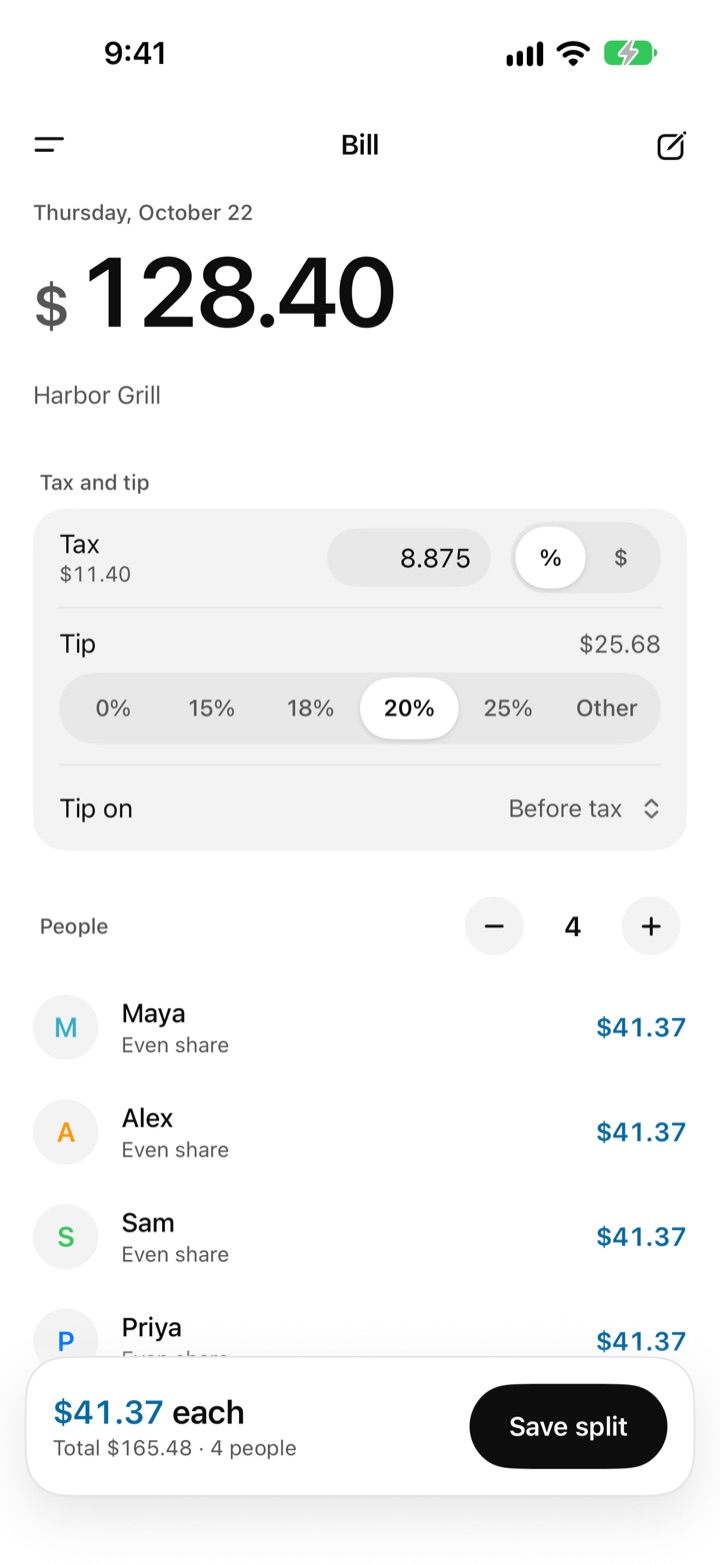
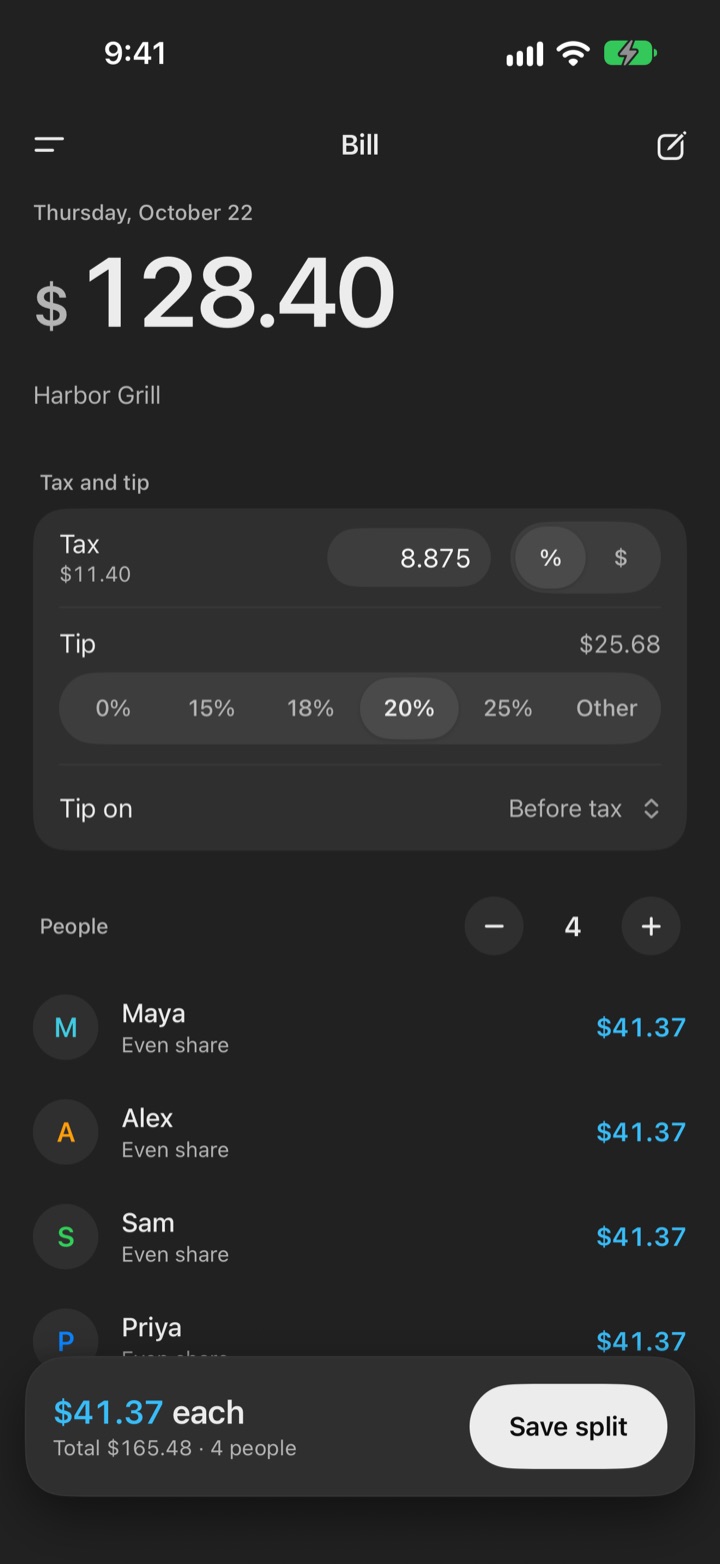
The check arrives, and somebody has to do the math. Split Easy works out a shared bill in seconds: type the amount, add tax and tip, and set how many people are paying.
Every share updates as you type, and together they come to the exact total, cent for cent. It’s a free app for iPhone and iPad, with no sign-up, no ads and no tracking.
Get Split Easy free on the App Store The Split Easy page
Who it’s for
Split Easy is for whoever ends up holding the check: friends at dinner, roommates sharing groceries, a group splitting a cabin weekend or concert tickets, or colleagues on a team lunch.
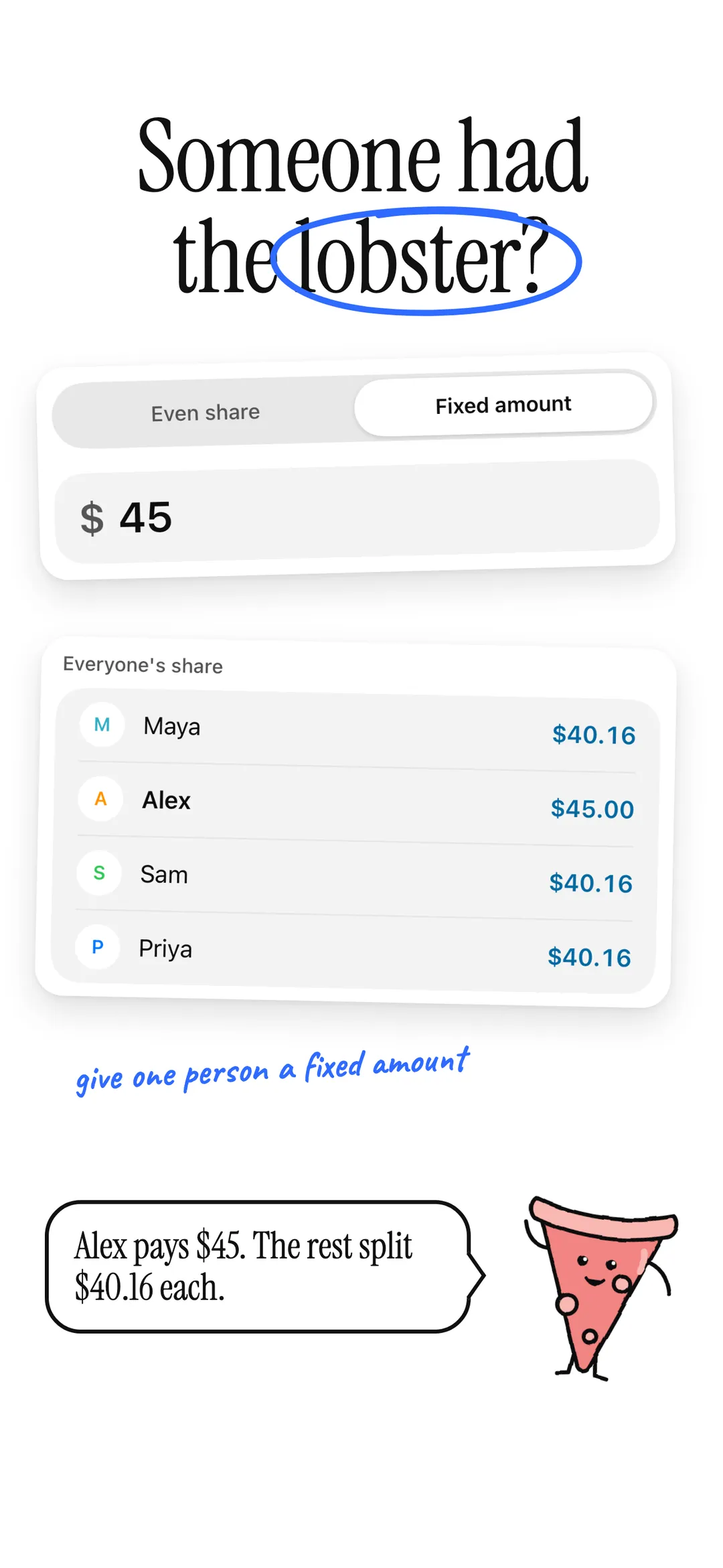
It’s especially handy when the split isn’t even. If one person ordered the lobster, give them a fixed amount and let everyone else share the rest.
Tax and tip, your way
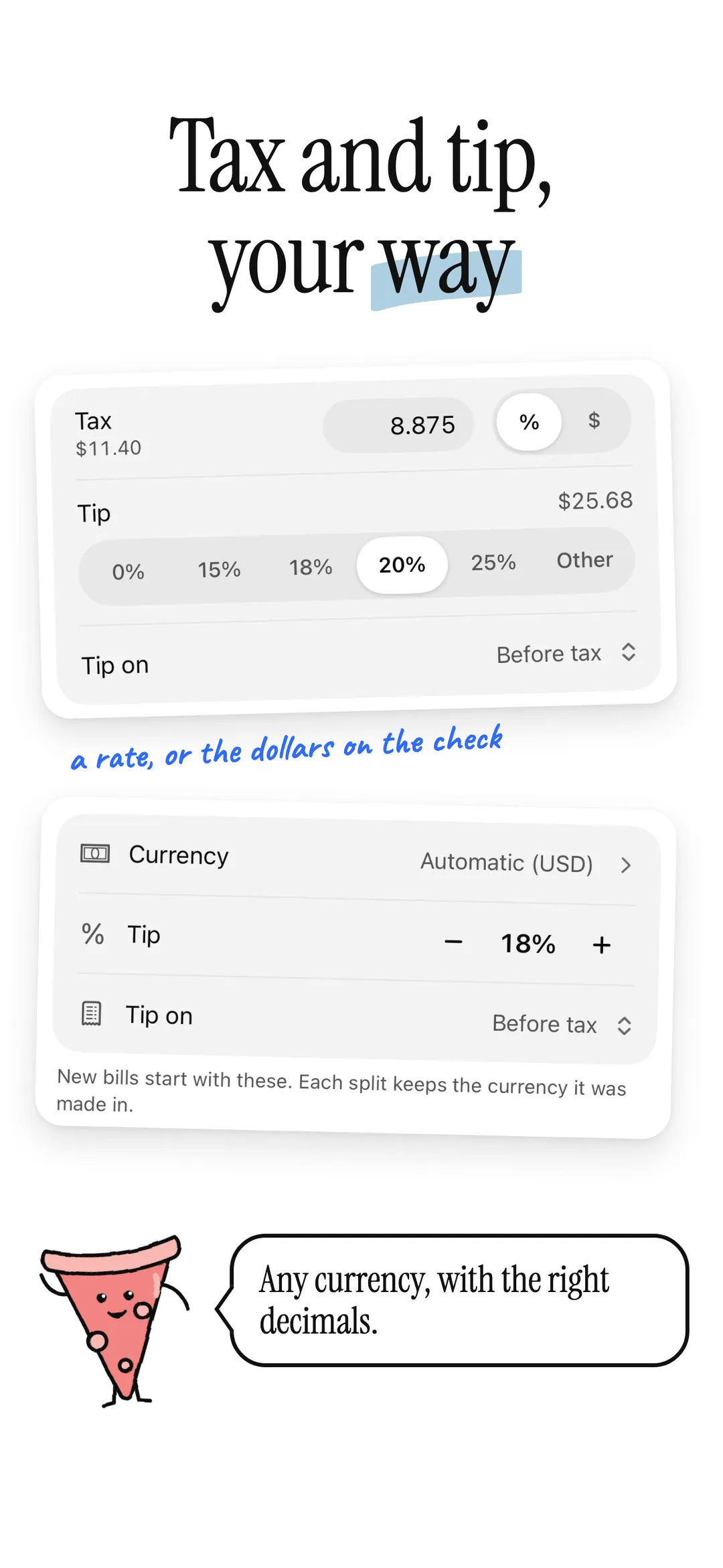
Enter tax as a rate or as the figure printed on the check. Tip 0, 15, 18, 20 or 25 percent, or any other whole percent, on the food alone or on the food plus tax. You can also pick the tip every new bill starts with.
Shares that add up
Even splits round to the cent, and a leftover cent goes to the first person, so nobody is short and the shares always match the total.
Someone ordered more? Give them a fixed amount and everyone else splits the rest. You see everyone’s share before you save. It works in any currency, with the right number of decimals: dollars, euros, yen, dinars and more.
People, history and the group chat
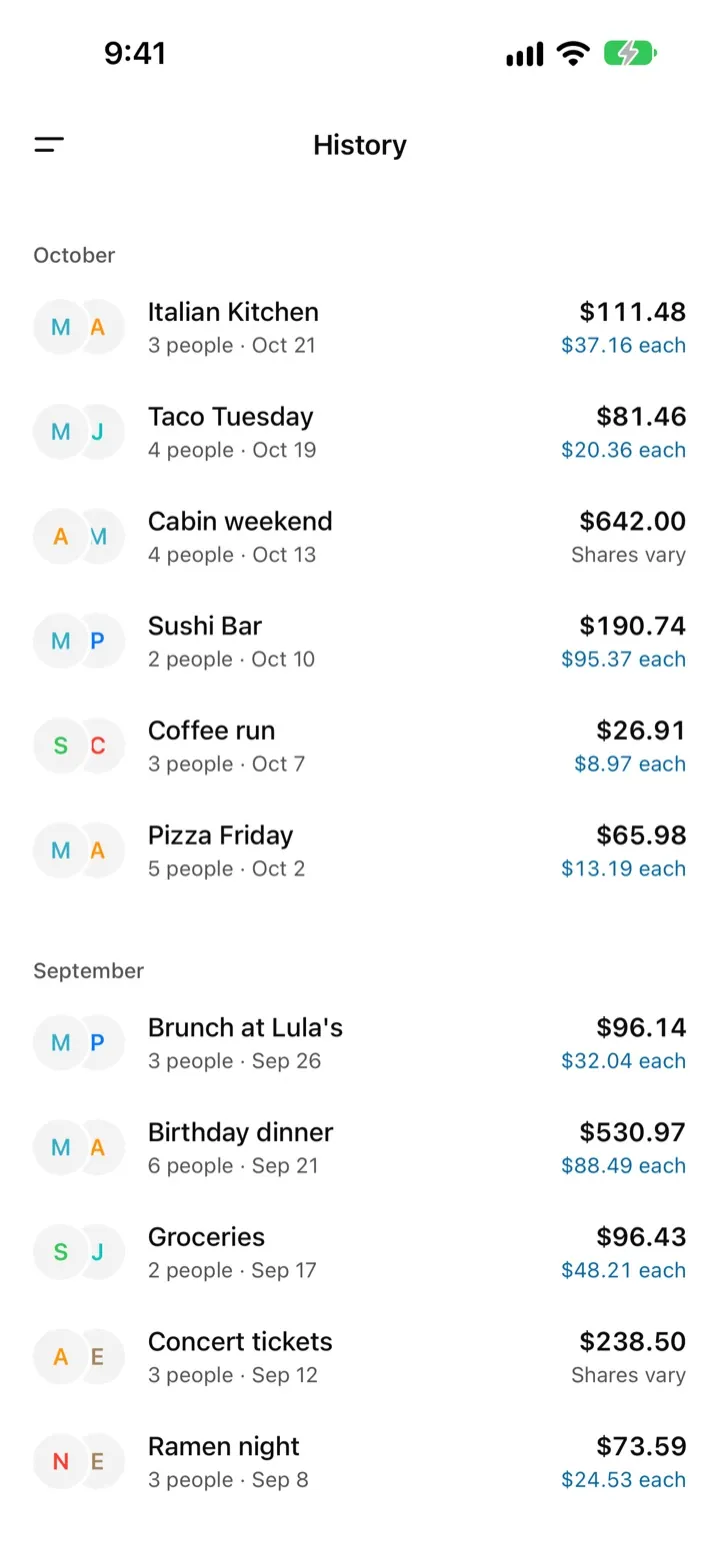
Names you use are saved, and your regulars come first next time. Every split is saved to History with everyone’s share, and you can split again with the same people in a tap.
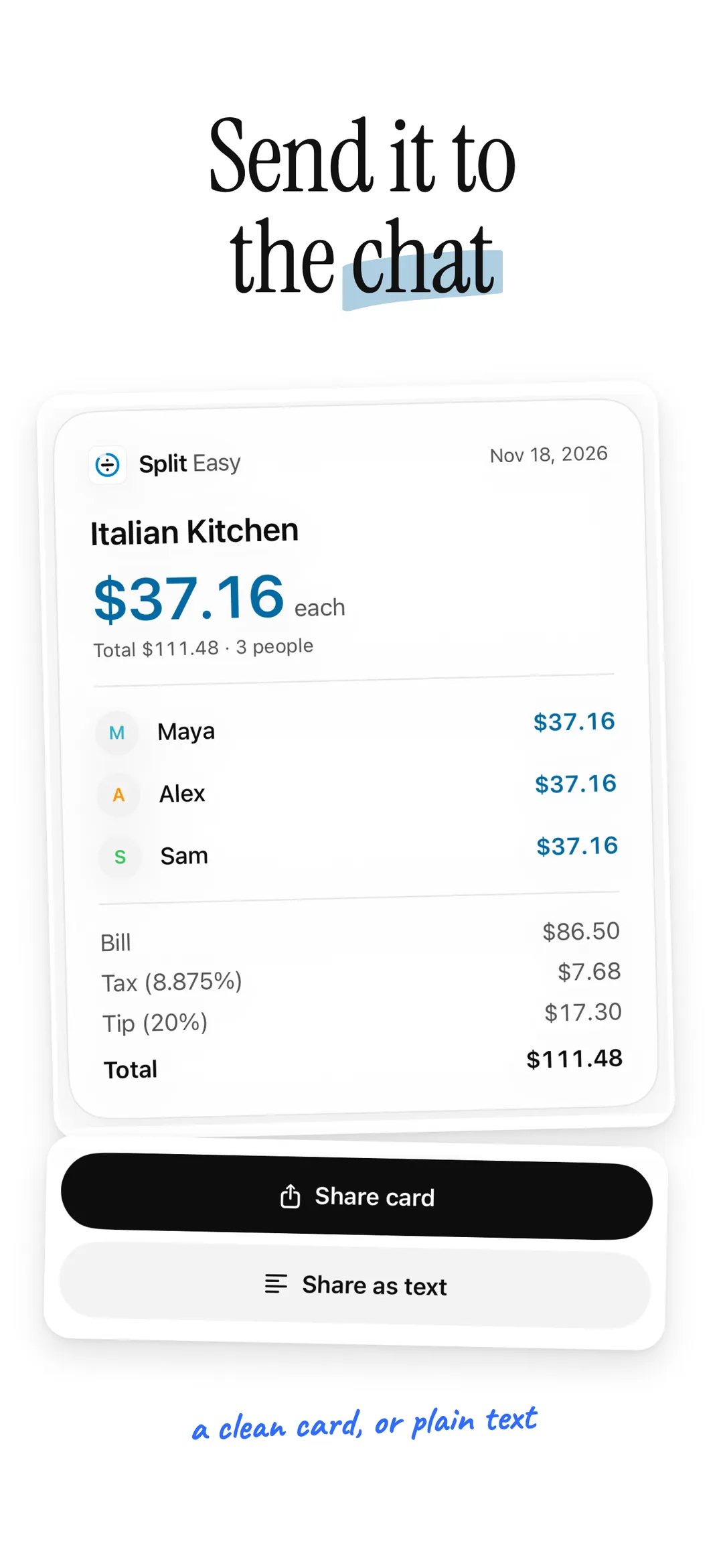
When it’s settled, send a clean card or plain text to the group chat, with each person’s share and the bill behind it.
Faster ways in, and colors for the table
Split Easy is quick to reach when the check lands, and easy on the eyes in a dim restaurant.
- A widget keeps your latest split in view, on the Home Screen or under the clock
- A Control Center button opens a fresh bill from anywhere
- Ask Siri to “Split a bill with Split Easy” and hear each share, tax included, without opening the app
- Light or dark, with dark in a soft Graphite or a pure Black, and eight accent colors with matching icons
- On iPad, the bill sits beside everyone’s share and the card they’ll get, big enough to read across the table
Why we made Split Easy
We wanted settling up to take less time than reading the menu: the right numbers, shares that always add up, and a clean way to tell everyone what they owe.
Split Easy runs without a login, a subscription, ads or trackers, and bills, names and history never leave your iPhone or iPad. Anonymous diagnostics, crash reports and which screens you open, help fix problems; they never include amounts, names or anything that identifies you, and you can turn them off in Settings. It’s free with nothing to unlock, and if it helps, you can leave a one-time tip.
Get Split Easy free on the App Store Screenshots, FAQ and privacy for Split Easy