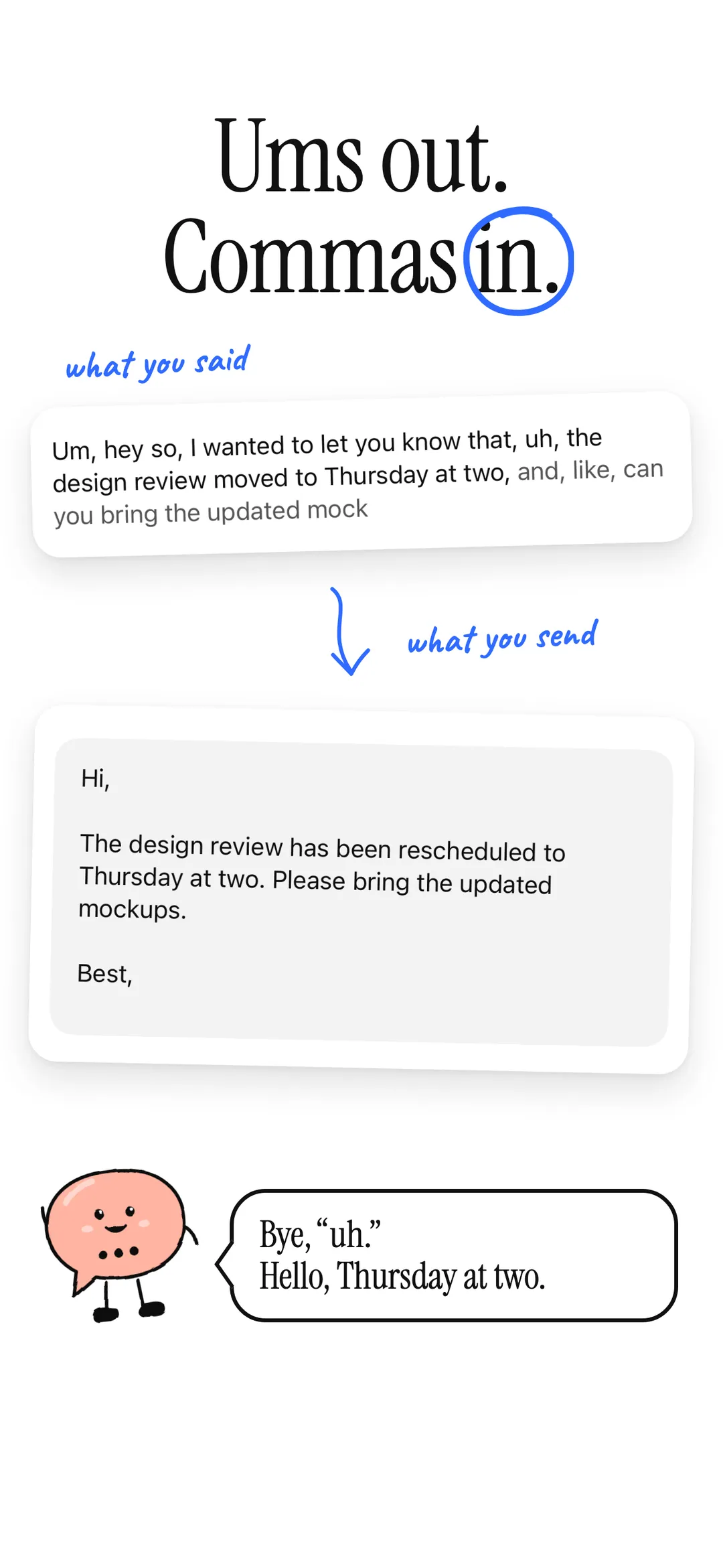
Nobody talks the way they write. We say “um”, we start a sentence twice, we forget the commas. Talk Easy lets you speak the way you talk, ums and all, and turns it into clean, ready-to-send text: filler words gone, punctuation in, and your meaning kept.
It’s a free voice dictation app for iPhone and iPad, and everything happens on your device. Talk Easy uses Apple’s on-device speech recognition and Apple Intelligence, so there’s no account, no subscription and no server reading your words.
Get Talk Easy free on the App Store The Talk Easy page
Who it’s for
Talk Easy is for anyone who would rather say it than type it: people who write a lot of messages and emails on the go, people who think out loud and want notes they can use, and people who need their jargon, acronyms and commands kept exactly as they said them.
It’s also for anyone who wants dictation without sending their voice to a cloud. What you say stays on your iPhone or iPad, and it works offline once the speech model for your language is downloaded.
Just talk
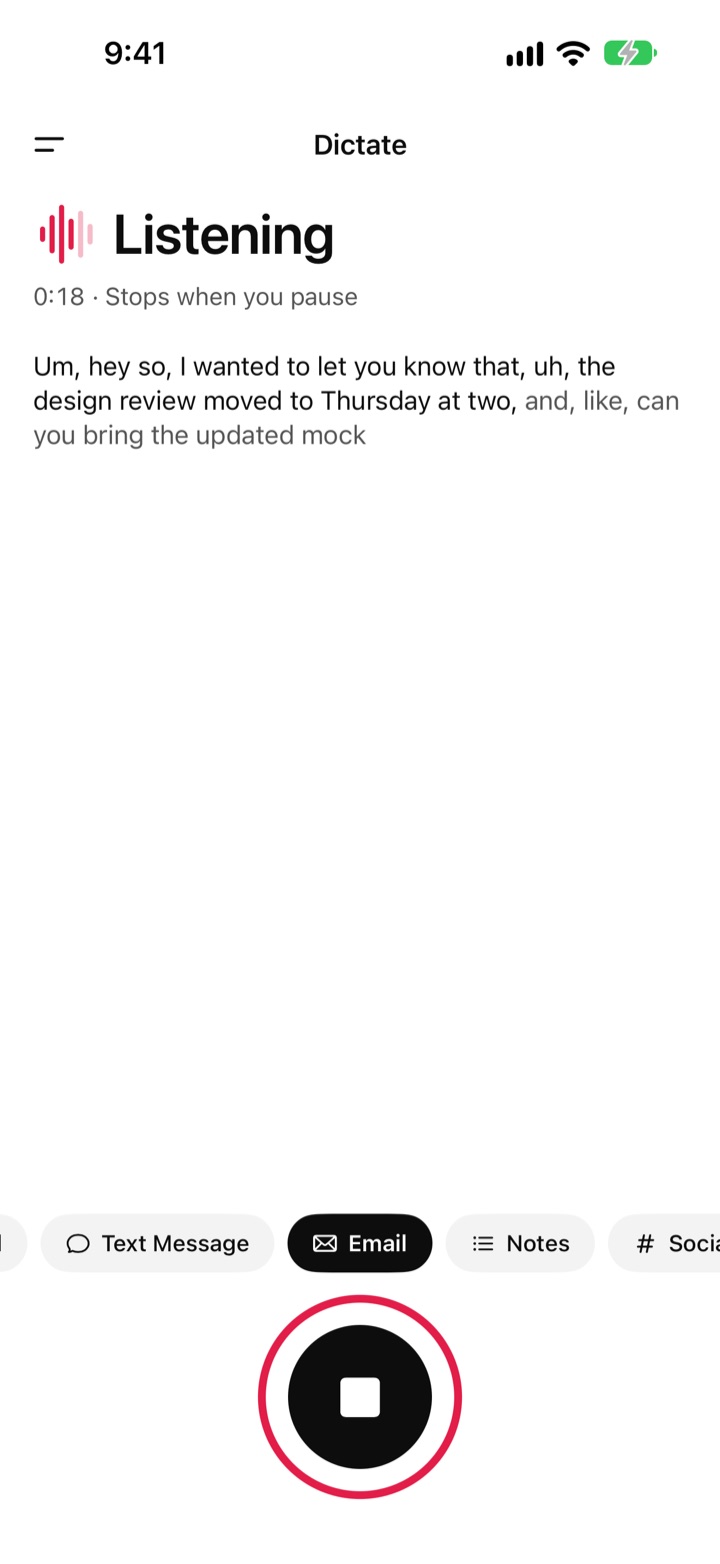
Tap the microphone and your words appear as you speak. Talk Easy stops by itself when you pause, or keeps listening until you tap stop.
Then the cleanup happens. Filler words like “um” and “you know” come out, stumbles and repeats are fixed, and punctuation goes in. Talk Easy keeps your words and your meaning. Dictate a question or a request, and Talk Easy writes it down rather than answering it.
A mode for every context
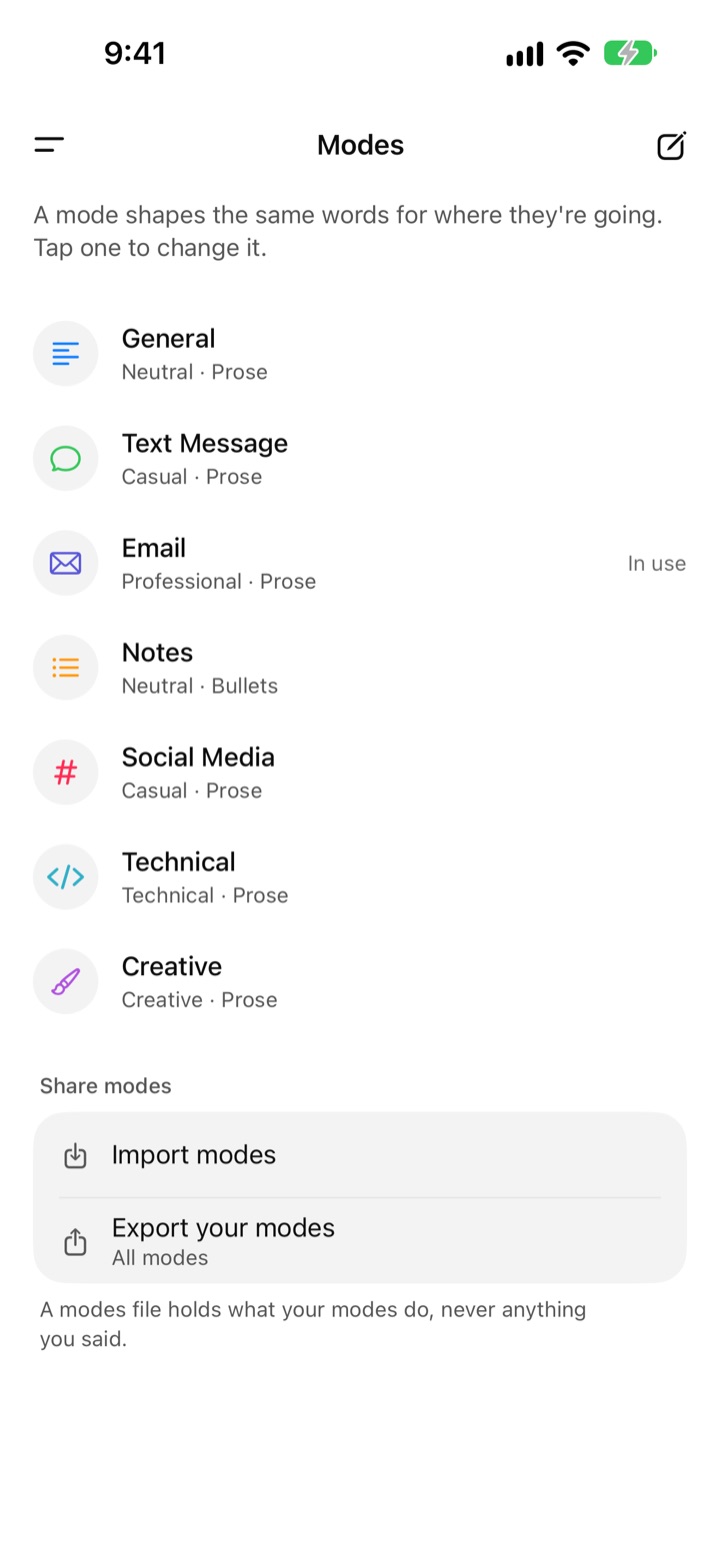
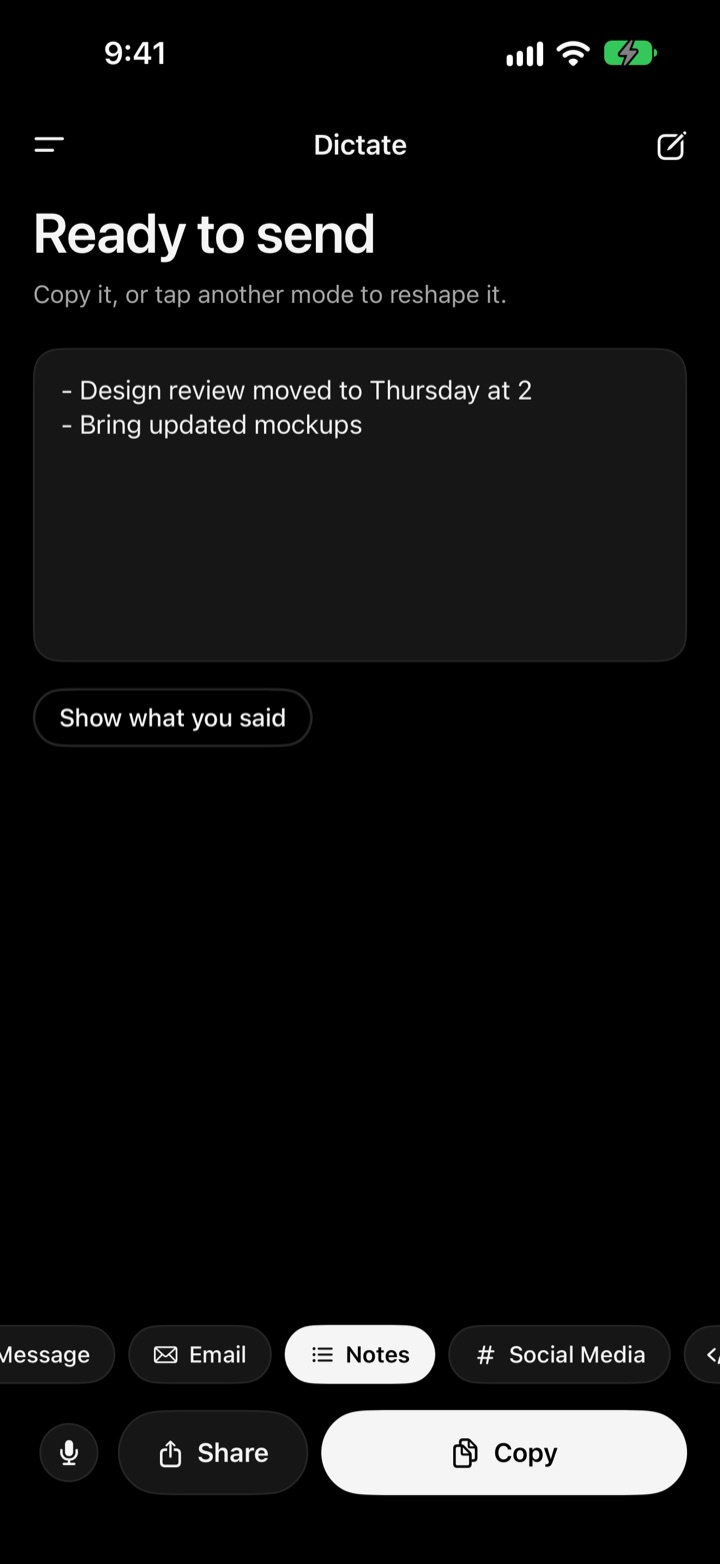
The same dictation can be shaped for where it’s going. Tap another mode after you dictate to reshape the same words.
- General: clean, neutral text
- Text Message: short and casual
- Email: a greeting, short paragraphs and a sign-off
- Notes: concise bullet points
- Social Media: a short post with a few hashtags
- Technical: keeps jargon, acronyms and commands as you said them
- Creative: a light touch that keeps your voice
Make it yours
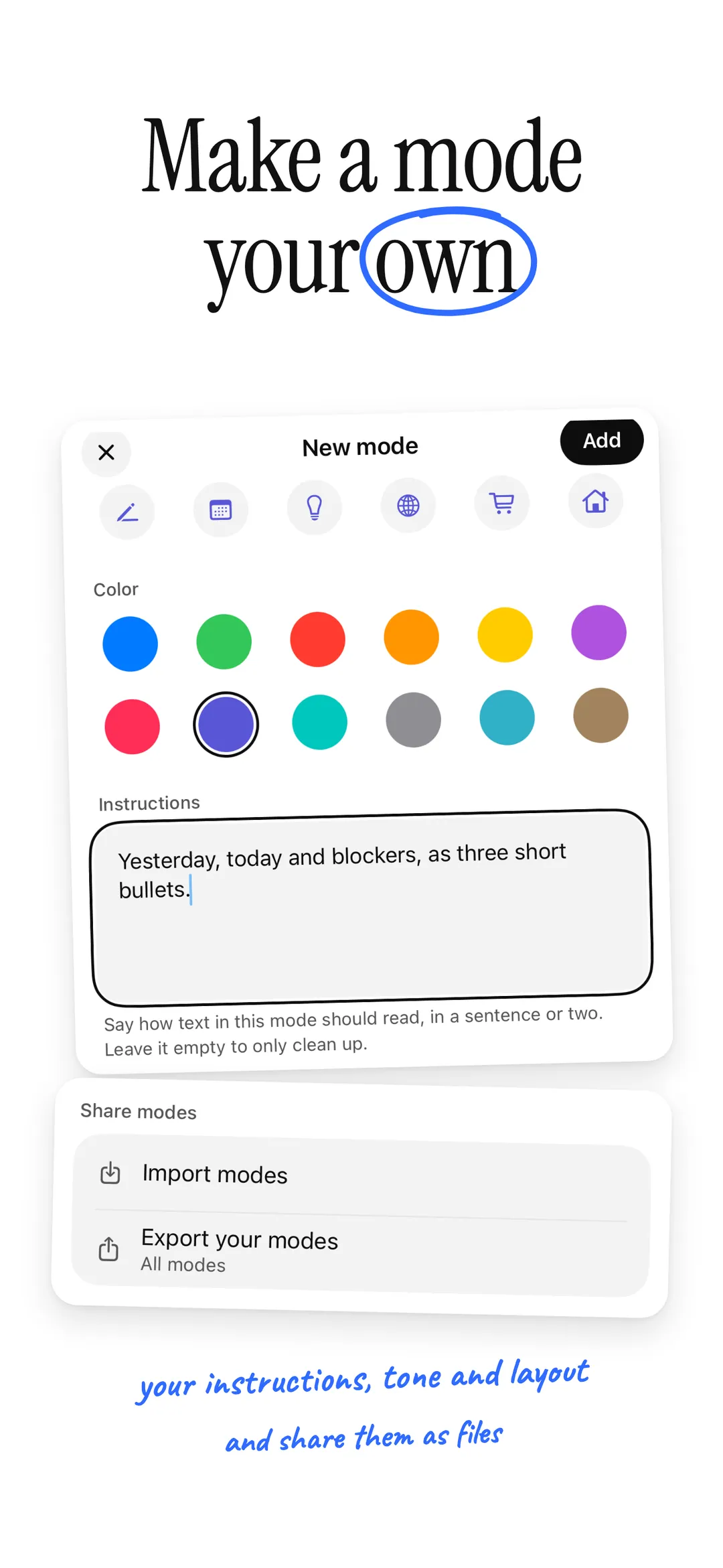
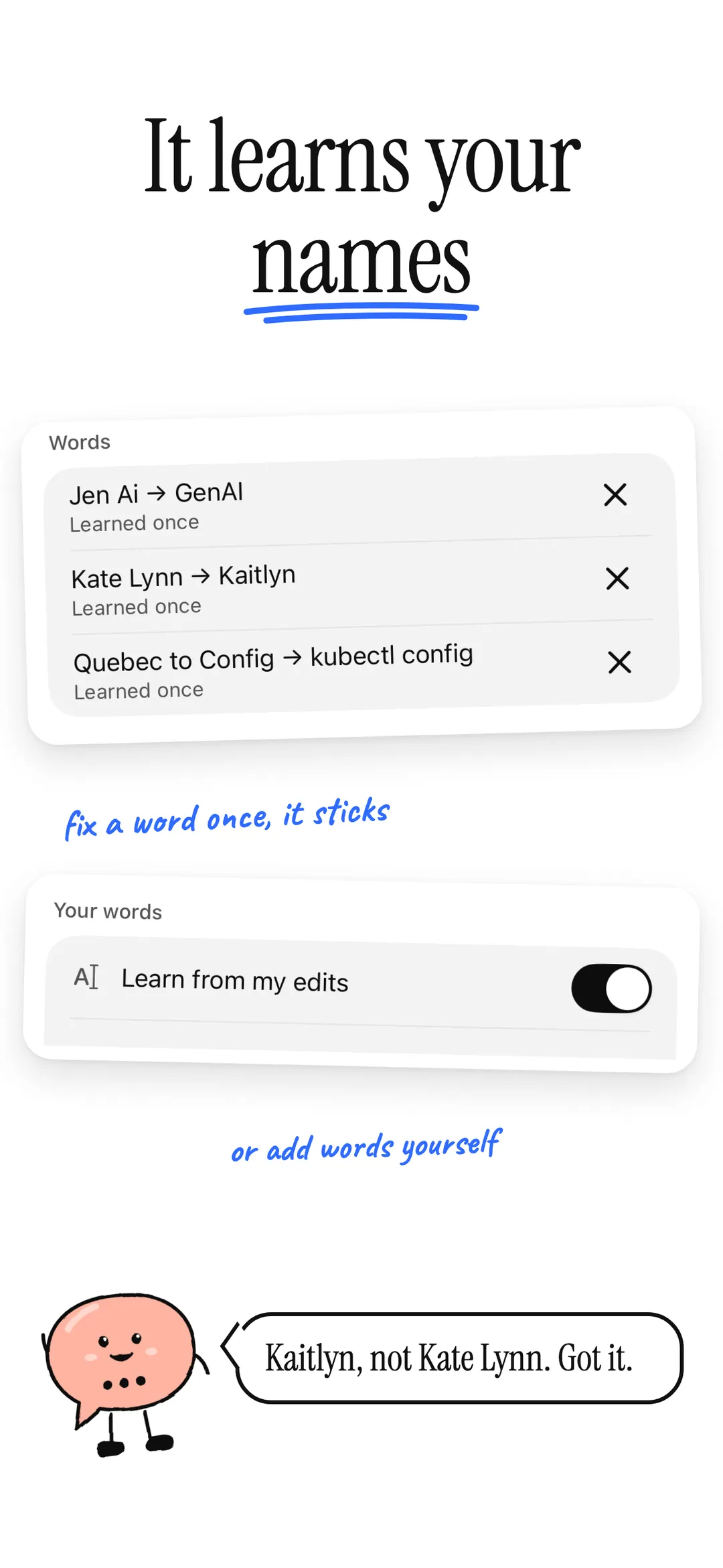
Make your own modes with your own instructions, tone and layout, and share them as files. Fix a word Talk Easy got wrong, like a name or a technical term, and it writes it your way next time. You can also add words yourself.
Pick Light or Dark, and Graphite or Black after dark. Choose one of eight accents, each with its own app icon.
Copy, share and start from anywhere
Copy with one tap, or share to Messages, Mail, Notes and more. Every dictation is saved in History, where you can search it and format it again.
- Start dictating from a widget on your Home Screen or Lock Screen
- Say “Start Talk Easy dictation” to Siri
- Share text from another app to Talk Easy to reshape it in one of your modes
- On iPad, the menu stays beside your dictation, with what the mode does and your recent dictations alongside
Why we made Talk Easy
We wanted dictation that gives you something you can actually send, not a transcript you have to fix. And we wanted it private: what you say never leaves your device, and Talk Easy makes no network calls to process your words. Anonymous diagnostics, such as crash reports and which screens you open, help fix problems; they never include your recordings or what you say or type, and you can turn them off in Settings.
Talk Easy needs iOS 27. Cleanup and formatting use Apple Intelligence on supported devices with it turned on; on other devices, Talk Easy still transcribes and shows your words as you said them. It’s free with nothing to unlock, and if it saves you some typing, you can leave a one-time tip.
Get Talk Easy free on the App Store Screenshots, FAQ and privacy for Talk Easy