A note in their lunch, on their home screen.
Write your kid a little note (a few words, a photo, a drawing, or a mix) and it lands on the widget on their home screen, waiting where they’ll see it next.

Free · iPhone and iPad · No ads · No tracking

Why “Lunch Note”
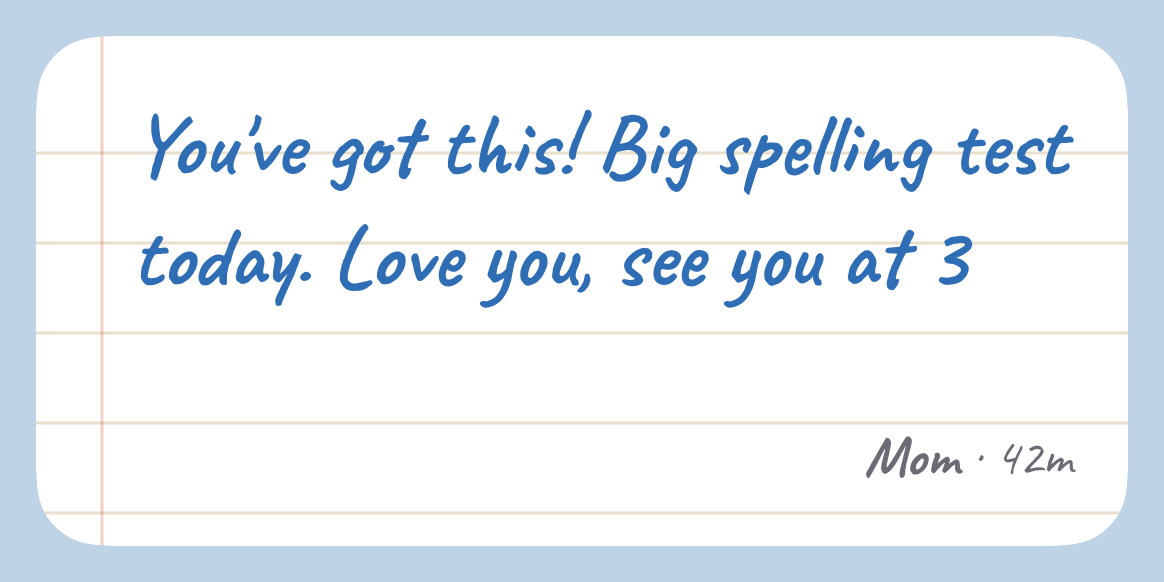
When you were little, someone tucked a note into your lunch. It said “you’ve got this” or “love you, see you at 3”, and you found it halfway through a hard day.
Lunch Note is that, on the home screen: a small note from someone who loves you, waiting where you’ll see it next.
Note lines
One grown-up, one kid. Only those two.
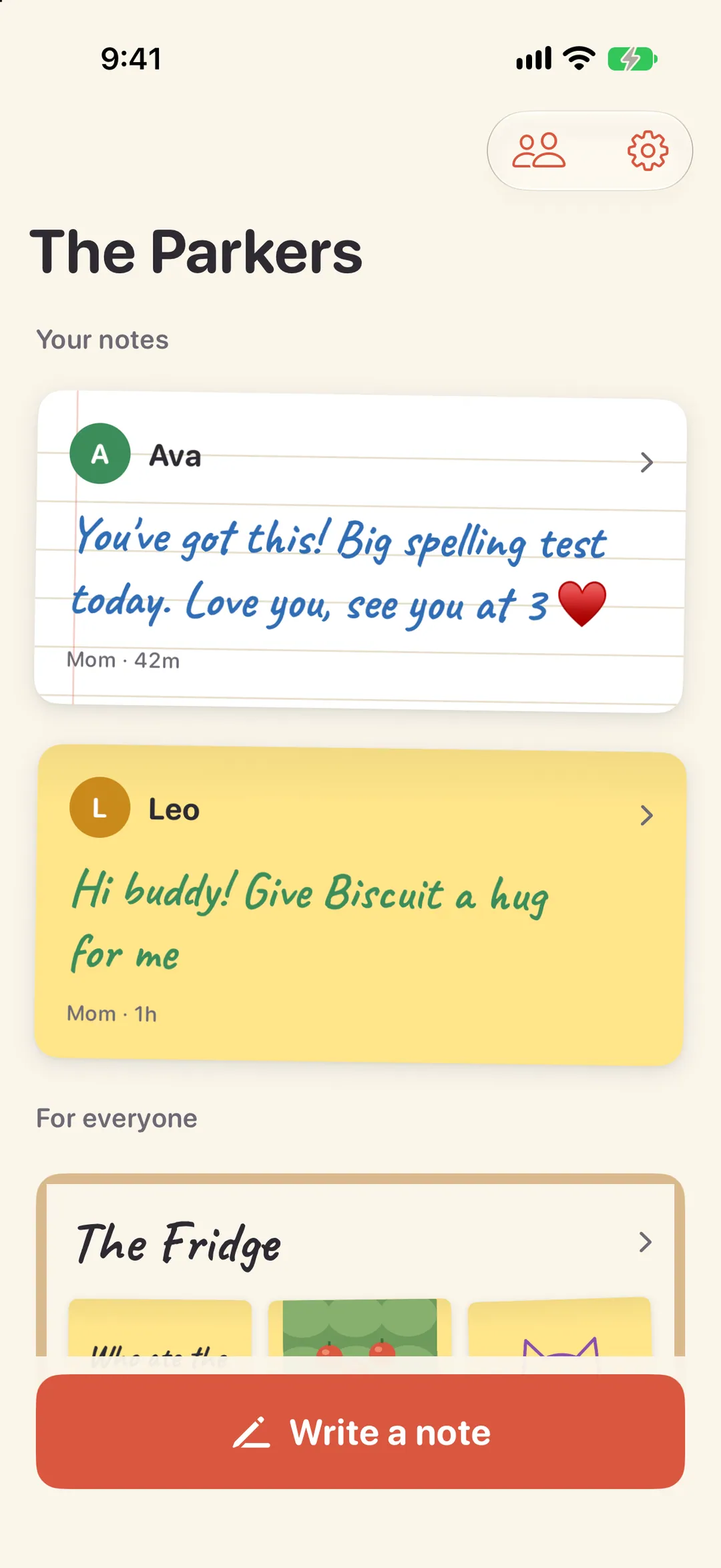
A note line connects exactly one grown-up with exactly one kid: Mom and Ava, Dad and Ava, Grandma and Leo. Only those two people can ever see the line or the notes on it.
Not siblings. Not the other parent: a parent can open a line between Grandma and Ava, but can’t read it. It’s theirs, like a note folded small and passed across the table.
Every kid starts with a line to each parent. A parent can open more, and closing a line deletes it and its notes for both people.
- MomAva
- DadAva
- GrandmaLeo
Notes
Small and kind, not content.
-
Words
Up to 140 characters, in handwriting, on the paper and ink you pick.
-
A photo
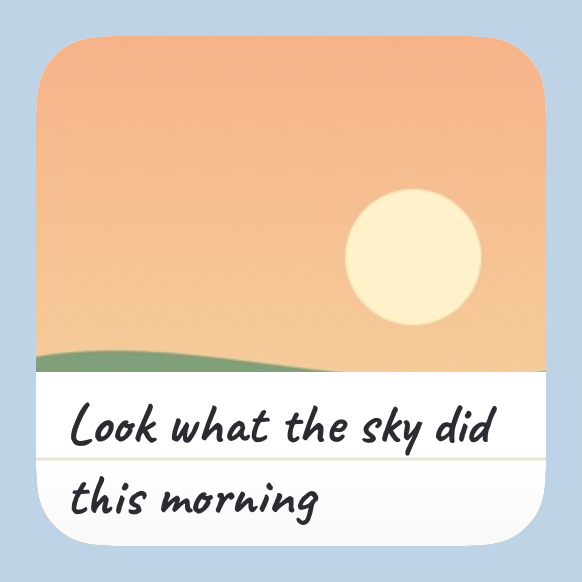
The dog, the snowman you built, the view from Grandma’s porch.
-
A drawing
Draw with a finger or Apple Pencil, in five inks, on real-looking paper.
-
Or a mix
A photo or a drawing with a few words underneath.
Write it tonight, deliver it tomorrow. Schedule a note up to a week ahead (“7:30, before school”) and it shows up right on time.
The widget
The widget is the whole idea.
Your note doesn’t wait in an inbox. It sits on their home screen, on its paper, in your handwriting color, until the next one comes. Small, medium or large, on the Lock Screen too, and in StandBy on the nightstand. Tap it to write back.
In the app
Paper, ink and handwriting.
-
Your lines
-
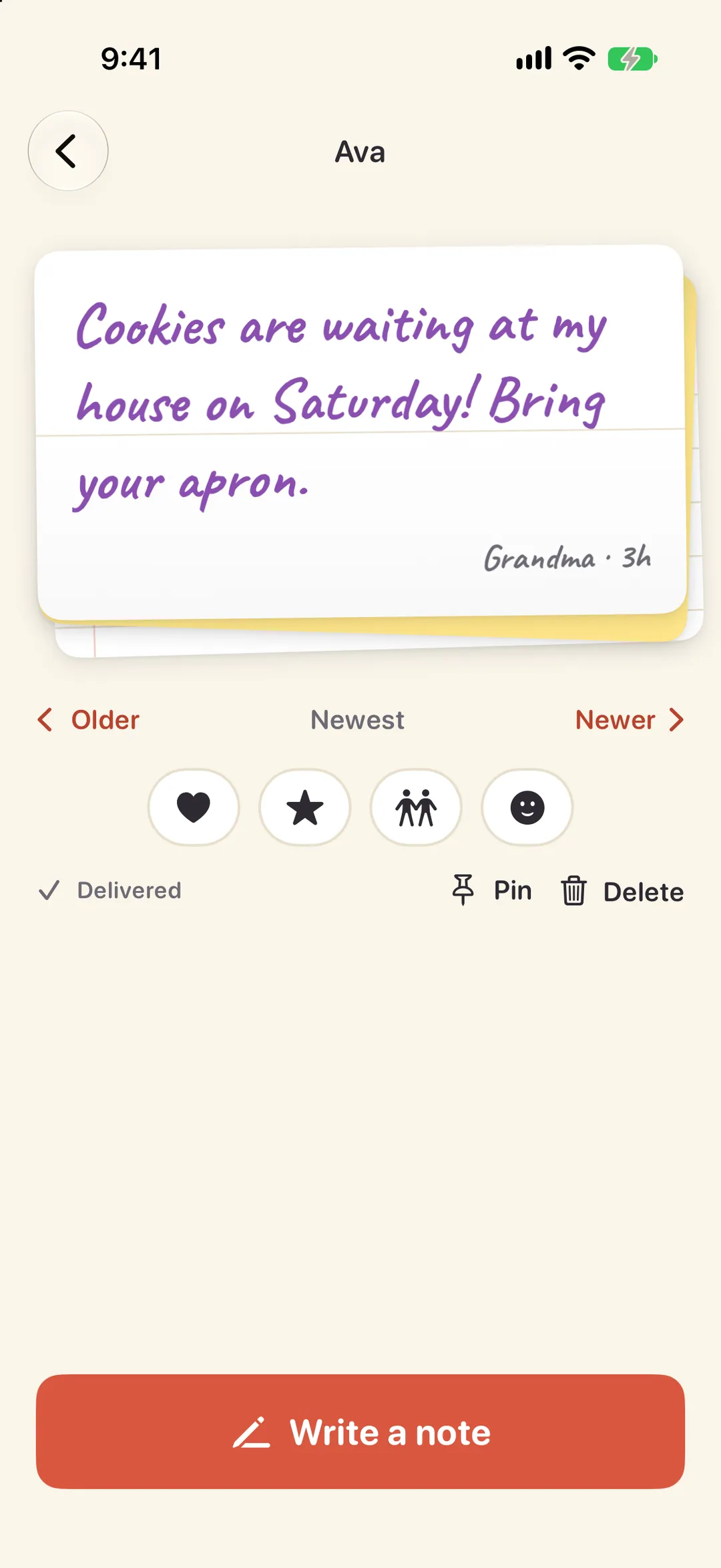
A line
-
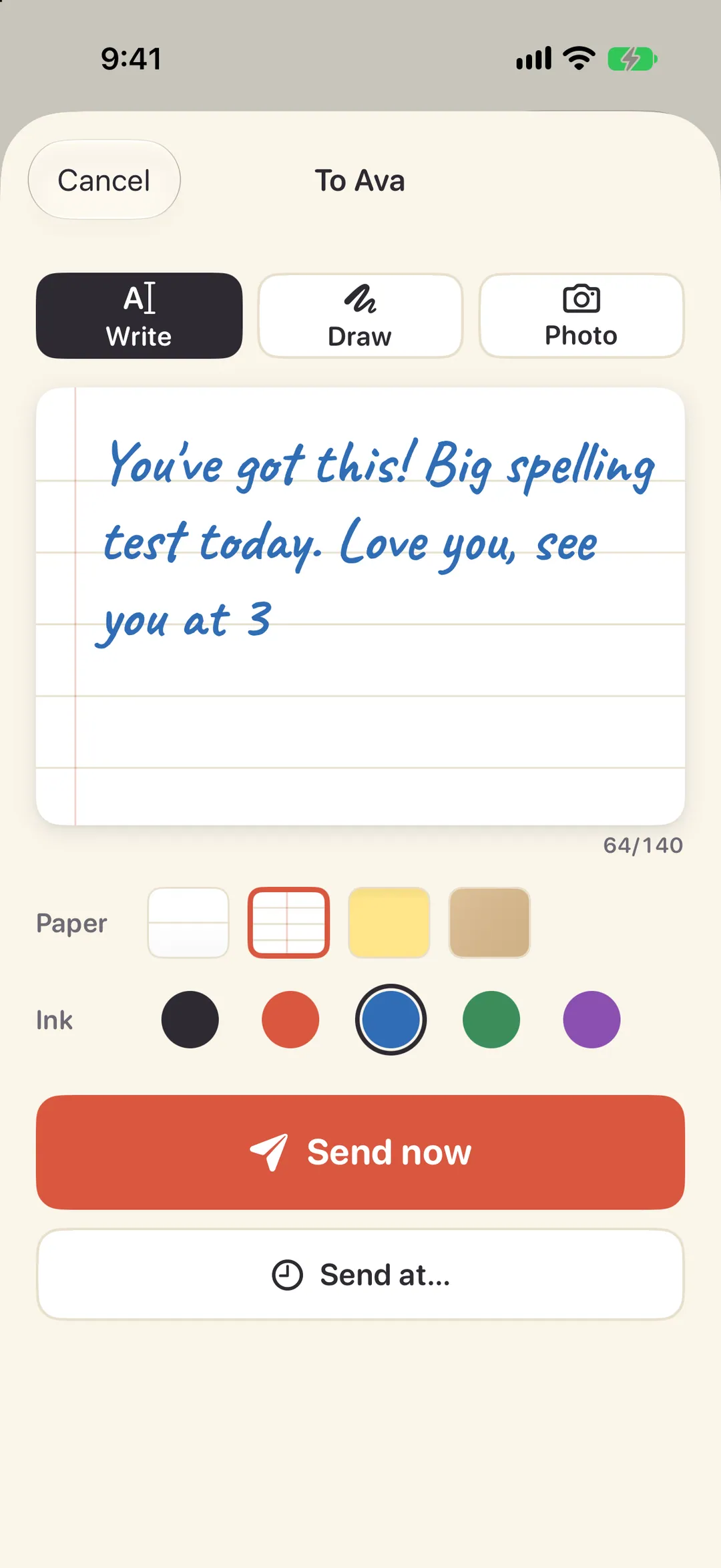
Write a note
-
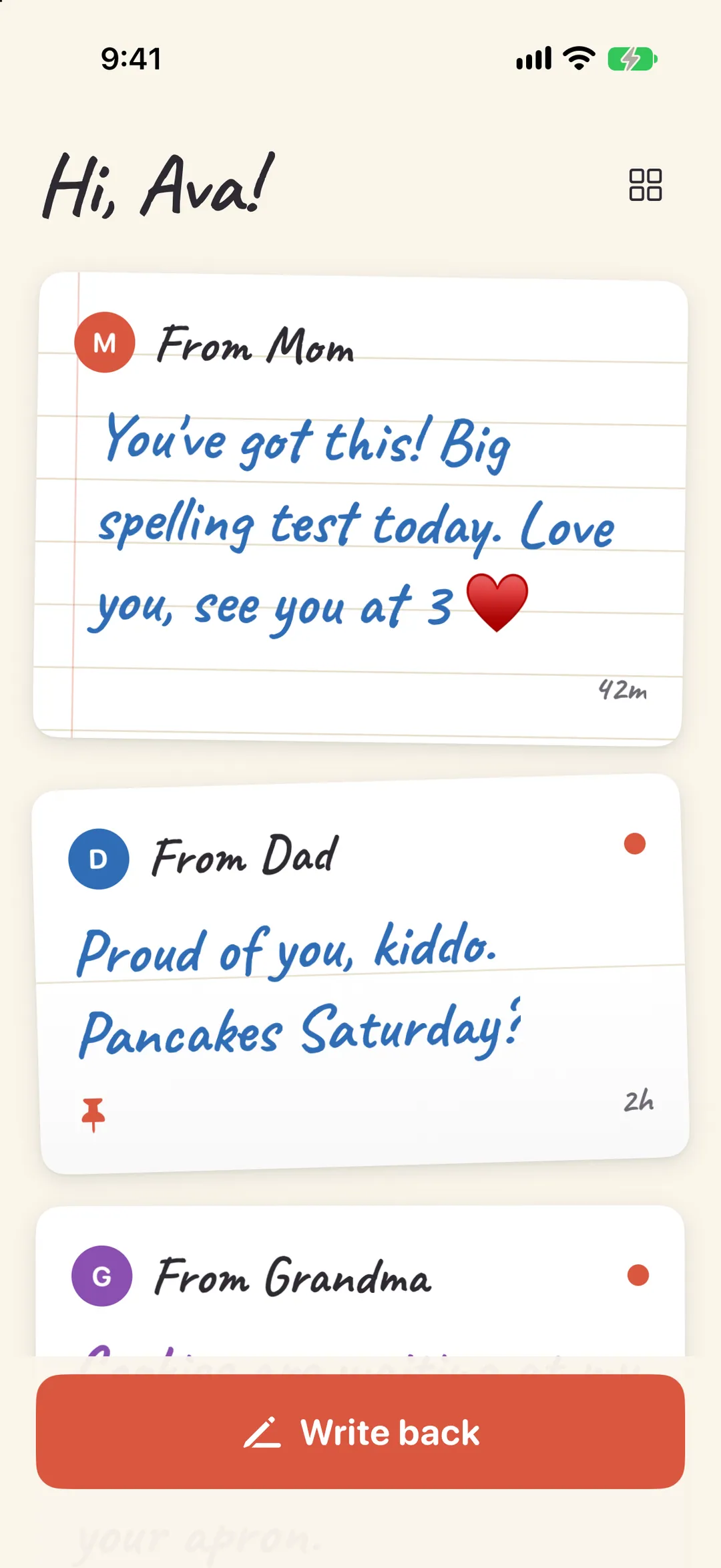
A kid's view
The Fridge
And one board for everybody.
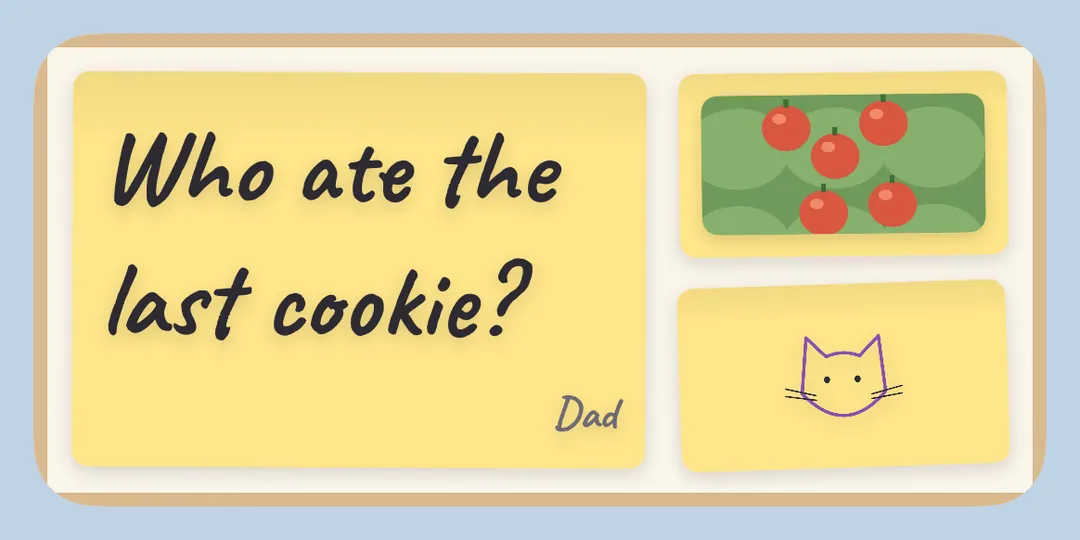
The Fridge is the family’s door: one board everyone in the family sees, for the dinner plan, the lost tooth, the photo from the game. It has its own widget too.
Parents decide whether each kid can post to it.
The family
Grandparents too. No kid sign-up.
Grandparents get lines
Invite a grandparent, an aunt or the sitter with a link or a code. A parent opens a line between them and a kid, and from then on it’s just the two of them.
Kids are set up by a parent
Kids don’t sign up and have no email or password. A parent adds them, then points their own phone at the kid’s device (a QR code or a six-digit code) and it’s ready.
Parents set the rules
Quiet hours at night, whether a kid can send photos or post to the Fridge, and a pause button for when everyone needs a little break.
Privacy, in plain words
Built like a folded note.
-
No ads
None, ever. Nothing in Lunch Note is for sale, including you.
-
No tracking
No third-party SDKs, no ad IDs, nobody watching. Anonymous usage and crash reports help us fix bugs; turn them off anytime.
-
Nothing public
No profiles, no search, no feed, no likes from strangers.
-
Just your family
Nobody outside your family can find you or reach you. The only way in is an invite from a parent.
Delete a note, a line or your whole family and it’s really gone, files and all. Read the privacy policy
Tuck a note in.
Lunch Note is free on the App Store for iPhone and iPad.