Hydrate Easy makes logging water one tap. It tells you what’s left today in plain words, like “24 oz to go” and then “Goal reached”, logs a glass, can or bottle without typing, and keeps your streak going.
It’s ink on paper, with color only on your goal. No account, no subscription, and nothing to set up beyond your goal.
Get Hydrate Easy free on the App Store The Hydrate Easy page
Who it’s for
Hydrate Easy is for anyone who has set themselves a daily water goal and wants a quick way to keep count. If you refill the same tumbler or office bottle all day, you can set the quick sizes to match and log each one in a tap.
It suits people who live on their Apple Watch too. Log a drink from your wrist, see what’s left, and keep a complication on your watch face.
What’s left, in words
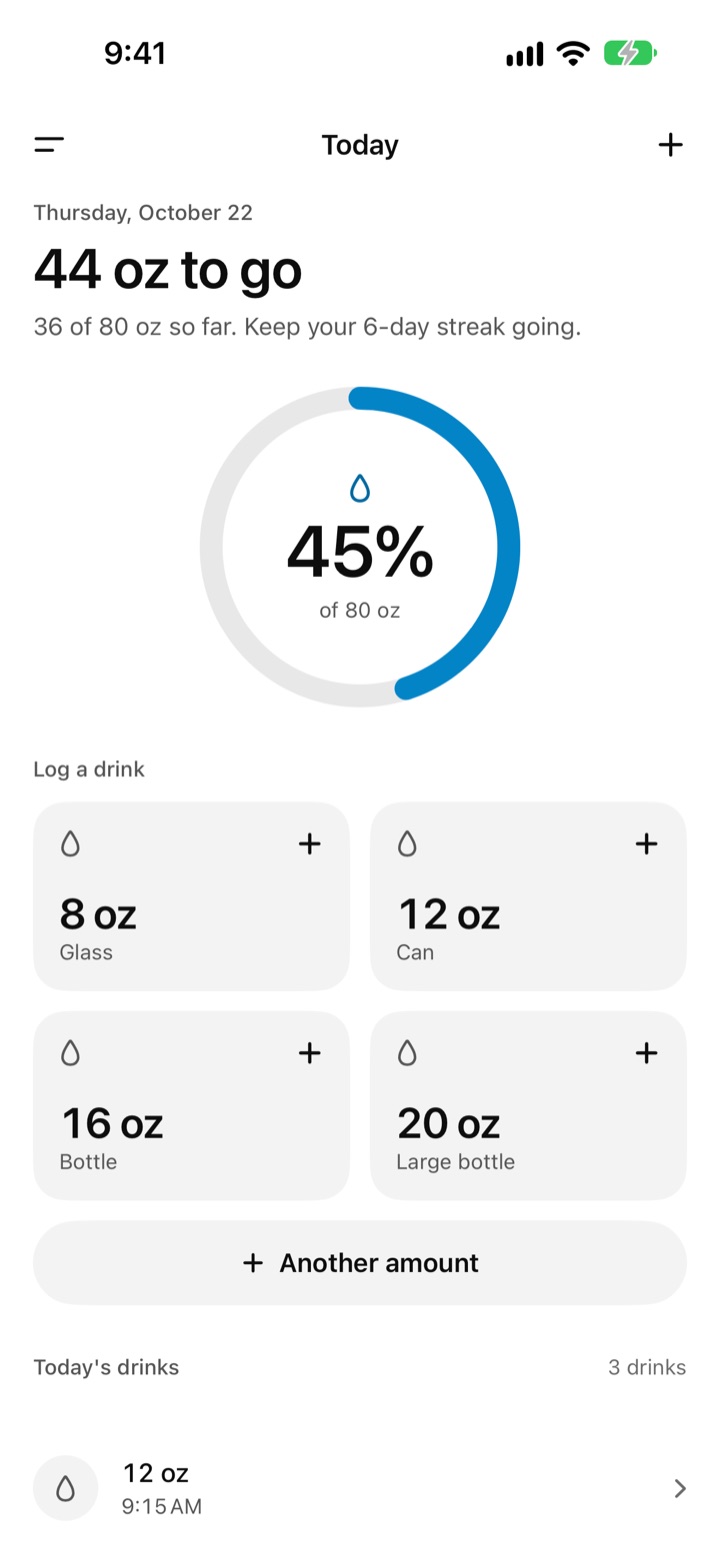
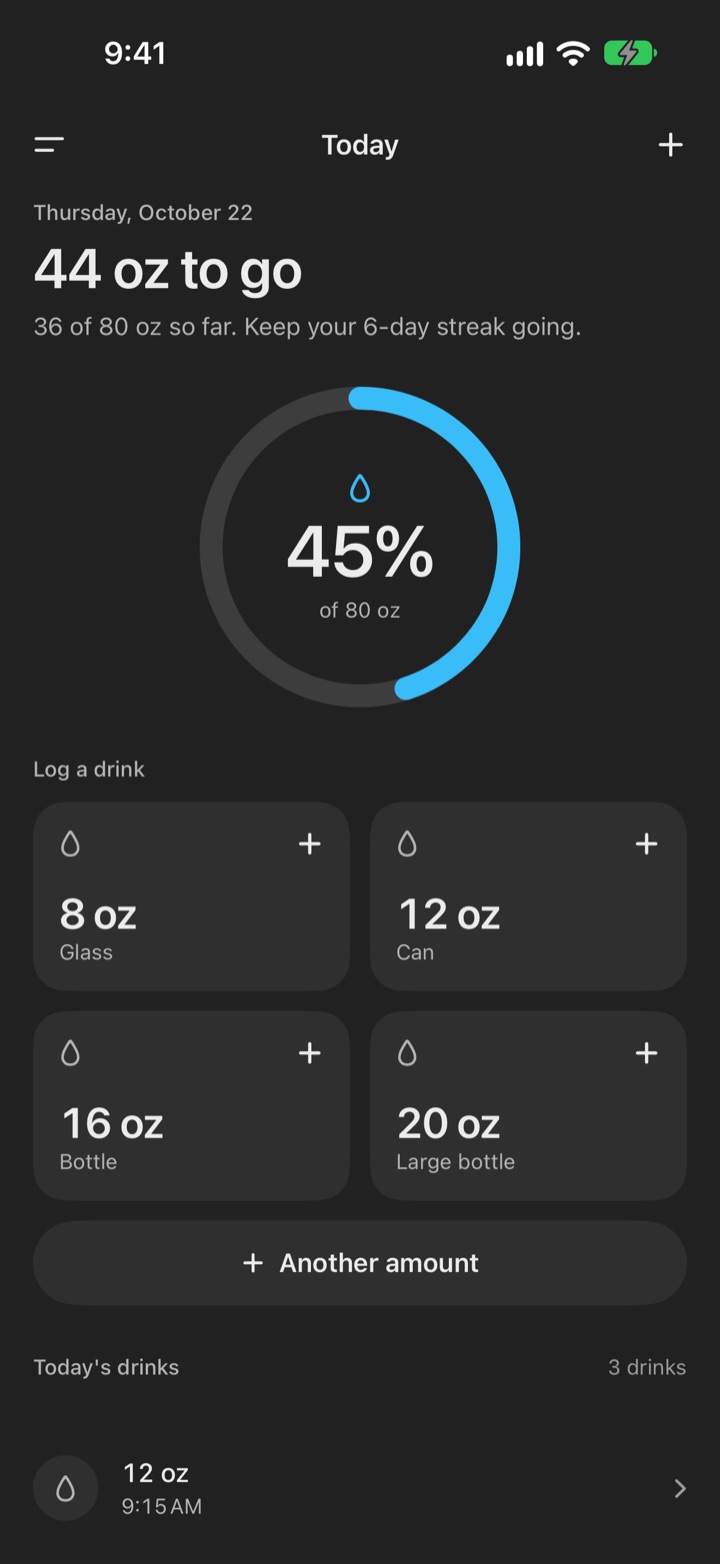
Today leads with what’s left to drink, then how far you’ve come and the streak you’re on. A goal ring fills as you drink.
Under it, four quick sizes log a drink in one tap each, in ounces or milliliters. Any other amount is one sheet away, for the drink you forgot to log, and you can change or delete any drink, on any day.
Your own four sizes
Set each quick size to the cup you actually use: a 24 oz tumbler, a 400 mL mug, the office bottle. Rename them too, so Today reads “Tumbler” instead of “Glass”.
Your sizes follow you to Apple Watch, and the first one is what a reminder logs.
History you can put right
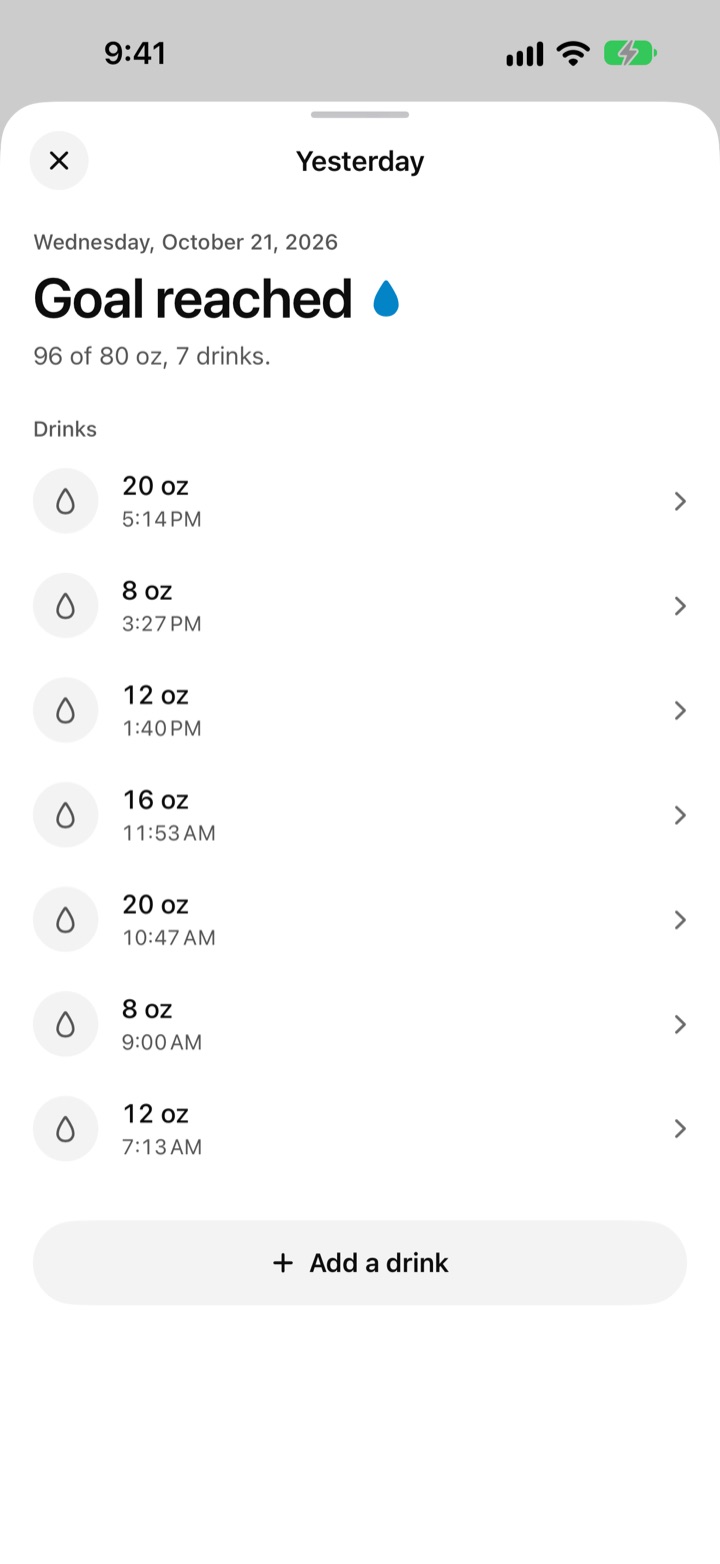
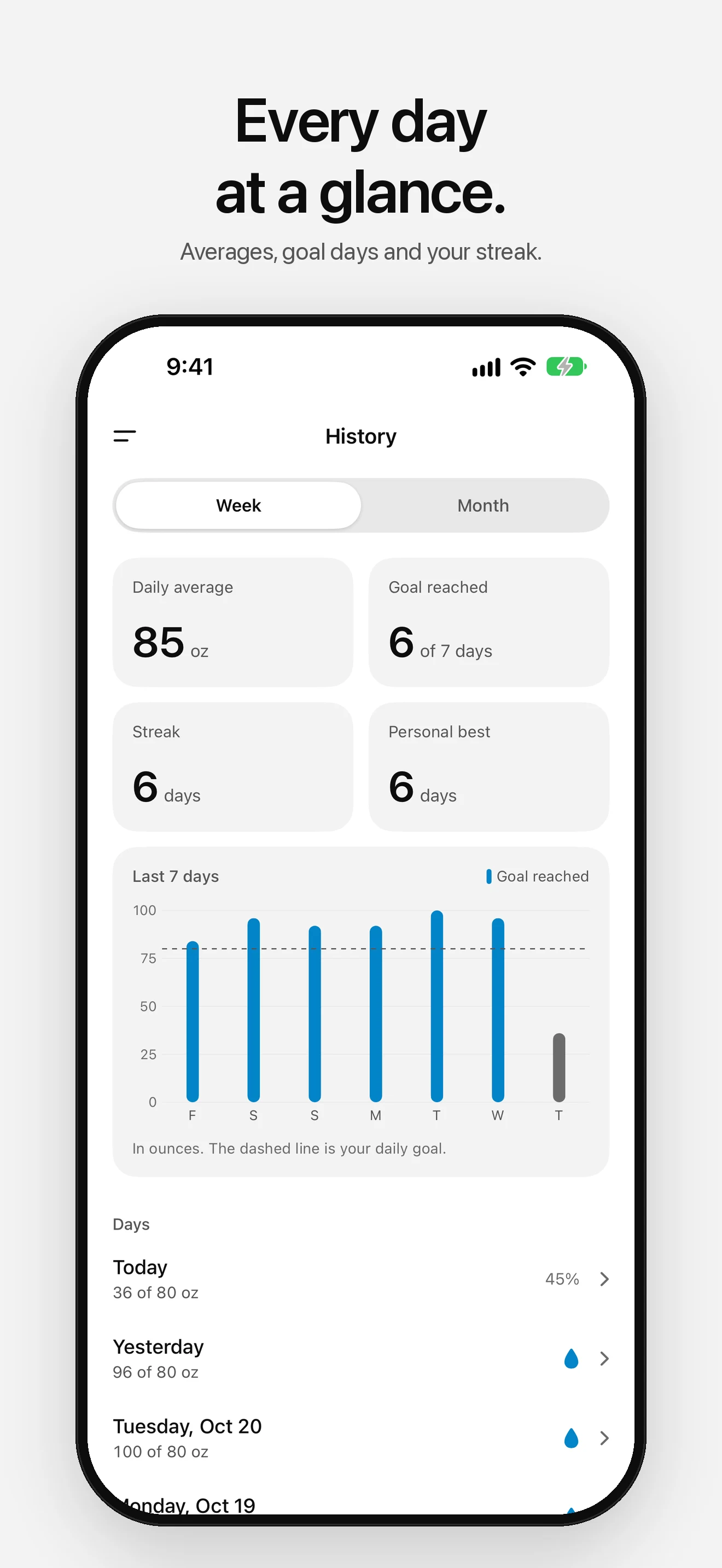
History shows your daily average, goal days, streak and personal best for the last week or month, with a bar for every day. Tap a day to see every drink you logged, and put it right if something’s missing.
Watch, widgets, reminders and Health
Hydrate Easy reaches beyond the app in a few quiet ways:
- Apple Watch: log a drink from your wrist, see what’s left, and add a complication. Drinks logged on your Watch reach your iPhone, even if it was out of reach for a while.
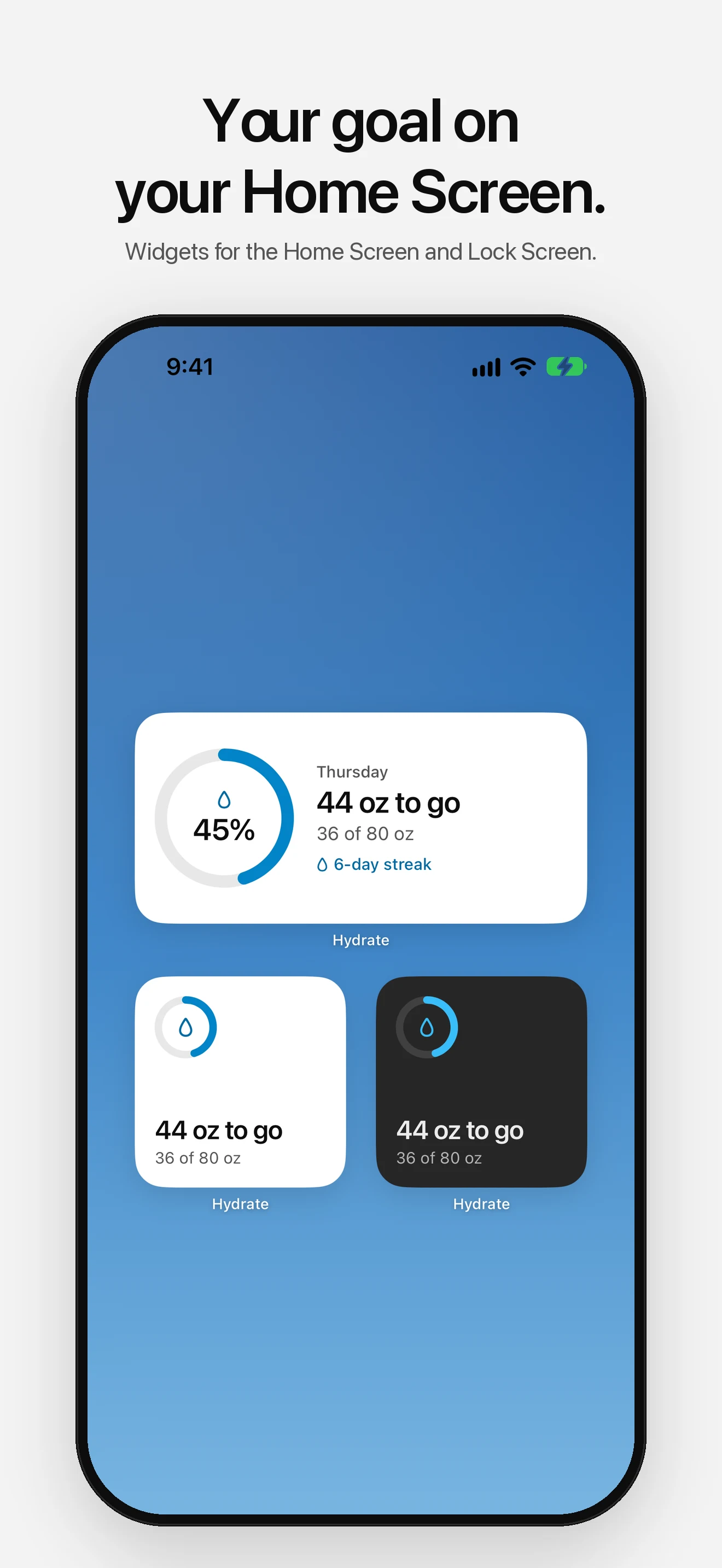
- Widgets: Home Screen and Lock Screen widgets show what’s left today at a glance.
- Reminders: every one to four hours, between the hours you choose. Each says what’s left, they stop once you reach your goal, and you can log your first quick size right from one.
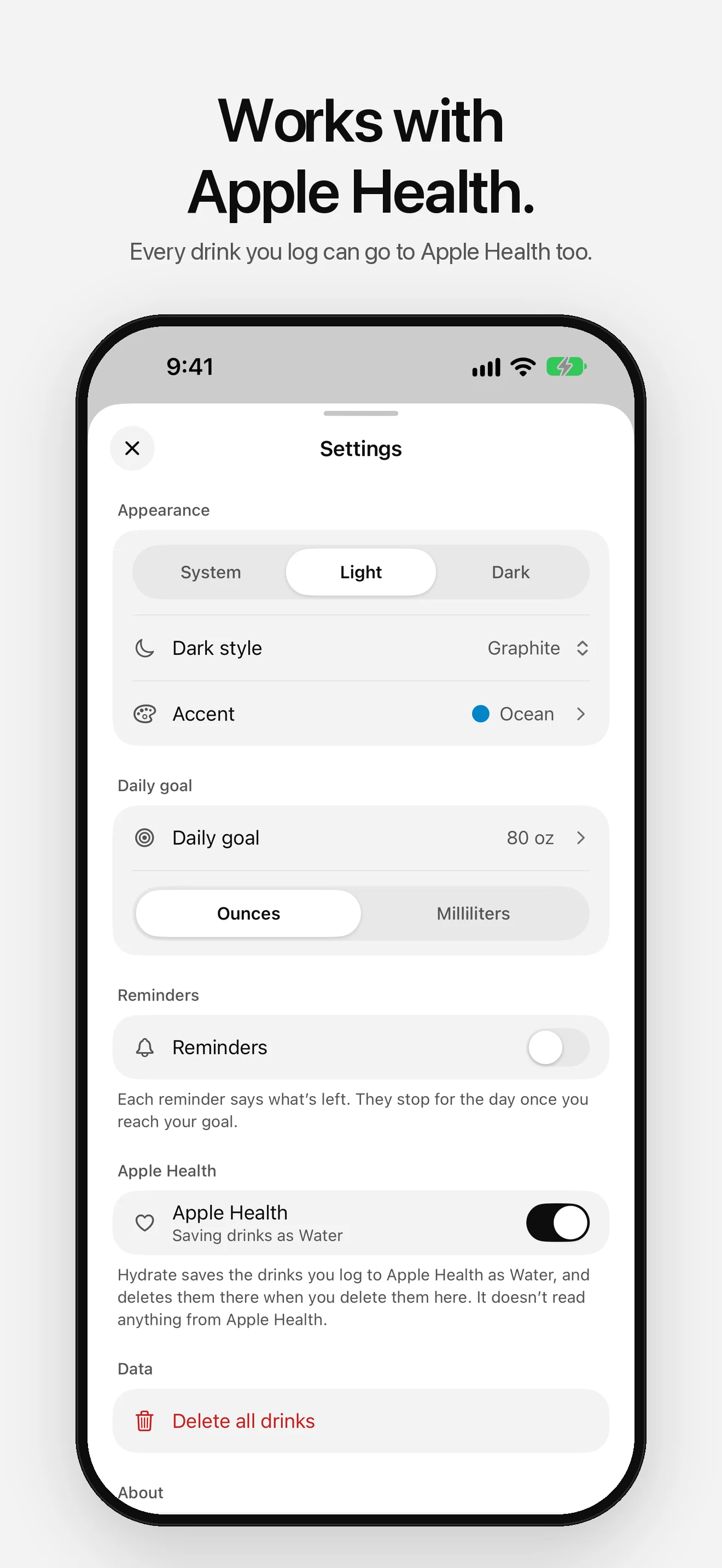
- Apple Health: connect it and every drink you log is saved as Water, and deleted there when you delete it. Hydrate Easy never reads your Health data.
- Your look: pick an accent and the Home Screen icon changes to match, in Light or one of two darks, soft Graphite or true Black.
Why we made Hydrate Easy
Drinking enough water is a small habit, and tracking it should be smaller still. We built Hydrate Easy around one tap and one plain sentence about what’s left, so keeping count never feels like a chore.
It’s free, with nothing to unlock and no ads. Your drinks stay on your device and your Apple Watch, and go to Apple Health only if you connect it. Anonymous diagnostics help fix problems, never include your drinks, and can be turned off in Settings. Hydrate Easy helps you build a daily habit toward the goal you set; it isn’t medical advice, so ask your doctor how much water is right for you.
Get Hydrate Easy free on the App Store Screenshots, FAQ and privacy for Hydrate Easy