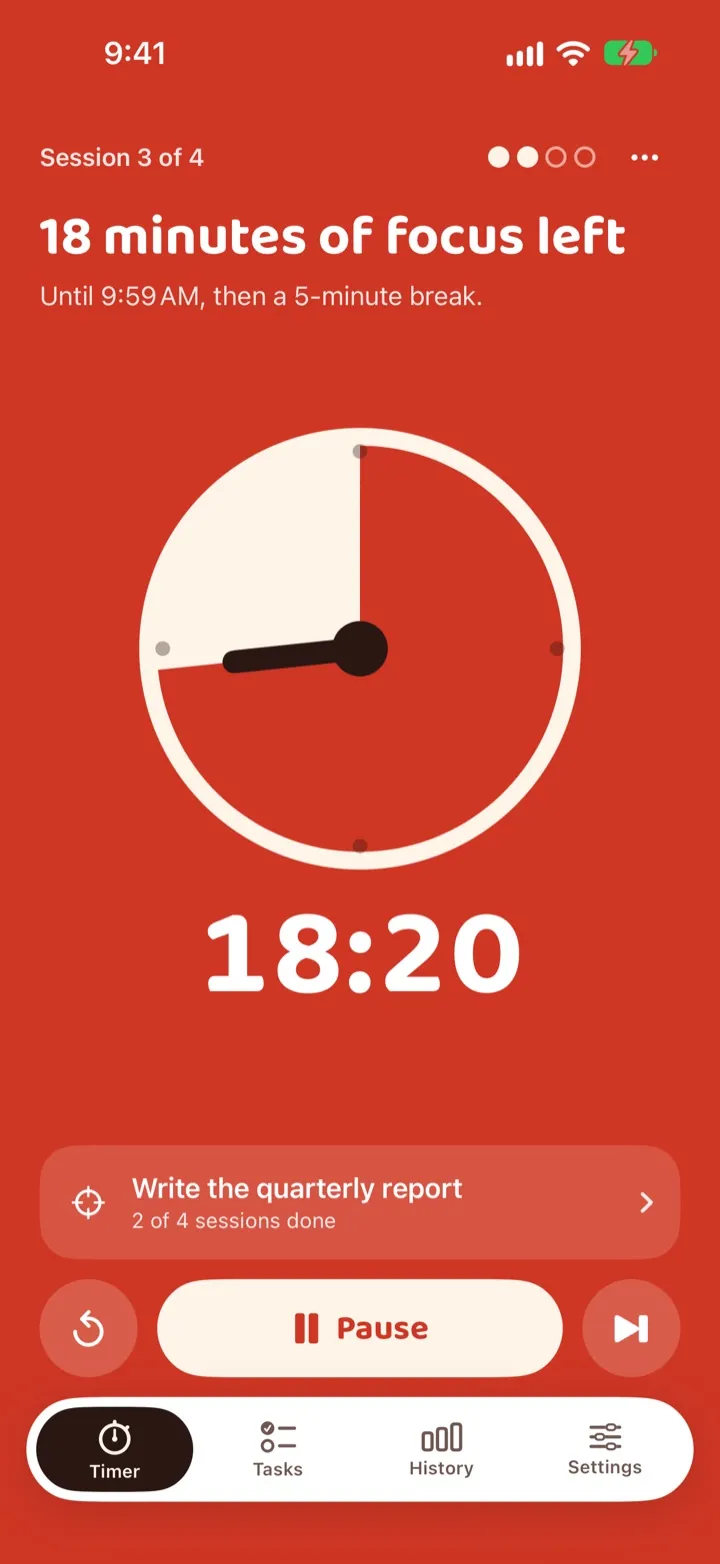
Most timers want your attention. Pomo Easy wants you to forget it’s there until it matters: a round dial whose slice is the time left, a headline that says what’s happening, and a single button.
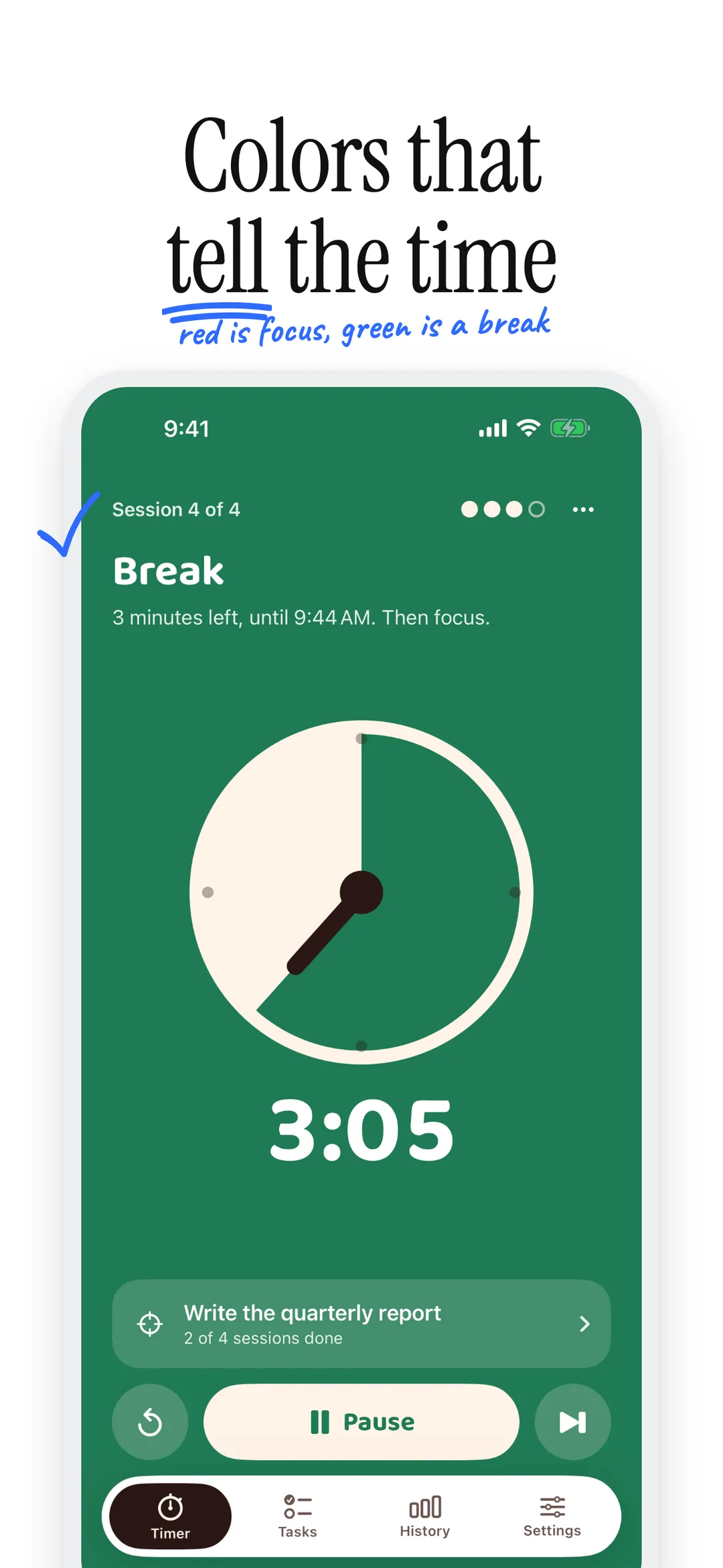
It’s a Pomodoro timer for iPhone and iPad. Twenty-five minutes of focus, five minutes off, and a longer rest once you’ve done four. The whole screen turns red for focus, green for a break and blue for the long one, so you can read it from across the desk. And you can change any of it.
Get Pomo Easy on the App Store The Pomo Easy page
Who it’s for
Pomo Easy is for anyone who works in blocks: students getting through a stretch of exams, writers on a deadline, developers who need an hour without interruptions, and anyone who has tried the Pomodoro Technique and wants a timer that simply keeps up.
If you like to plan the hour rather than the whole day, attach a task to each session and watch the tally grow. If you just want a clean countdown, ignore the tasks and press start.
A timer you can read at a glance
The headline does the talking. Instead of making you parse a number, it says “18 minutes of focus left” or “Break”, and under it, when the session ends and what comes next. The dial shows the same thing as a shrinking slice, and the color of the screen tells you which part of the cycle you’re in.
Pomo Easy also never drifts. It keeps the end time, not a ticking counter, so locking the screen, switching apps, a restart or a clock change can’t stretch a session. Session alerts are Time Sensitive and arrive with the app closed, in a sound you pick.
Lock Screen, Home Screen and wrist
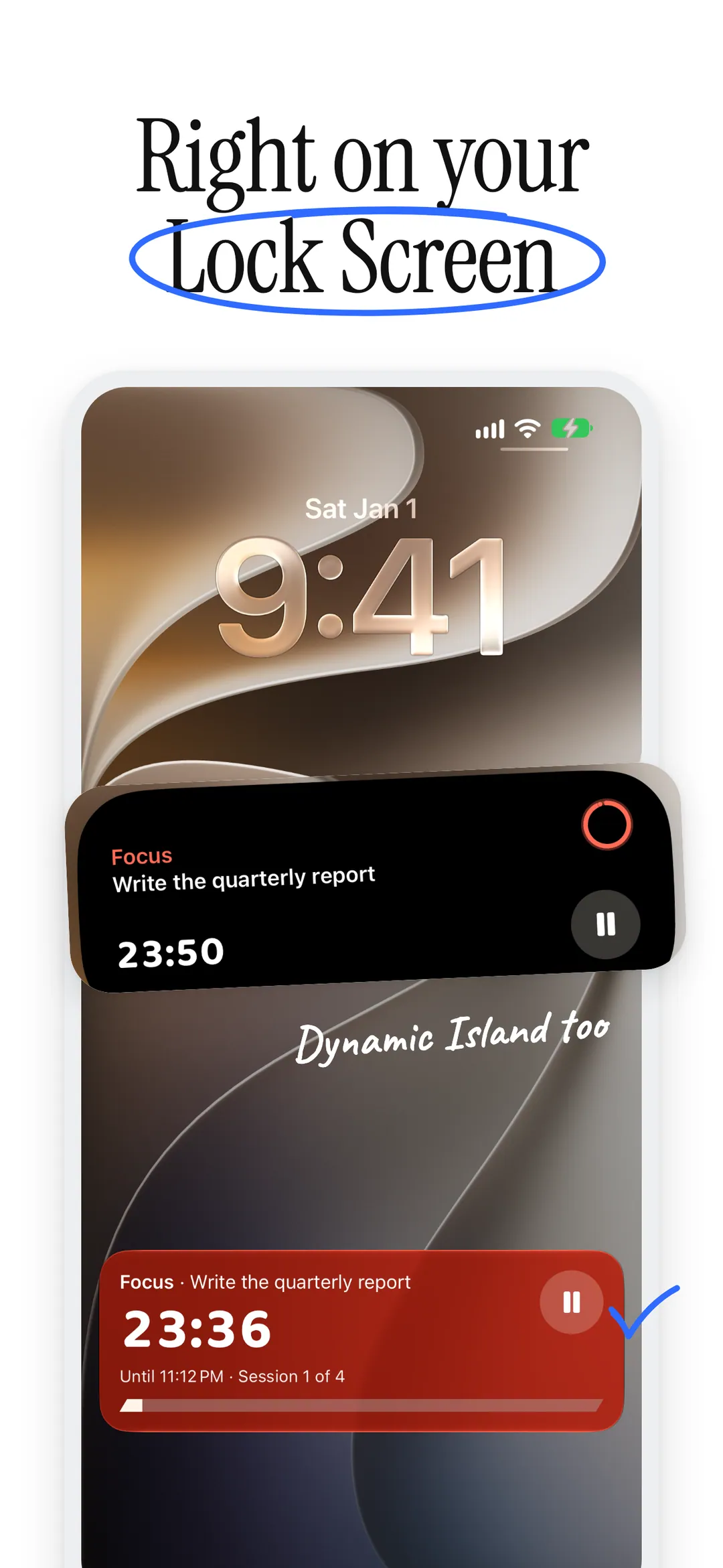
You don’t have to open the app to keep track. A Live Activity puts the countdown on the Lock Screen and in the Dynamic Island, with pause, resume and start right there.
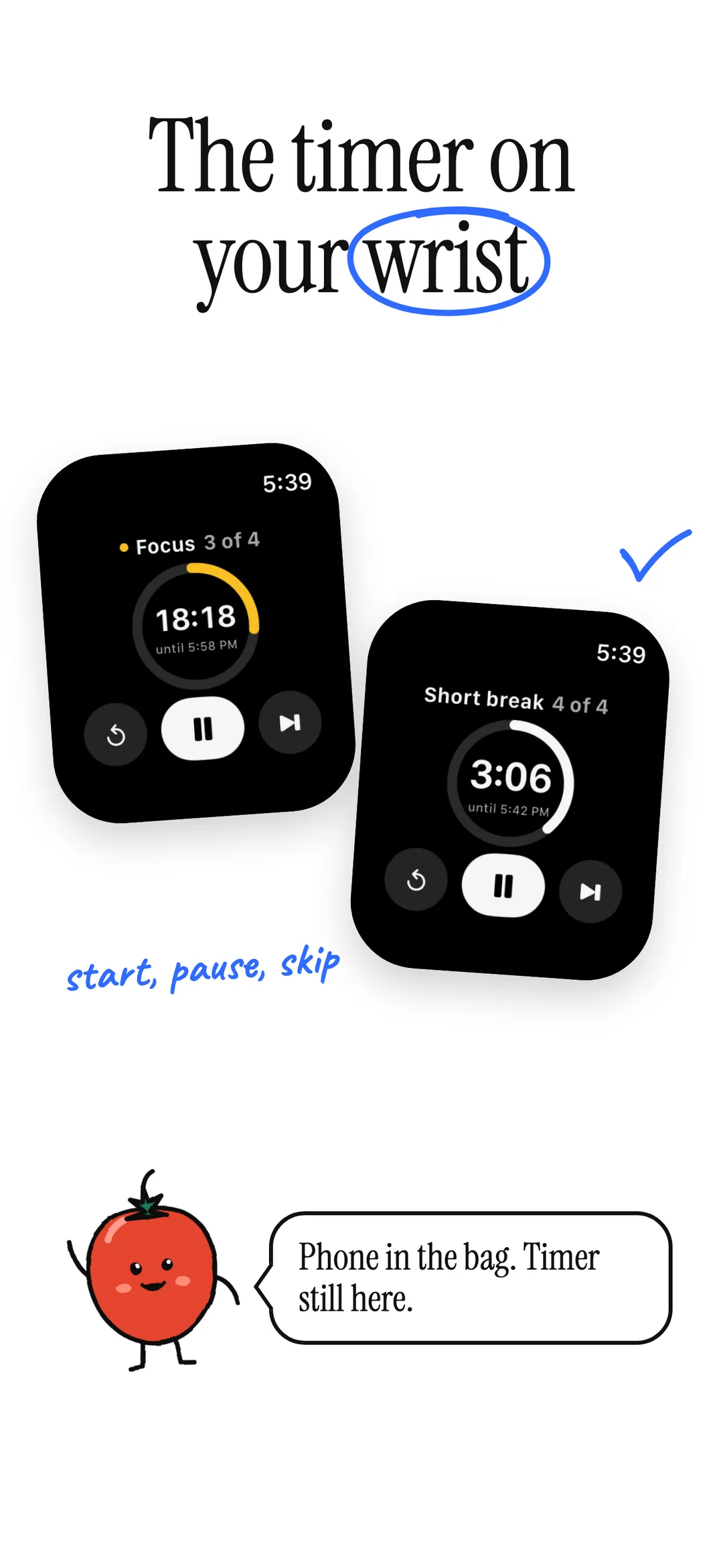
Widgets show the timer, a one-tap Start, your week and your streak, on the Home Screen or beside the clock. On Apple Watch, you see whatever the iPhone dial is doing, with start, pause, skip and reset a tap away.
- Live Activity and Dynamic Island countdown
- Widgets for the timer, Start, your week and your streak
- An Apple Watch app that controls the same timer
Plan the hour with tasks and history
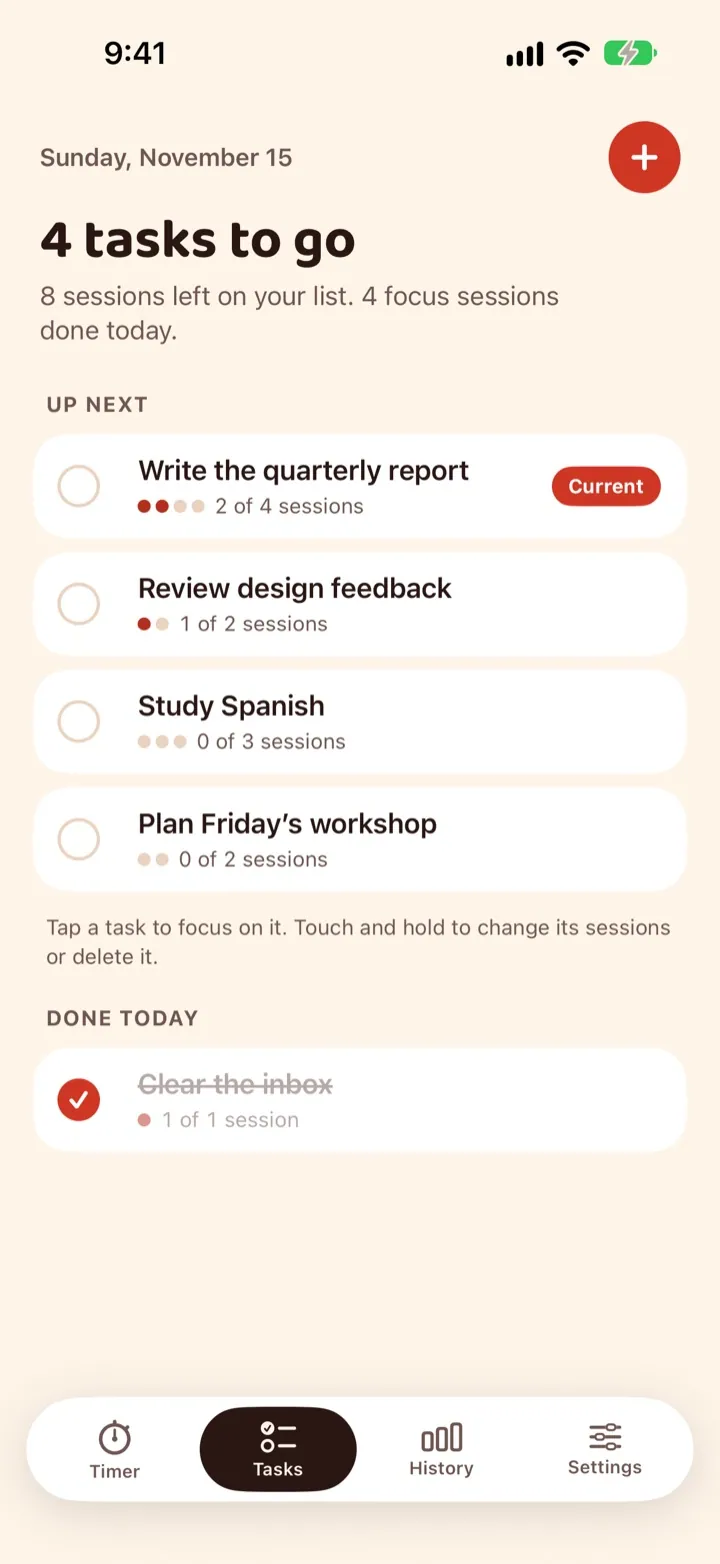
Attach a task and Pomo Easy tallies each finished session against it. Remove a session from History and the tally follows. The task list shows what’s up next, how many sessions each one needs, and what you’ve already finished today.
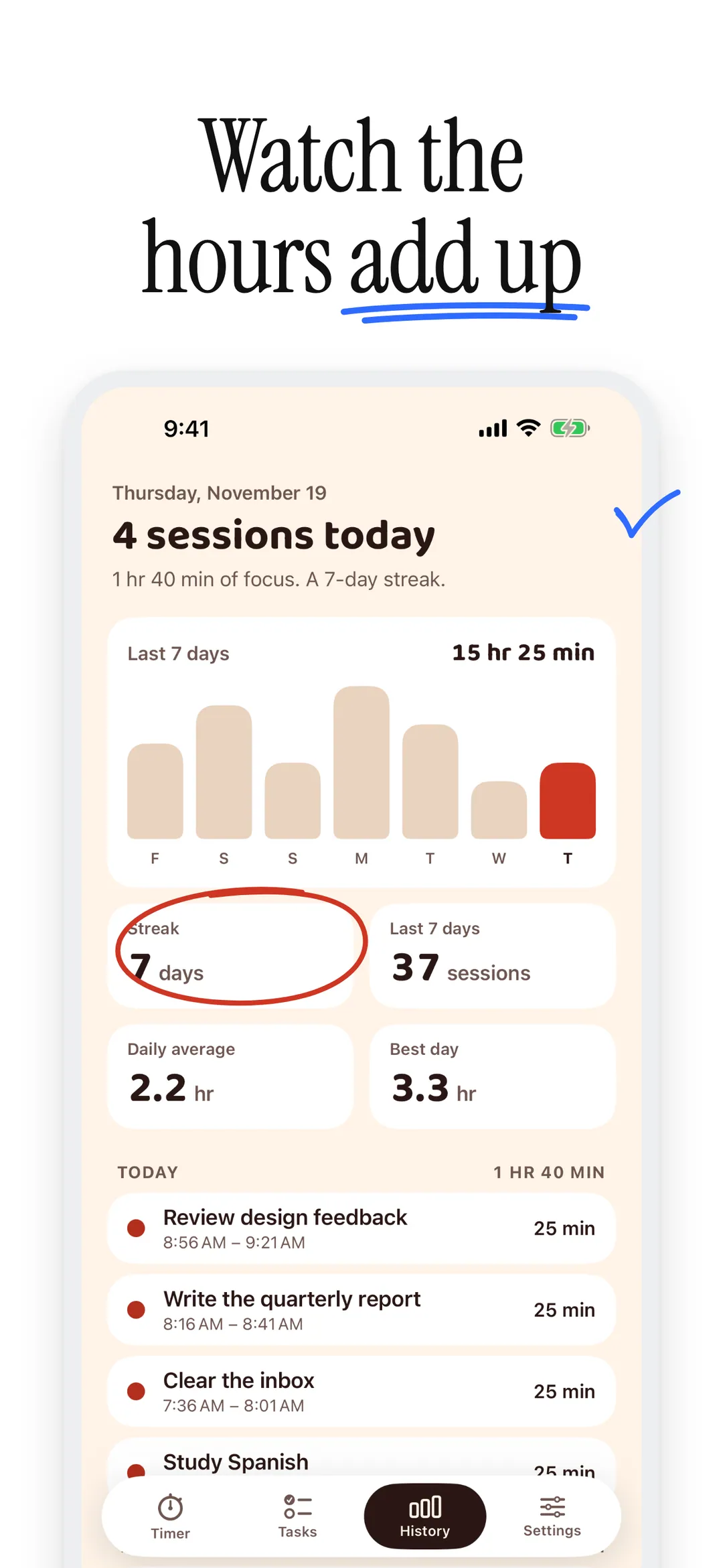
History shows today, the past week, your run of days and your strongest day. On iPad, turn it sideways for the dial beside your session plan and the tasks up next.
Your rhythm, your rules
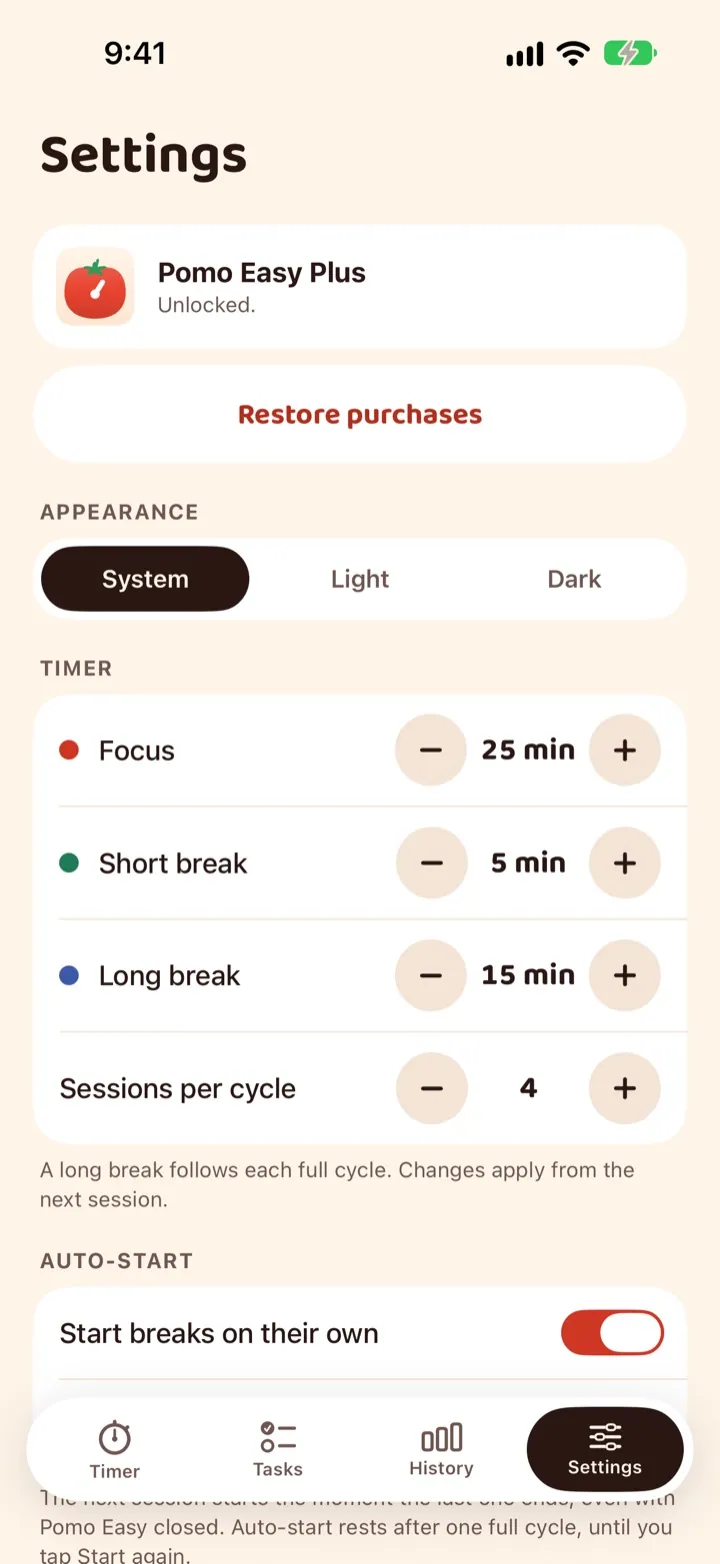
The classic 25 and 5 is only the starting point. Set focus from 5 to 90 minutes, breaks from 1 to 60, and two to eight sessions per cycle. Breaks or focus sessions can start on their own if you want the cycle to keep moving.
For deep work there’s background noise: white, pink, brown, rain, café or ocean waves, still playing when the screen locks. Light and dark follow your device, or your choice.
Why we made Pomo Easy
We wanted a Pomodoro timer that does one job exactly: tell you plainly where you are, keep perfect time, and reach you when a session ends, wherever you are looking. Everything else, from tasks to the watch, exists to support that.
It also keeps to itself. There’s no sign-in, no ads and no trackers, and your sessions, tasks and settings stay on your device. Anonymous crash reports and the names of the screens you visit help find bugs, never a task or anything that points to you, and you can turn them off in Settings.
Get Pomo Easy on the App Store Screenshots, FAQ and privacy for Pomo Easy