When you check your blood pressure at home, the cuff gives you two numbers and leaves the rest to you. Pressure Easy keeps a private, honest record of those numbers and tells you, in plain words, which American Heart Association category each reading falls in.
It’s a free blood pressure log for iPhone and iPad, with an Apple Watch app beside it. Add a reading in seconds, see your 7-day and 30-day averages, and make a clear PDF for your doctor when you need one.
Get Pressure Easy free on the App Store The Pressure Easy page
Who it’s for
Pressure Easy is for people who measure at home and want a tidy record: someone whose doctor asked them to keep a log between visits, someone checking morning and evening, or someone who simply likes to know their numbers.
It’s also for anyone who would rather not hand that record to an account or a cloud. There’s no sign-up, and your readings stay on your iPhone, iPad and Apple Watch.
Today, at a glance
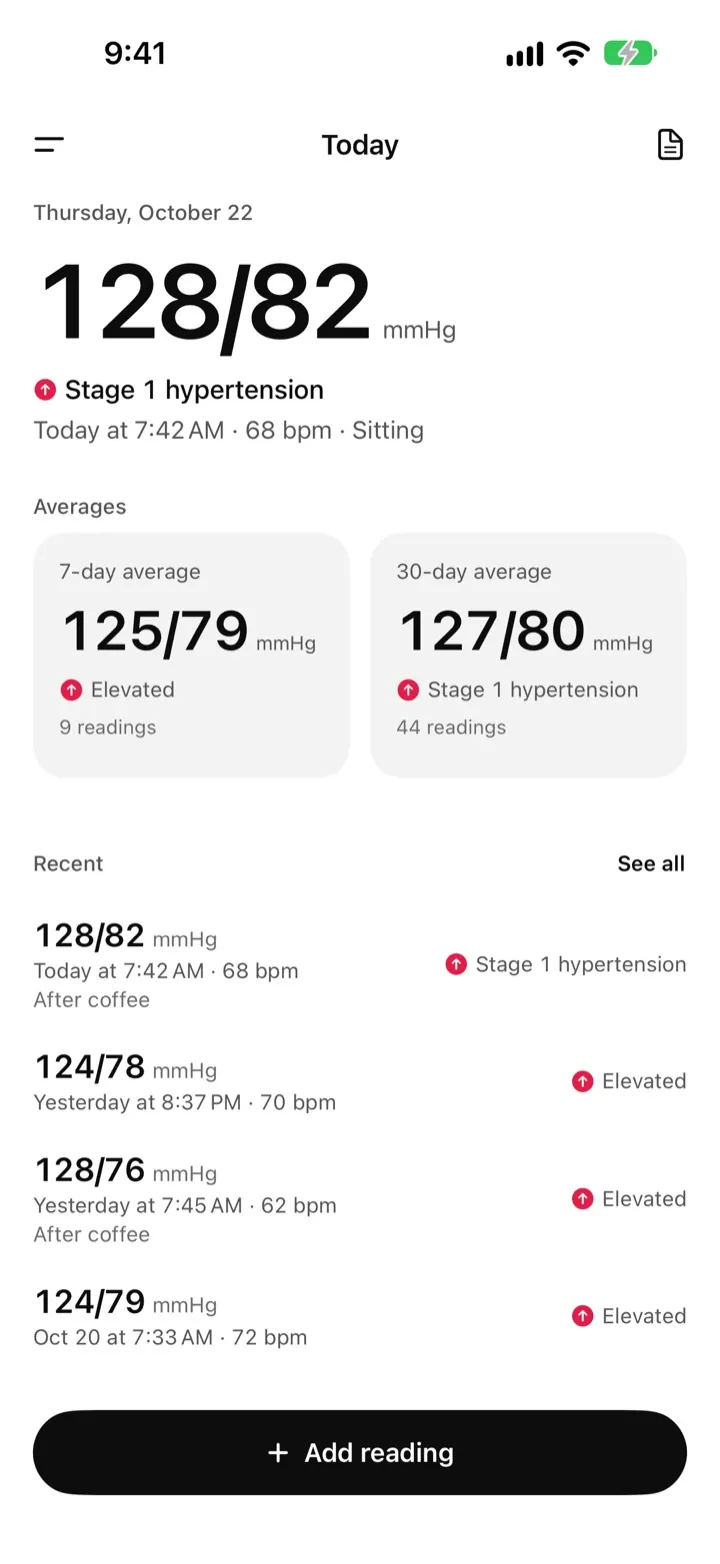
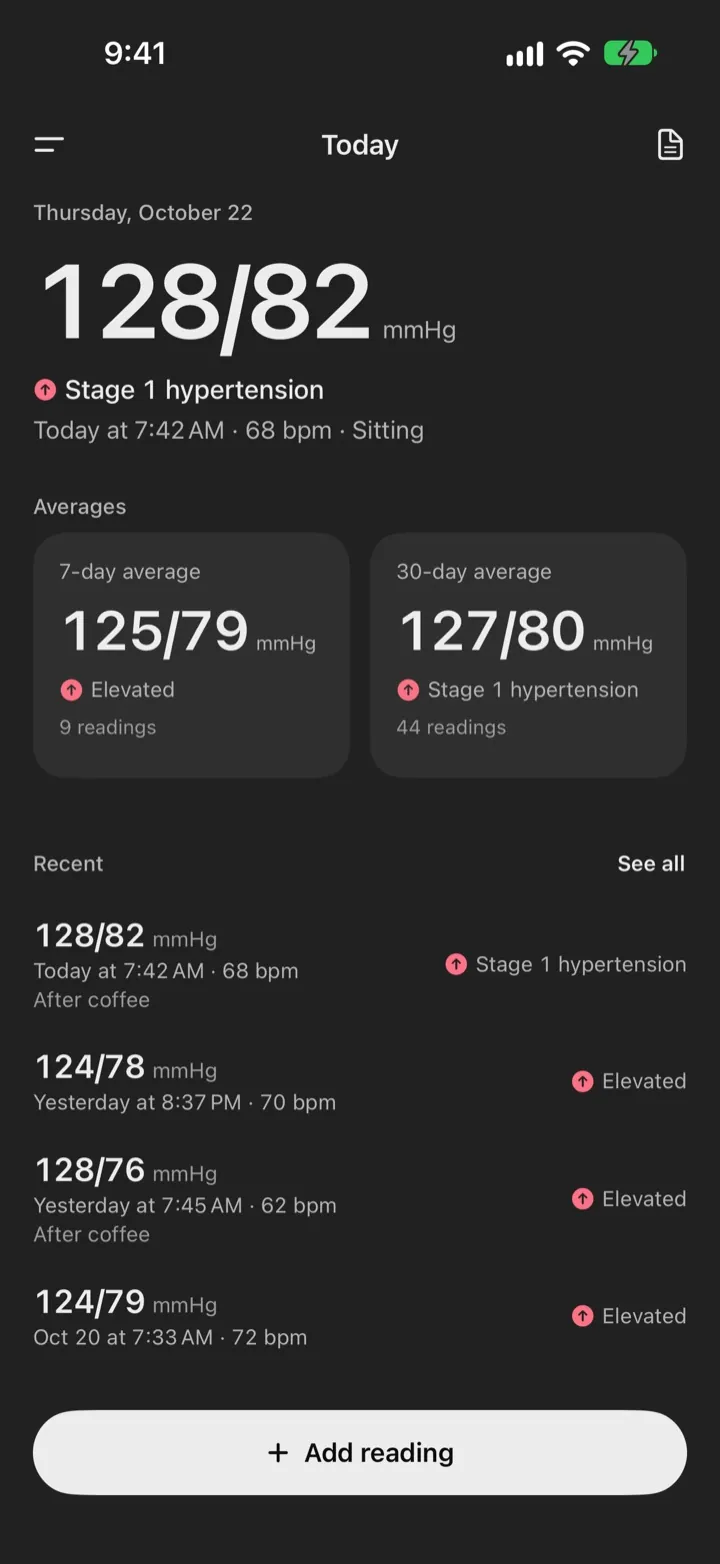
The Today screen shows your latest reading in big, clear numbers with its category, the time, your pulse and your position. Right below sit your 7-day and 30-day averages, each with its own category, and your most recent readings.
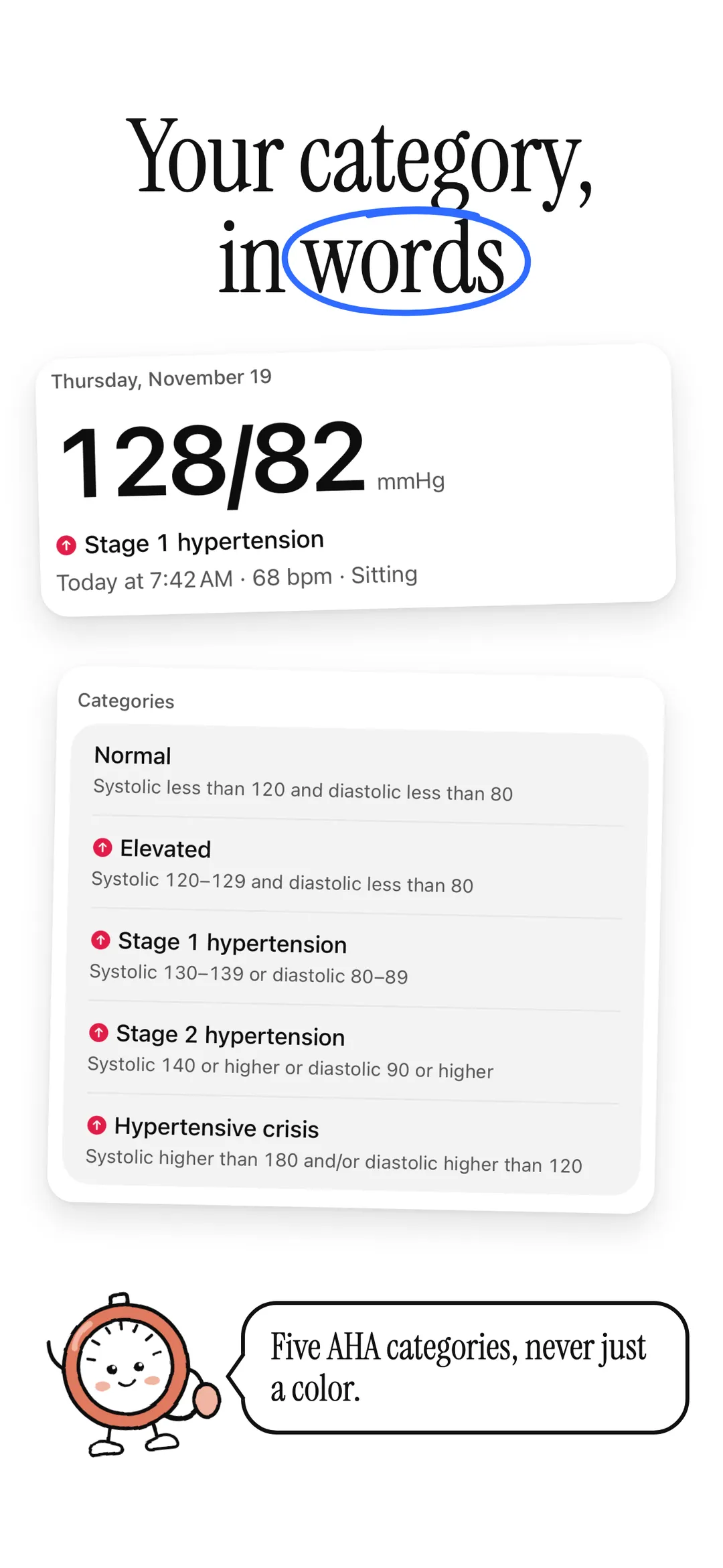
Categories follow the American Heart Association, from normal through elevated and the two stages, written out in words. When a reading is higher than 180/120, Pressure Easy shows a calm note to contact your doctor, or emergency services if you have symptoms.
Add readings your way
Type the two numbers from your monitor, and your pulse if you like. Note your position, arm, medication and anything worth remembering. Or keep your hands on the cuff and use Siri.
- Say “Log blood pressure in Pressure Easy” and read Siri the numbers; it saves the reading and tells you the category
- Ask “What’s my blood pressure in Pressure Easy” to hear your latest reading and 7-day average
- Both work in the Shortcuts app and on the Action button
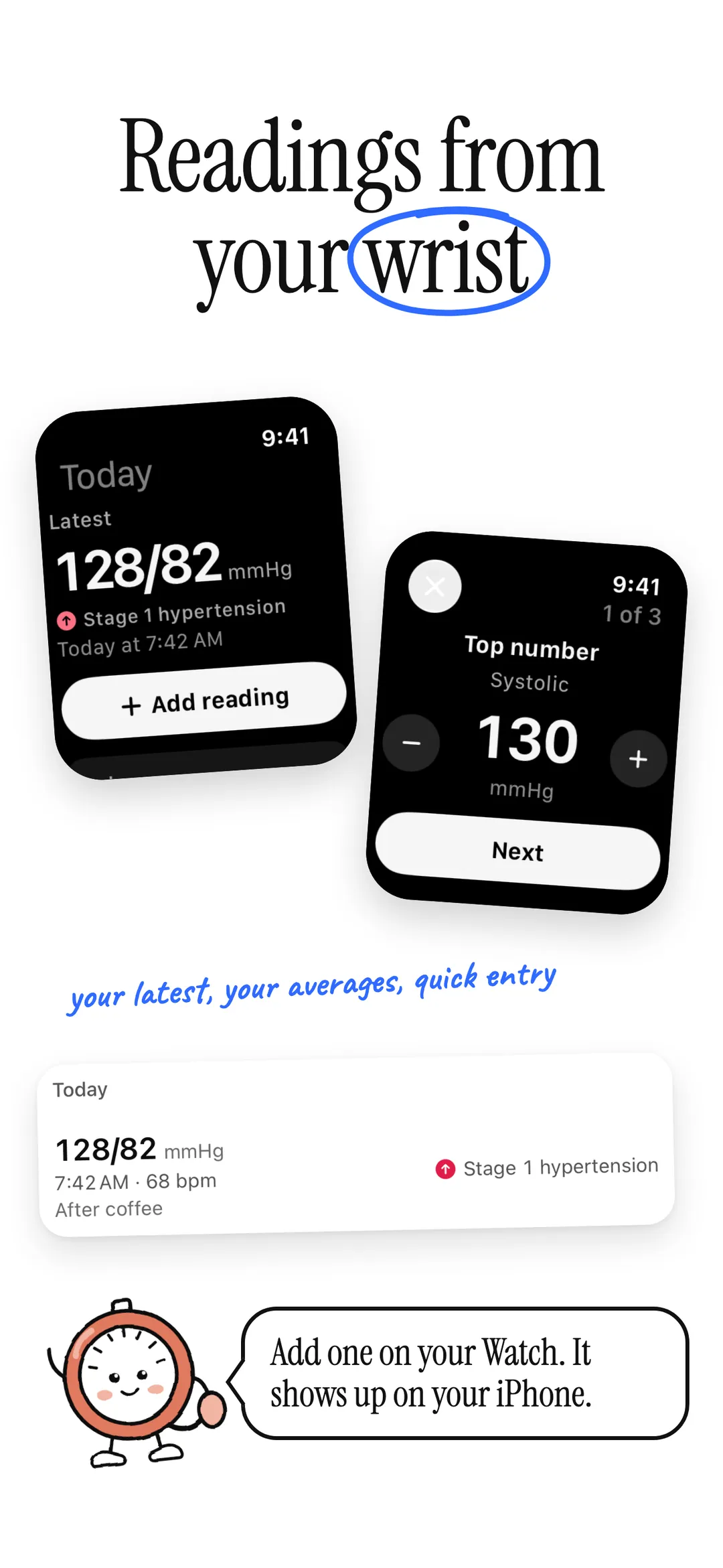
- Add a reading on Apple Watch and it shows up on your iPhone
- Optional Apple Health: save readings there, or add readings a connected monitor or another app saved
Trends and a report for your doctor
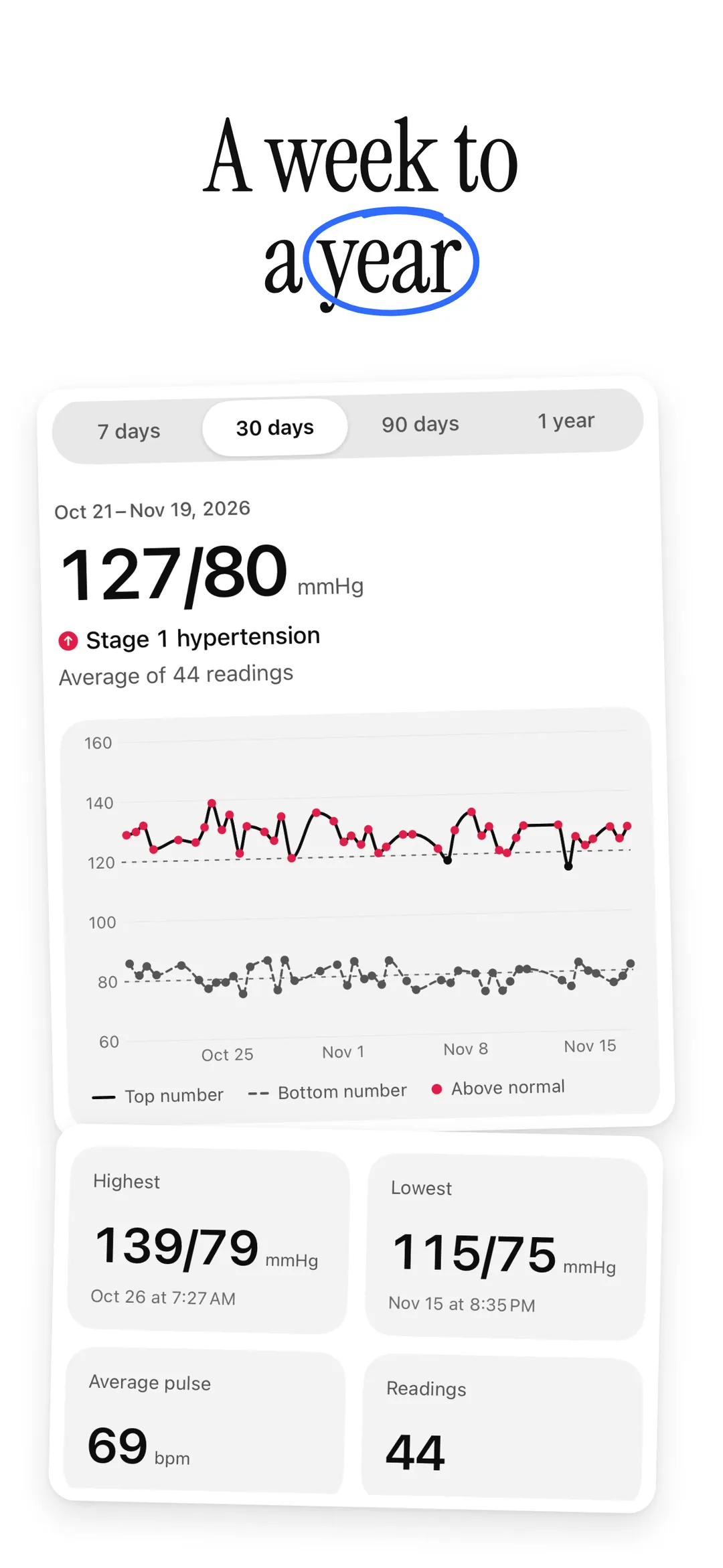
A chart shows every reading from 7 days to a year, with your highest, lowest and average pulse. You can compare morning against evening, and days with and without medication.
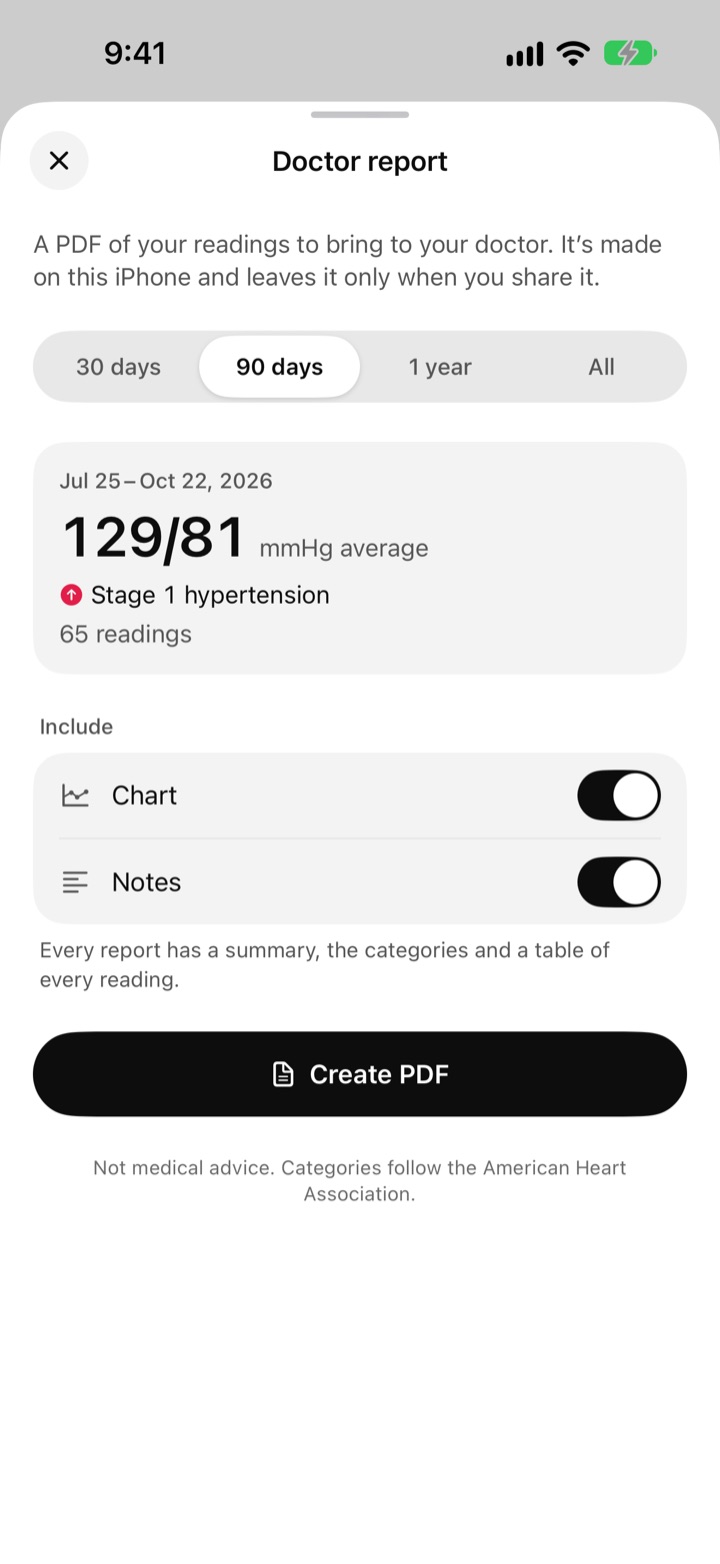
When it’s time for an appointment, make a PDF with a summary, your categories, a chart and every reading. It’s made on your iPhone or iPad and shared only when you choose, from the share sheet.
On your wrist, your Lock Screen and your iPad
Widgets keep your newest numbers and averages in view on the Home Screen and Lock Screen. The Apple Watch app shows your latest reading and your averages, with quick entry.
On iPad, your latest reading sits beside its trends chart, and the doctor report shows its pages beside the options before you share. Pick a light look or a dark one, with gray or true black at night, choose a highlight color that the app icon follows, and set a daily nudge to measure.
Why we made Pressure Easy
We wanted a blood pressure log that is calm and clear: record the numbers, say what category they fall in, and make it easy to bring the whole picture to your doctor. Pressure Easy is not a medical device and doesn’t diagnose. Talk to your doctor about your readings and before changing any treatment.
It’s free, with nothing to unlock and no ads, and nothing about you is sold. Anonymous diagnostics, like crashes and the screens opened, help fix problems; they never include your readings, notes or Apple Health data, and you can turn them off in Settings. If it helps, you can leave a one-time tip, and every feature is yours either way.
Get Pressure Easy free on the App Store Screenshots, FAQ and privacy for Pressure Easy