Most budgeting apps start by asking for your bank login. Spend Easy never does. It’s a simple, private expense tracker: type what you spent in a few words, set a budget, and see what’s left this month.
It runs on iPhone and iPad, and your expenses stay on your device. No bank connections, no accounts, no cloud sync and no subscriptions. Just ink on paper, with color only where it means something.
Get Spend Easy free on the App Store The Spend Easy page
Who it’s for
Spend Easy is for people who want to keep an eye on their spending without linking an account: someone trying to stay under a monthly budget, someone watching one category like groceries, or someone who has tried bank-connected apps and didn’t like handing over the keys.
If you’re happy to spend a few seconds typing each expense in exchange for keeping it all on your phone, it’s made for you.
Add an expense in a sentence
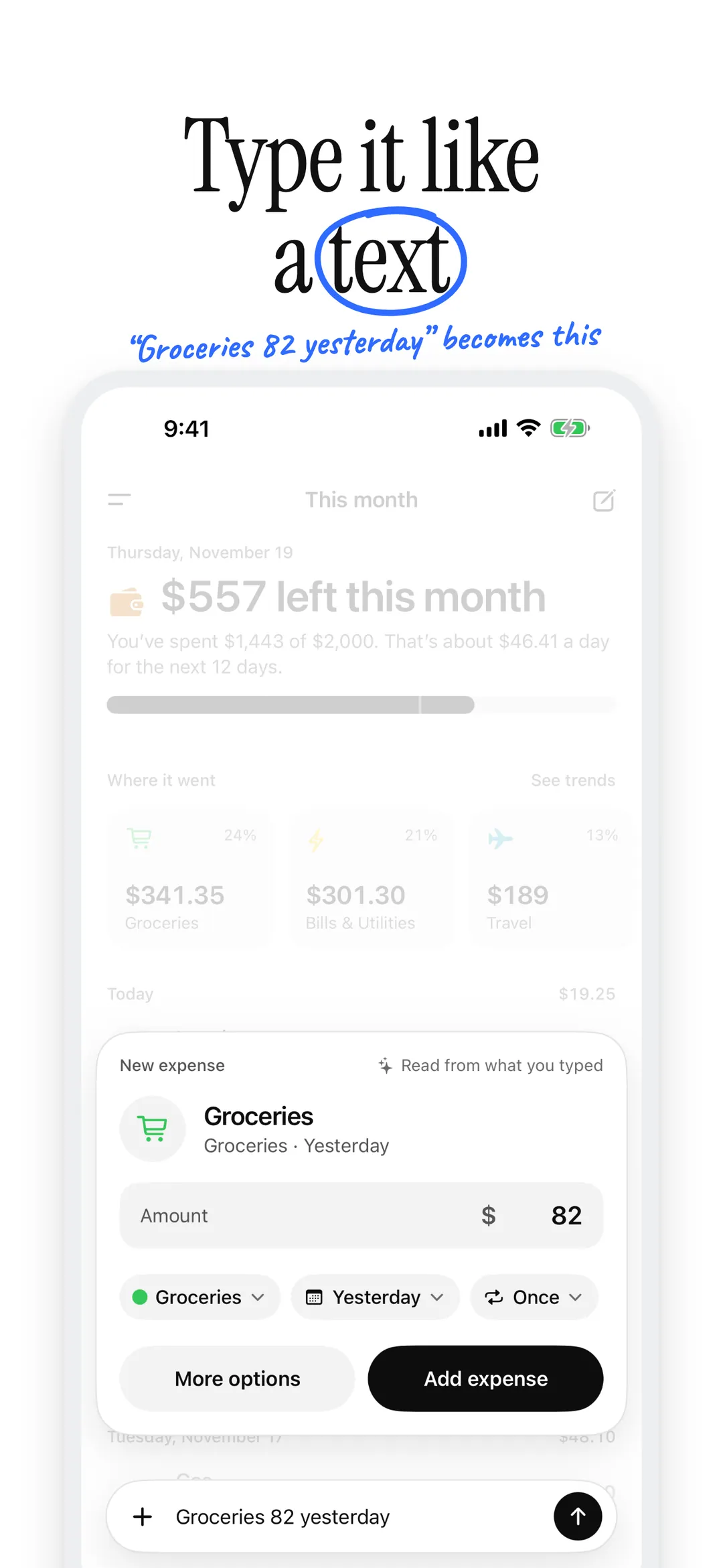
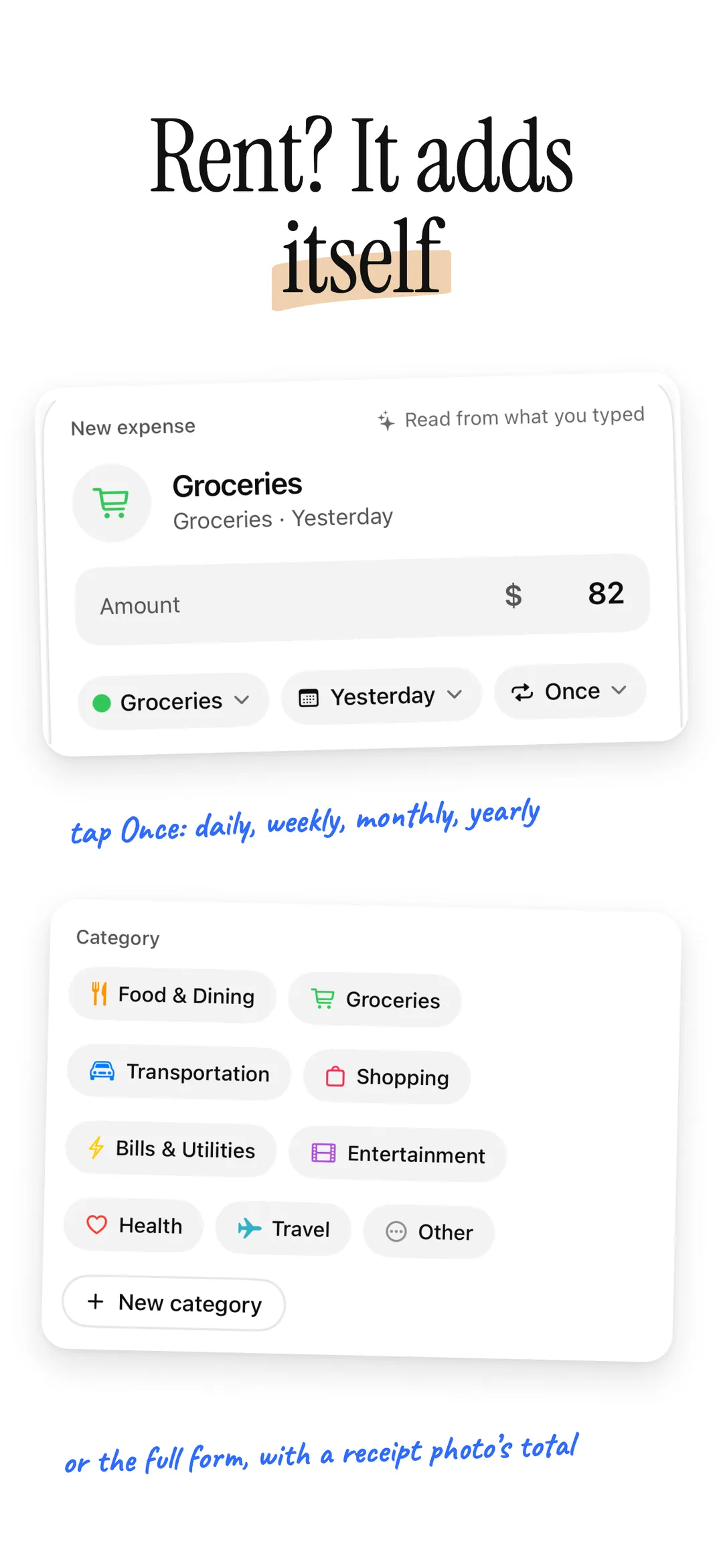
Type “Lunch 14.50” or “Groceries 82 yesterday” and Spend Easy reads the amount, the category and the day. Check it, then add it. Or use the full form, and read the total from a receipt photo on your device.
Rent, phone, subscriptions: mark an expense as repeating and Spend Easy adds it again on each date.
See what’s left
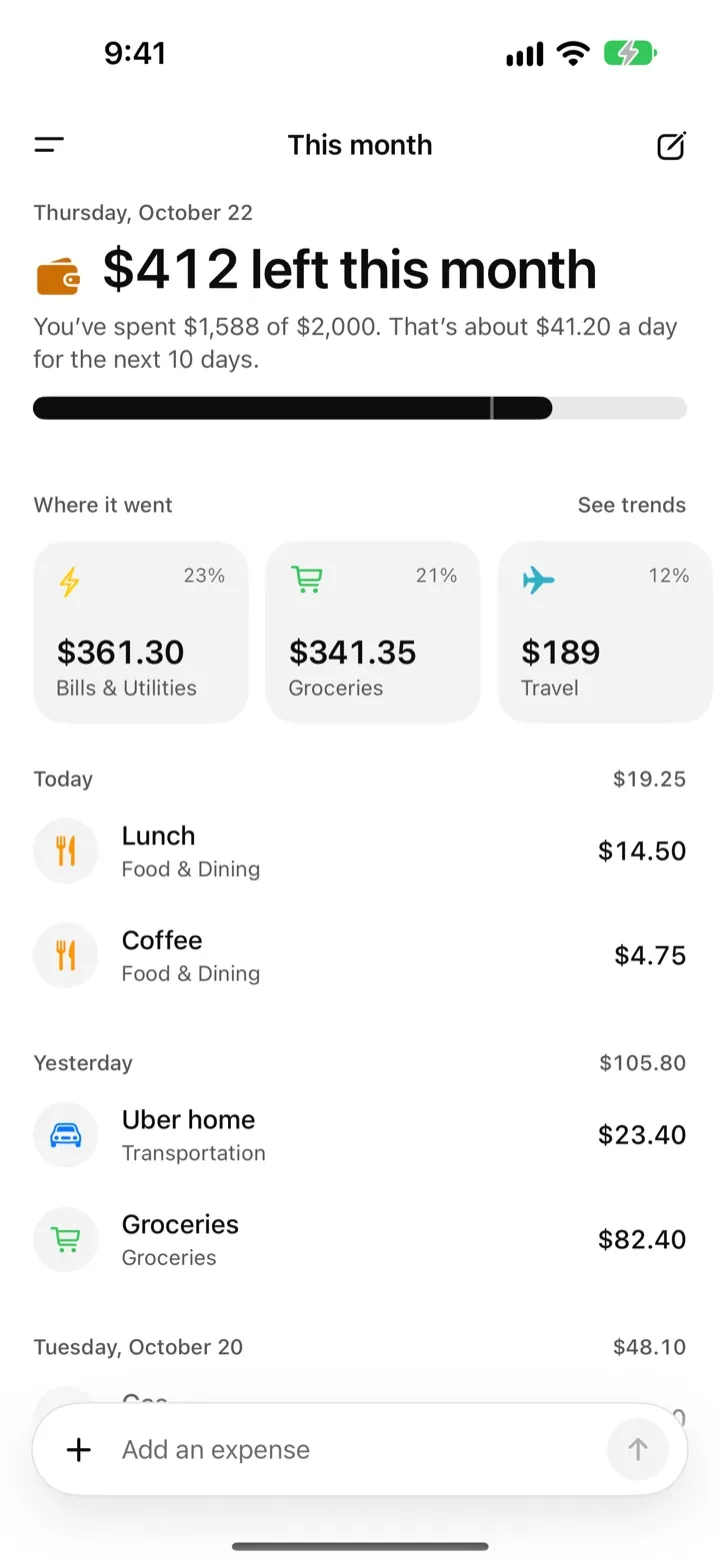
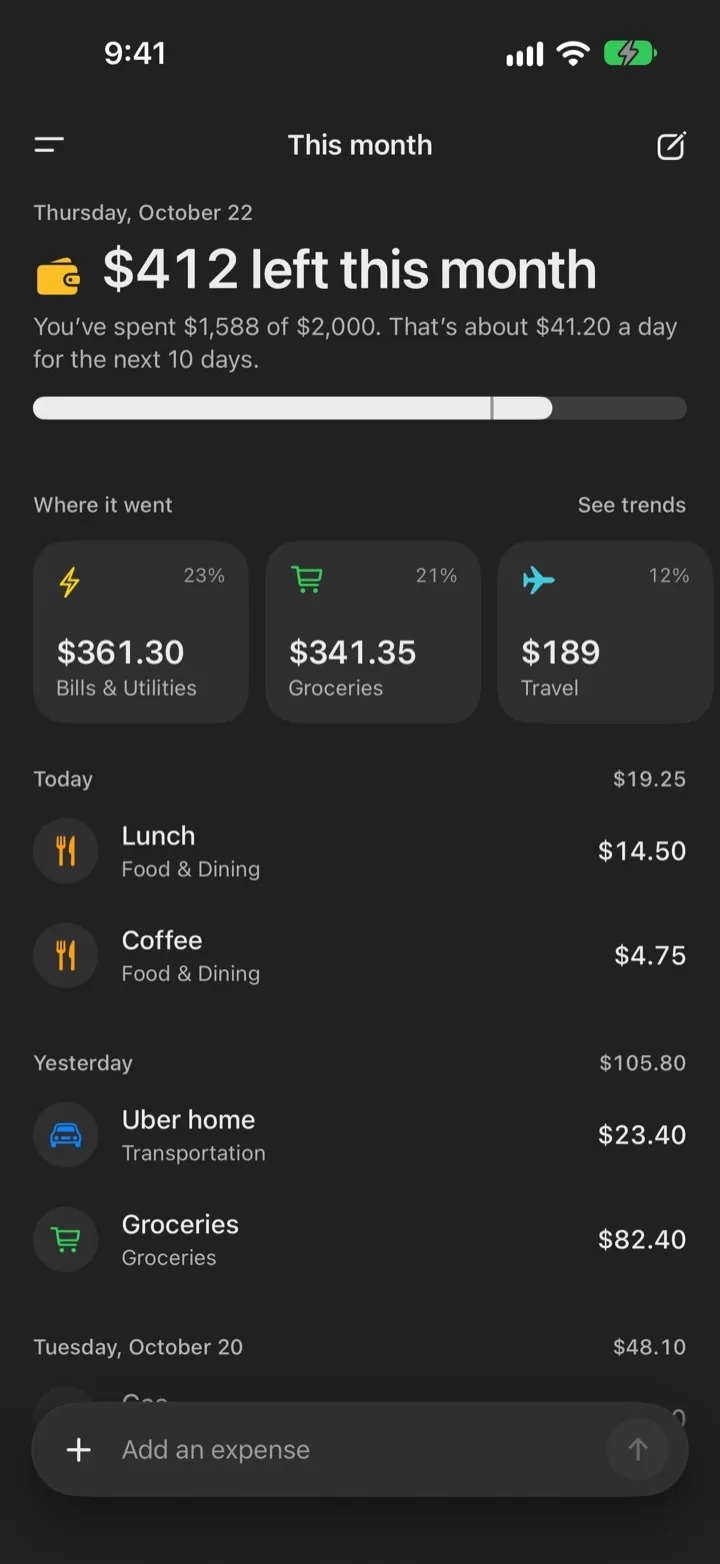
This month leads with what’s left in your budget and what that means for each day left. It tells you when you’re close to the limit, and where the money went, category by category.
Set a daily, weekly or monthly budget, and turn on budget alerts to get a heads-up when you reach the level you pick, and again if you go over.
Limits for single categories
Groceries creeping up? Give that one category its own monthly cap, and Budgets lists what’s left in each capped category with a thin bar. Open a category to see its cap beside six months of history. Alerts cover caps too.
Your categories are yours: name them, pick an icon and a color, and put them in your order.
Trends, widgets and iPad
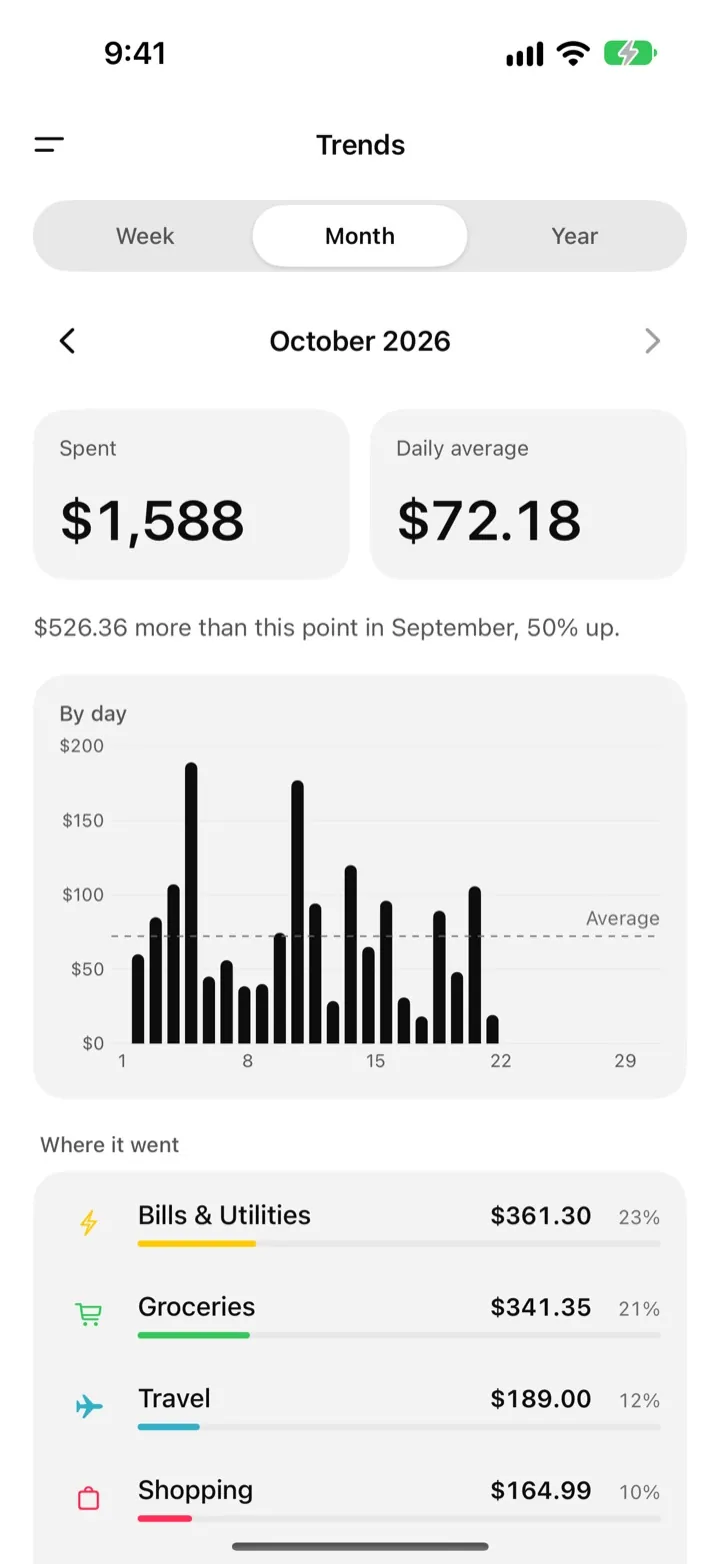
Look back a week, a month or a year at a time, compare it with the one before, and see every category’s share.
- Widgets show what’s left on the Home Screen and Lock Screen, and the medium widget opens straight to a new expense
- On iPad, Expenses sits beside the expense you pick, and This month shows the month day by day beside your list
- Works full screen, in Split View or in Stage Manager, with keyboard shortcuts
- Export every expense as a CSV file, in your region’s currency or any currency you pick
Why we made Spend Easy
We think knowing what’s left to spend shouldn’t cost you your privacy. Spend Easy answers one question well, how much is left this month, and asks for nothing in return: no bank login, no account, no cloud.
Your expenses live in the app and its widget, on your device, and nowhere else. Anonymous diagnostics, like crash reports and which screens you visit, help get problems fixed; they never include amounts, expenses, categories or budgets, and you can turn them off in Settings. Spend Easy is free with nothing to unlock, and if it helps, you can leave a one-time tip.
Get Spend Easy free on the App Store Screenshots, FAQ and privacy for Spend Easy