A habit tracker should take less effort than the habit. Track Easy is built for people who want simplicity: no accounts, no subscriptions, no tracking. Just you and your habits.
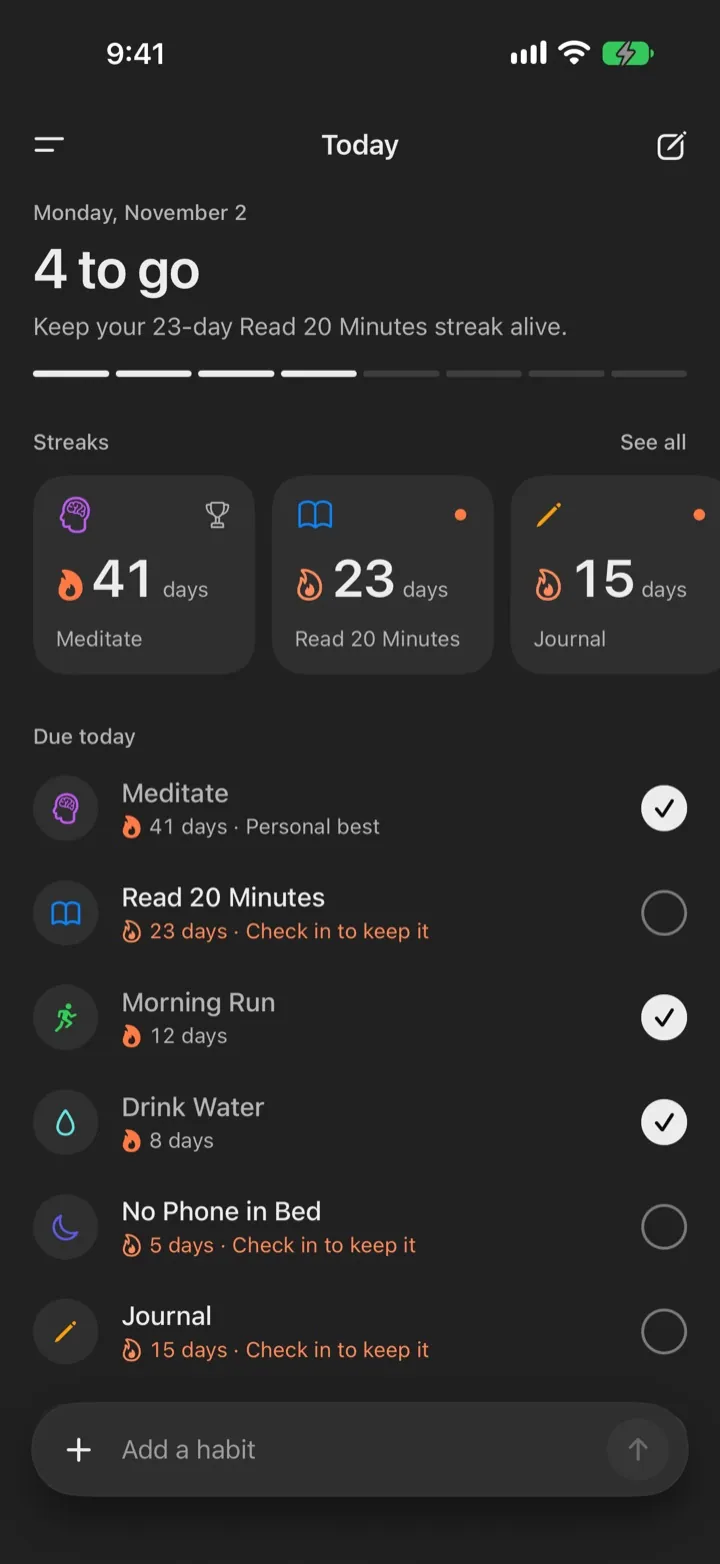
Type a habit the way you’d say it, check it off each day, and watch the streak grow. It’s free on iPhone and iPad, in black and white throughout, so the one color you see is a streak worth keeping.
Get Track Easy free on the App Store The Track Easy page
Who it’s for
Track Easy is for anyone building a routine: reading every weekday, a morning run, journaling, drinking water, or keeping the phone out of bed. It suits people who have bounced off busier habit apps and want something that stays out of the way.
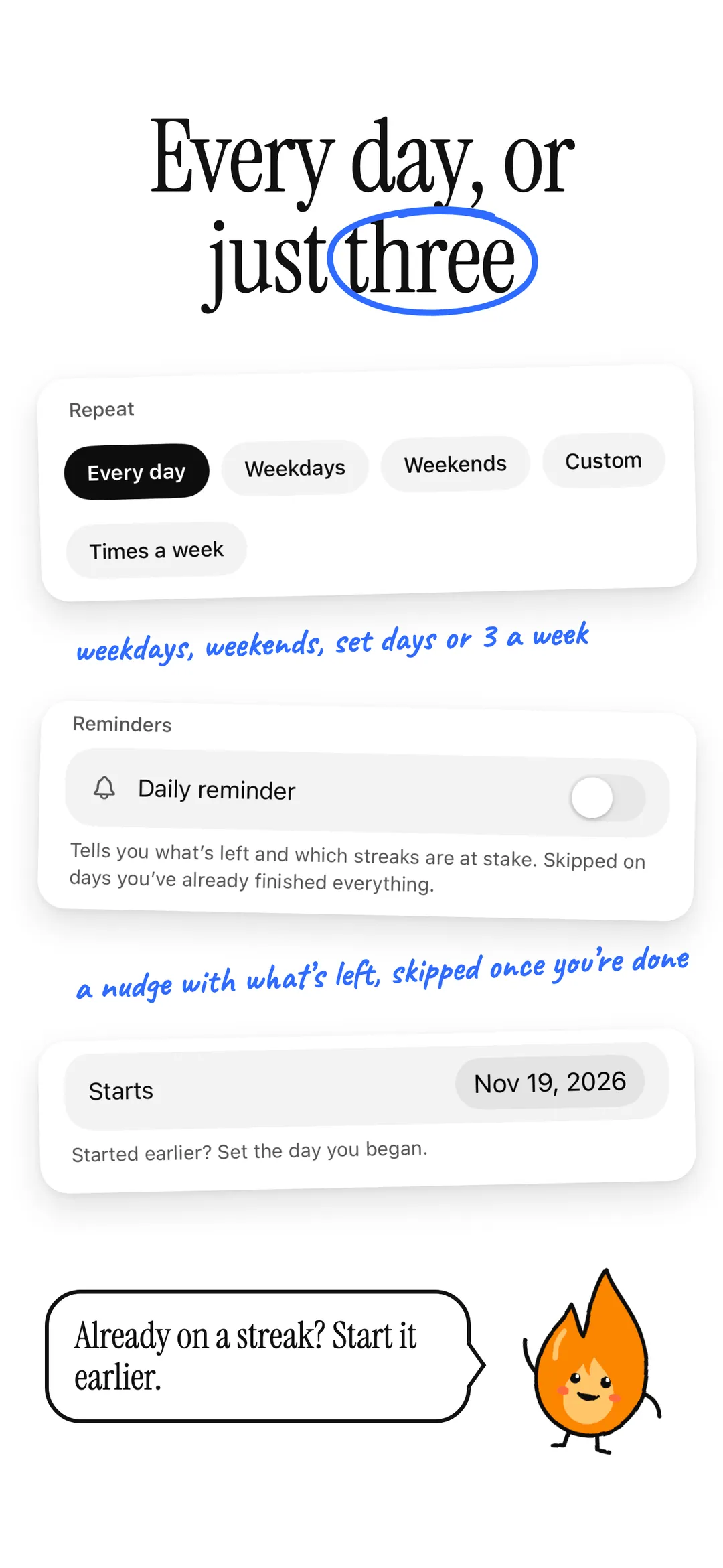
It handles real schedules too. Daily, weekdays, weekends, specific days, or just “3 times a week”, with streaks calculated against the schedule you set.
Create a habit in seconds
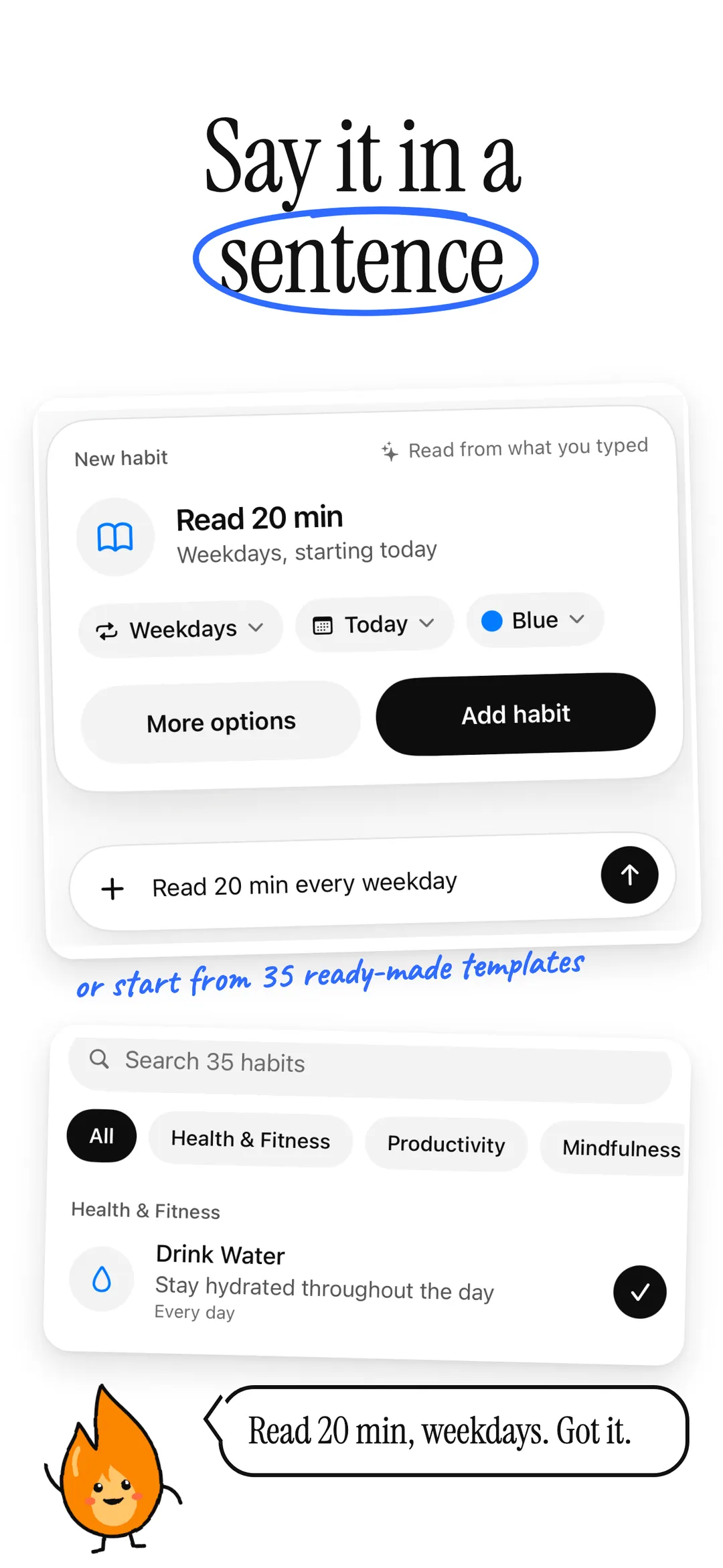
Type a habit in a sentence, like “Read 20 min every weekday”, and Track Easy fills in the schedule, icon and color. Or start from over 30 ready-made templates, or set everything yourself.
Long press a habit, or open Settings, to drag your habits into the order you want. Today, the calendar and your widgets follow it.
Streaks up front
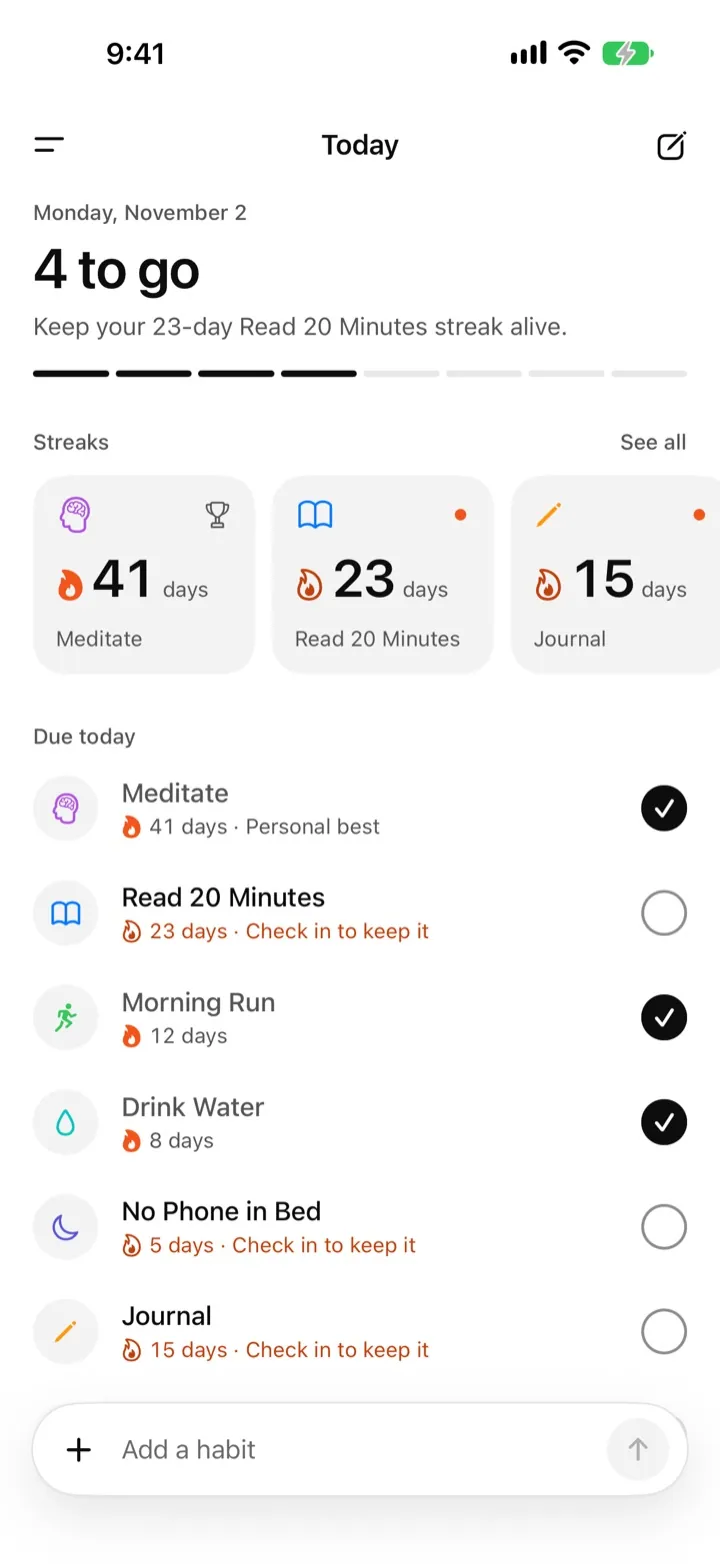
Your streaks headline the Today screen, measured against your personal best, and Track Easy gives you a heads-up when one is at risk. One daily reminder names what’s left and which streak is at stake, and stays quiet once you’re done.
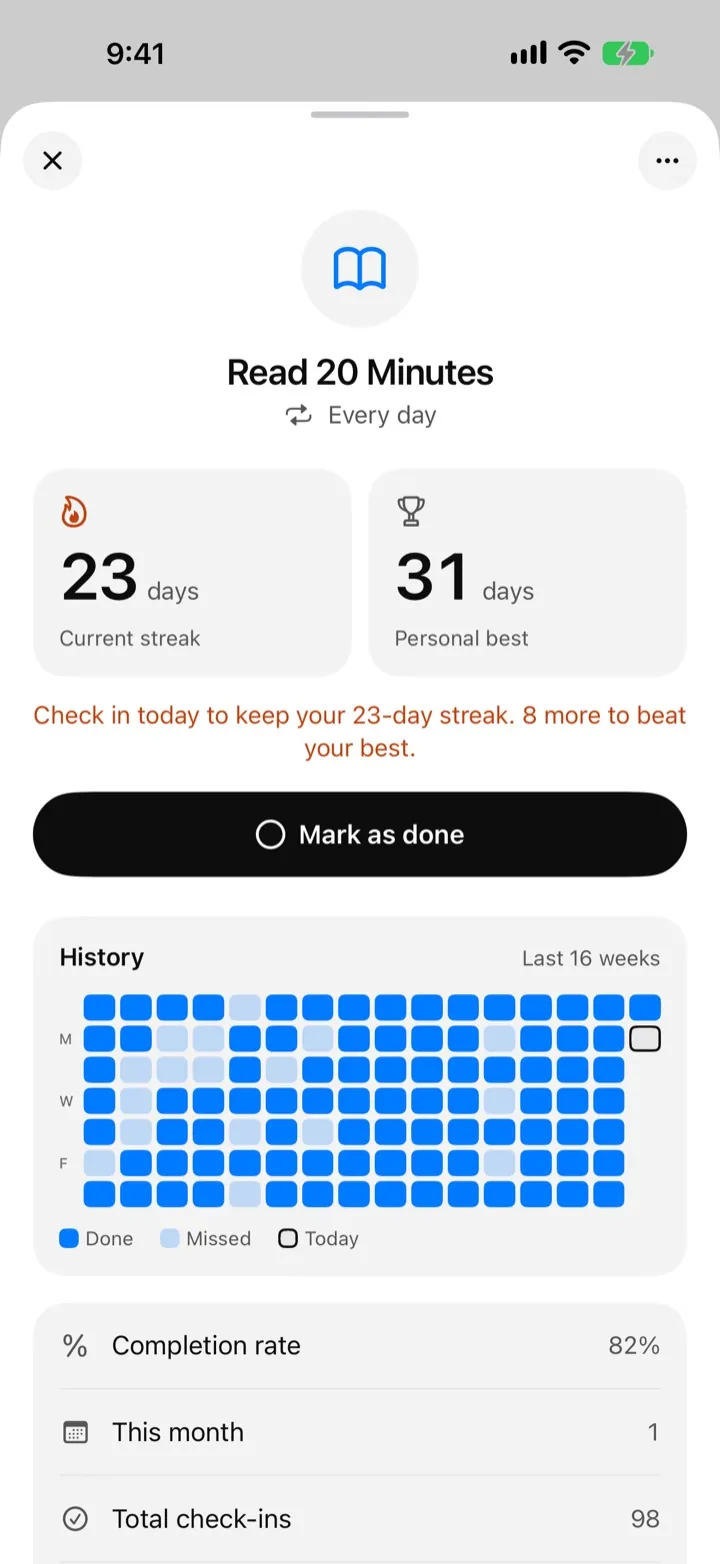
Open a habit to see its current streak beside your best, a grid of the last 16 weeks, and your completion rate.
Calendar and statistics
Review your history with a monthly calendar: a ring shows a day in progress and a filled circle marks a day you finished everything. Tap any past day to catch up on a check-in you forgot.
Statistics show your longest streaks, completion rates, the last seven days and your most consistent habits at a glance. On iPad, Statistics opens as one dashboard, and Today sits beside the habit you pick.
Widgets, Siri and sharing
Check off habits right from your Home Screen or Lock Screen without opening the app. Today widgets come in small, medium and large, and the Streak widget keeps your best streak, or any habit you choose, in view.
- Check off a habit hands-free with Siri, for example “Complete Reading in Track Easy”, or build it into your own Shortcuts
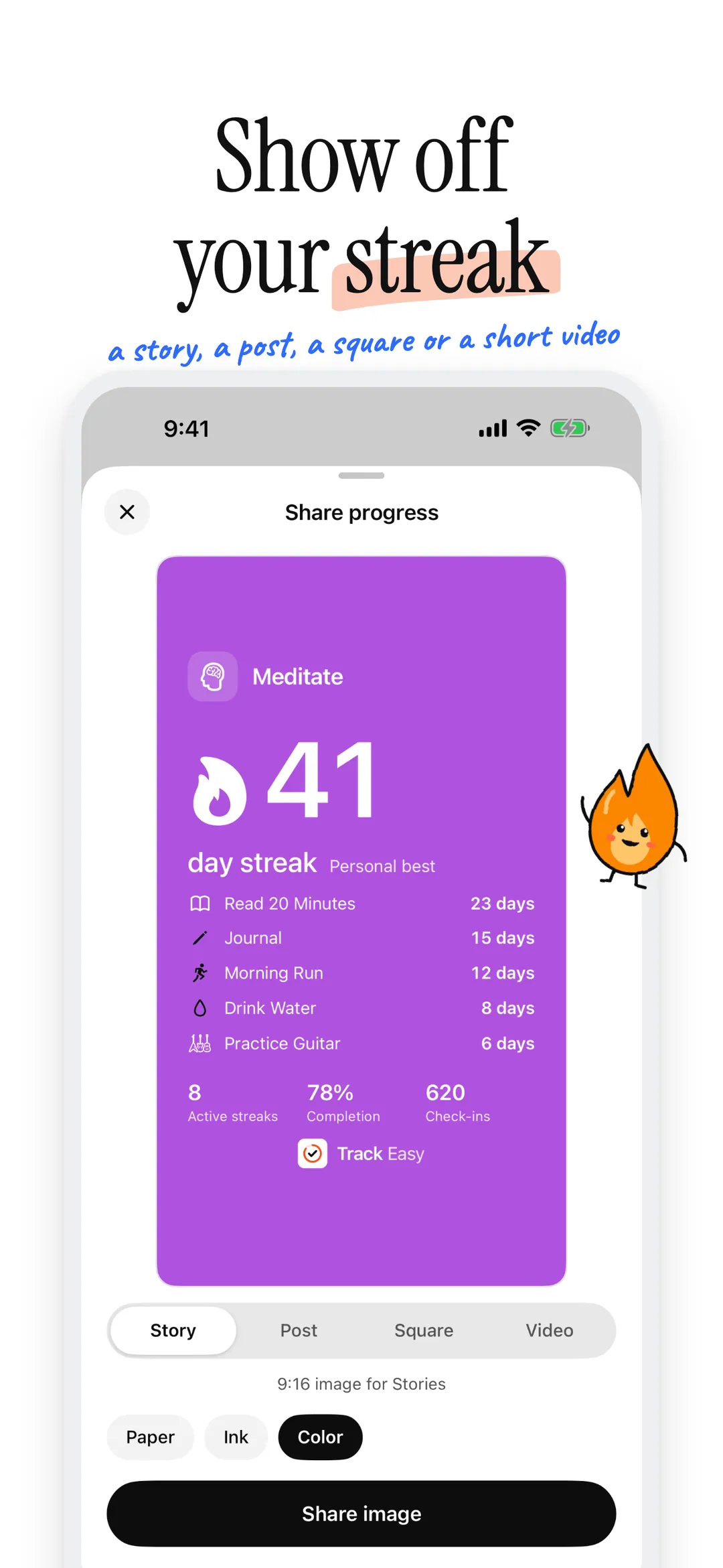
- Turn a streak into a card for Stories, a feed post or a short video, in paper, ink or your habit’s color
- Pick one of eight accents to mark your streaks; it also sets the app icon and widgets
Why we made Track Easy
We wanted a habit tracker that respects your time: quick to set up, quiet to use, and honest about your streaks. Color only where it means something, and nothing that pulls you back in for its own sake.
Track Easy has no tracking and no third-party code. Your habits are stored only on your device, and come along in your iCloud backup when you move to a new iPhone or iPad. Anonymous diagnostics, crash reports and which screens you use, never your habits, help fix problems, and you can turn them off in Settings. It’s free with nothing to unlock, and if it helps you keep a habit, you can leave a one-time tip.
Get Track Easy free on the App Store Screenshots, FAQ and privacy for Track Easy