HABIT TRACKER
A habit tracker without the hassle.
Track Easy is a simple habit tracker that respects your time. Ink on paper, with color only where it means something. No sign-up, no subscriptions, no ads. Just you and your habits.

See it in action.
-
01 — Hero -
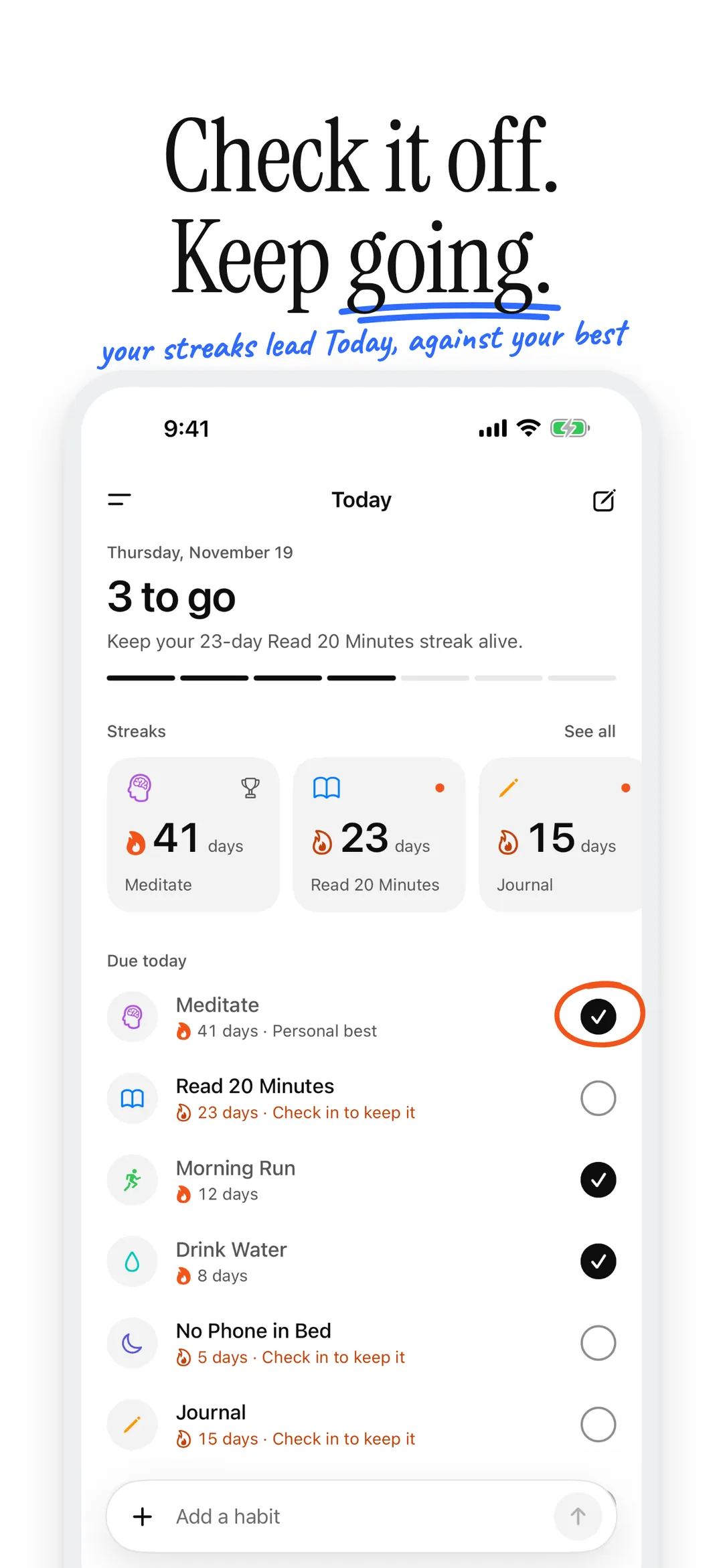
02 — Today -
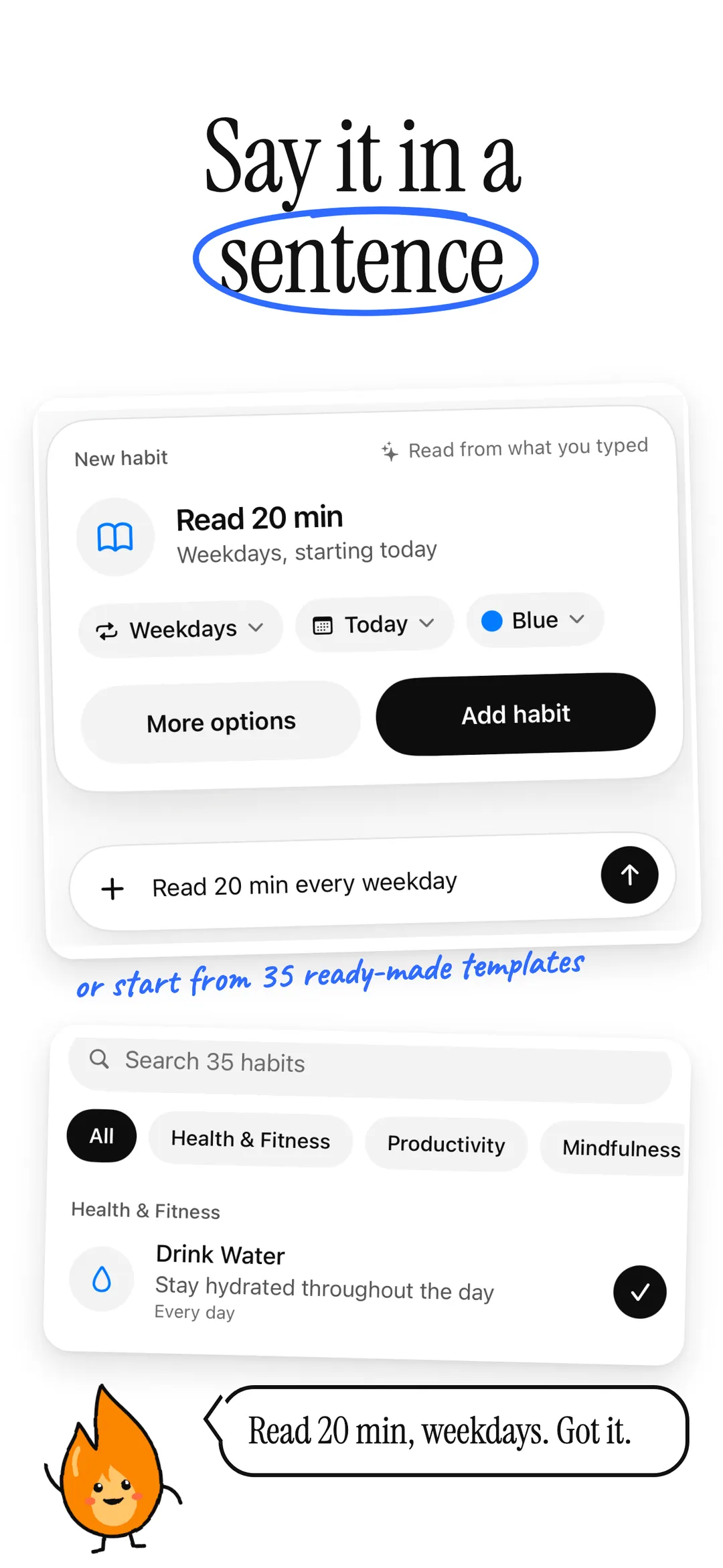
03 — Quick add -
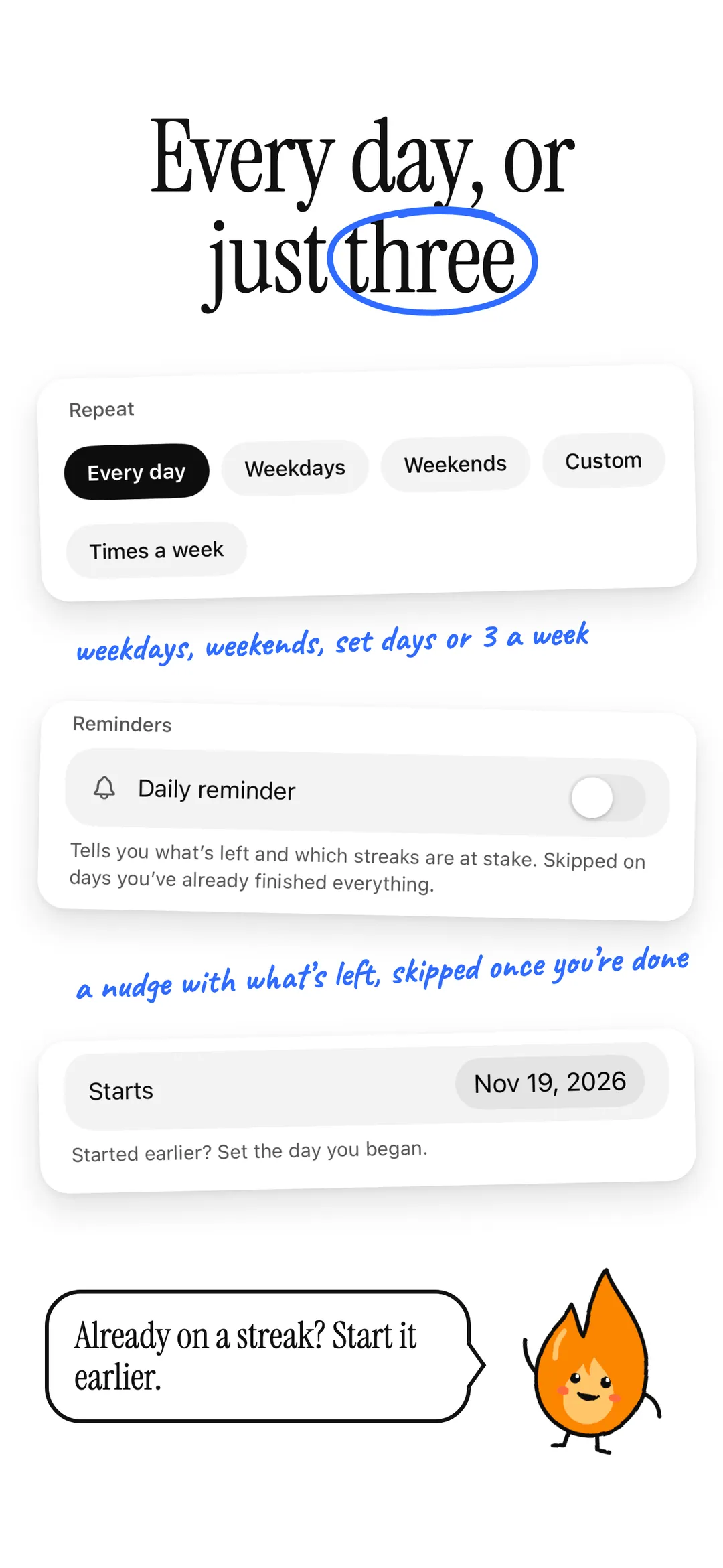
04 — Schedule -
05 — Personal best -
06 — Calendar stats -
07 — Widgets -
08 — Share -
09 — Quiet -
10 — Free
-
01 — Hero -
02 — Today -
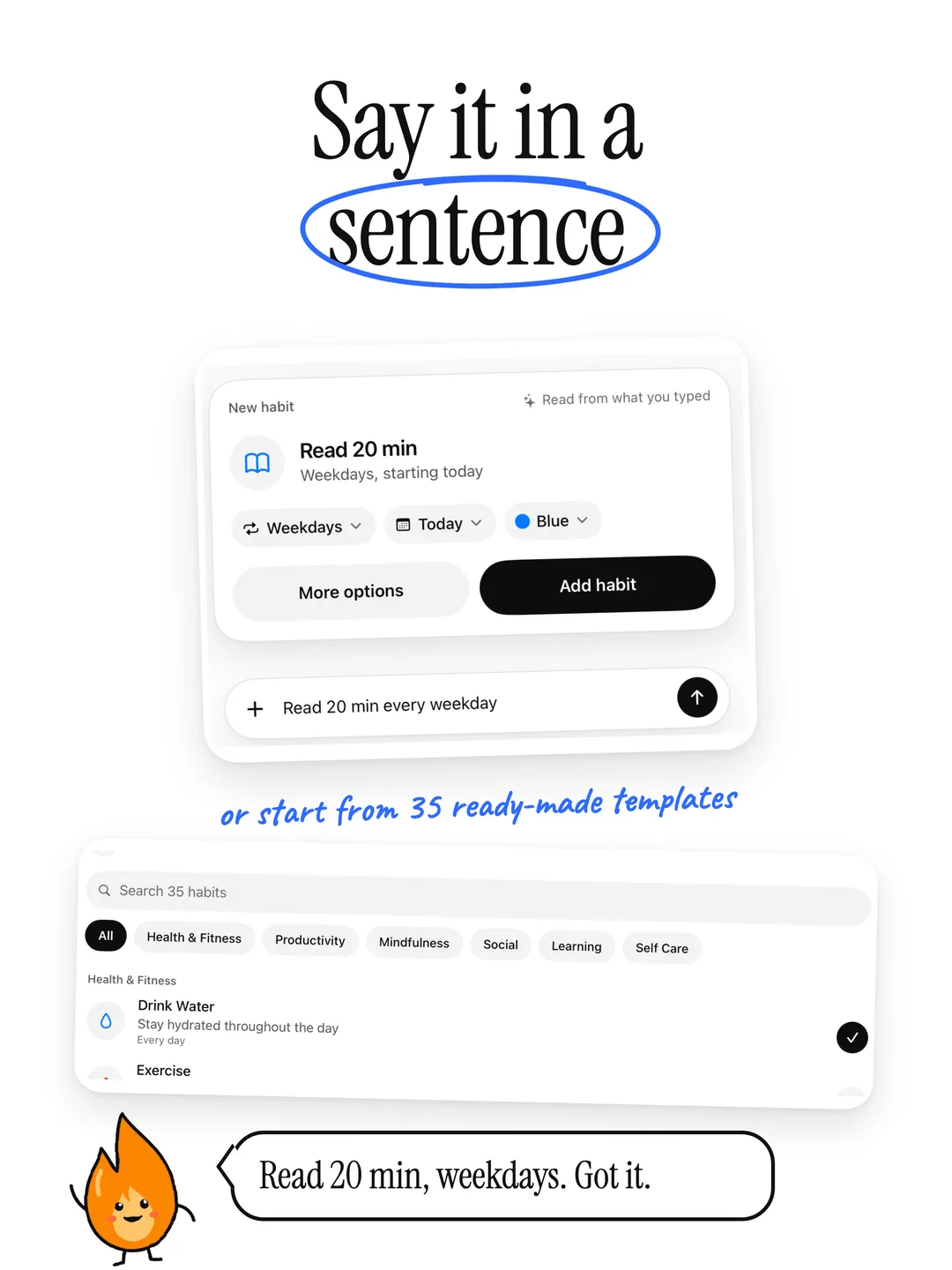
03 — Quick add -
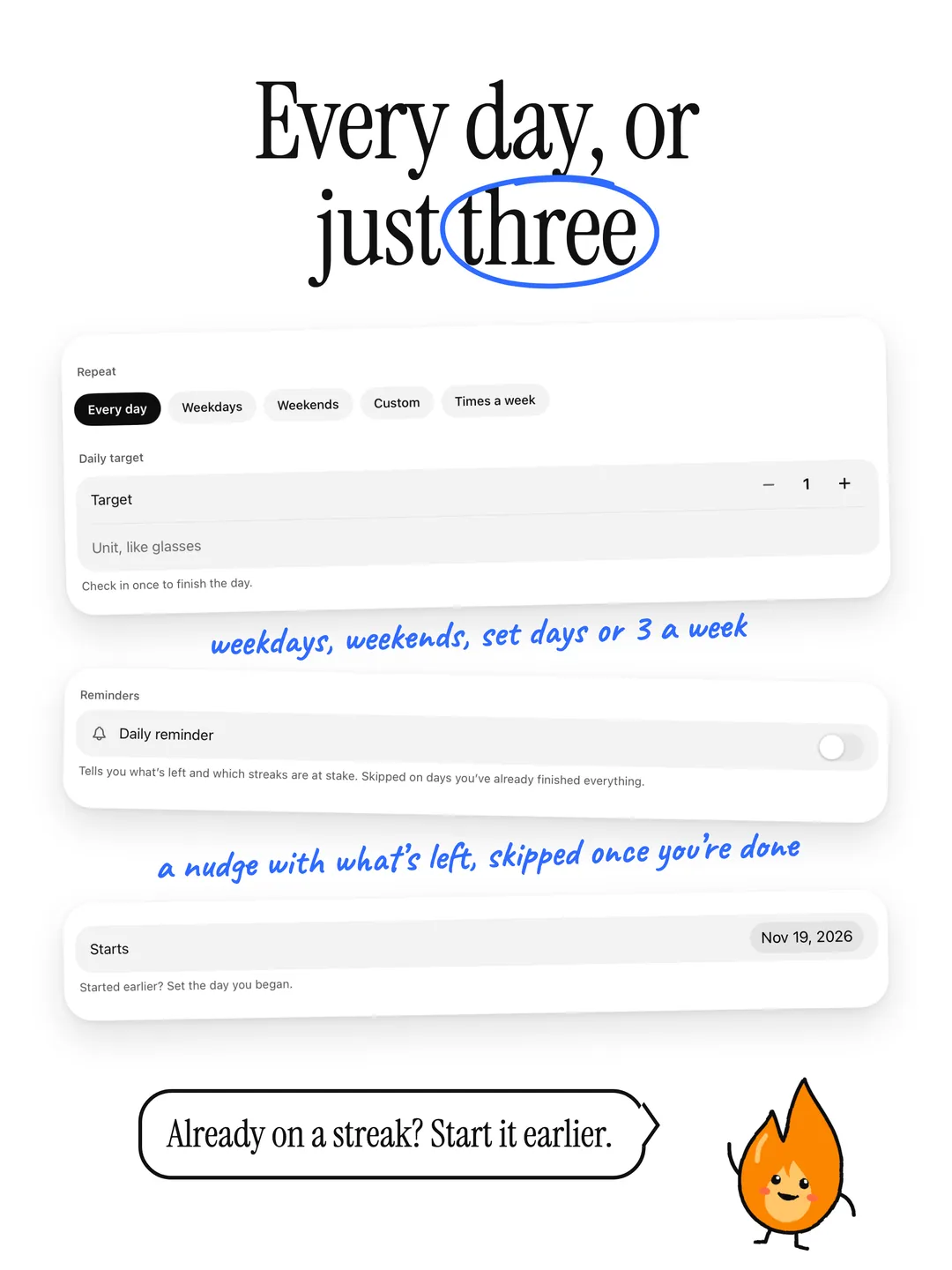
04 — Schedule -
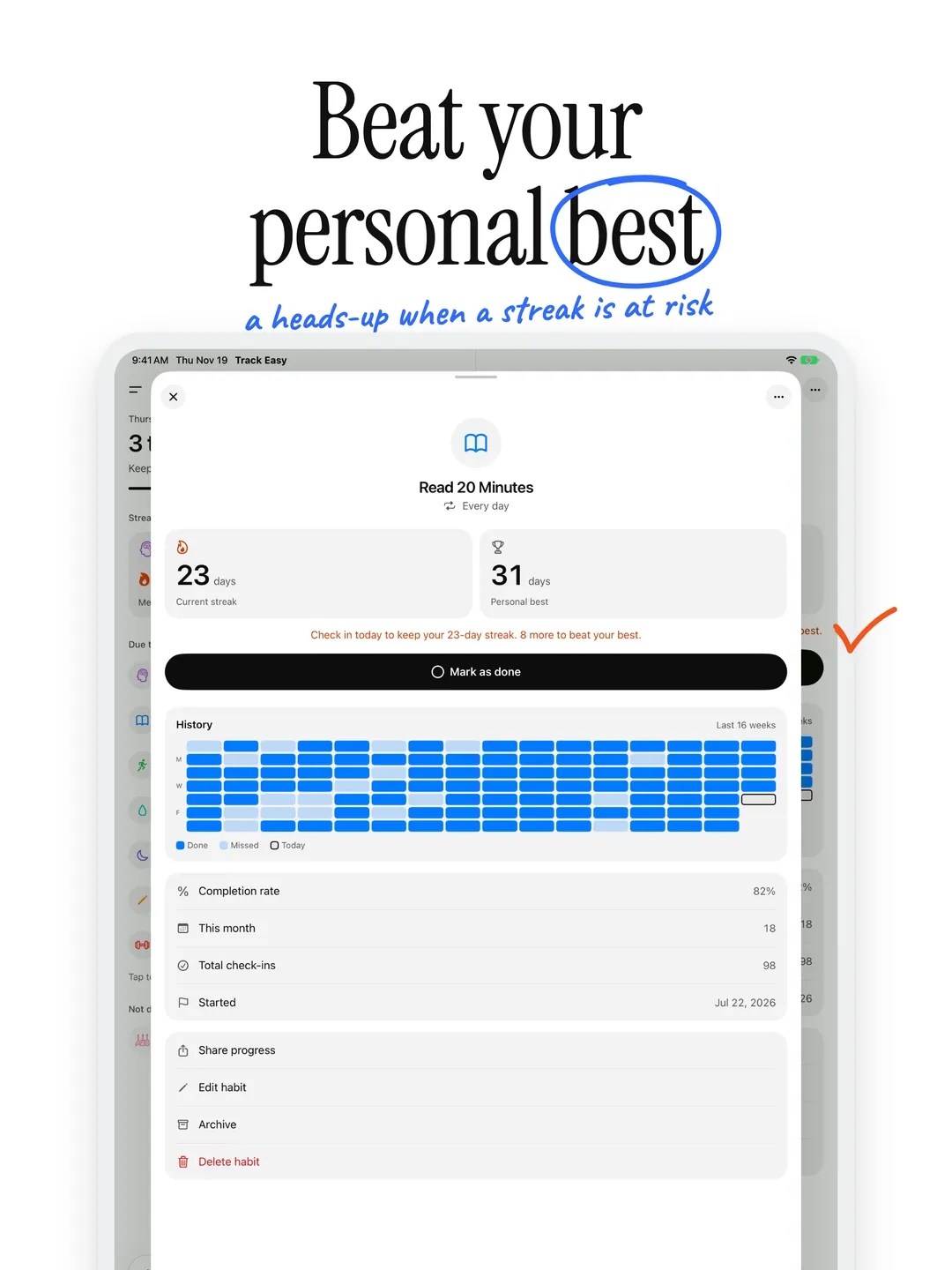
05 — Personal best -
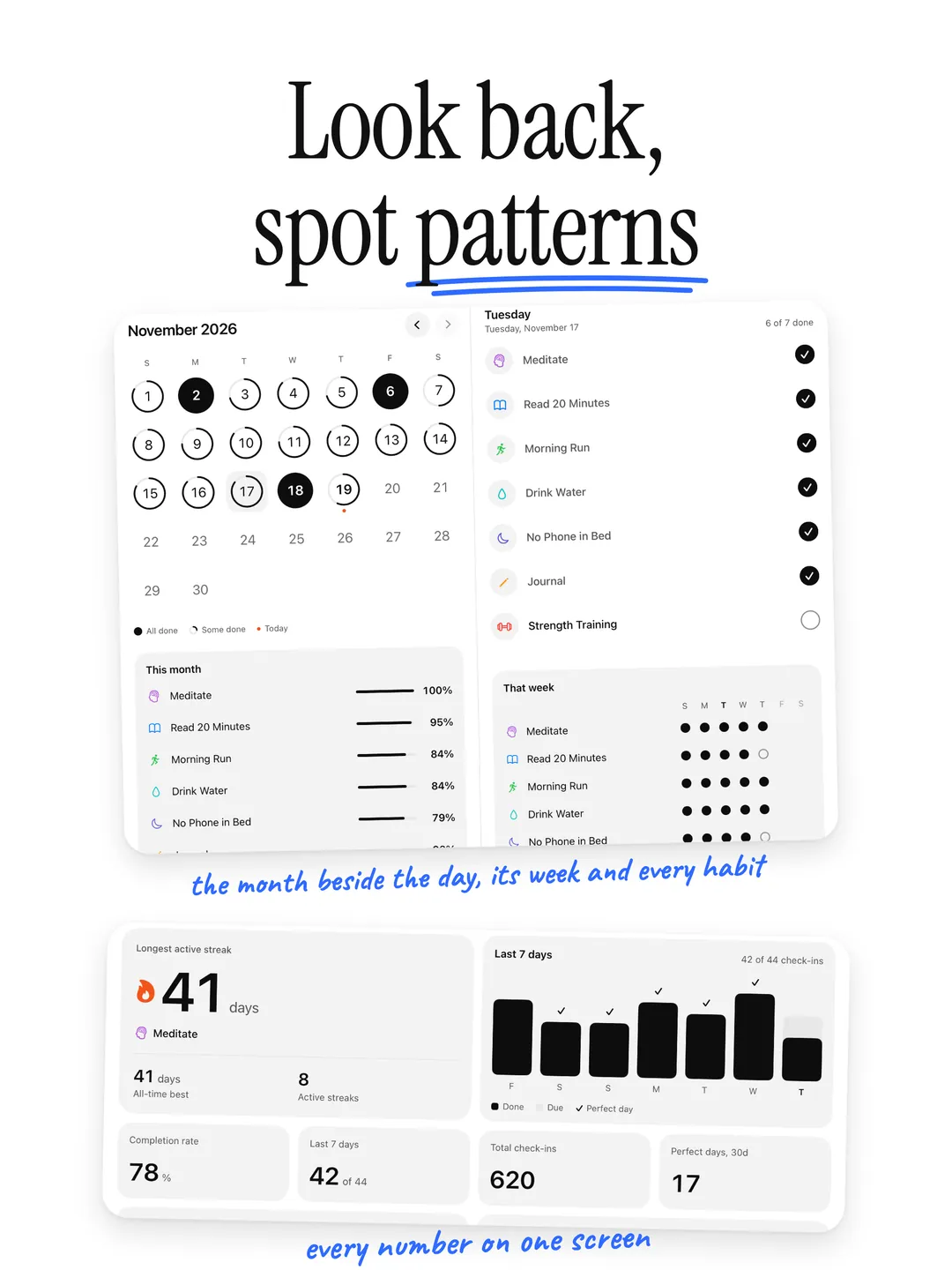
06 — Calendar stats -
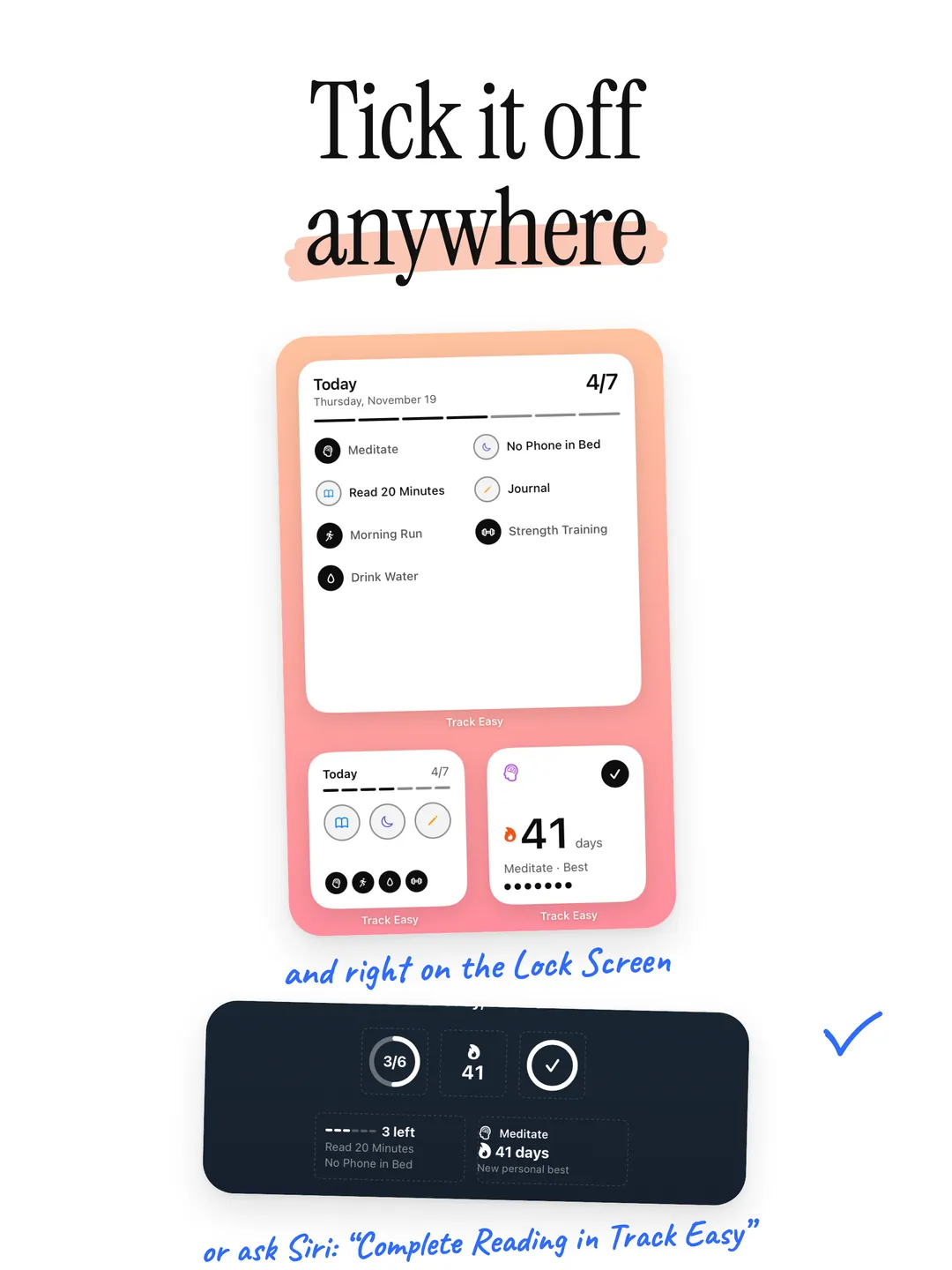
07 — Widgets -
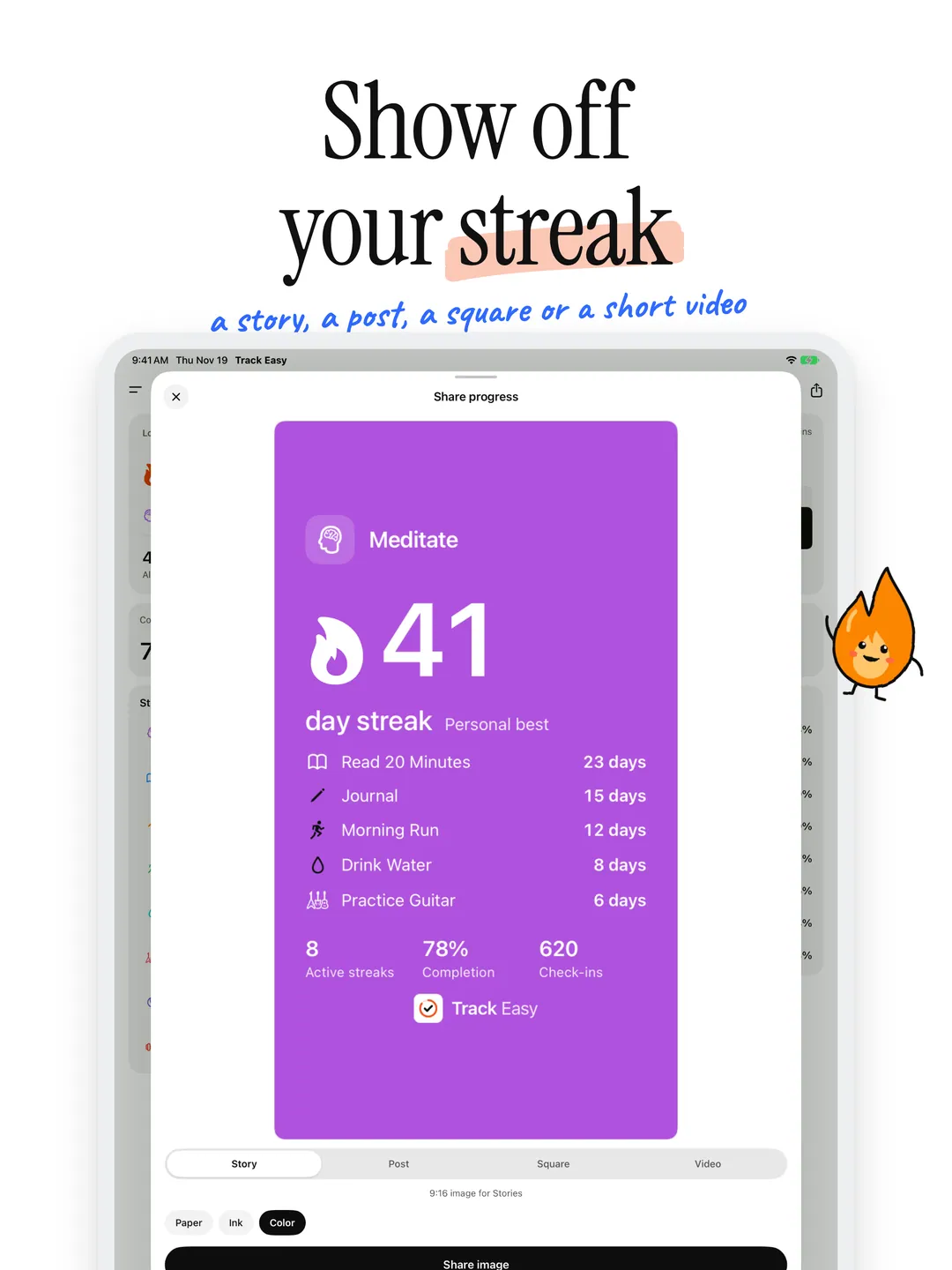
08 — Share -
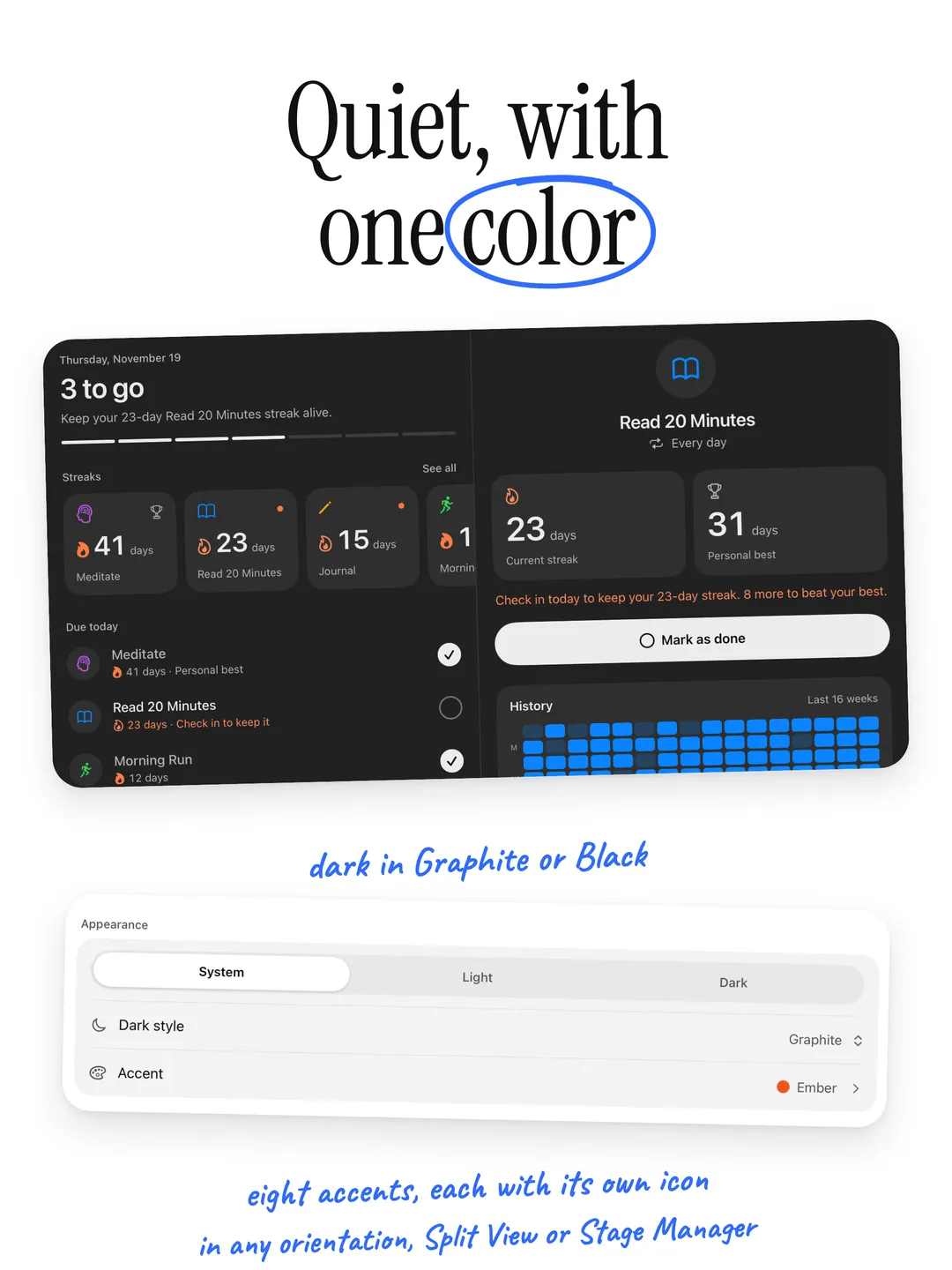
09 — Quiet -
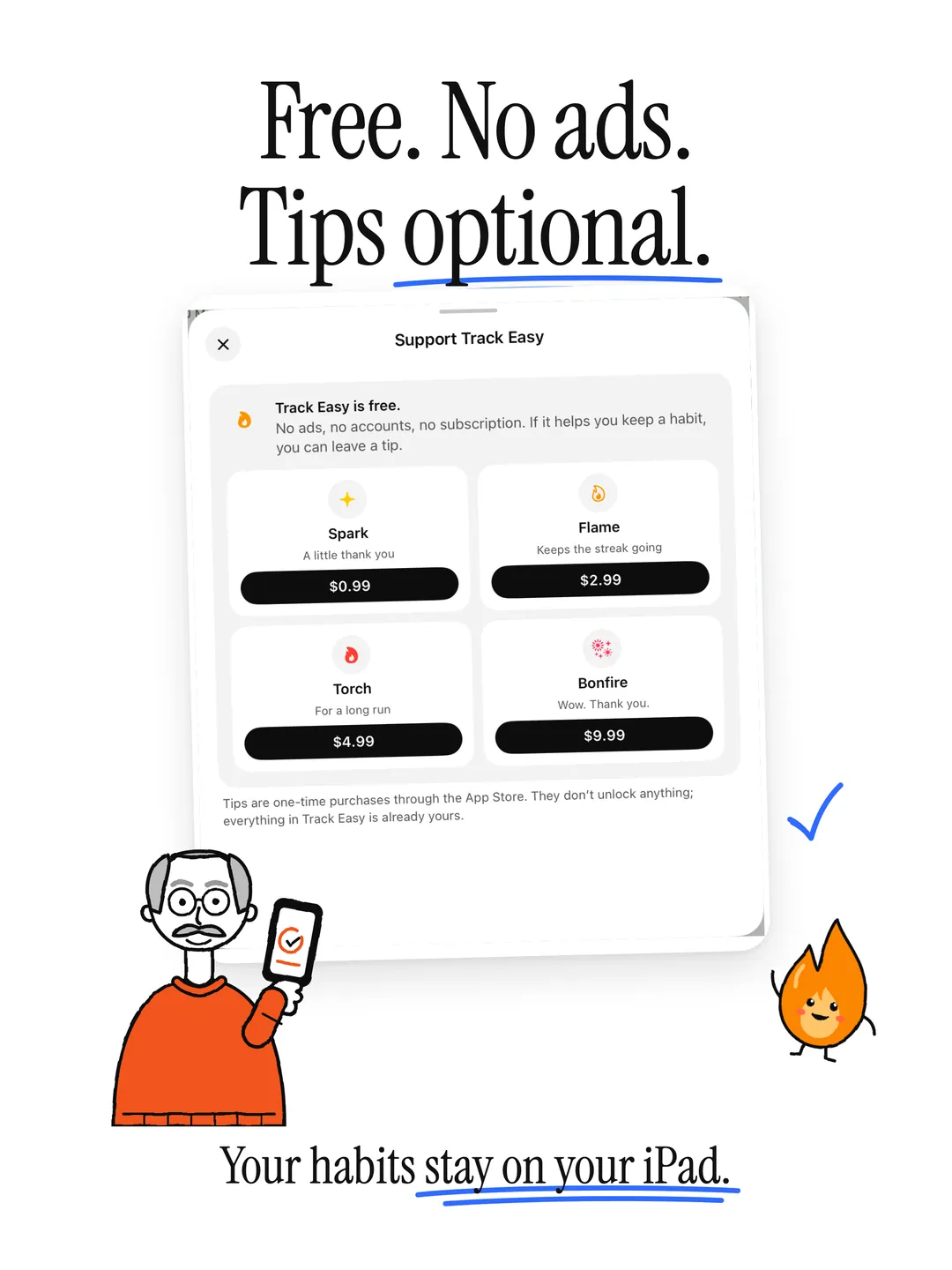
10 — Free
A habit tracker, simple by design.
- 01
Add in a Sentence
Type a habit the way you'd say it, like "Read 20 min every weekday", and Track Easy fills in the schedule, icon and color. Or start from over 30 templates. Unlimited habits, no premium tier.
- 02
Streak Tracking
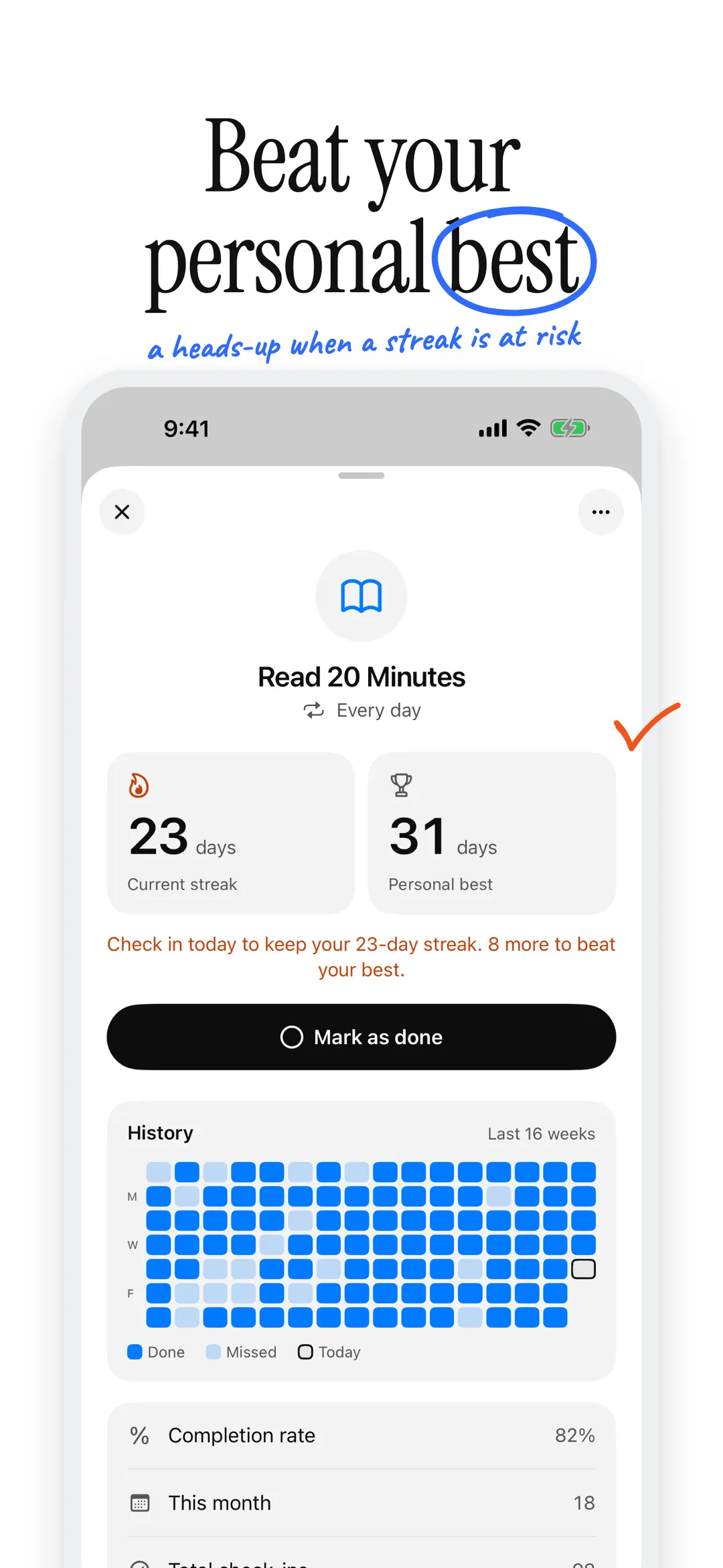
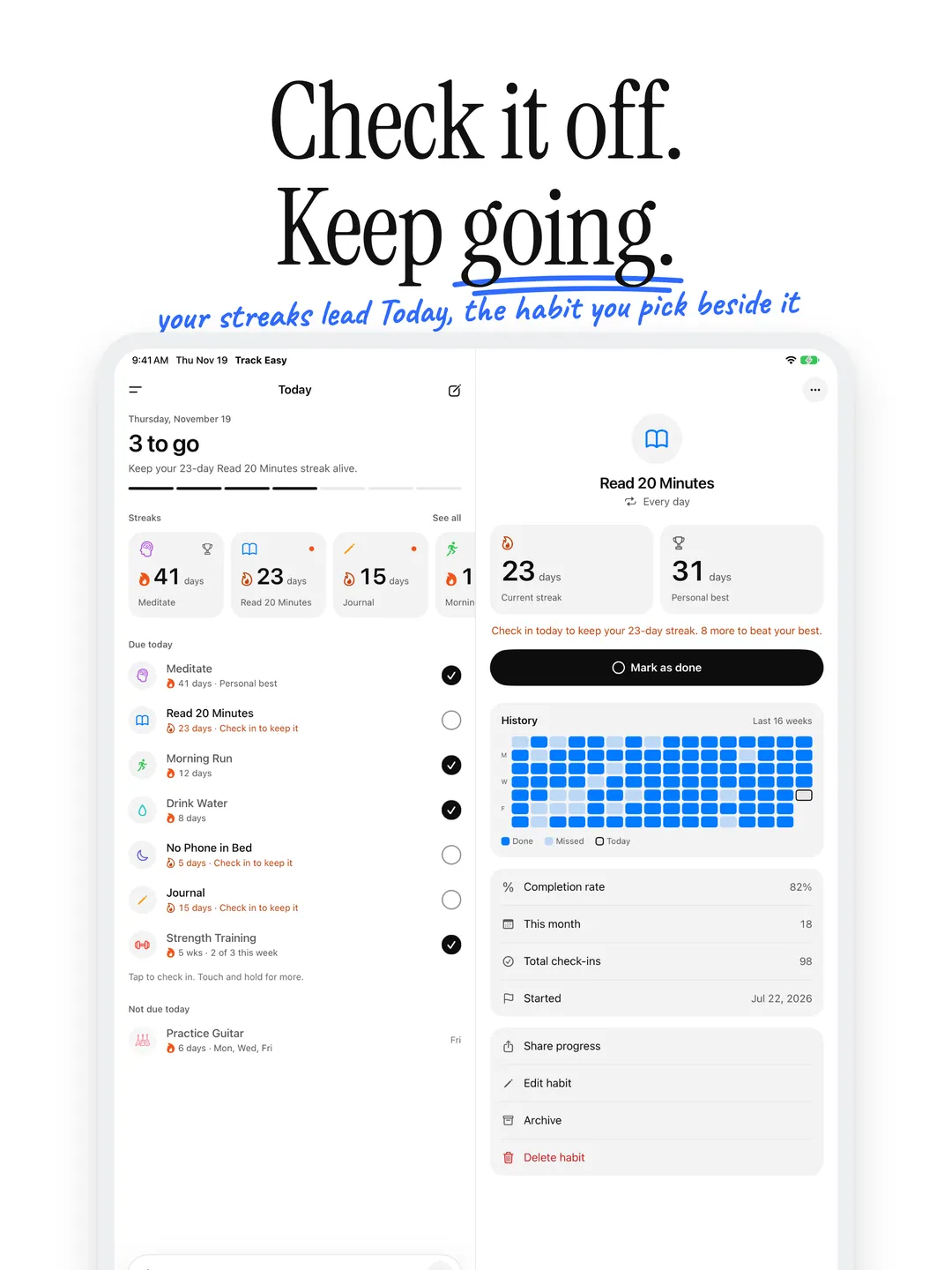
Your streaks lead the Today screen, measured against your personal best, with a heads-up when one is at risk. Already doing a habit? Set the day you started and carry your streak over.
- 03
Share Your Progress
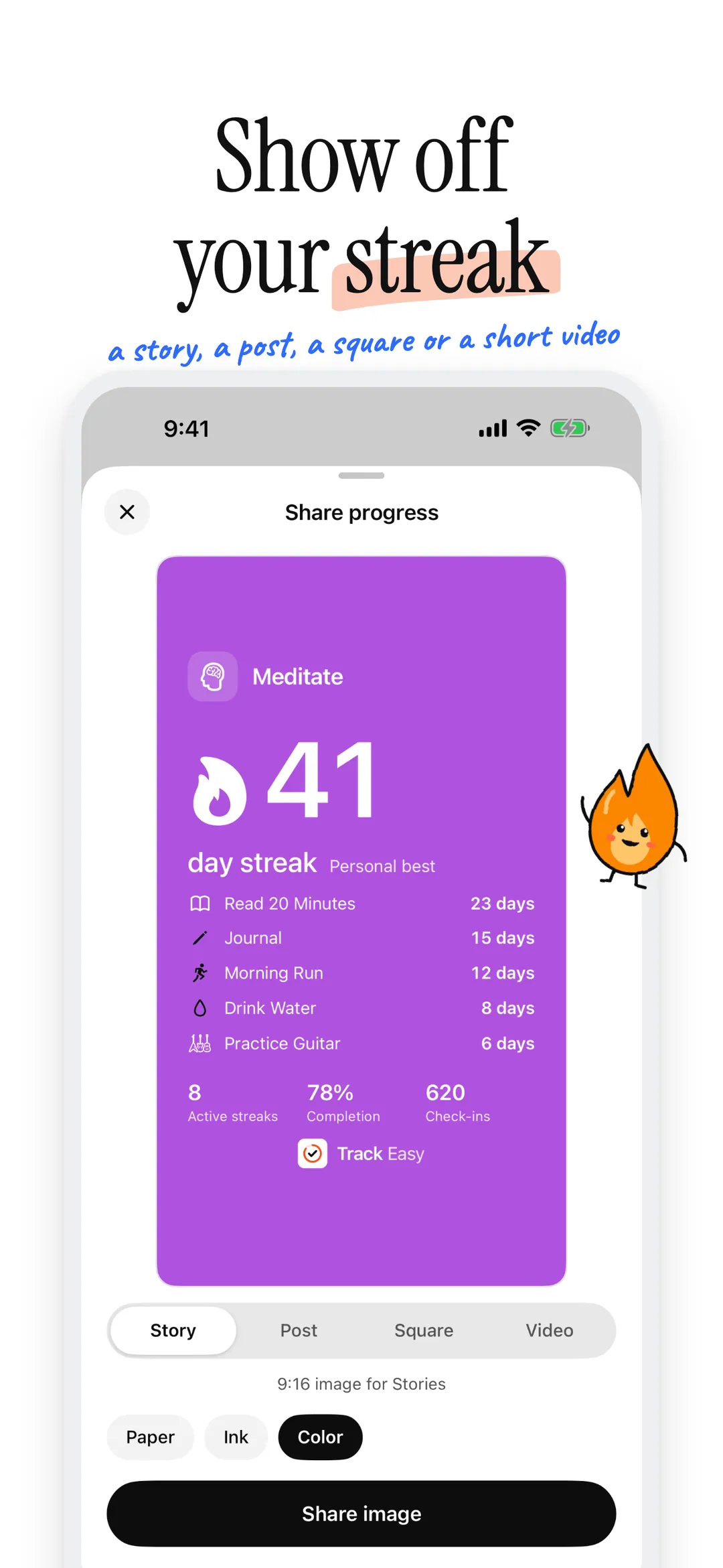
Turn a streak into a card for Stories, a feed post or a square post, or a short video for Reels, TikTok and Shorts. Pick paper, ink or your habit's color, see it first, then share it anywhere.
- 04
Calendar View
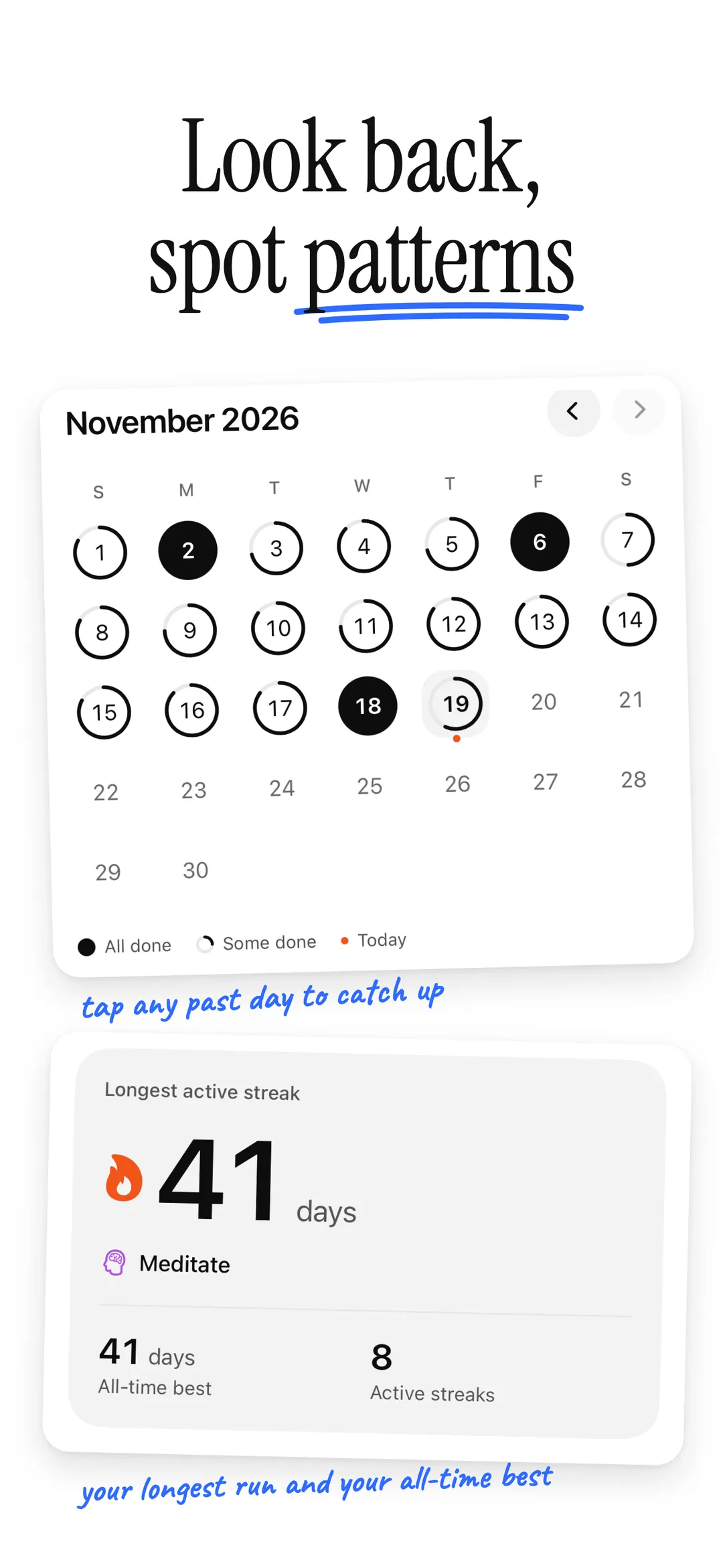
A ring shows a day in progress and a filled circle marks a day you finished everything. Forgot to log yesterday? Catch up in a tap.
- 05
Interactive Widgets
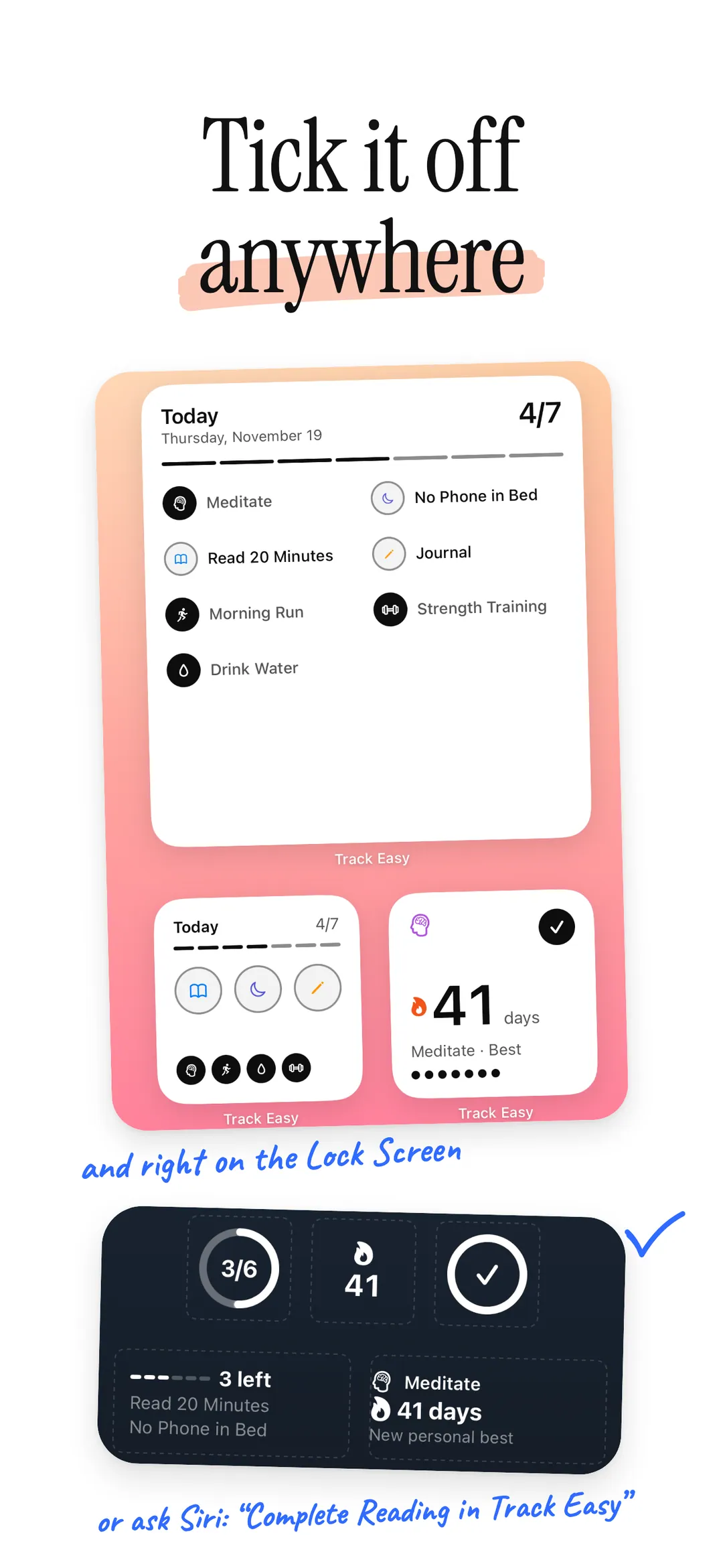
Check off habits from your Home Screen or Lock Screen without opening the app, in any Home Screen style. The Streak widget keeps your best run, or any habit's, in view.
- 06
Siri & Shortcuts
Check off a habit hands-free. Just ask Siri, or build it into your own Shortcuts.
- 07
Statistics
Your longest streaks, completion rates, the last seven days and your most consistent habits, at a glance.
Set it up your way.
- 01
Your Order
Long press a habit, or open Settings, and drag your habits into the order you want. Today, the calendar and your widgets follow it.
- 02
Your Accent
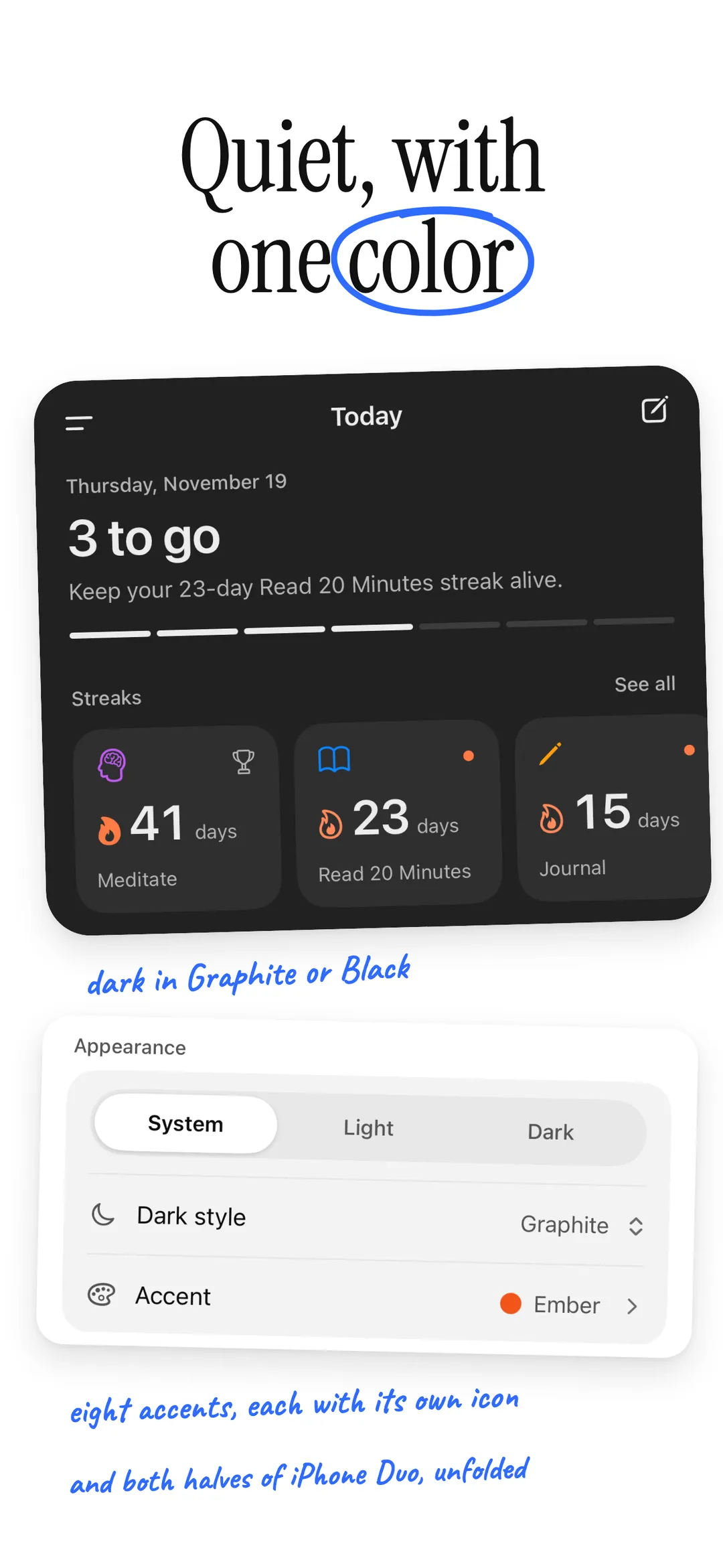
Pick one of eight accents to mark your streaks. It sets the app icon too, with dark and tinted versions, and the widgets.
- 03
Day or Night
Follow your iPhone or pick Light or Dark. After dark, choose soft Graphite or true OLED Black.
- 04
Gentle Reminders
One daily reminder that names what's left and which streak is at stake, and stays quiet once you're done.
Your habits stay yours.
No ads. No accounts. No tracking. No cloud sync. Your habits are stored only on your device and never leave it. Anonymous diagnostics (crash reports and which screens you use, never your habits) help fix problems, and you can turn them off in Settings.
Read the full privacy policyIs Track Easy free?
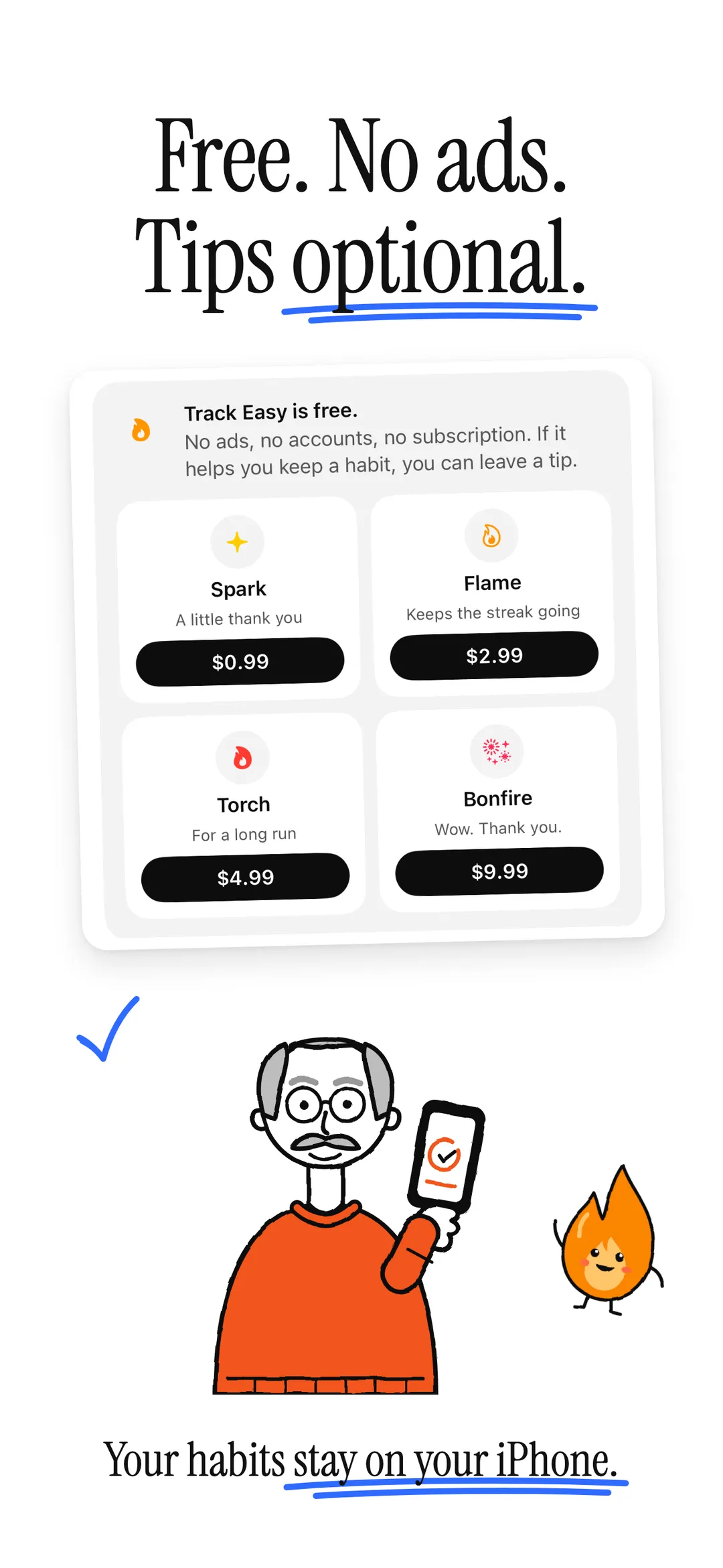
Yes. Track Easy is free and has nothing to unlock: unlimited habits, no premium tier and no subscriptions. If it helps you keep a habit, you can leave a one-time tip in Settings. Tips go through the App Store and change nothing in the app.
What schedules can a habit have?
Daily, weekdays only, weekends only, specific days of the week, or a flexible "times a week" goal. Streaks follow the schedule, so a weekday habit doesn't lose its streak on the weekend.
Each habit is done or not done for a day. For something you do several times a week, use the "times a week" schedule.
I've been doing a habit for a while. Can I keep my streak?
Yes. When you add the habit, set Starts to the day you began and turn on Already on a streak. Track Easy checks it in for every scheduled day through yesterday.
Can I check off a habit without opening the app?
Yes. The Today widgets check off habits from your Home Screen or Lock Screen, and the Streak widget keeps your best streak, or any habit you choose, in view. You can also ask Siri, for example "Complete Reading in Track Easy", or use Shortcuts.
Where are my habits stored?
Only on your iPhone. Nothing is synced to a cloud service, and there's no account to make. Moving to a new iPhone? Your habits come along in your iCloud backup. See the privacy policy for the anonymous diagnostics, which you can turn off.
Start building habits.
Free on the App Store. No account required.

More apps

A Pomodoro timer whose screen takes the color of the session, with a Live Activity, widgets and an Apple Watch app.

The days until your next big moment, and the days since the ones that changed things.

Voice memos, transcribed on your iPhone. Record from Apple Watch, too.