COUNTDOWN TRACKER
A countdown for the days until what matters.
Count Easy is a countdown app for the days until a trip, a birthday or a launch, and the days since you moved or quit something. Type it in a sentence and Count Easy does the rest. No sign-up, no subscriptions, no ads.

See it in action.
-
01 — Hero -
02 — Next first -
03 — Quick add -
04 — Days since -
05 — Repeats -
06 — Widgets -
07 — Share card -
08 — Share video -
09 — Make it yours -
10 — No ads
-
01 — Hero -
02 — Next first -
03 — Quick add -
04 — Days since -
05 — Repeats -
06 — Widgets -
07 — Share card -
08 — Share video -
09 — Make it yours -
10 — No ads
Count down to what matters.
- 01
What's next, first
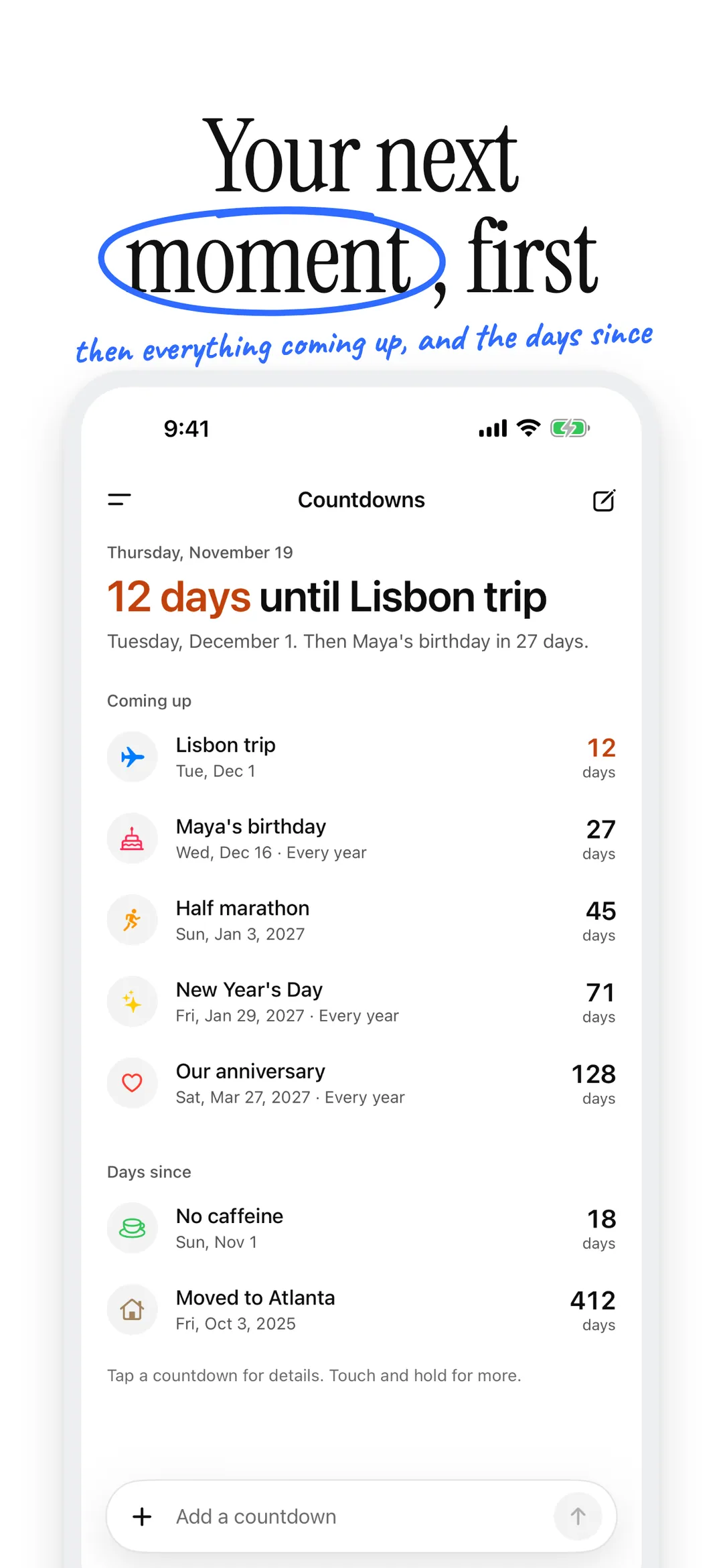
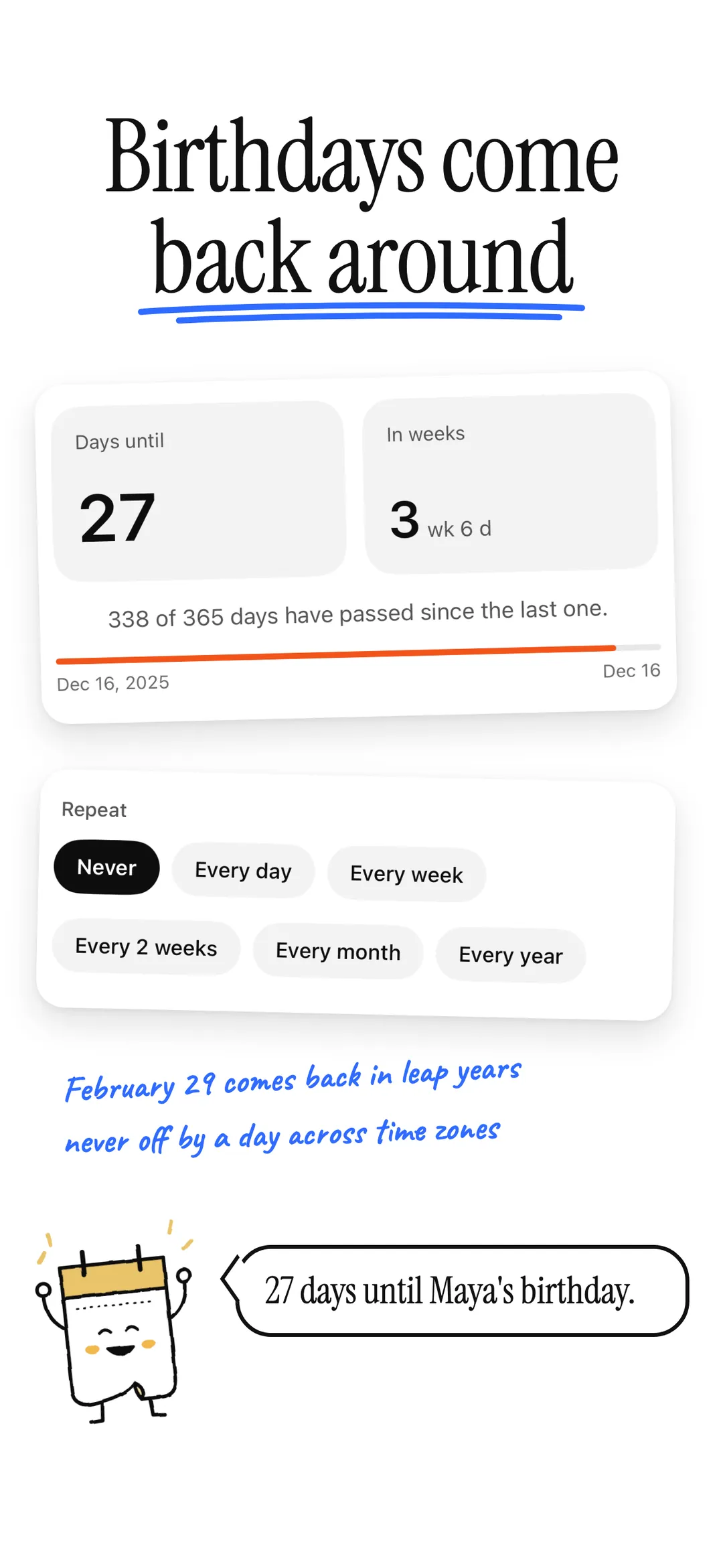
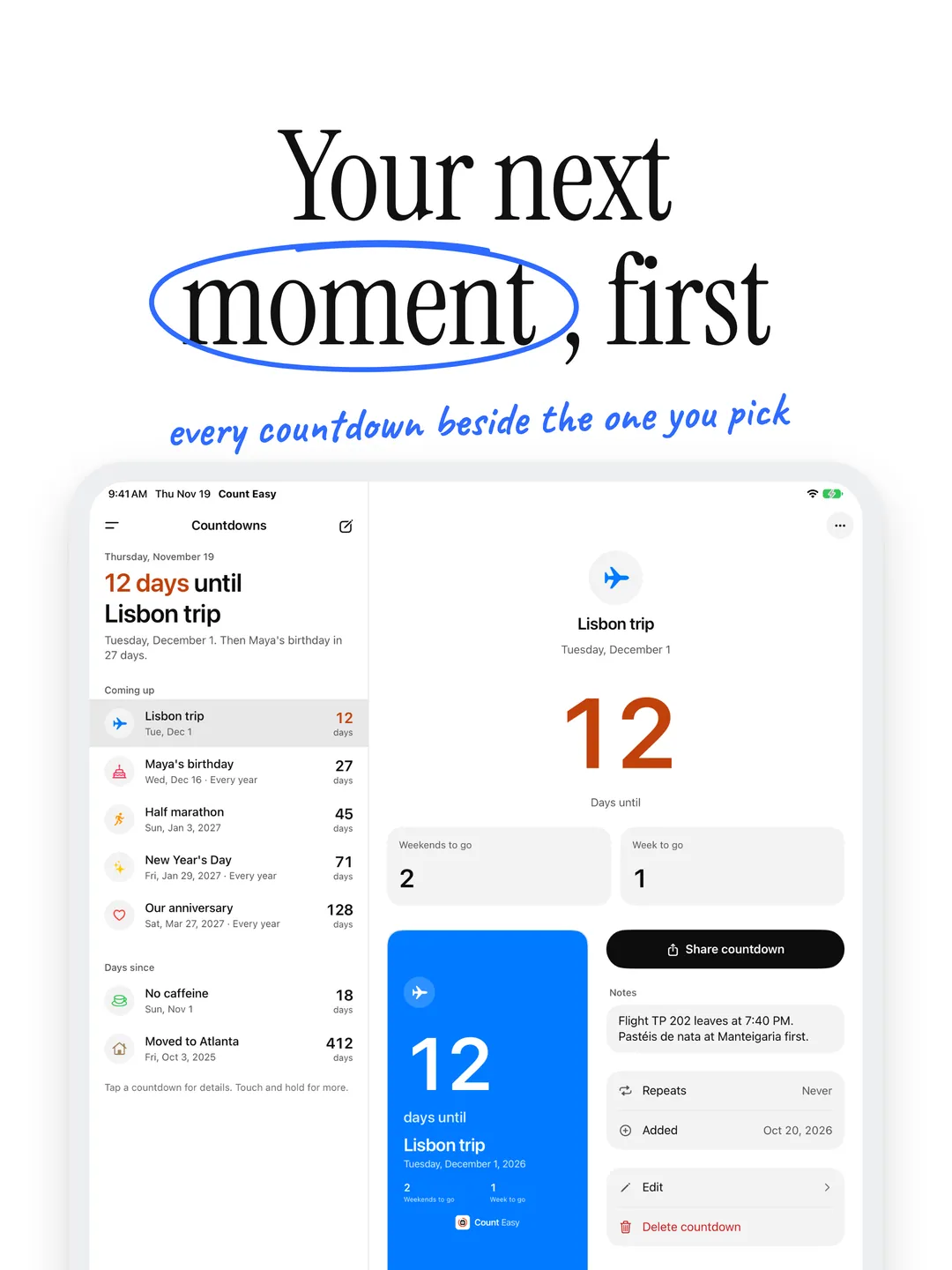
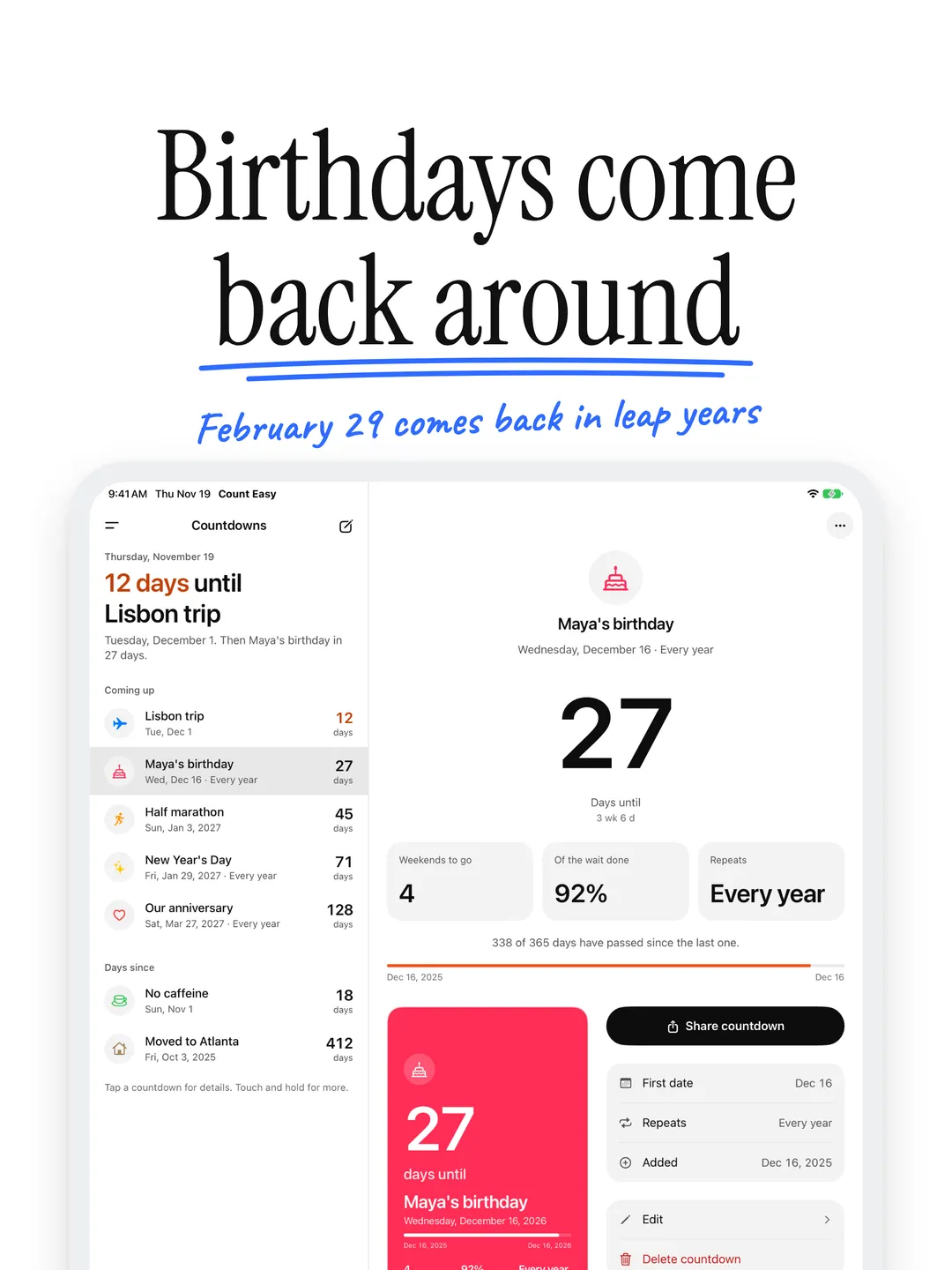
Home leads with your next moment, like "12 days until Lisbon trip". For birthdays and other repeats, a thin bar shows how much of the wait since the last one is behind you.
- 02
Add it in a sentence
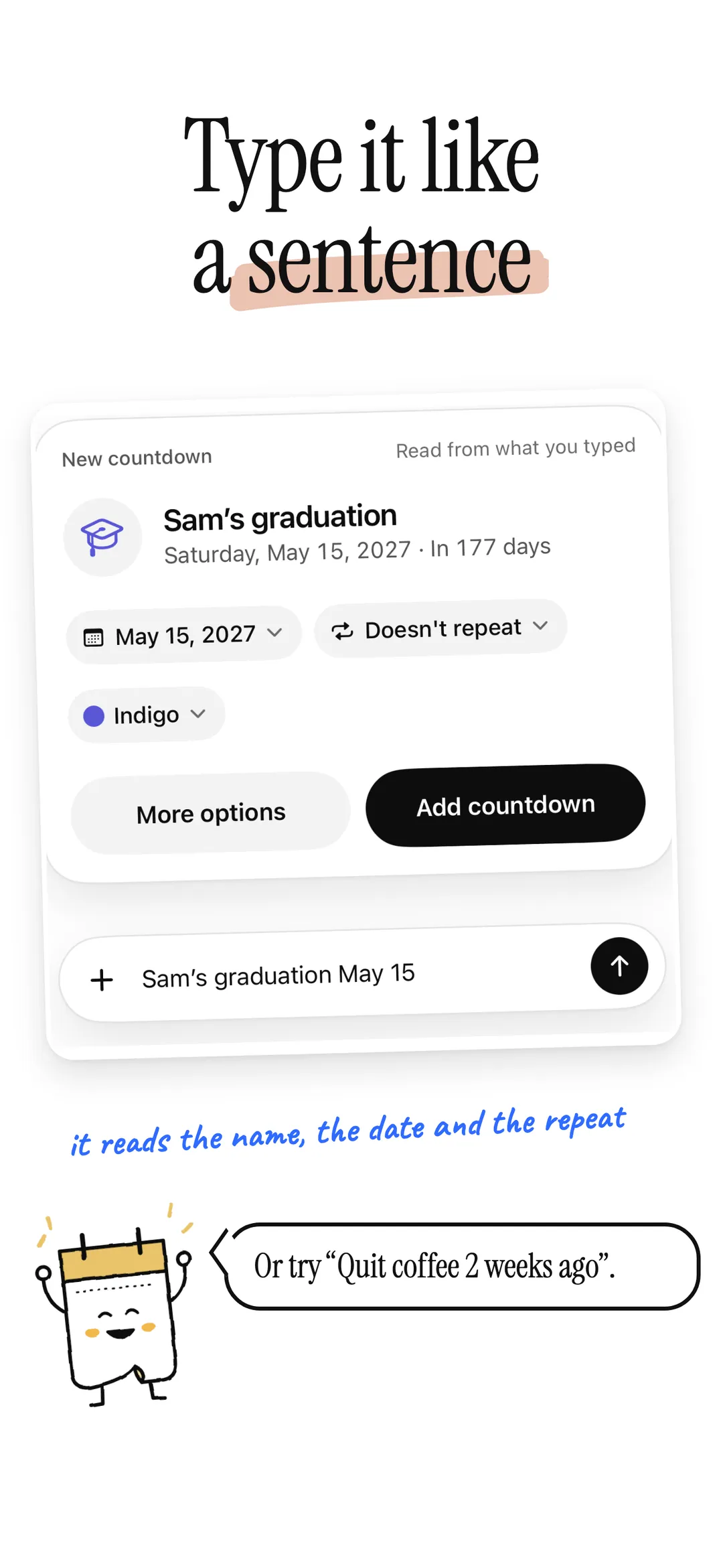
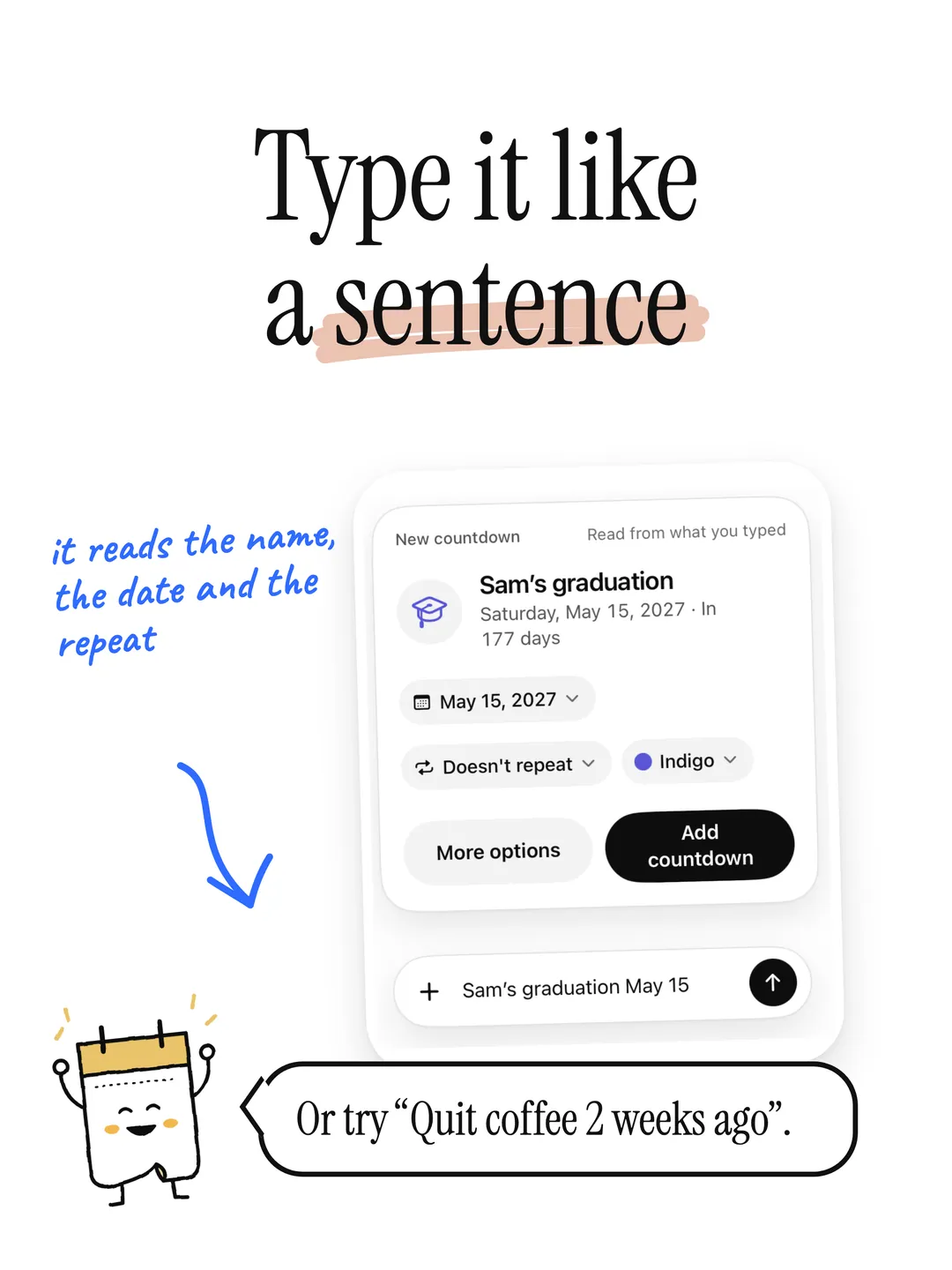
Type "Lisbon trip June 3" or "Mom's birthday May 4" and Count Easy reads the name, the date and whether it repeats. Or use the full form for an icon, a color and a note.
- 03
Days until and days since
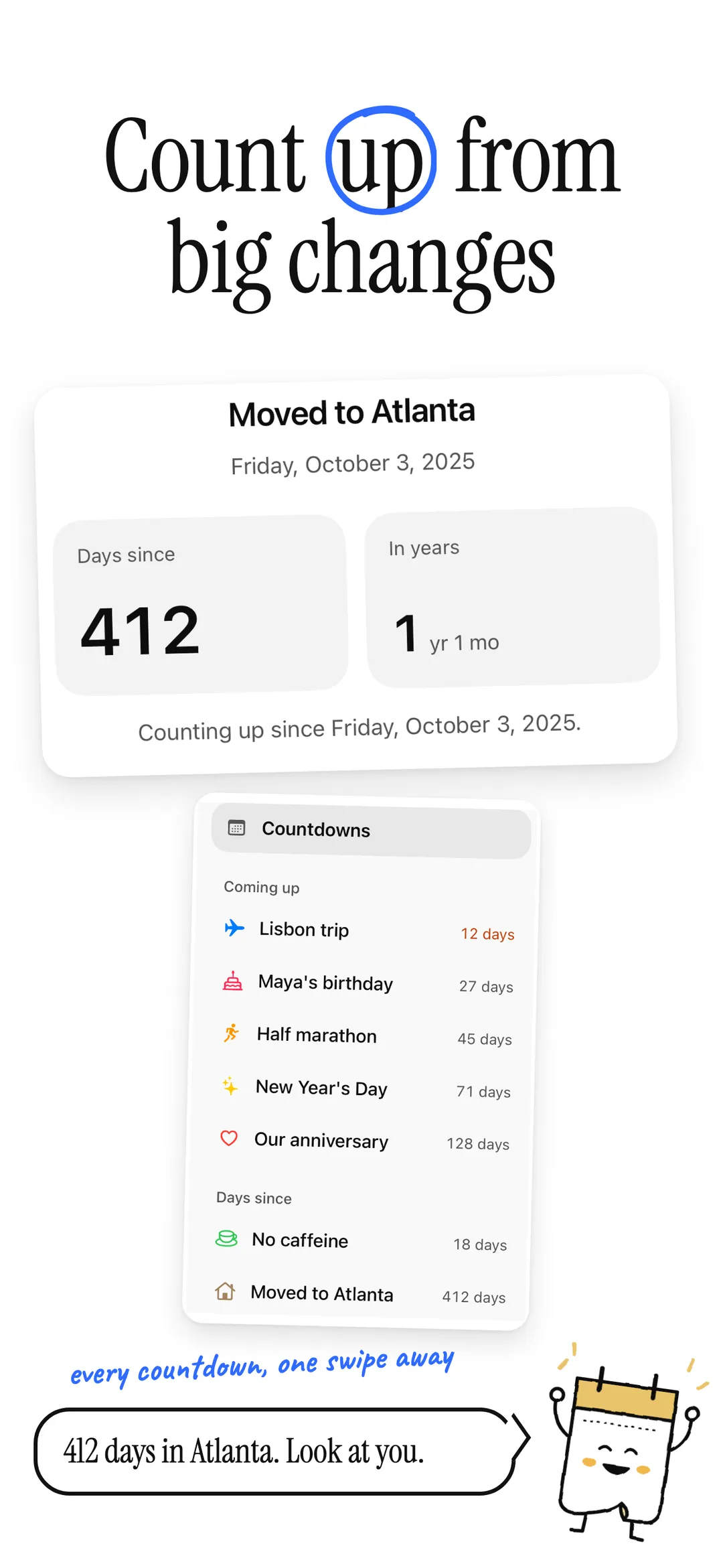
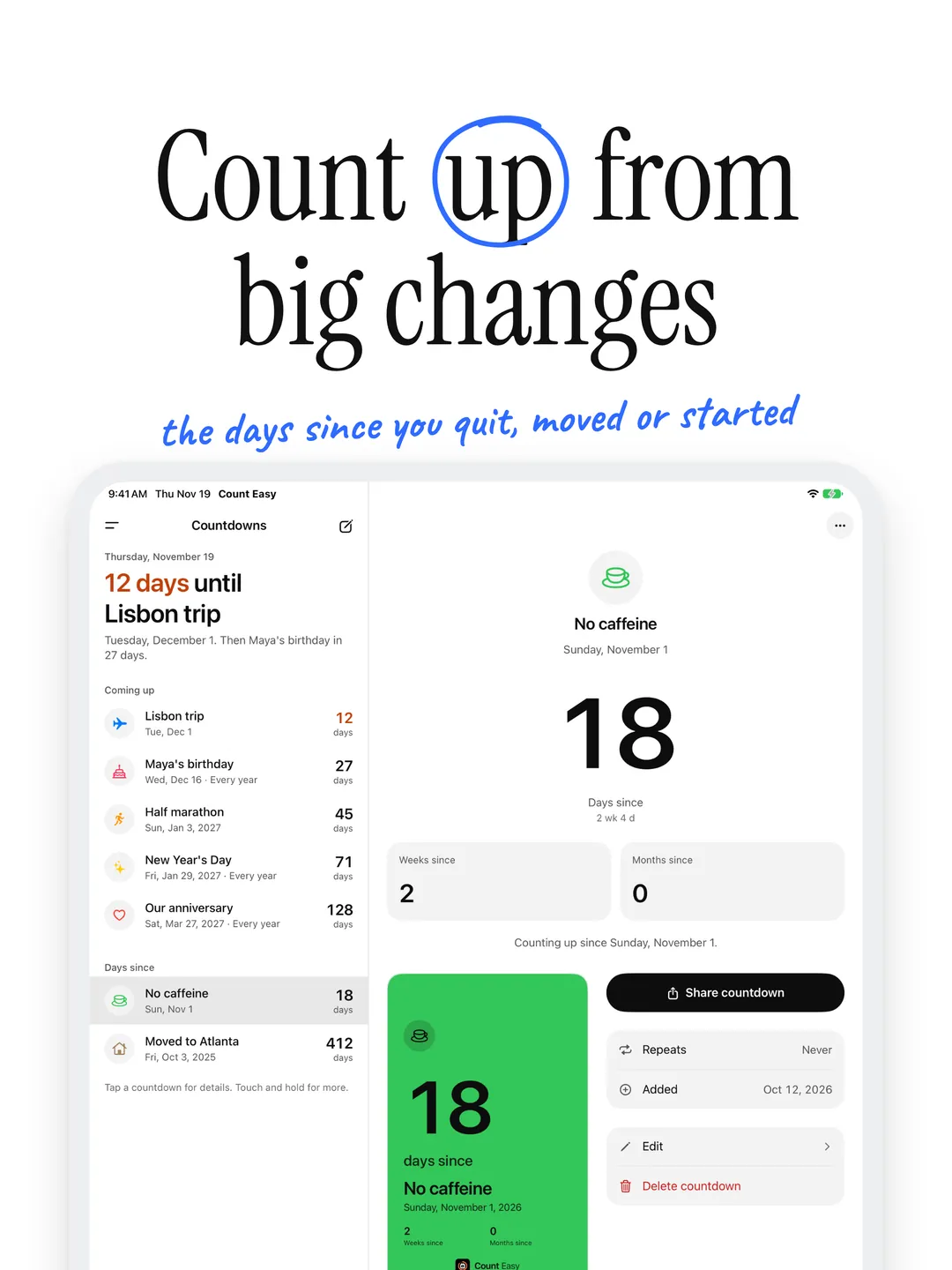
Count down to trips, birthdays, weddings and deadlines, or count up from the day you moved, started a job or quit something. On the day itself, it simply reads Today.
- 04
Repeats that keep their day
Every day, week, two weeks, month or year. Birthdays come back every year, February 29 included in leap years.
- 05
Right, wherever you are
Count Easy counts calendar days, so a countdown never shifts by a day when you travel or the clocks change.
- 06
Widgets
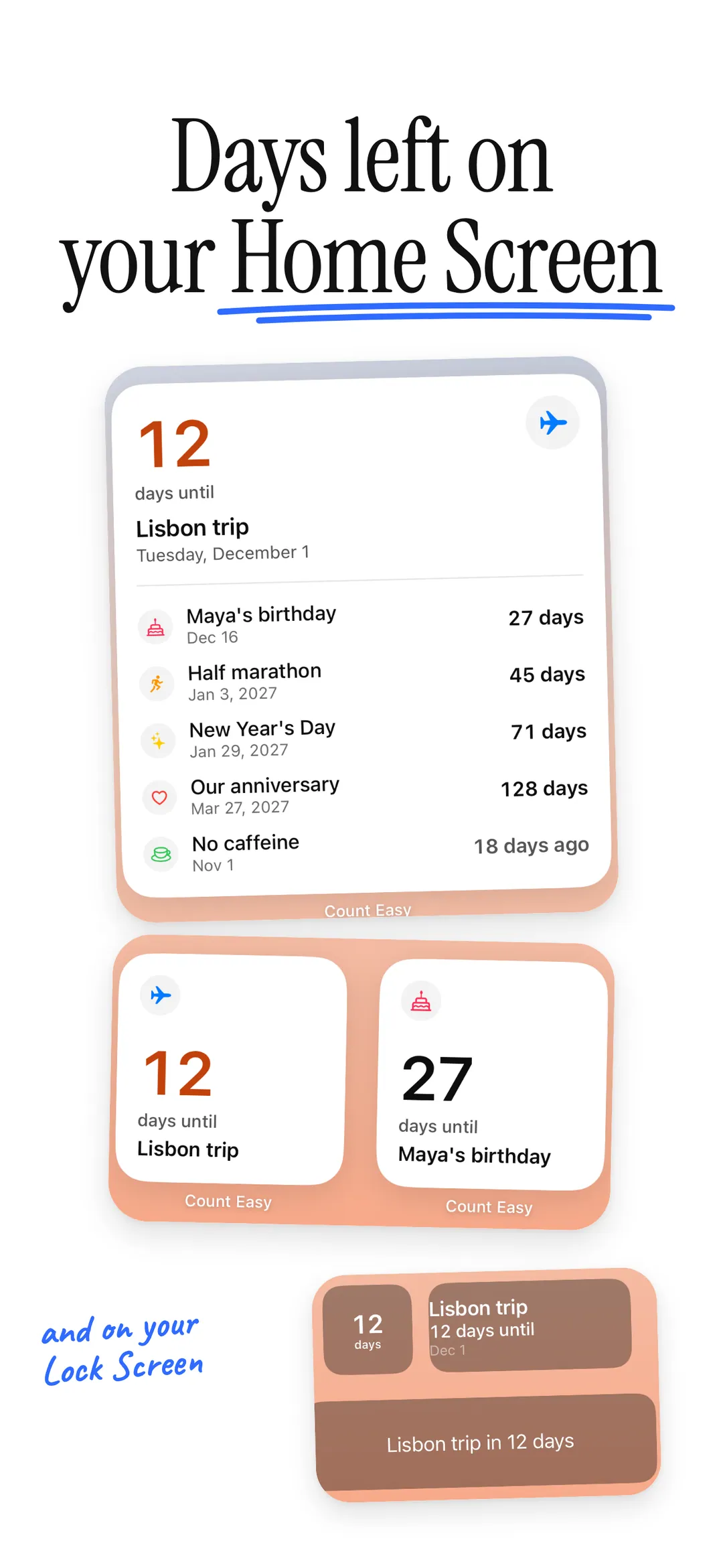
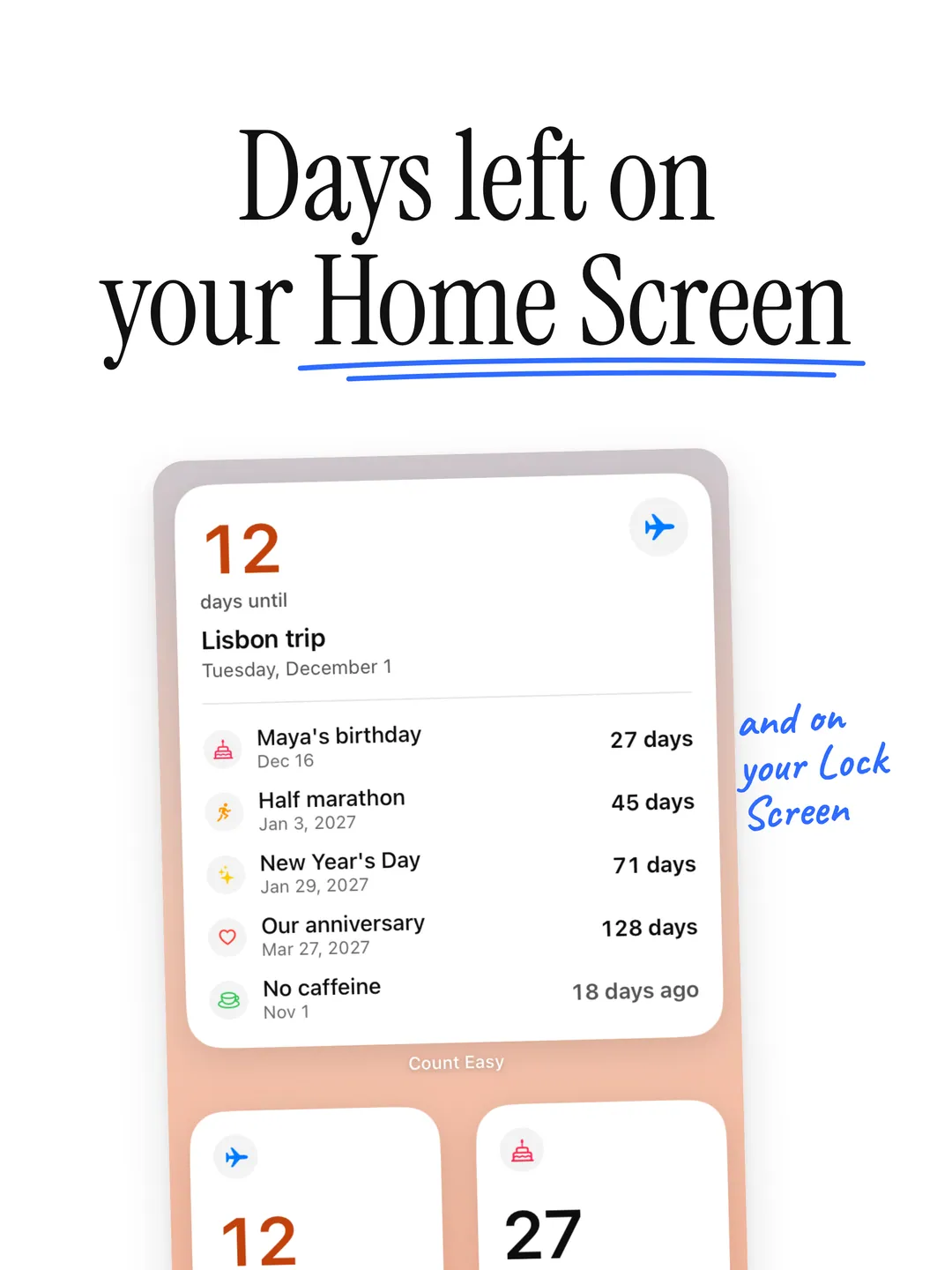
Home Screen and Lock Screen widgets show your next moment, or any countdown you pick. The medium and large sizes list what's up next.
Make it yours.
- 01
Share the countdown
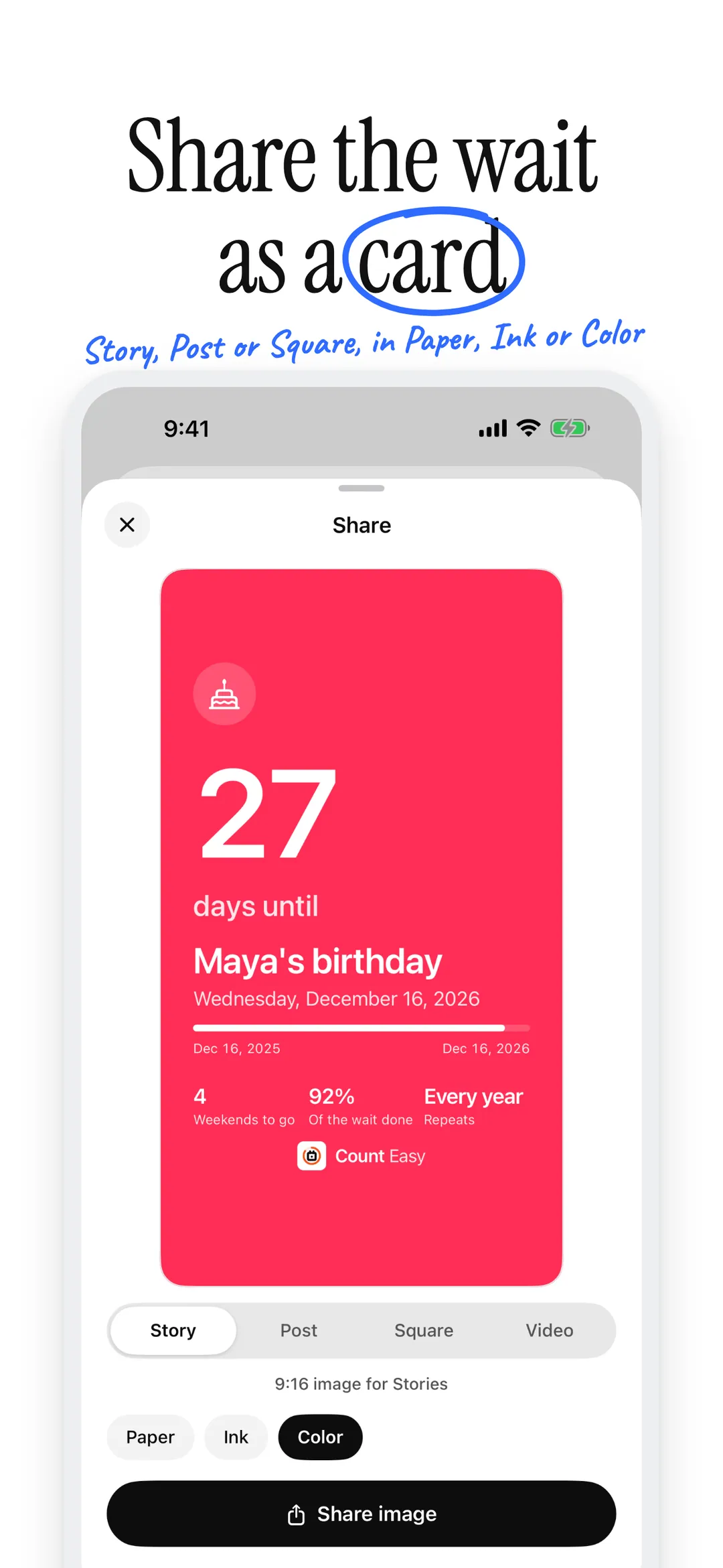
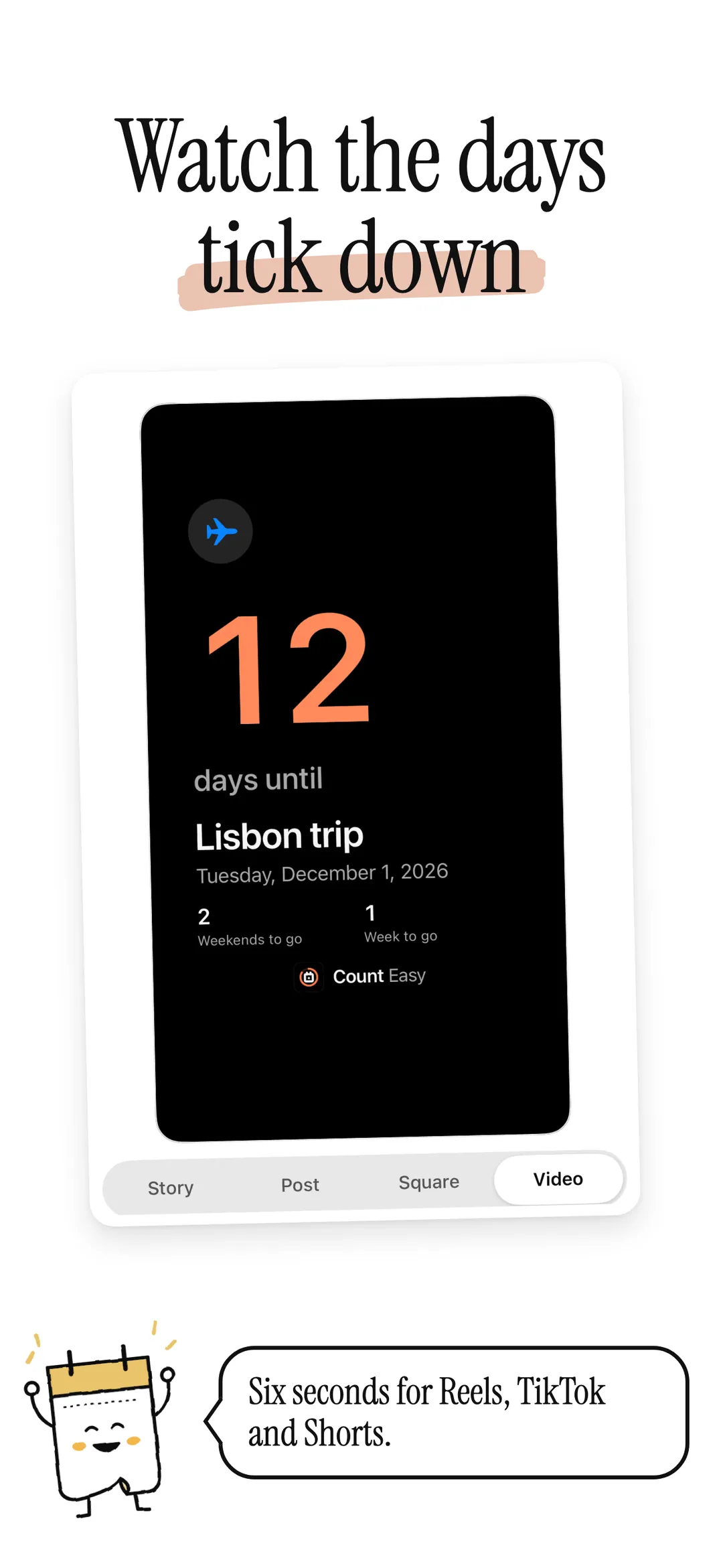
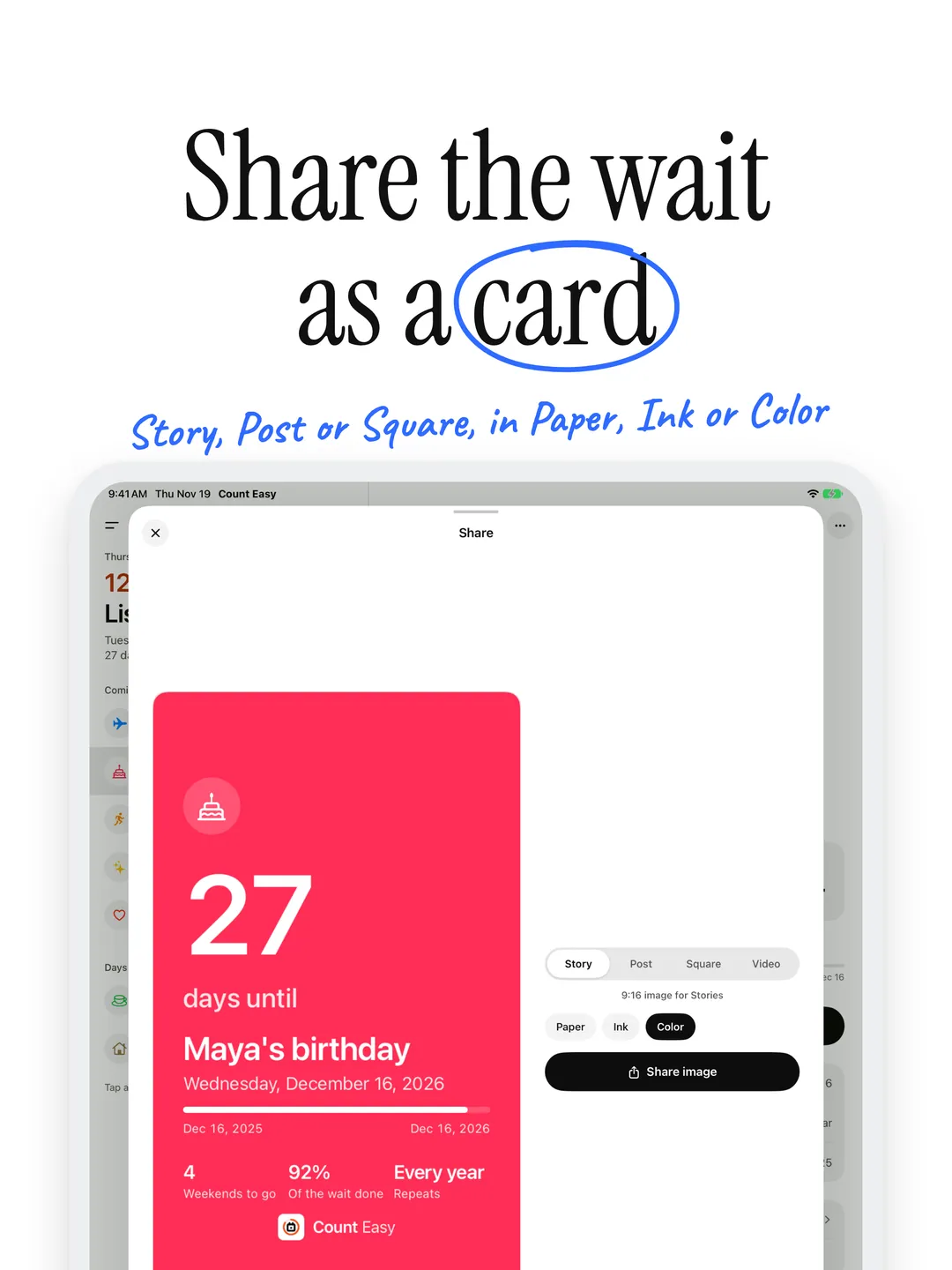
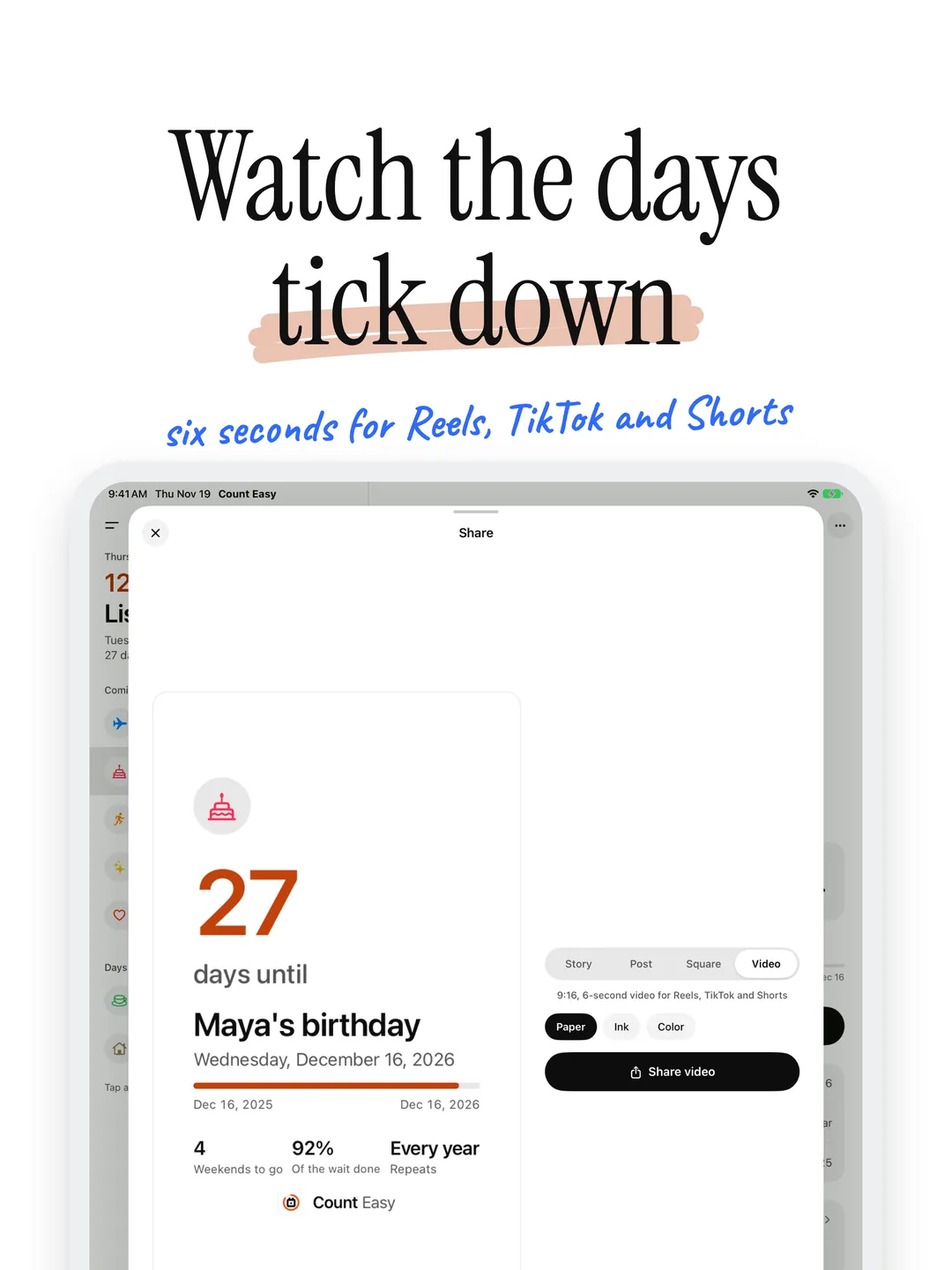
Send any countdown as a card for Stories, a feed post or a square post, or as a short video for Reels, TikTok and Shorts, where the days count down as the wait fills. In Paper, Ink or your countdown’s own color.
- 02
Your accent
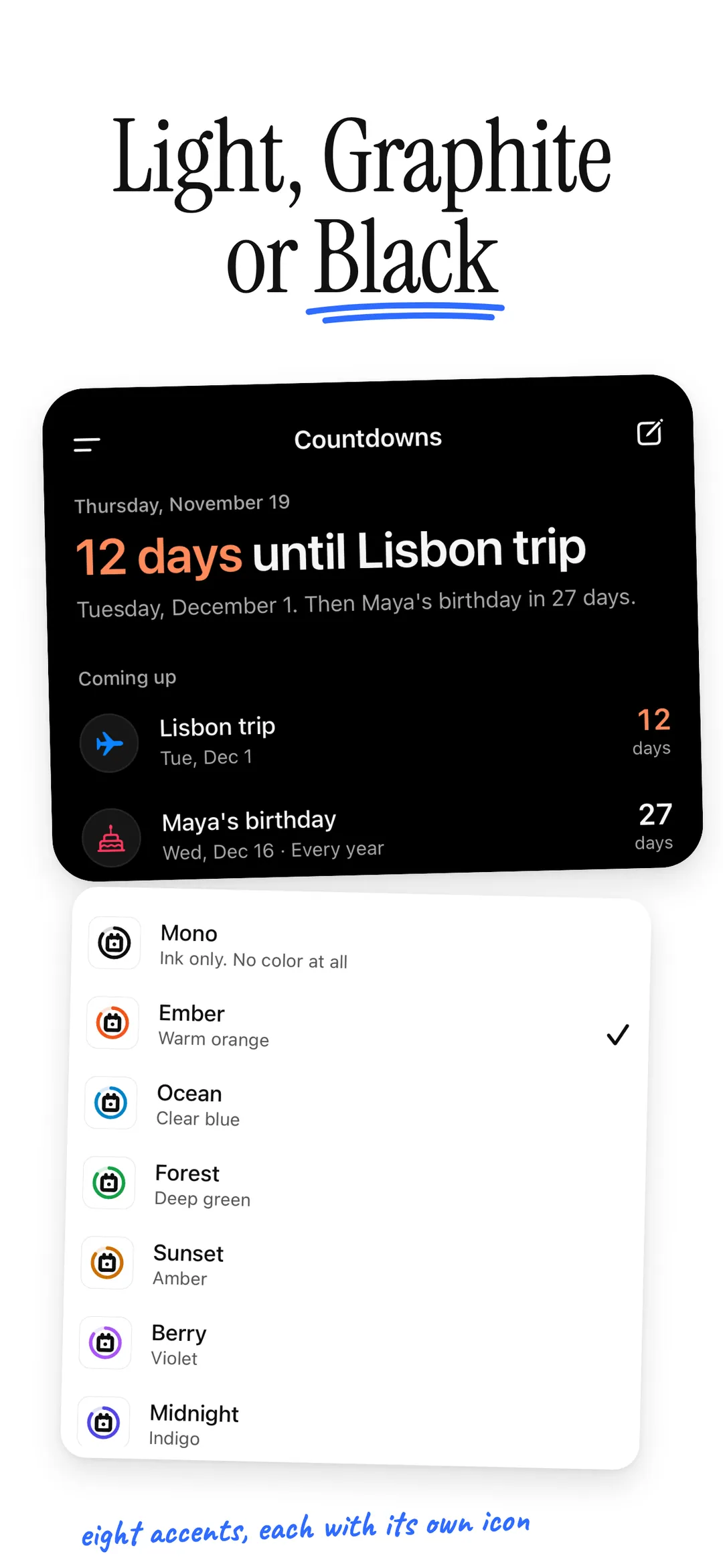
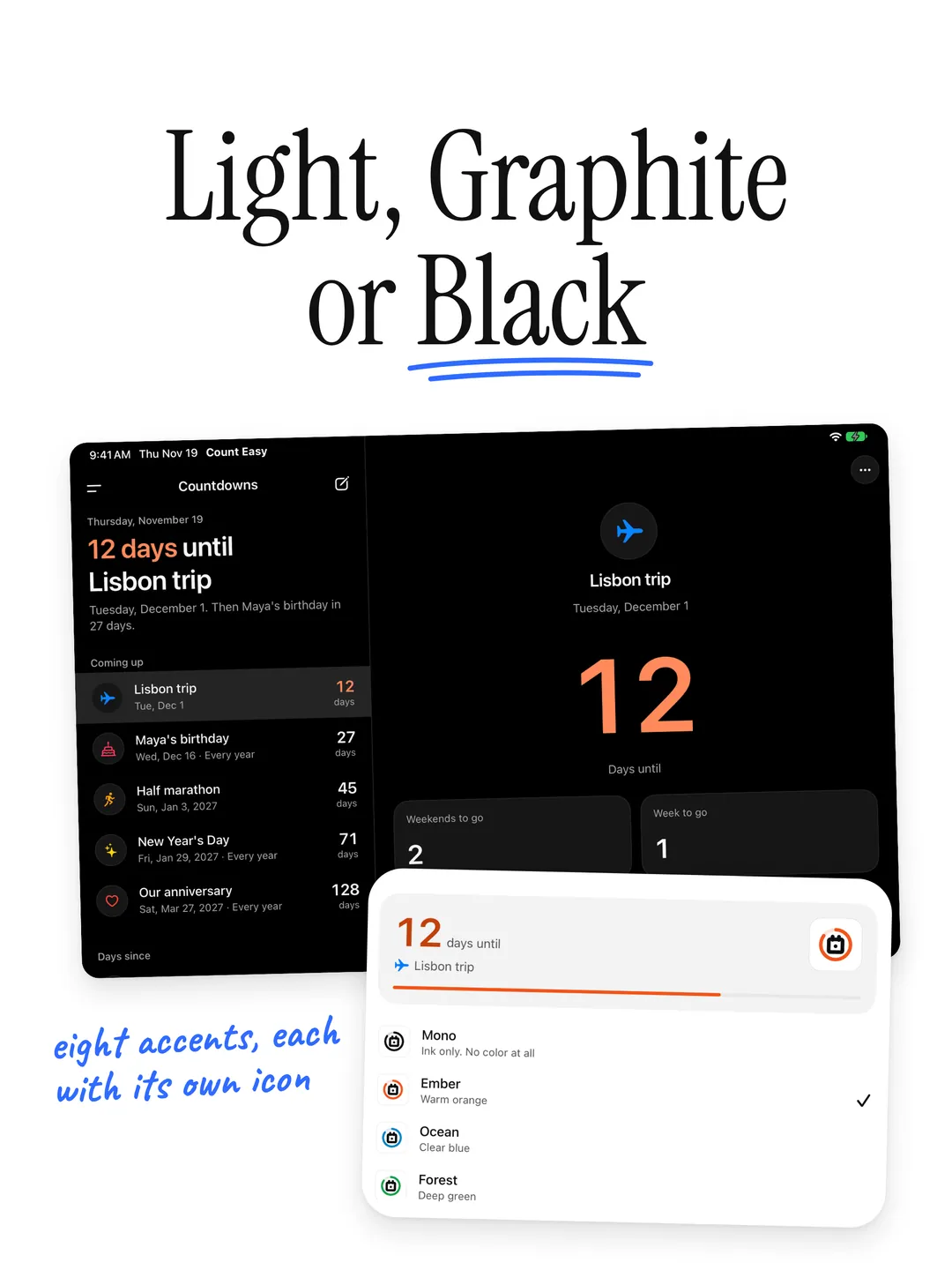
Pick one of eight accents to mark your next moment. It sets the app icon too, with dark and tinted versions, and the widgets.
- 03
Day or night
Follow your iPhone or pick Light or Dark. After dark, choose soft Graphite or true OLED Black.
Your dates. Your device.
No accounts. No cloud sync. No tracking. No ads. Count Easy keeps your countdowns on your device, shared only with its own widgets. Anonymous diagnostics (crash reports and which screens you use, never your countdowns) help fix problems, and you can turn them off in Settings.
Read the full privacy policyIs Count Easy free?
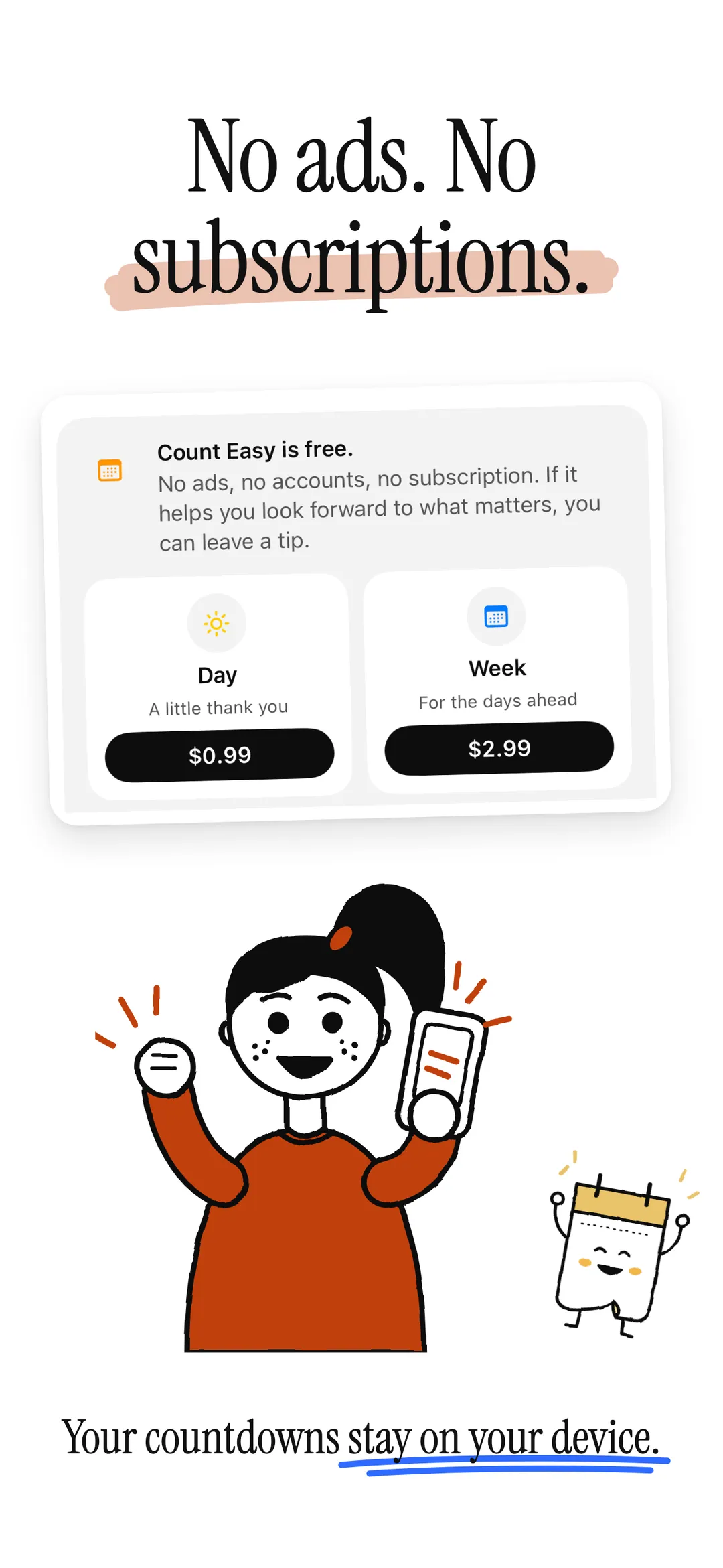
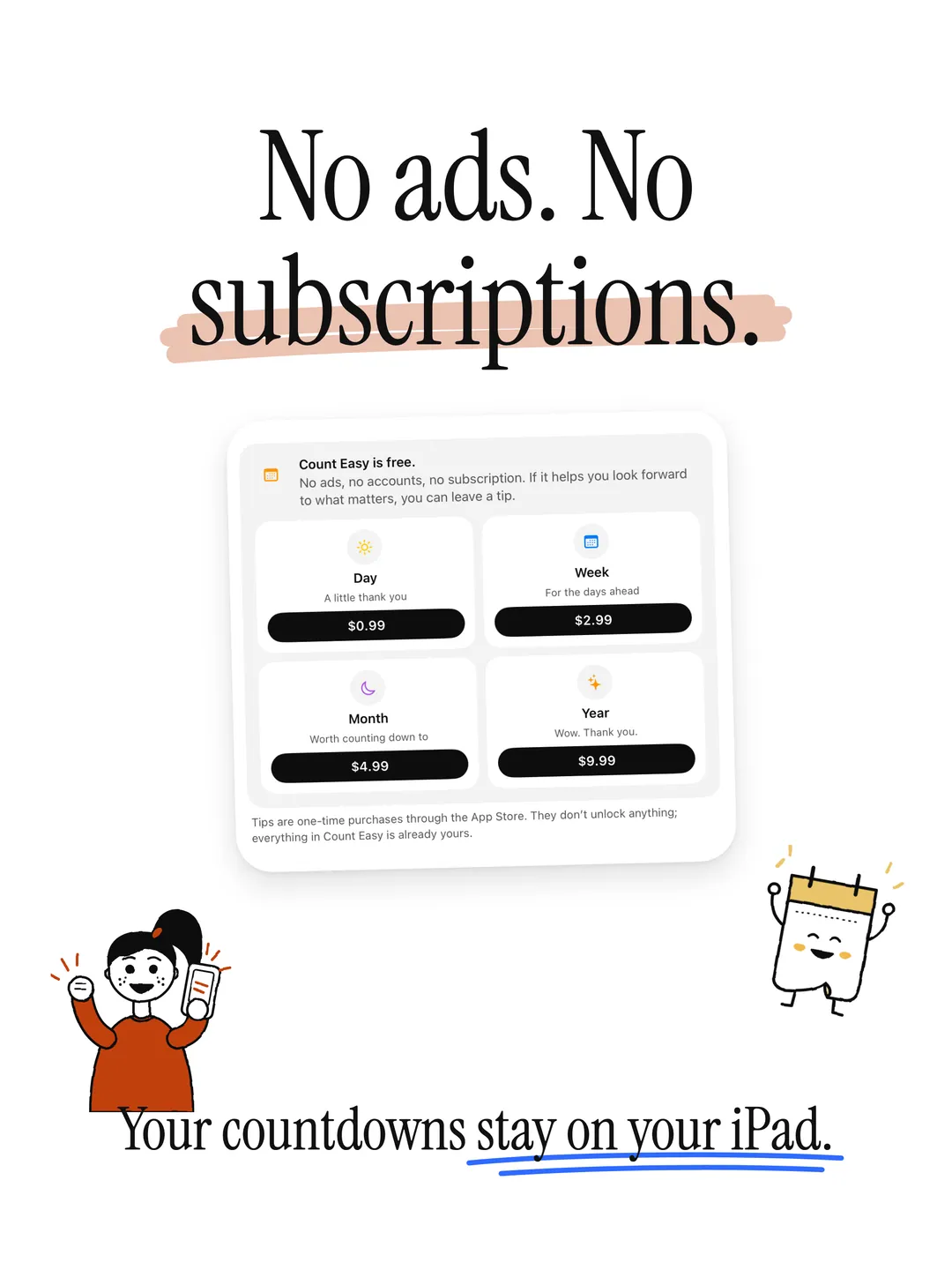
Yes. Count Easy is free and has nothing to unlock. If it helps you look forward to what matters, you can leave a one-time tip in Settings. Tips go through the App Store and change nothing in the app.
What's the difference between days until and days since?
Days until counts down to a future date, like a trip or a birthday. Days since counts up from a past date, like the day you moved or started a job. On the day itself a countdown reads Today, and a one-time countdown then starts counting the days since.
Can I see a countdown on my Home Screen or Lock Screen?
Yes. Small, medium and large Home Screen widgets and Lock Screen widgets show your next moment, or any countdown you pick: touch and hold the widget, tap Edit Widget, and choose one.
How do repeating dates and birthdays work?
A countdown can repeat every day, week, two weeks, month or year. Birthdays on February 29 come back in leap years (February 28 in other years), and monthly dates on the 31st land on each month's last day.
Will a countdown change when I travel?
No. Count Easy counts calendar days, so June 3 stays June 3 in any time zone, and daylight saving changes never add or lose a day.
Where are my countdowns stored?
On your iPhone, shared only with Count Easy's own widgets. There's no account and no cloud sync between devices; your iCloud backup brings your countdowns to a new iPhone.
Start counting.
Free on the App Store. No account required.

More apps

Voice memos, transcribed on your iPhone. Record from Apple Watch, too.

Speak naturally and get clean, ready-to-send text. Transcribed and cleaned up on your iPhone, never sent anywhere.

Record a meeting and get the transcript, a summary and the action items. On your iPhone, iPad and Mac, synced through your own iCloud.