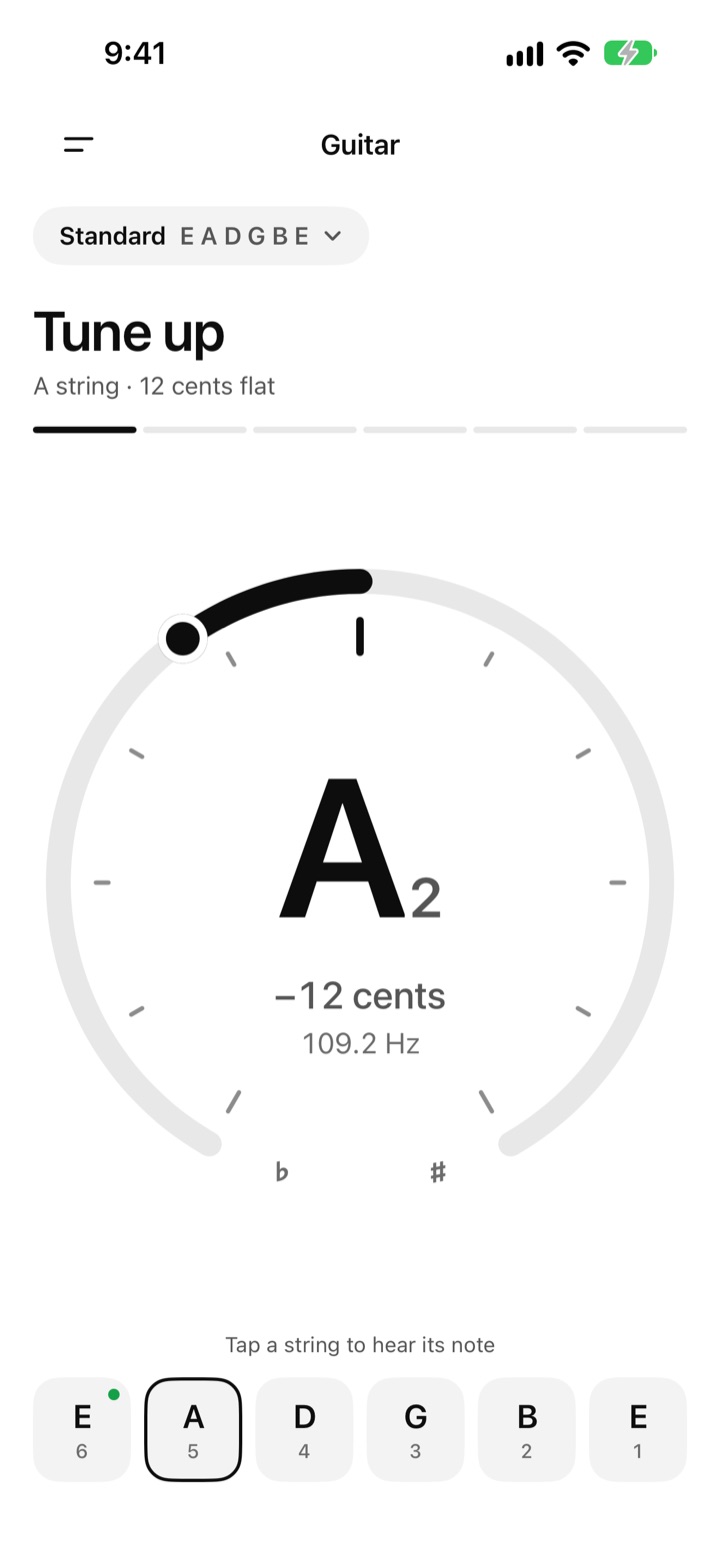
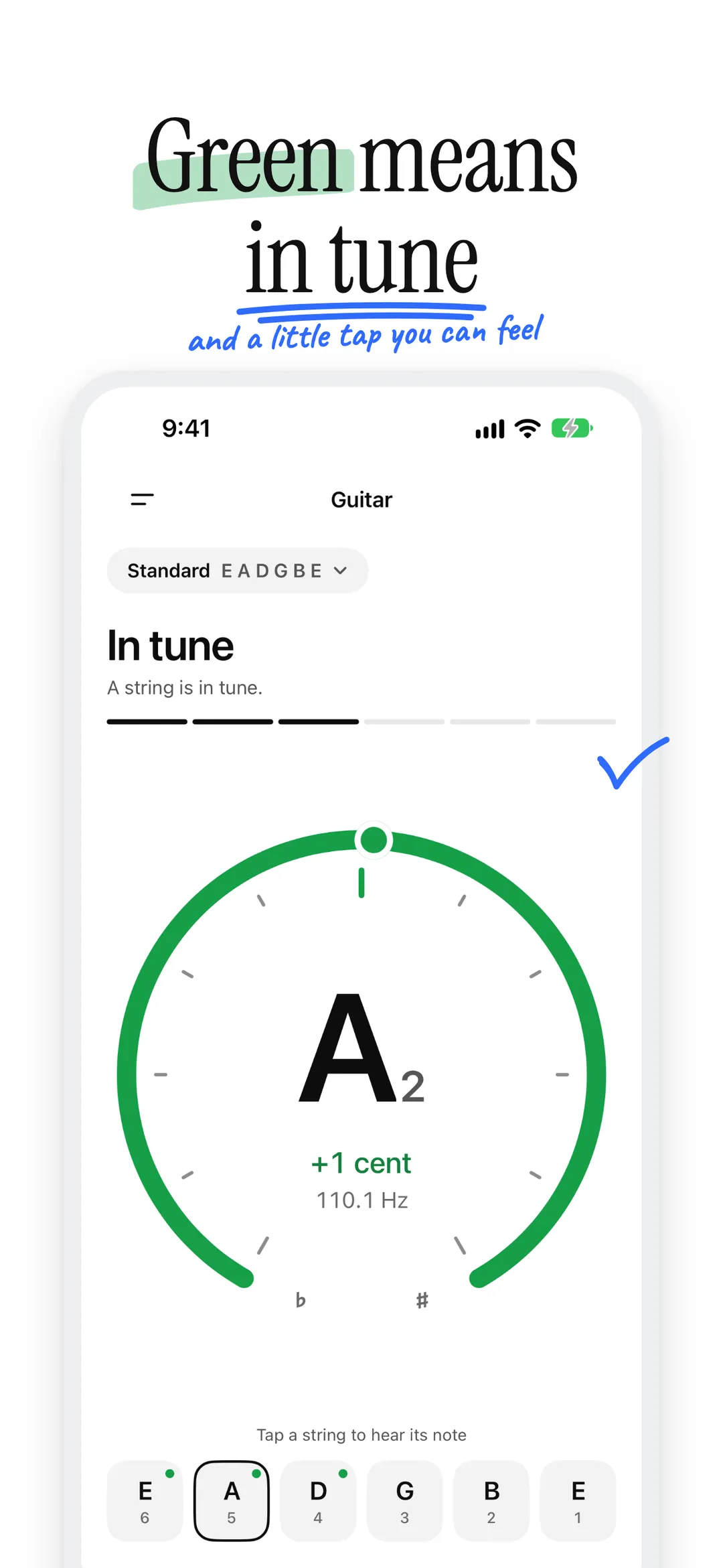
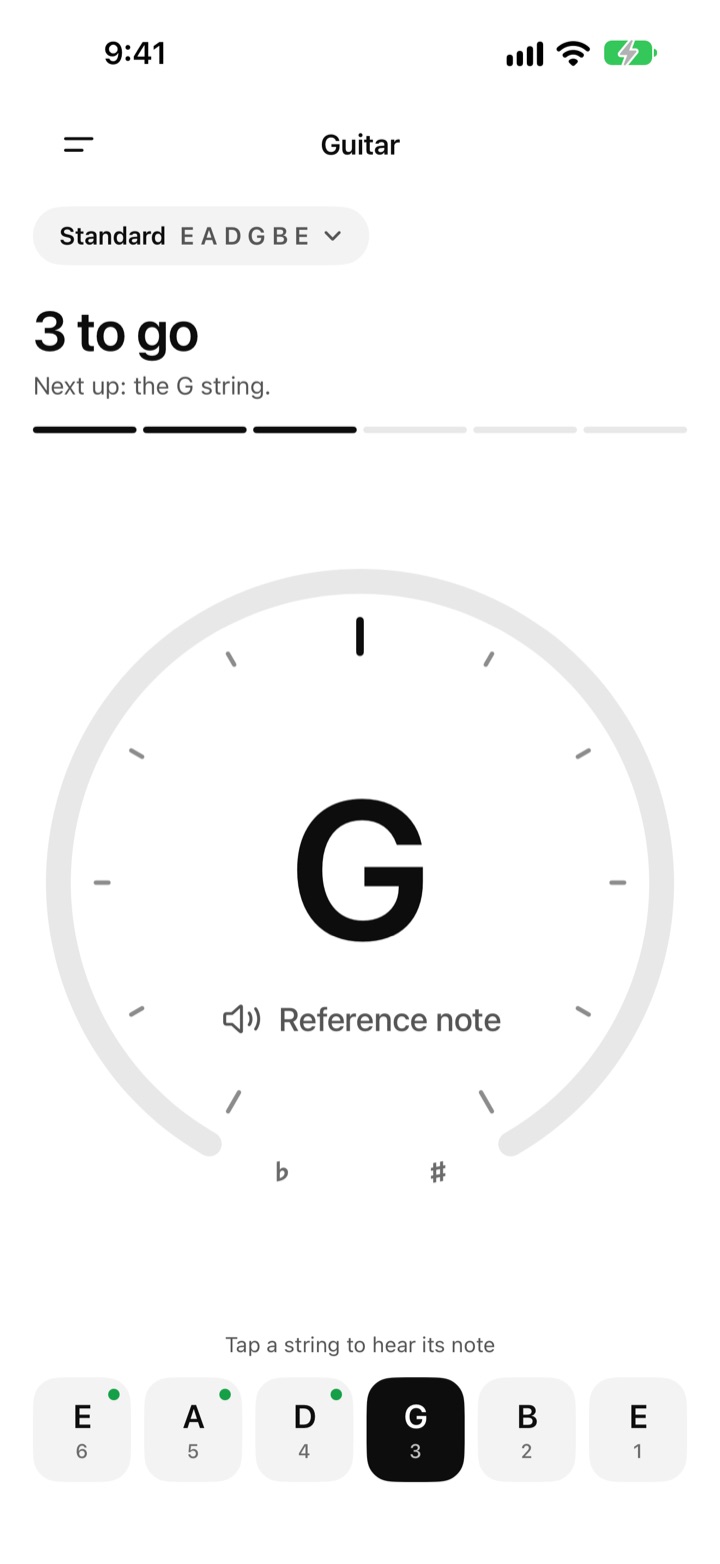
Most tuners show you a needle and leave the rest to you. Tune Easy just tells you what to do. Play a string and the headline reads Tune up, Tune down or In tune. When the string is right, the ring lights up, and on iPhone you feel a tap.
It’s a simple guitar tuner for iPhone and iPad with eleven tunings, a chromatic mode for other instruments, and a reference note for every string. It’s free, there’s nothing to unlock, and nothing you play is ever recorded.
Get Tune Easy free on the App Store The Tune Easy page
Who it’s for
Tune Easy is for anyone who picks up a guitar and wants to be in tune in seconds: the beginner who isn’t sure yet whether the peg goes left or right, the player who drops to Drop D or DADGAD between songs, and the musician tuning up on a dim stage.
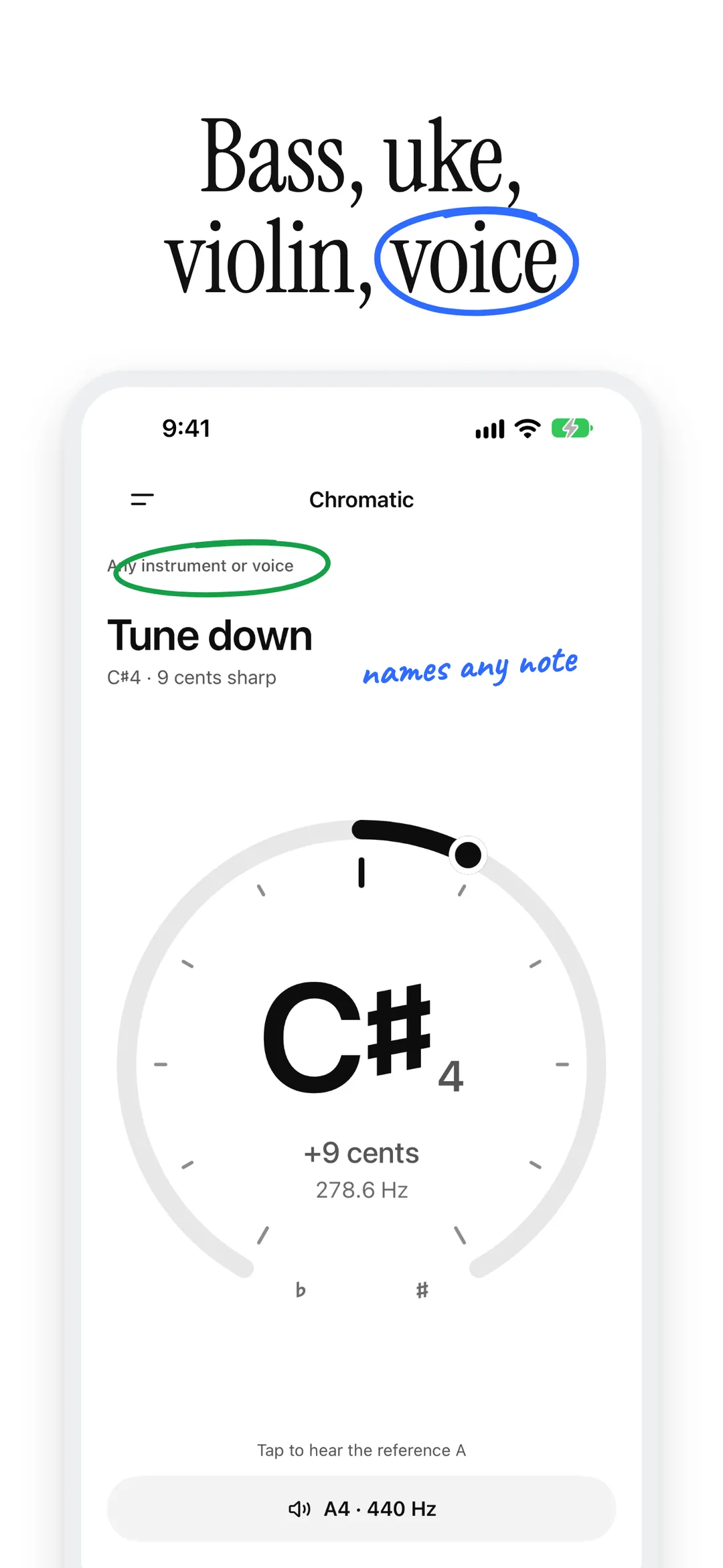
It also works beyond the guitar. Switch to chromatic mode and it names any note, so it suits a bass, a ukulele, a violin or your own voice.
Know which way to turn
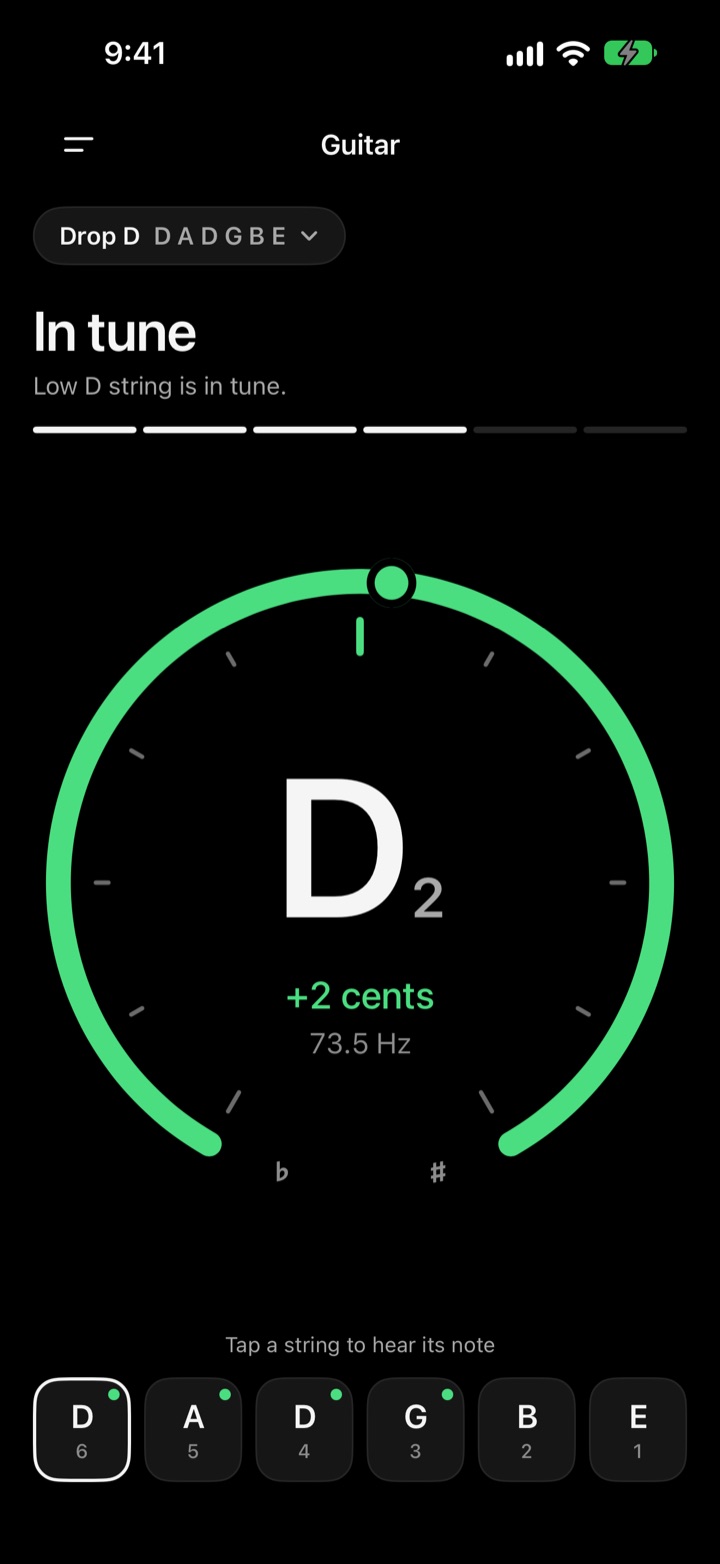
The dial shows how many cents flat or sharp a string is, with a big note name, the offset in cents and the frequency in hertz. Above it, the headline puts that into words, so you never have to read a needle to know what to do next.
As you go, each string you bring in tune is marked, and Tune Easy counts down to All in tune, with the next string to tune one glance away.
Eleven tunings, and a chromatic mode
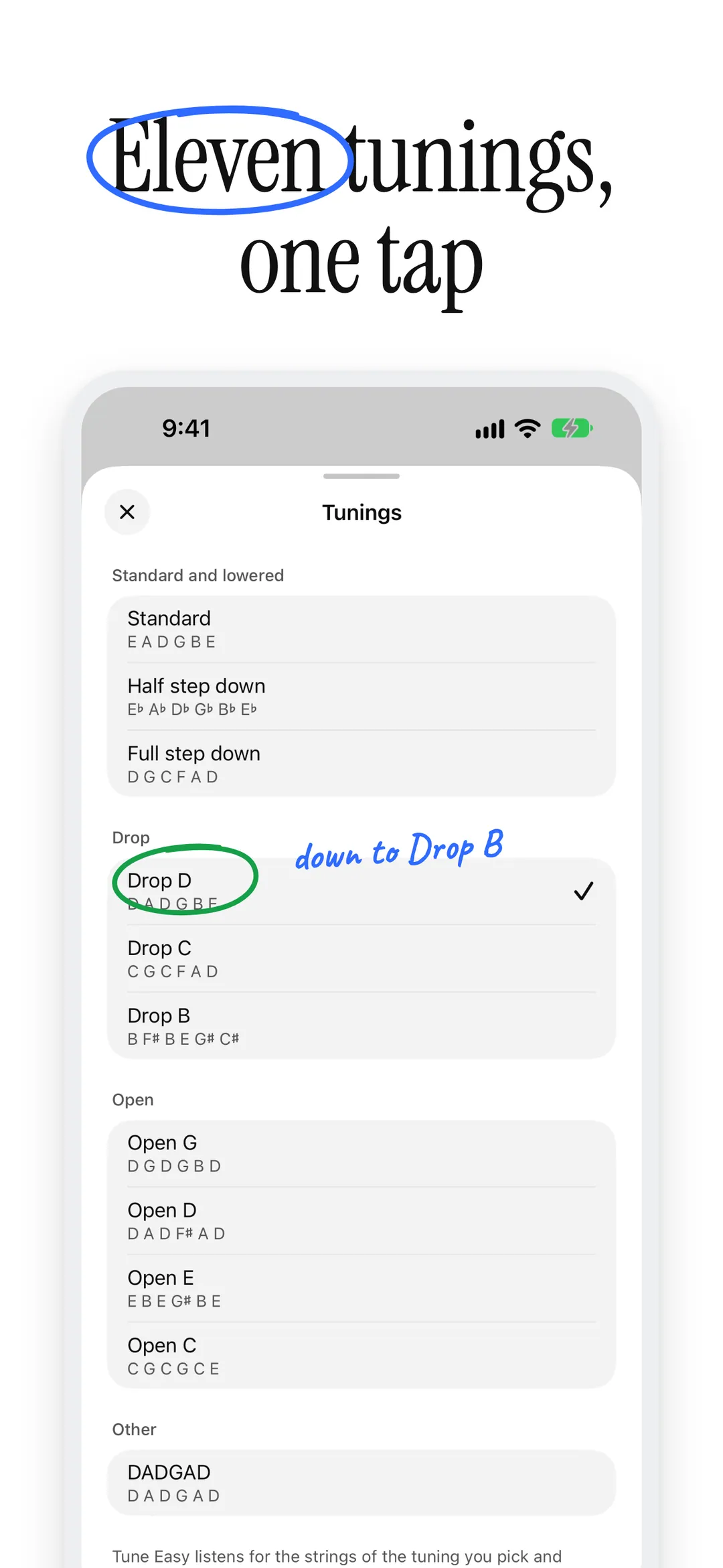
Tap the tuning above the headline to pick one. Tune Easy listens for the strings of the tuning you choose, all the way down to Drop B’s low B.
- Standard, half step down and full step down
- Drop D, Drop C and Drop B
- Open G, Open D, Open E and Open C
- DADGAD
Hear each string first
Tap a string at the bottom of the screen to hear its note, played as a plucked tone your iPhone or iPad speaker can carry, even for the low E. It’s handy for tuning by ear, or for checking you’re in the right octave before you start turning.
Set it up your way
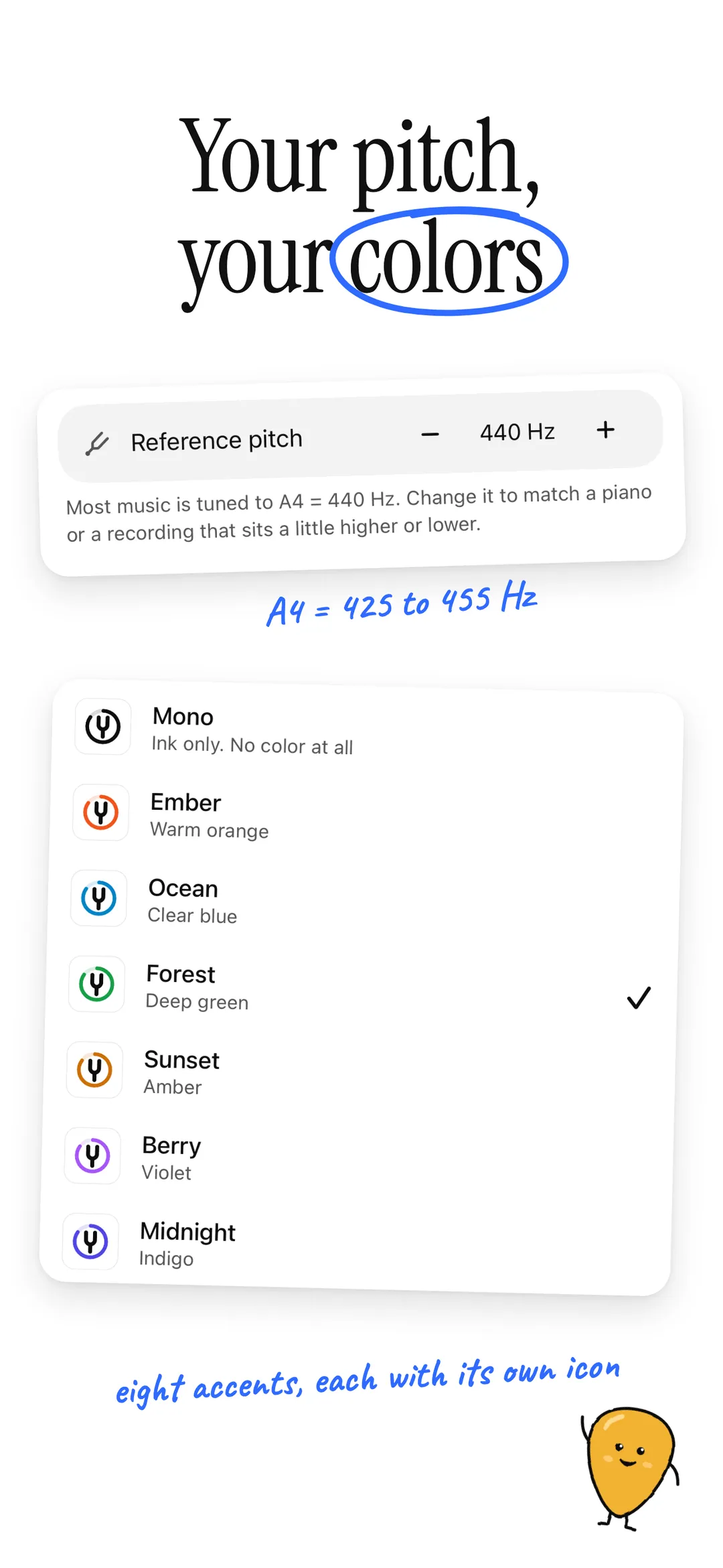
Tune to A4 = 440 Hz, or set the reference pitch anywhere from 425 to 455 Hz to match a piano or a recording. Choose Light or Dark, and after dark pick soft Graphite or true Black. Eight accents color the in-tune ring, and each comes with its own app icon.
On iPad the dial grows to fill the screen. Turn it sideways and the dial takes its own half, beside the headline and strings. Tune Easy works in Split View and Stage Manager windows of any size, and on iPhone Duo it opens across both screens.
Nothing is recorded
The microphone is used only while you tune. Audio is analyzed on your device and never recorded, stored or sent anywhere. There are no accounts, no ads and no tracking. Anonymous diagnostics, such as crash reports and which screens you open, help fix problems; they never include audio, notes or tunings, and you can turn them off in Settings.
Why we made Tune Easy
Tuning should take seconds, not a lesson in reading a needle. Tune Easy is part of the Easy suite from Idle Fusion: simple apps that do one thing well. This one gets your guitar in tune and then gets out of the way.
It’s free with nothing to unlock. If it helps you stay in tune, you can leave a one-time tip in Settings, and the tuner stays exactly as it was either way.
Get Tune Easy free on the App Store Screenshots, FAQ and privacy for Tune Easy