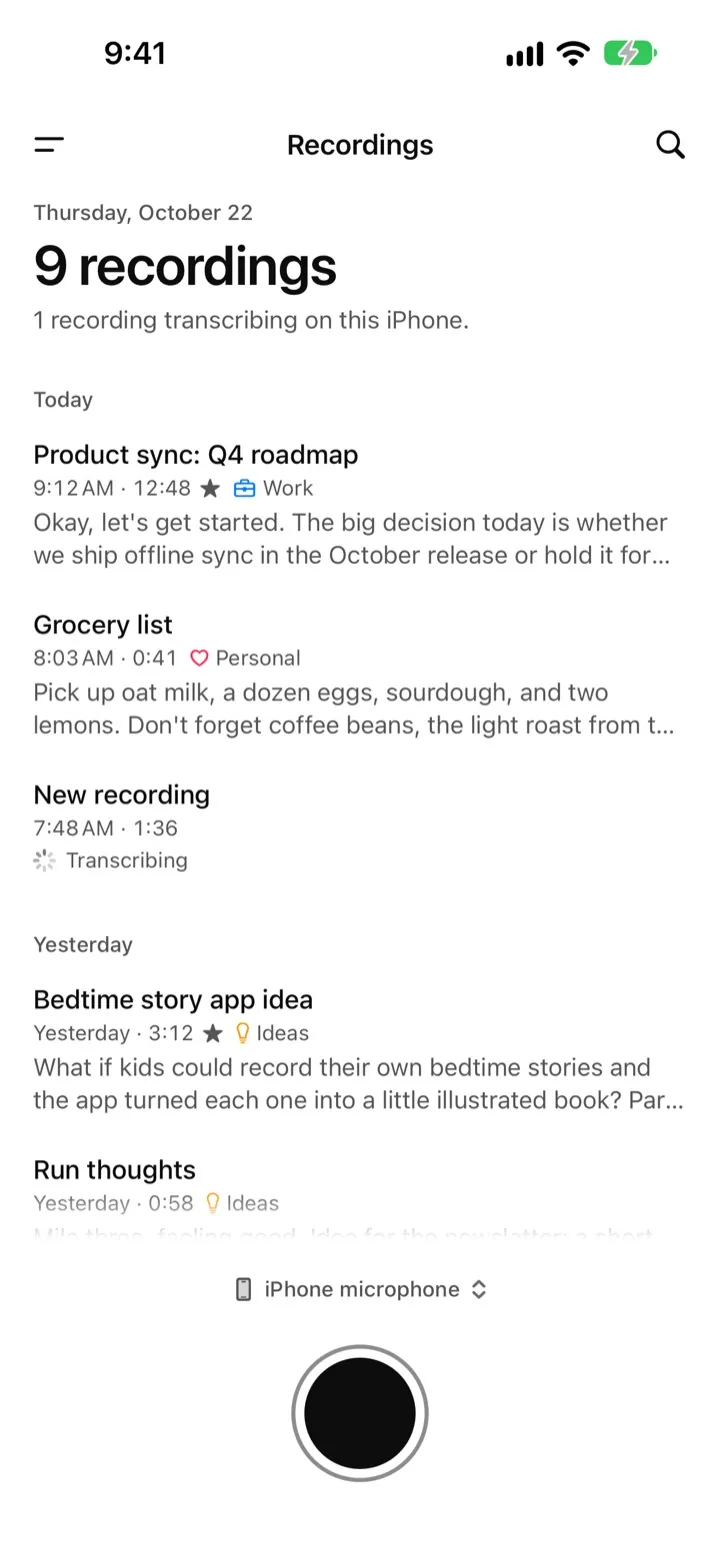
A good idea on the walk home, a lecture you want to keep, an interview you need to quote later. Tap the big button and Voice Easy keeps it, then turns it into text you can read and search.
Voice Easy is a voice recorder for iPhone and iPad that transcribes what you said right on the device. Your recordings never leave your devices. There’s no account and no cloud, and it’s free with nothing to unlock.
Get Voice Easy free on the App Store The Voice Easy page
Who it’s for
It’s for students recording lectures, writers and reporters recording interviews, musicians catching a rehearsal or a song idea, and anyone who thinks out loud and wants to find that thought again weeks later.
If you want the audio and its transcript kept together, Voice Easy is the one. For quick dictation into a message, Idle Fusion makes Talk Easy, and for meeting summaries there’s Meeting Easy.
Start without looking
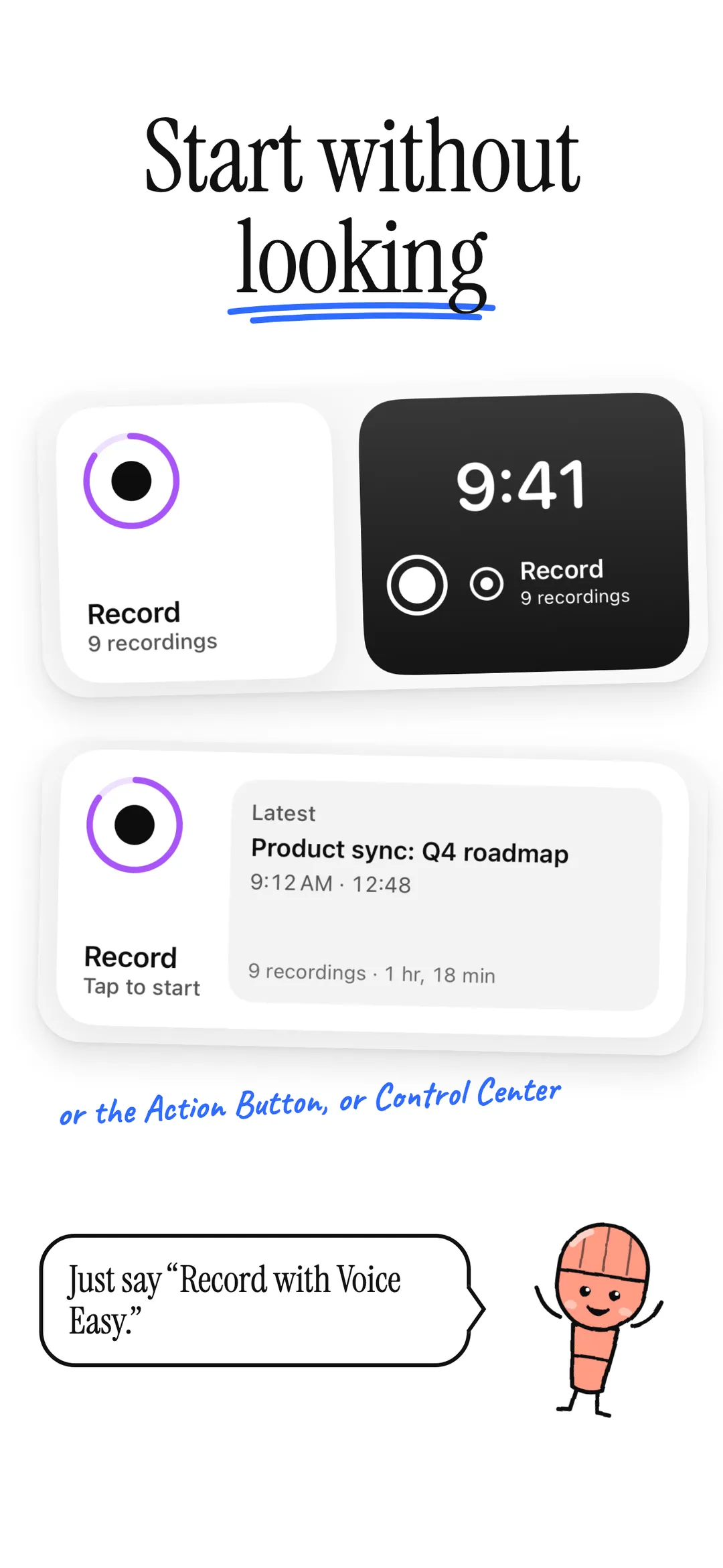
The record button waits at the bottom of every screen, but you don’t even need to open the app. Say “Record with Voice Easy” to Siri, press the Action Button on iPhone, add the Record control to Control Center, or tap the Home Screen widget.
Once it’s going, it keeps listening. Lock the screen or switch to another app and the recording carries on. A call pauses it until you tap resume. Use AirPods, a wired headset or the built-in mic, and switch between them from the record panel. If storage gets tight, it stops and holds on to everything captured so far.
Text for every recording
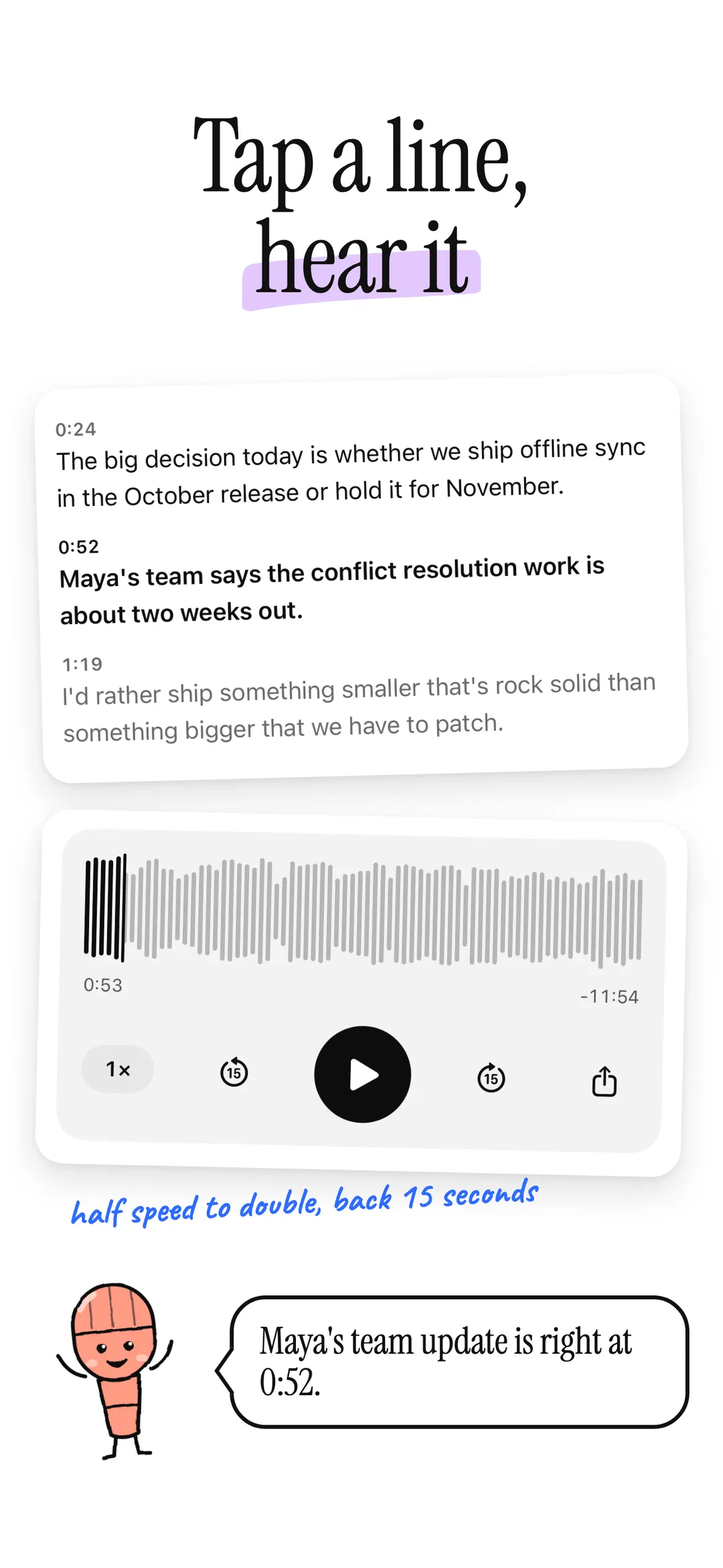
Each memo gets a transcript made on the device itself. As it plays, the current line lights up, and tapping a line jumps the audio there. Slow it to half speed or double it, skip back 15 seconds, or drag along the waveform.
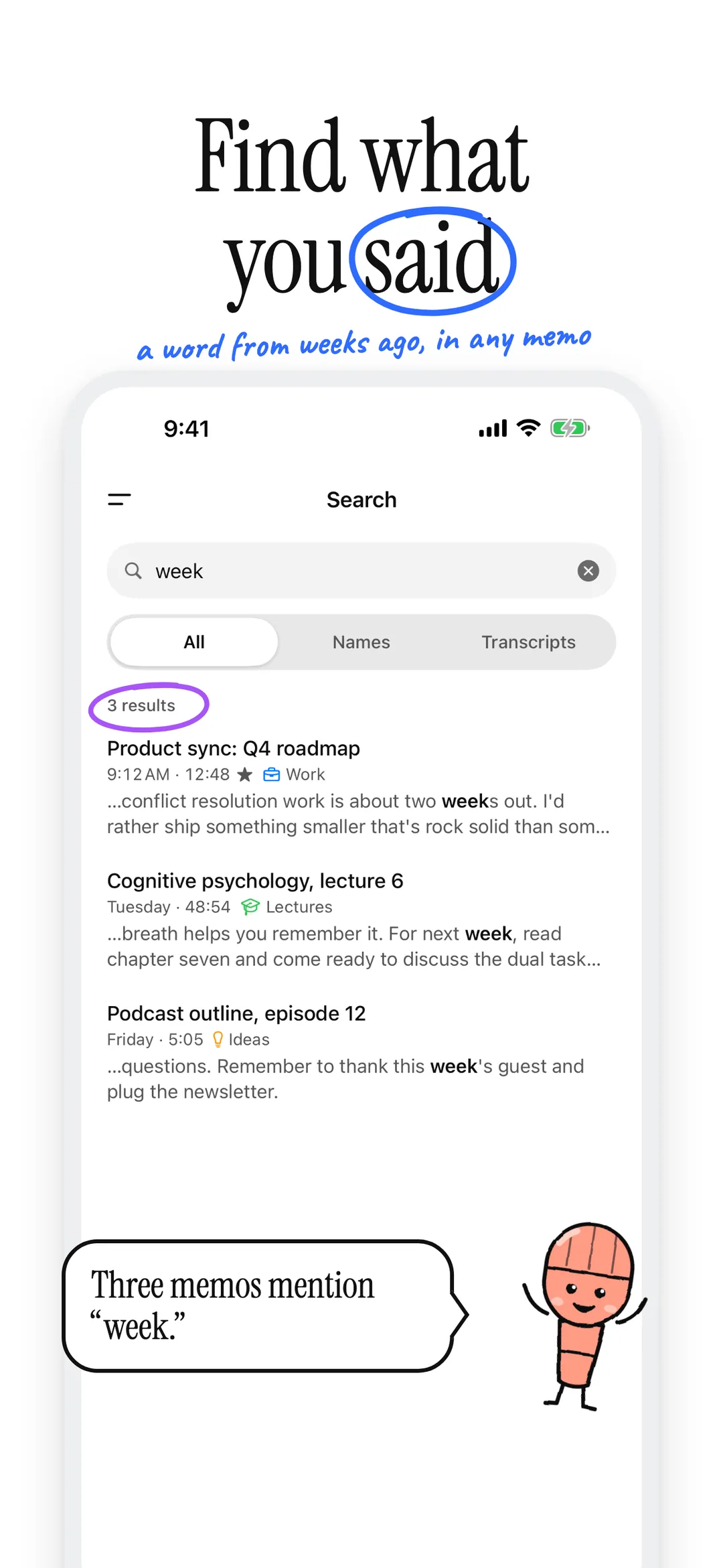
Memos you don’t title are named after their first words, and search finds a word you said weeks ago, in any recording.
Folders, favorites and your own accent
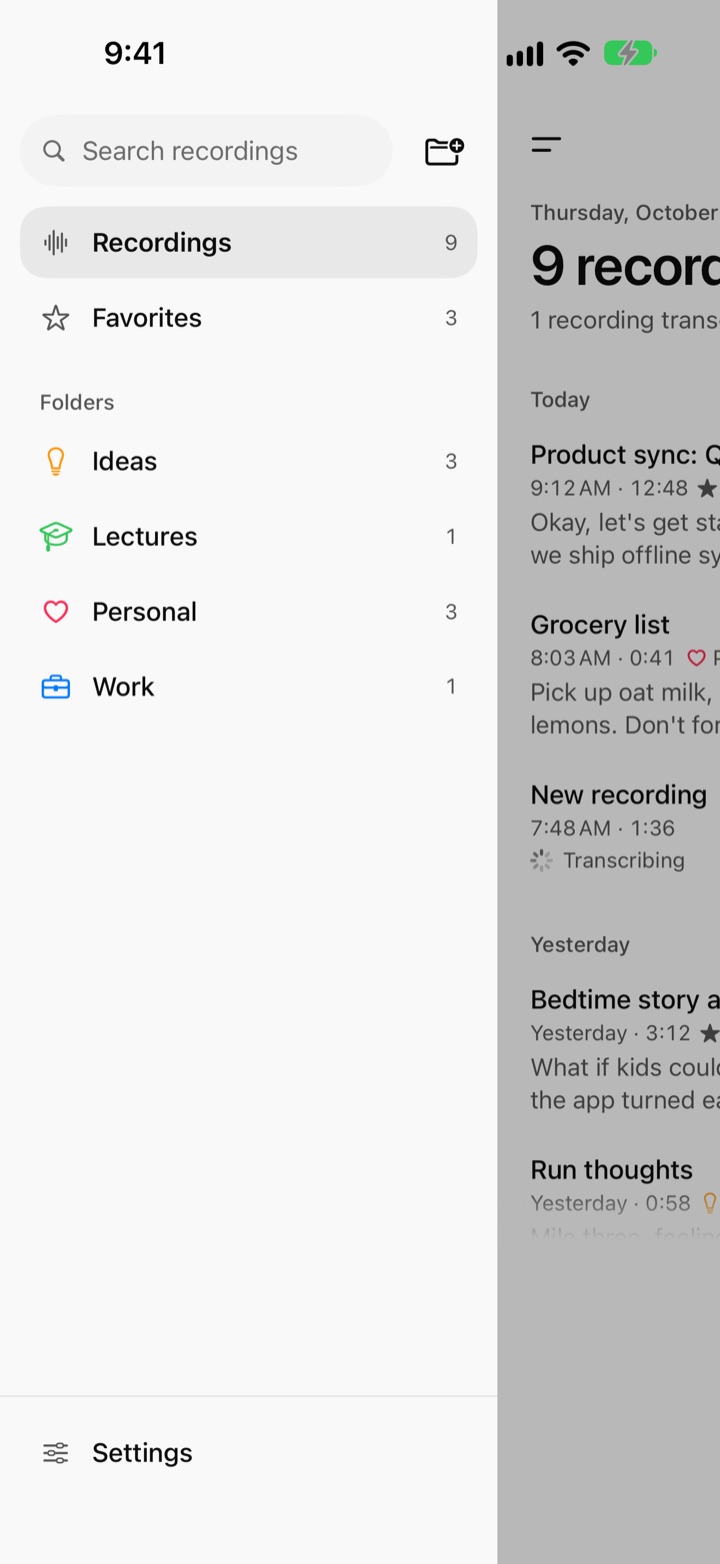
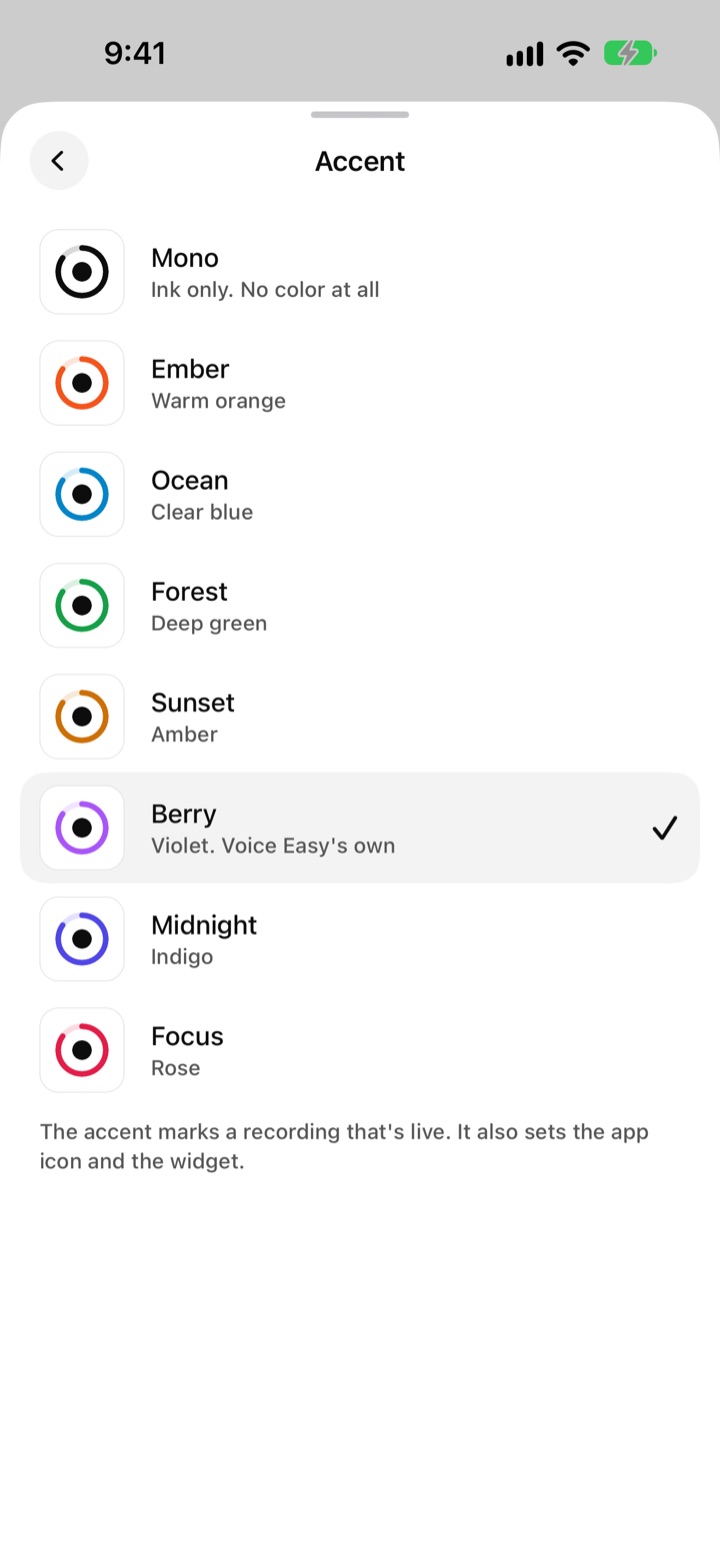
Sort memos into folders, each with its own color and symbol, and star the ones you keep coming back to. Pick an accent for the app too: it marks a live recording and sets the app icon and the widget.
From your wrist, and on every screen
Start a memo on Apple Watch. It lands on your iPhone a moment later and is transcribed there. When you want to pass something along, send the audio file under its title, or copy the transcript into a message or a document.
On iPad, your recordings sit in a column beside the one you picked, with its player held at the top and the transcript in large type below. It works in Split View, Stage Manager and every orientation. On iPhone Duo, open it up and the list stays on the left while the memo you picked plays on the right.
Your voice stays with you
Recording, transcription and search all happen on your iPhone or iPad. Audio and transcripts are kept in the app on your devices and are never uploaded. The first transcript may wait while iOS fetches its language files. Voice Easy sends anonymous diagnostics, such as crash reports and which screens you open, to help fix problems. They never include your recordings, transcripts or titles, and you can turn them off in Settings.
Why we made Voice Easy
What you hear is worth keeping, and worth finding again. Voice Easy exists to make recording a one-tap habit and to turn every recording into words you can search, without handing your voice to a server.
It’s free and has nothing to unlock. If it helps you keep what you hear, you can leave a one-time tip in Settings, and the recorder works the same with or without one.
Get Voice Easy free on the App Store Screenshots, FAQ and privacy for Voice Easy