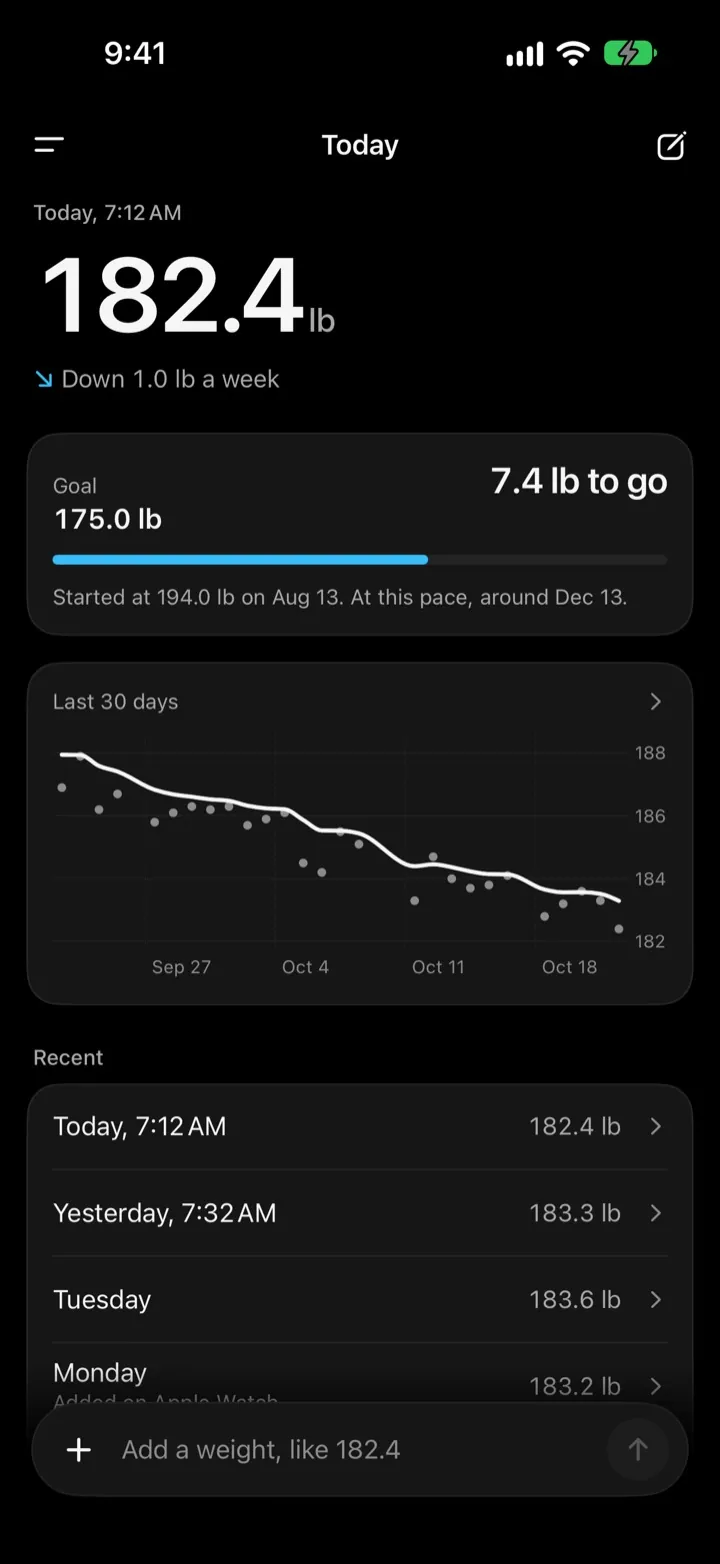
The number on the scale jumps around from one morning to the next. Weigh Easy looks past that. Type your weight in, and it shows where it’s really heading, in plain words like “Down 1.2 lb a week”.
It’s a calm, private place for your weight on iPhone and iPad: a smoothed trend line, a goal without pressure, and progress photos that stay on your device. No account, no ads, and it’s free with nothing to unlock.
Get Weigh Easy free on the App Store The Weigh Easy page
Who it’s for
Weigh Easy is for anyone who weighs in and wants a clear record without the noise: people who check every morning, people who step on the scale once a week, and people who use a smart scale and want somewhere calm to see the numbers.
It suits anyone who would rather keep weight and photos private. Nothing needs an account, and nothing is uploaded or shared.
Weigh in by typing
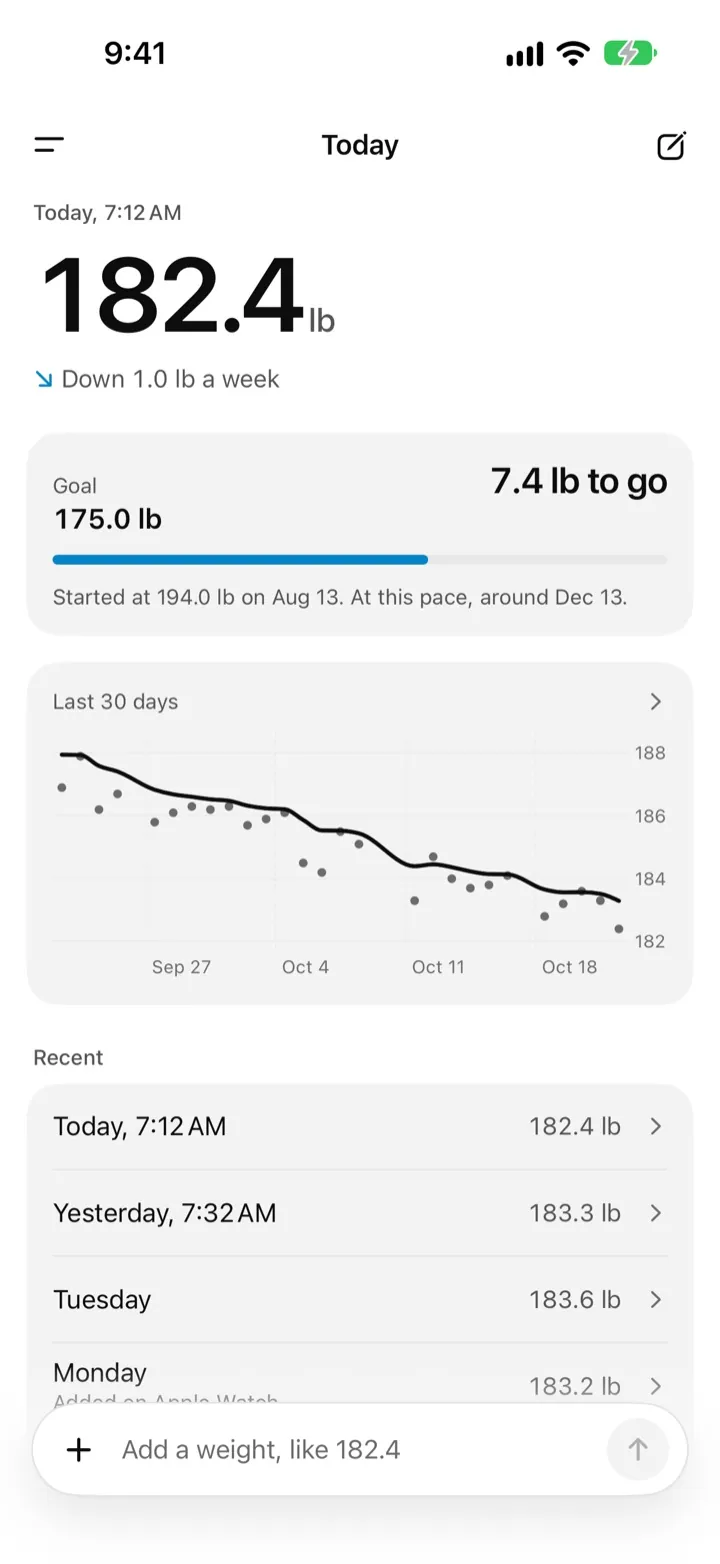
Add a weigh-in by typing it the way you’d say it: “182.4”, “82.5 kg”, or “13 st 4 lb yesterday after a run”. Weigh Easy shows what it understood before it saves anything.
Today shows your latest weigh-in, the trend in words, and how far you are from your goal. Use pounds, kilograms or stones, and switch any time. Every weight is kept exactly, so switching units never changes your history, and stones read as stones and pounds.
A trend you can trust
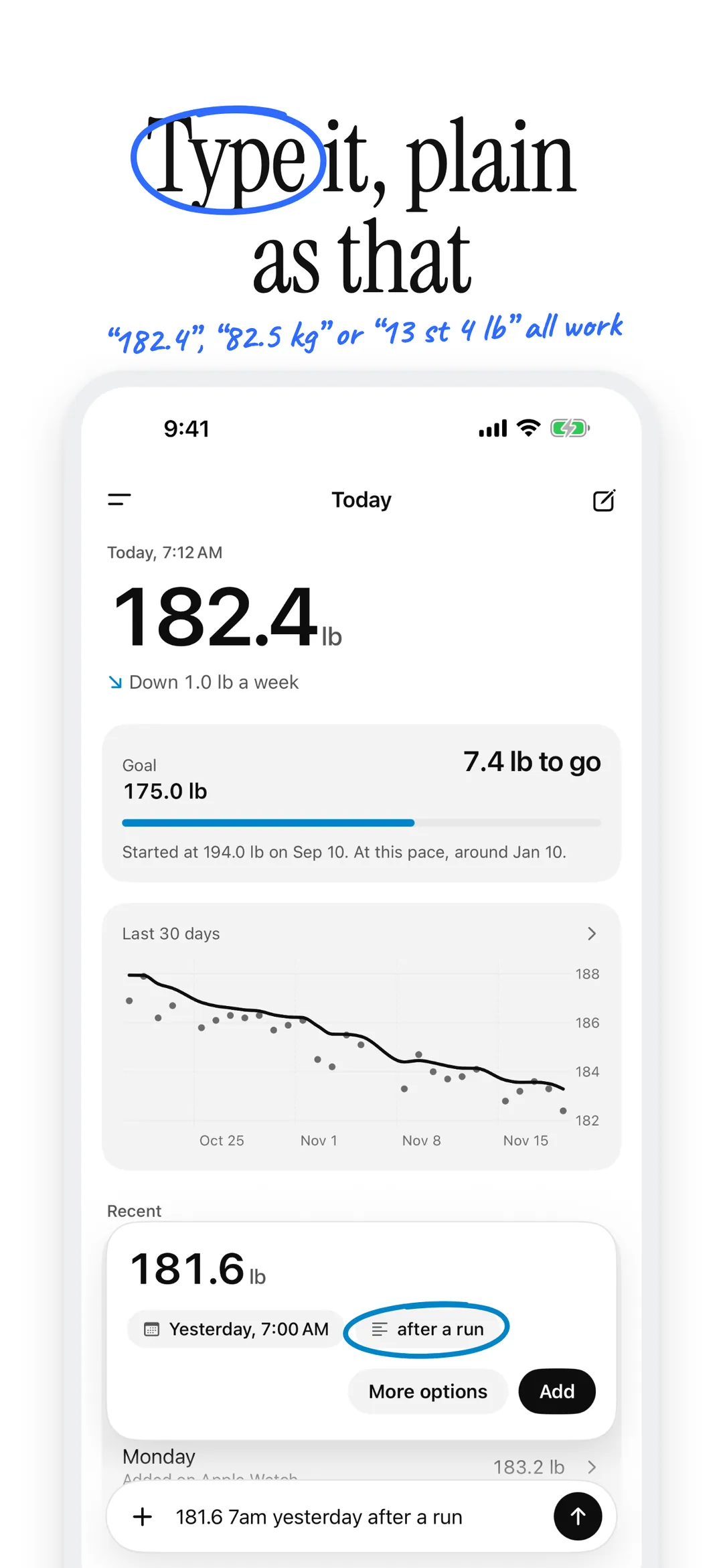
The trend line smooths out water and food swings. Several weigh-ins on one day count as their average, days you skip are skipped rather than guessed, and a long break never draws a line through months with no data.
See 30 days, 90 days, a year or everything, with your lowest, highest and average.
Goals without pressure
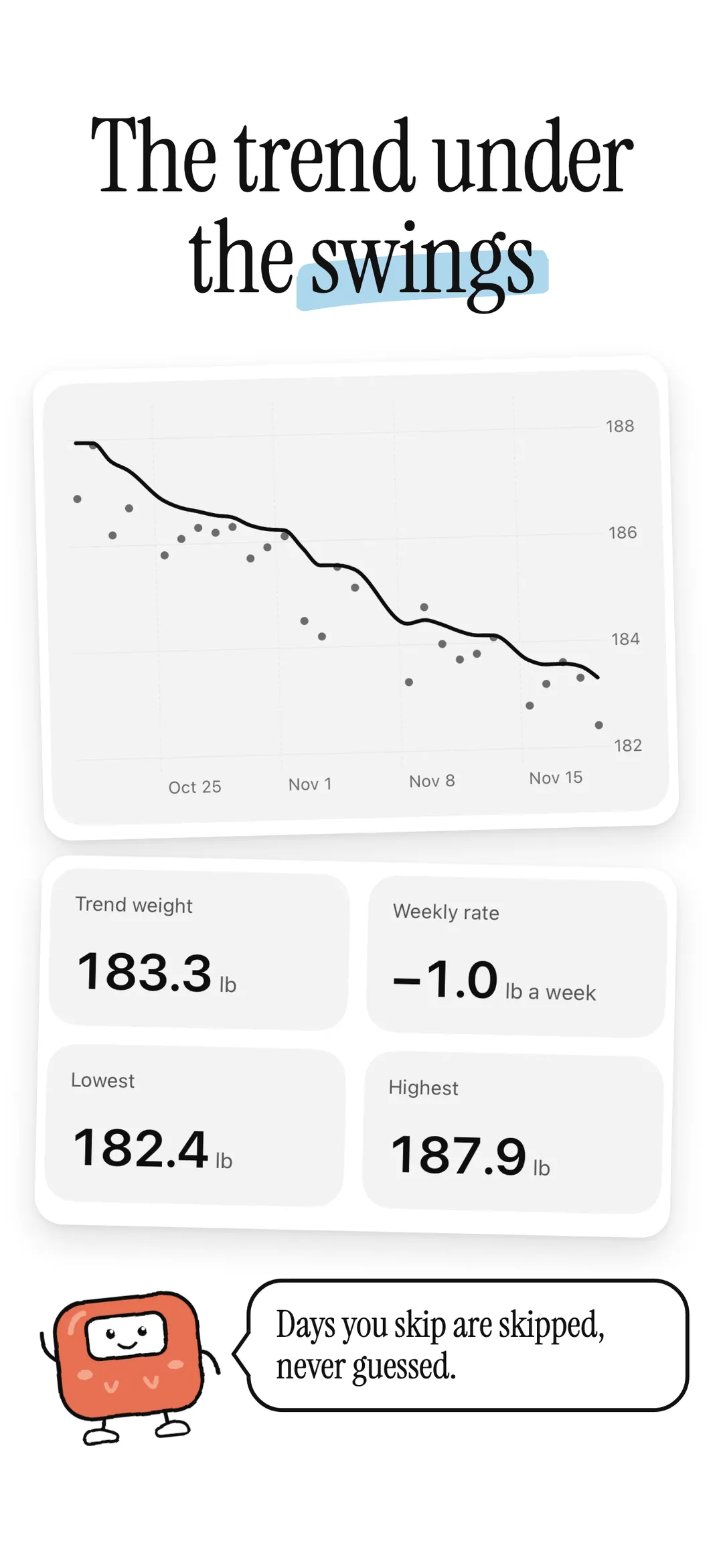
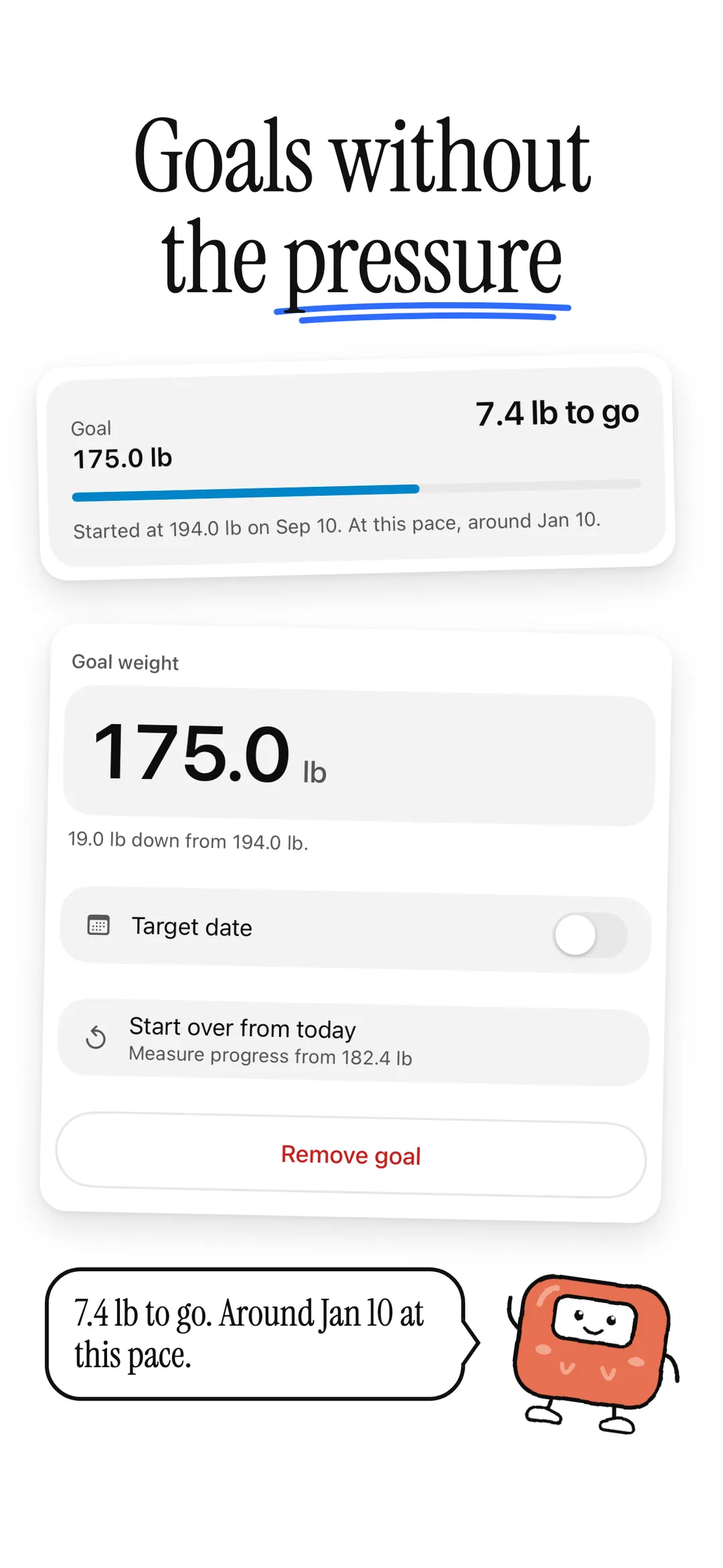
Set a goal weight, with a date if you like. Weigh Easy shows how much is left, how far you’ve come, and roughly when you’d get there at your current pace.
Alongside your weight you can log body measurements, such as waist, hips and chest, and export everything as CSV.
Private progress photos
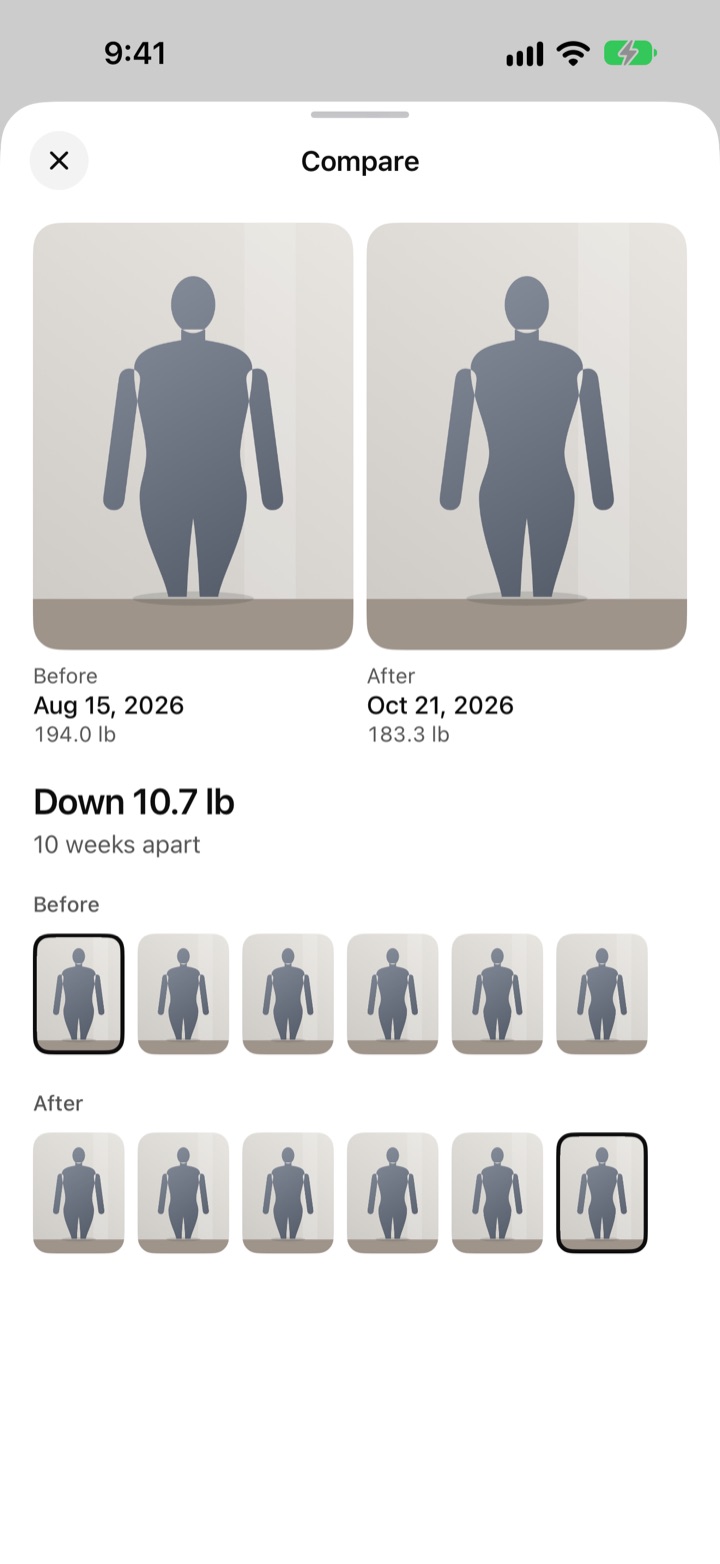
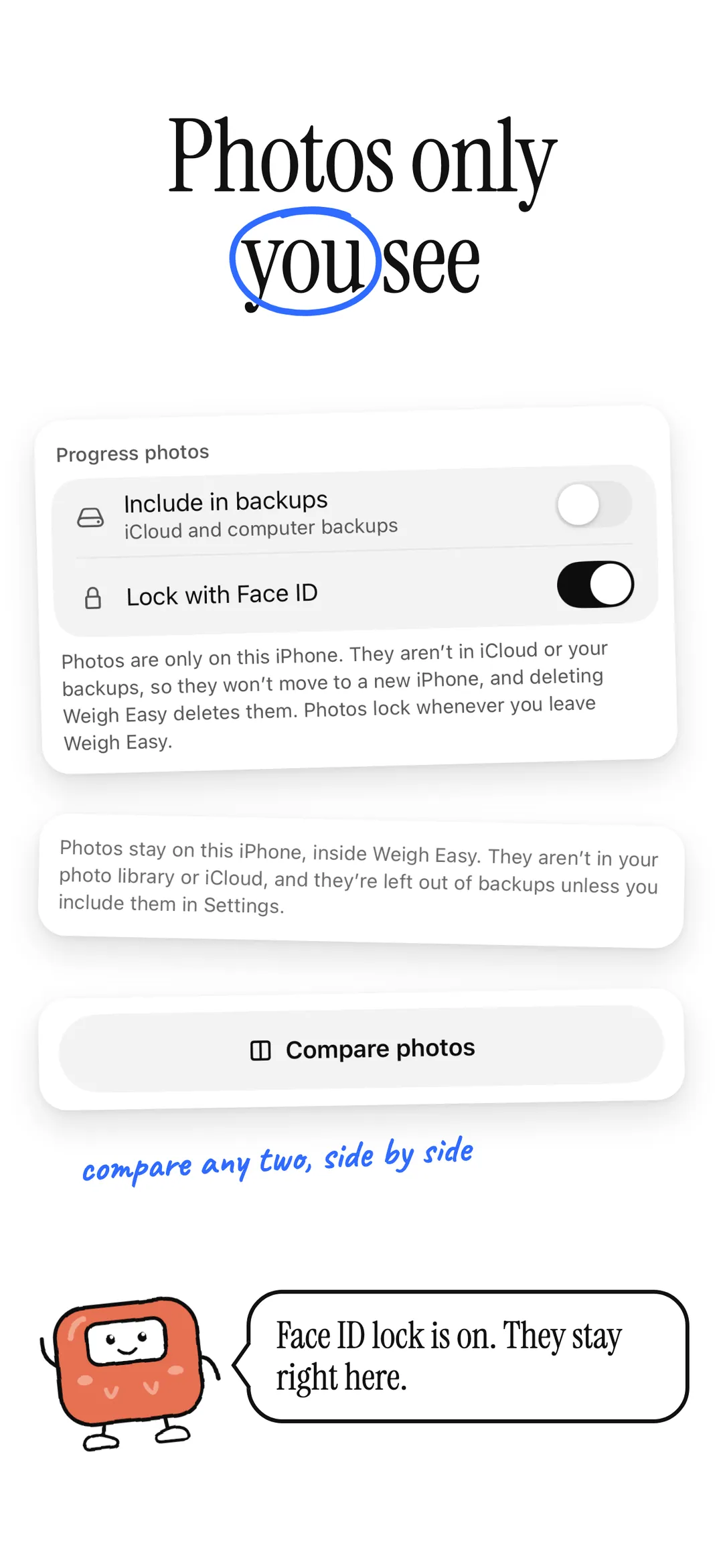
Take or add progress photos and compare any two side by side. They stay inside Weigh Easy on your iPhone or iPad: not in your photo library, not in iCloud, and left out of backups unless you choose to include them. Lock them with Face ID or Touch ID if you like.
Apple Health, Siri, Apple Watch and widgets
Link Apple Health to save your weigh-ins there as Weight, and to bring in weigh-ins from your smart scale or other apps. Only your weight is read or saved, and only if you turn it on.
Say “Log my weight in Weigh Easy” and give Siri the reading, or add the same action to a shortcut that runs after you step off your scale. Add a weigh-in from your wrist by turning the Digital Crown, and see your latest weight, trend and goal in widgets, on the Lock Screen too. On iPad, Today sits beside your history with a bigger chart, and it works in Split View, Stage Manager and every orientation.
Why we made Weigh Easy
Weight is personal, and a chart full of daily swings can make it feel noisier than it is. Weigh Easy keeps the numbers you give it, draws the trend underneath them, and keeps all of it on your device. Anonymous diagnostics help fix problems; they never include your weights, goals, measurements or photos, and you can turn them off in Settings.
Weigh Easy is a log and a chart, not medical advice. For questions about your weight or health, ask a doctor, not a chart. It’s free with nothing to unlock, and if it helps you see your trend, you can leave a one-time tip in Settings.
Get Weigh Easy free on the App Store Screenshots, FAQ and privacy for Weigh Easy