MACRO TRACKER
Log a meal in one line.
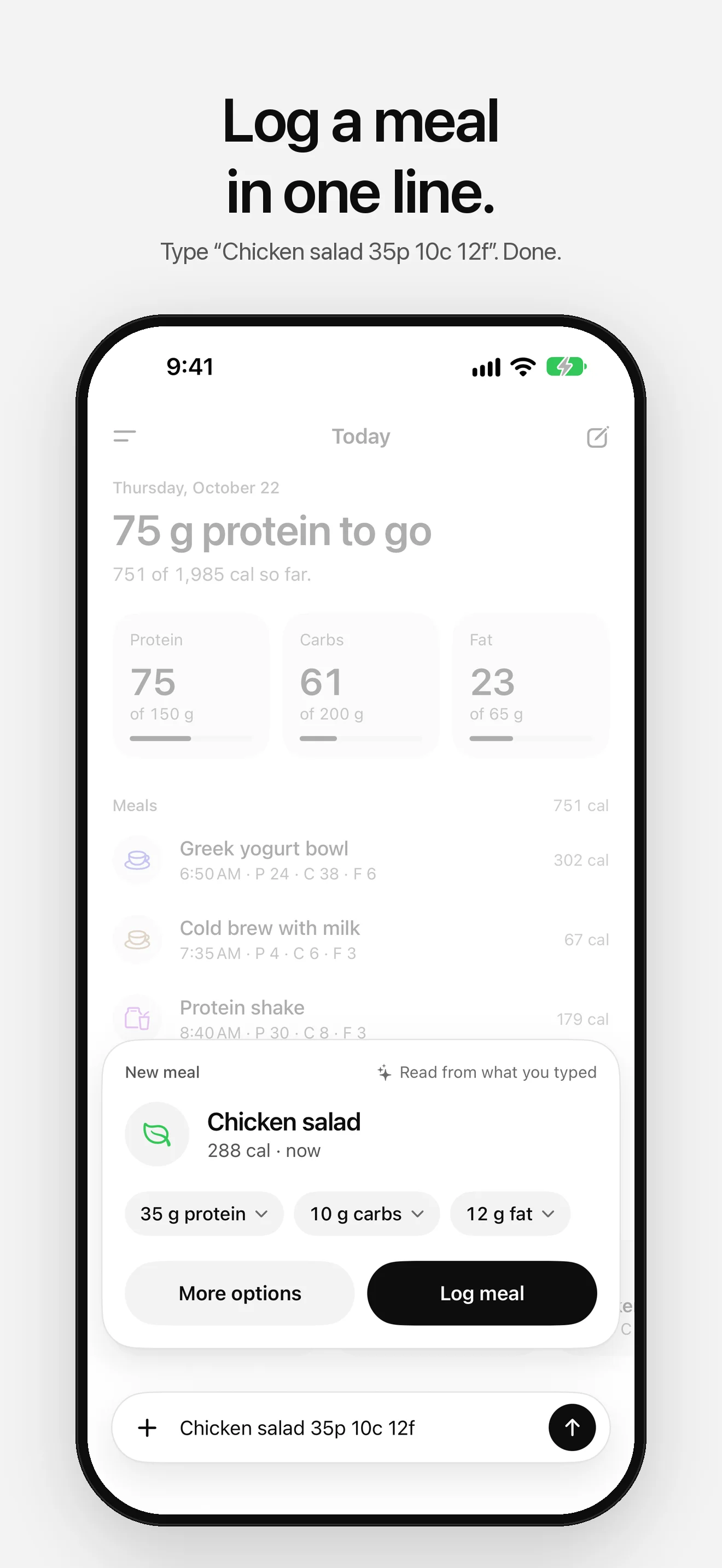
Type “Chicken salad 35p 10c 12f” and it’s logged. Macro Easy shows what’s left of today’s protein, carbs and fat, and a flag lights up as you reach each target. Ink on paper, with color only where it means something.

See it in action.
-
01 — Today -
02 — Quick add -
03 — History -
04 — Food search -
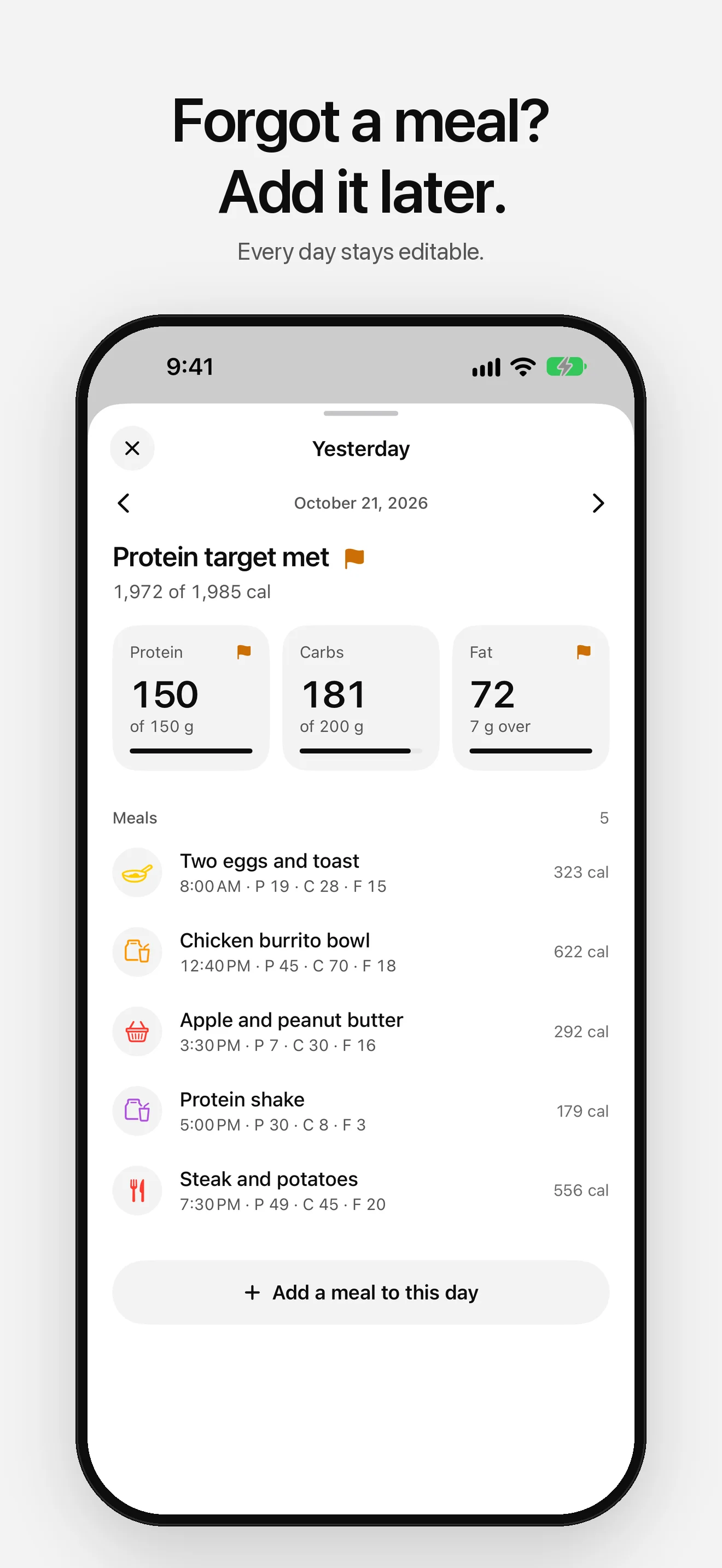
05 — Any day -
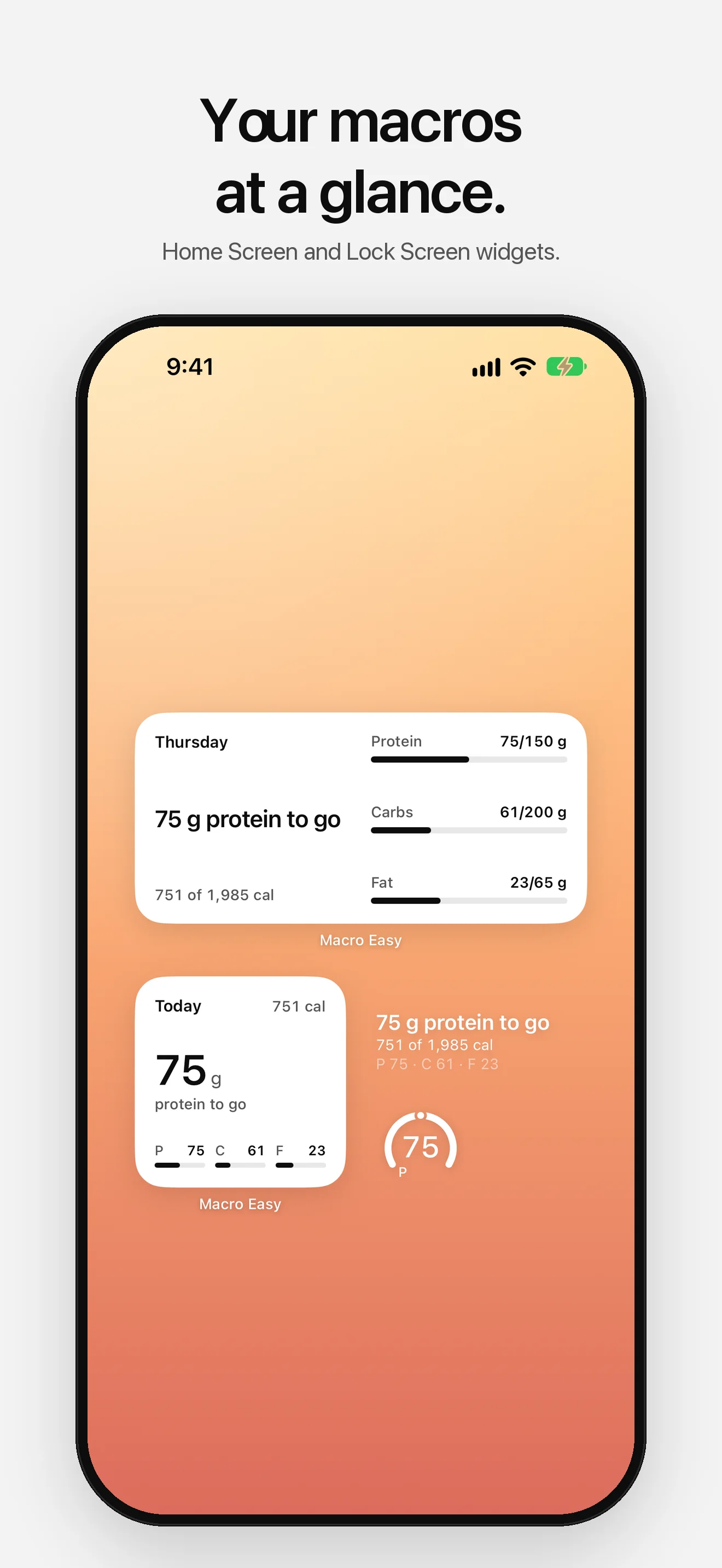
06 — Widgets -
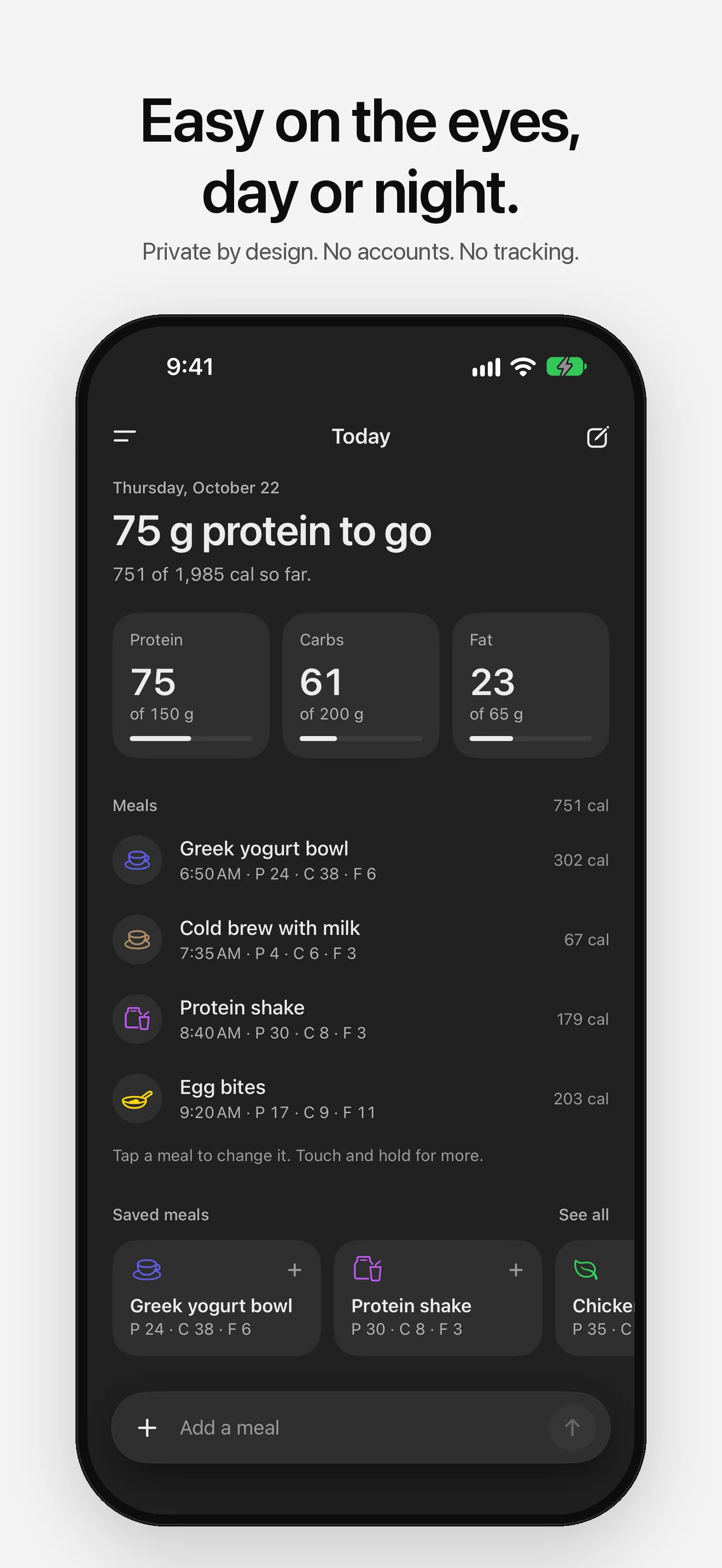
07 — Dark Mode
Fewer taps, same numbers.
- 01
Type It Once
Write a meal the way you'd say it: “Chicken salad 35p 10c 12f”. Macro Easy reads the name and the grams on your iPhone and shows a card to check before anything is logged.
- 02
Know What's Left
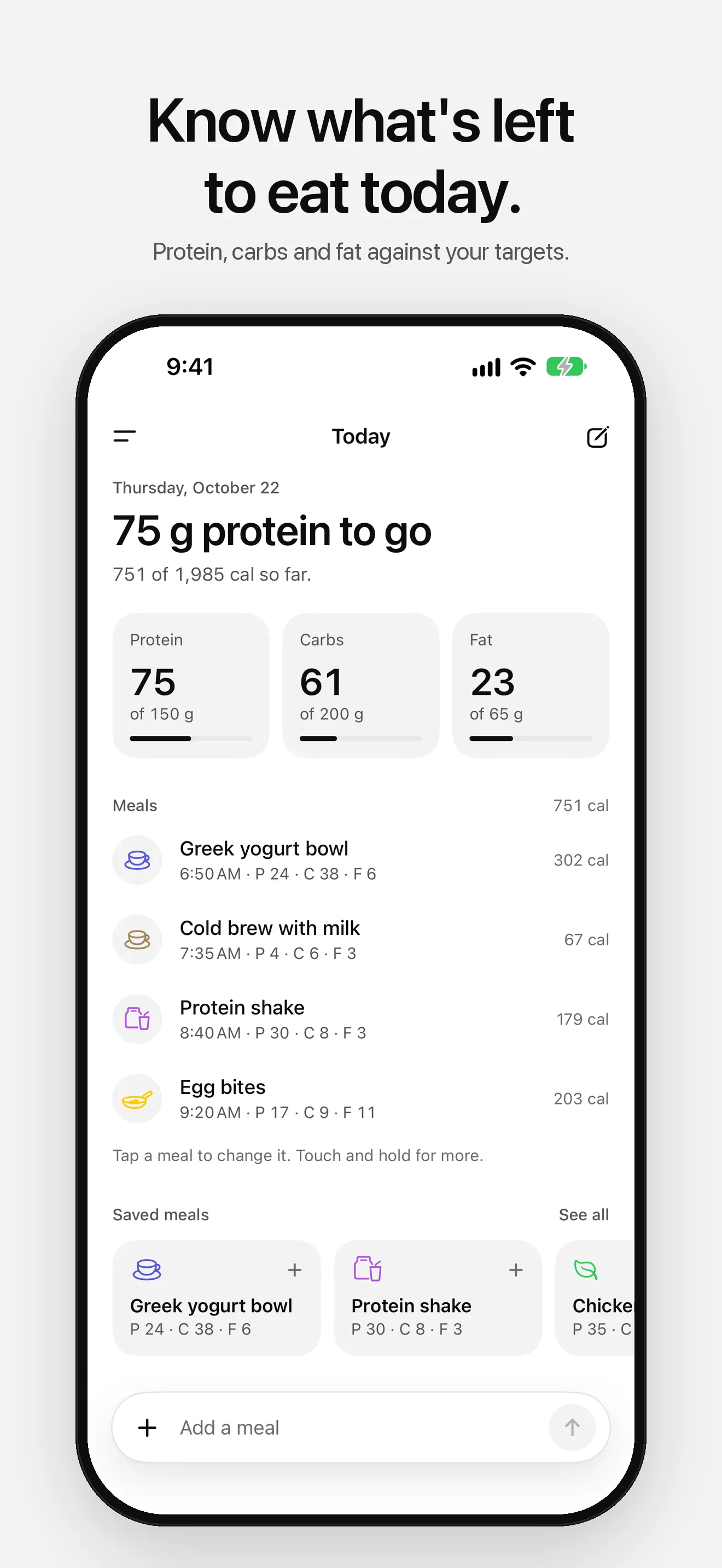
Today leads with what matters, like “75 g protein to go”. Protein, carbs and fat sit against your daily targets, and a flag lights up as you reach each one.
- 03
Saved Meals
Save the meals you eat often. They sit on Today, in the menu and in search, ready to log again in two taps.
- 04
USDA Food Search
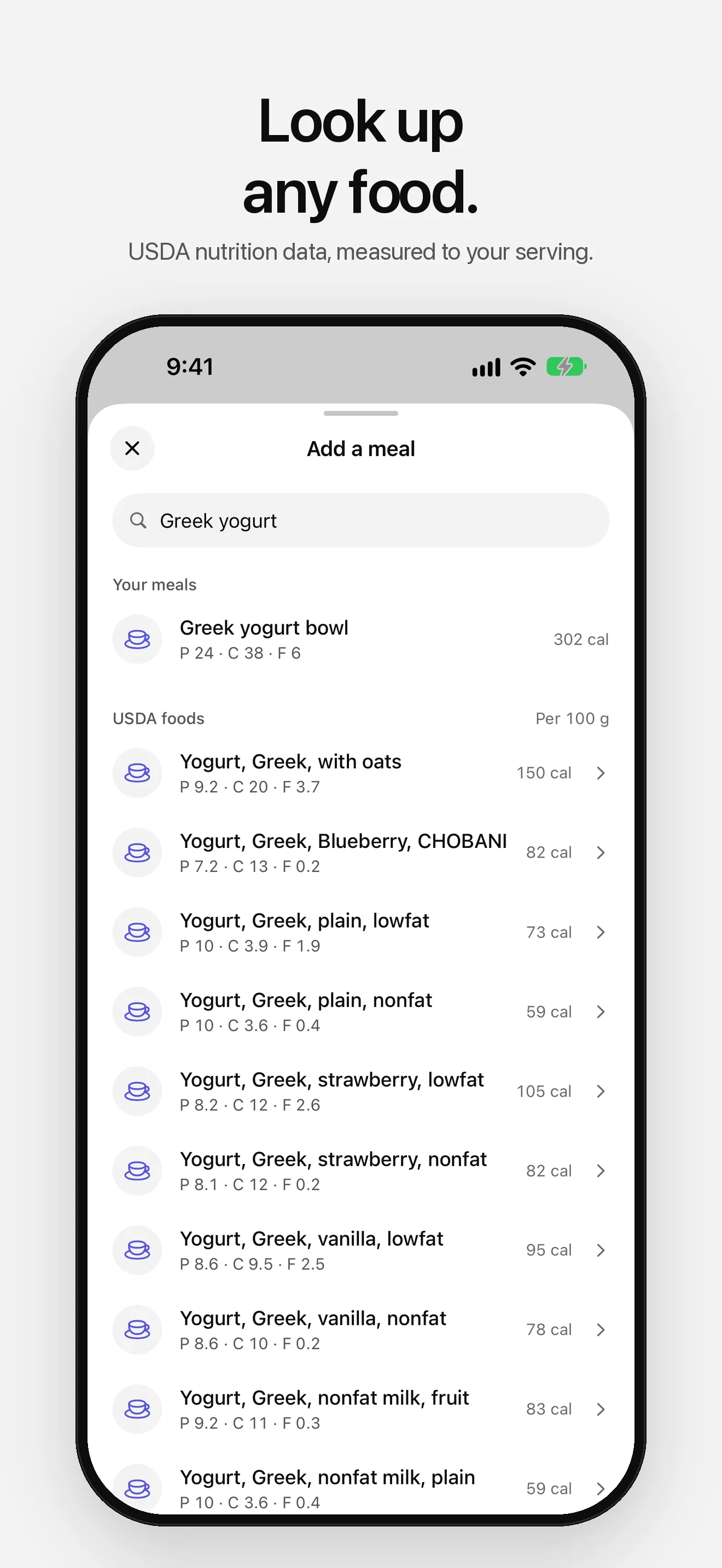
Look up a food in USDA FoodData Central, pick a serving or type the grams, and Macro Easy works out the macros for that amount.
- 05
History
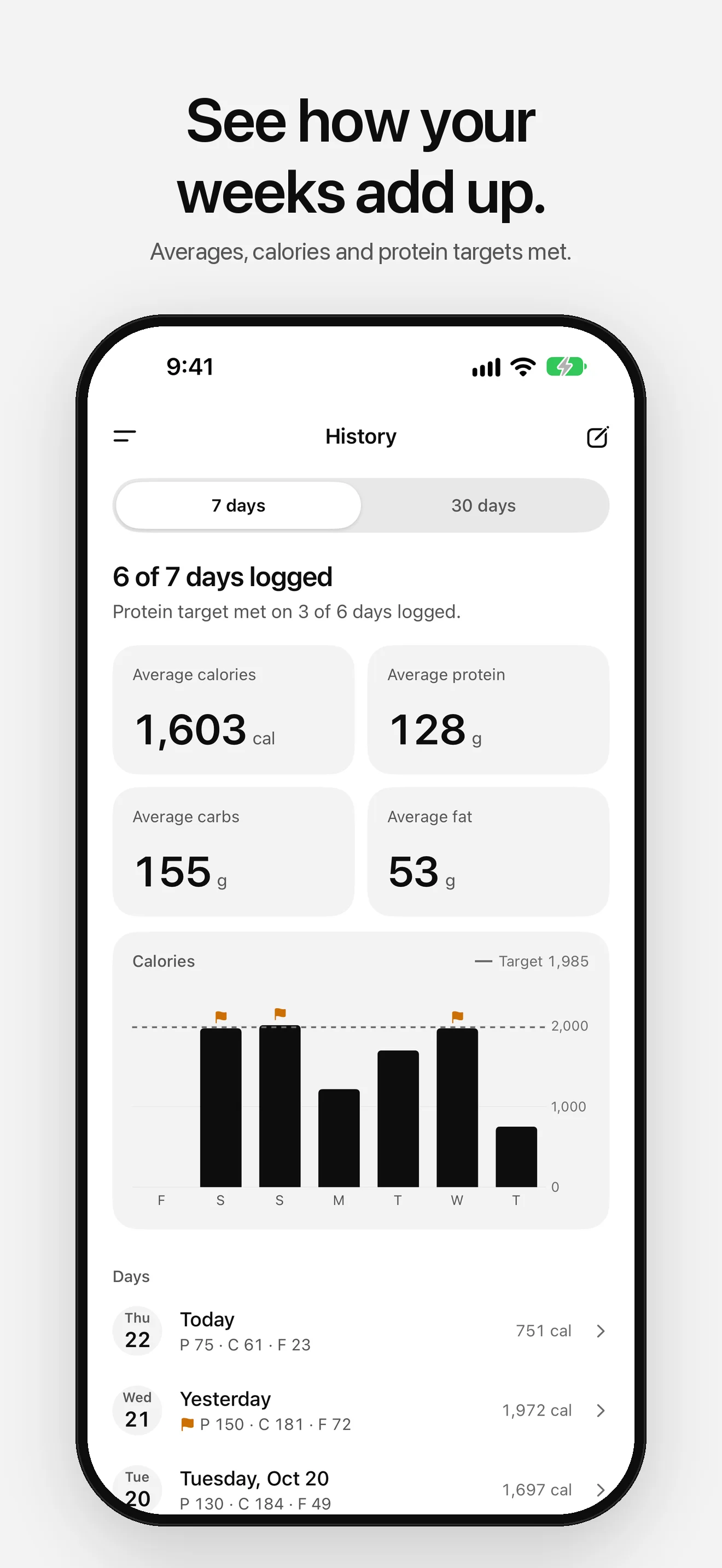
Calories per day against your target, your averages, and how often you met your protein target. Open any day to fix a meal or add one you forgot.
- 06
Apple Health, Widgets and Siri
Turn on Apple Health and every meal is saved there too. Home Screen and Lock Screen widgets show today at a glance, and Siri can log a meal for you.
Set it up your way.
- 01
Your Targets
Set the grams of protein, carbs and fat you aim for. Calories add up from them on their own.
- 02
Your Accent
Pick one of eight accents for the flags. It sets the app icon too, with dark and tinted versions, and the widget.
- 03
Day or Night
Follow your iPhone or pick Light or Dark. After dark, choose soft Graphite or true OLED Black.
Your meals stay yours.
No accounts, no ads, no tracking. Your meals stay on your iPhone. Food search sends only the words you type to USDA FoodData Central, and Apple Health gets your meals only if you turn it on. Anonymous diagnostics (crash reports and which screens you use, never your meals or searches) help fix problems, and you can turn them off in Settings.
Read the full privacy policyStart logging in one line.
Coming soon to the App Store. No account required.


