BILL SPLITTER
Split the check to the cent.
Enter the bill, add tax and tip, and see what everyone owes as you type. The shares always add up to the total. No sign-up, no ads, no data collection.

See it in action.
-
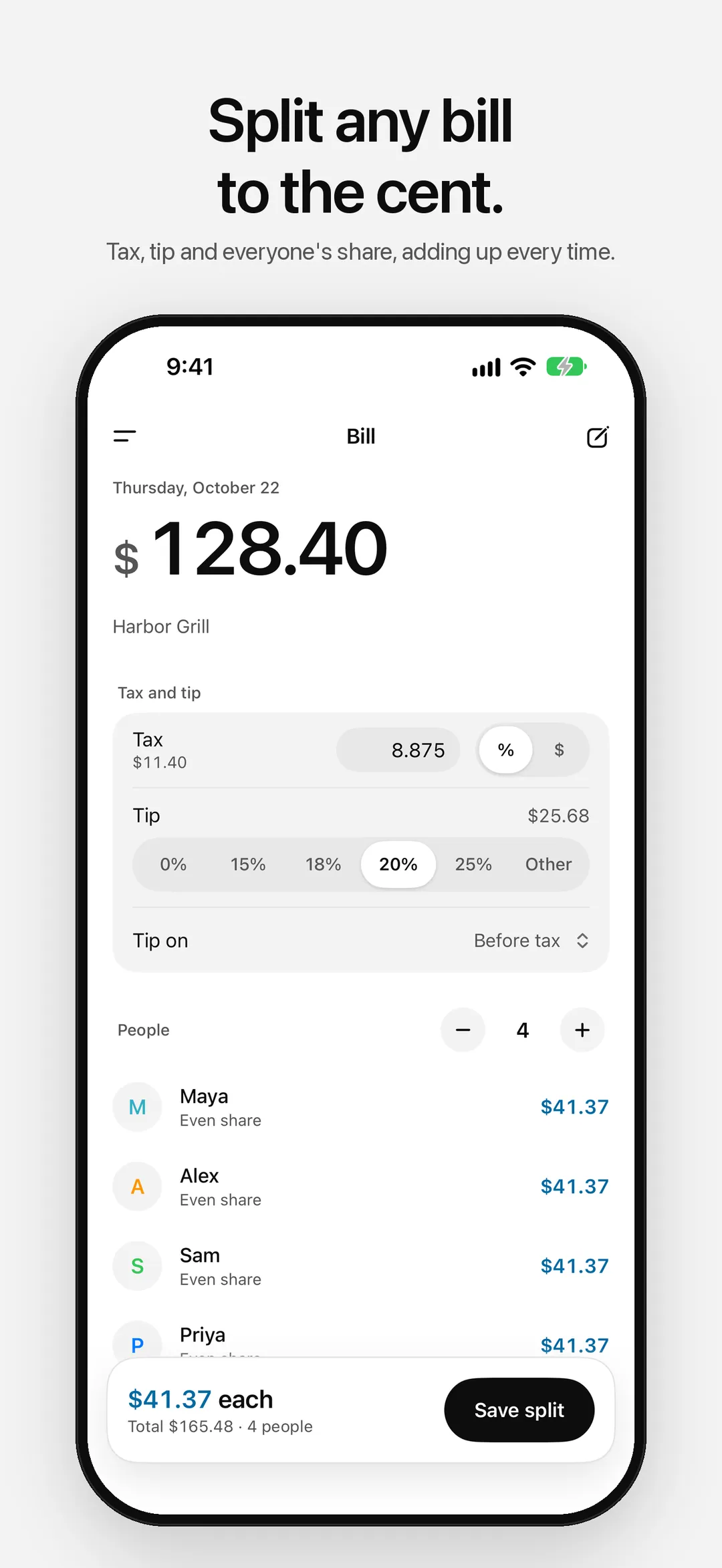
01 — The Bill -
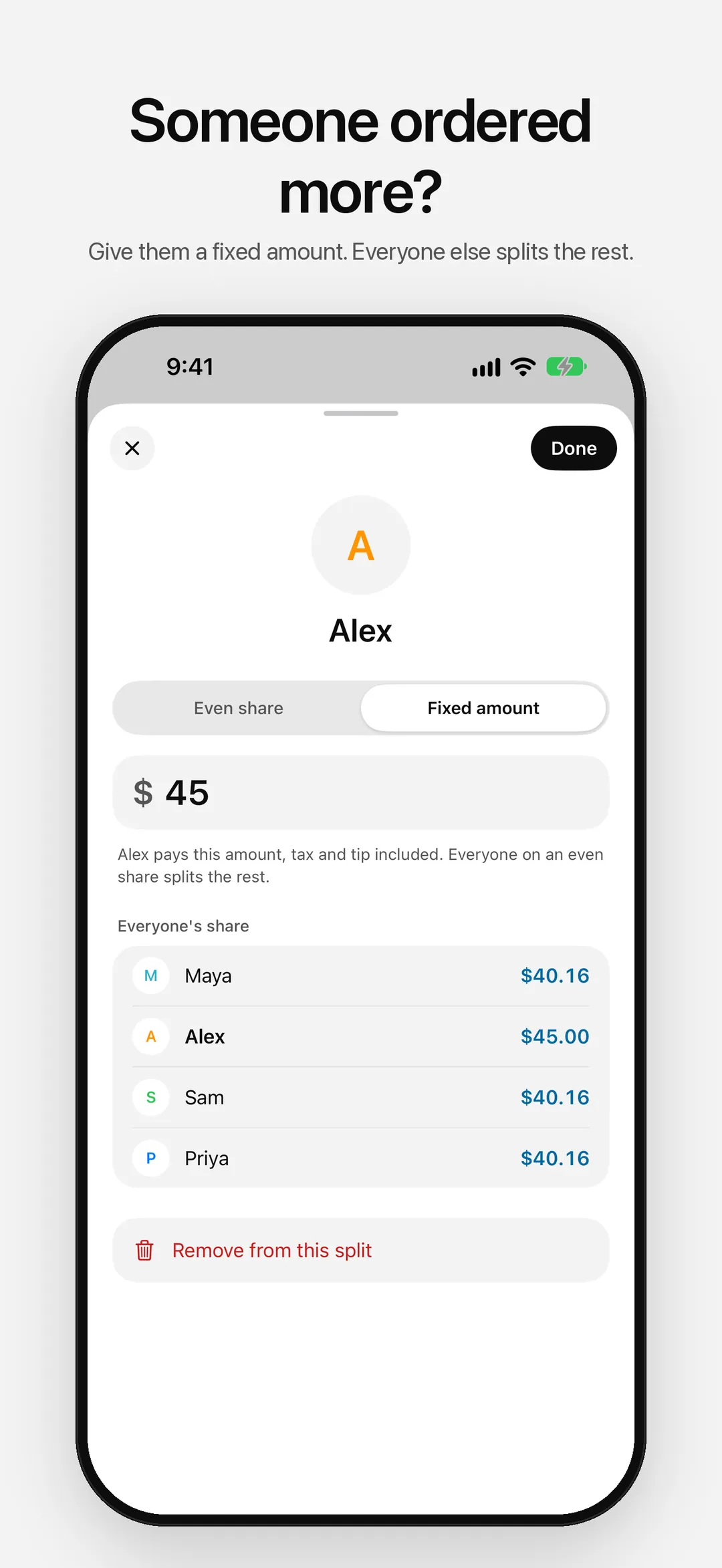
02 — Fixed Amounts -
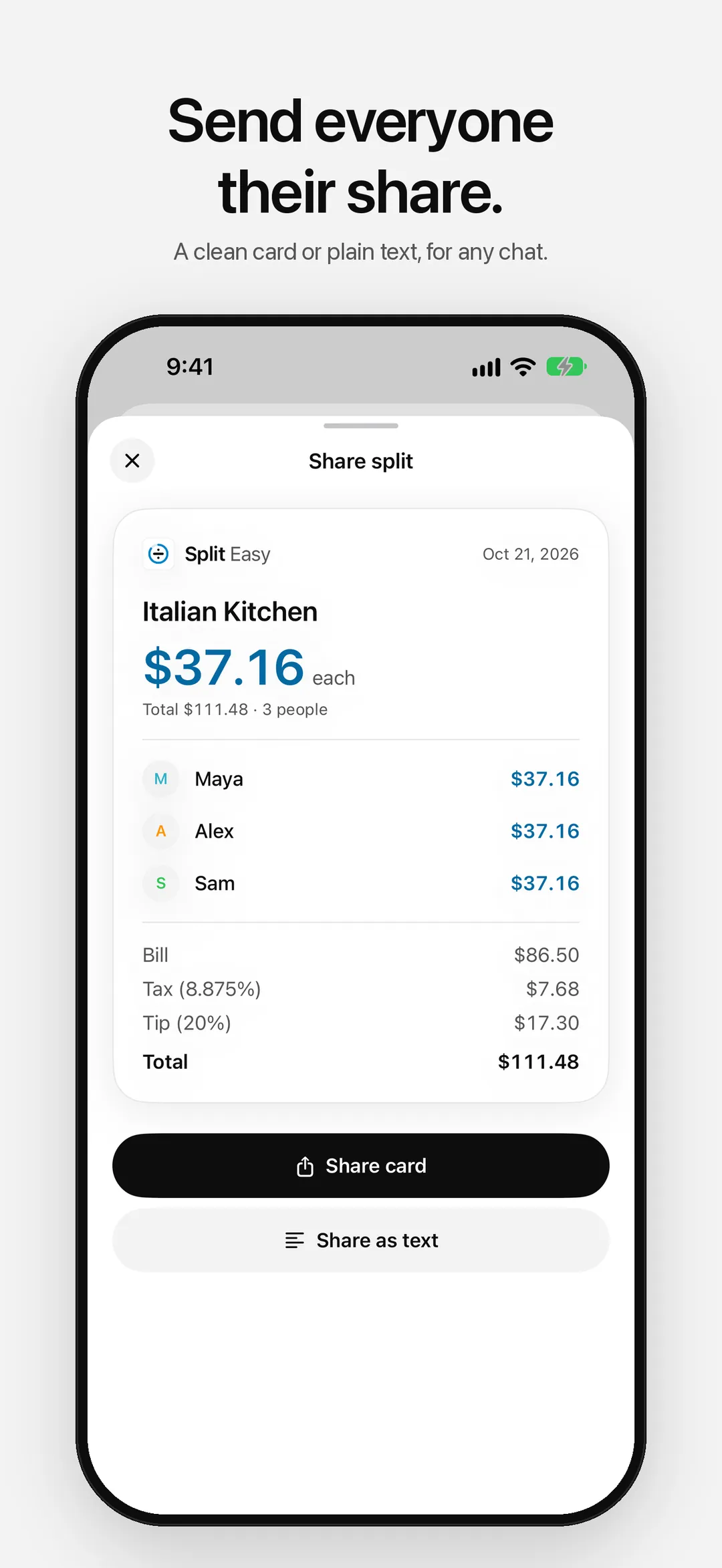
03 — Share Card -
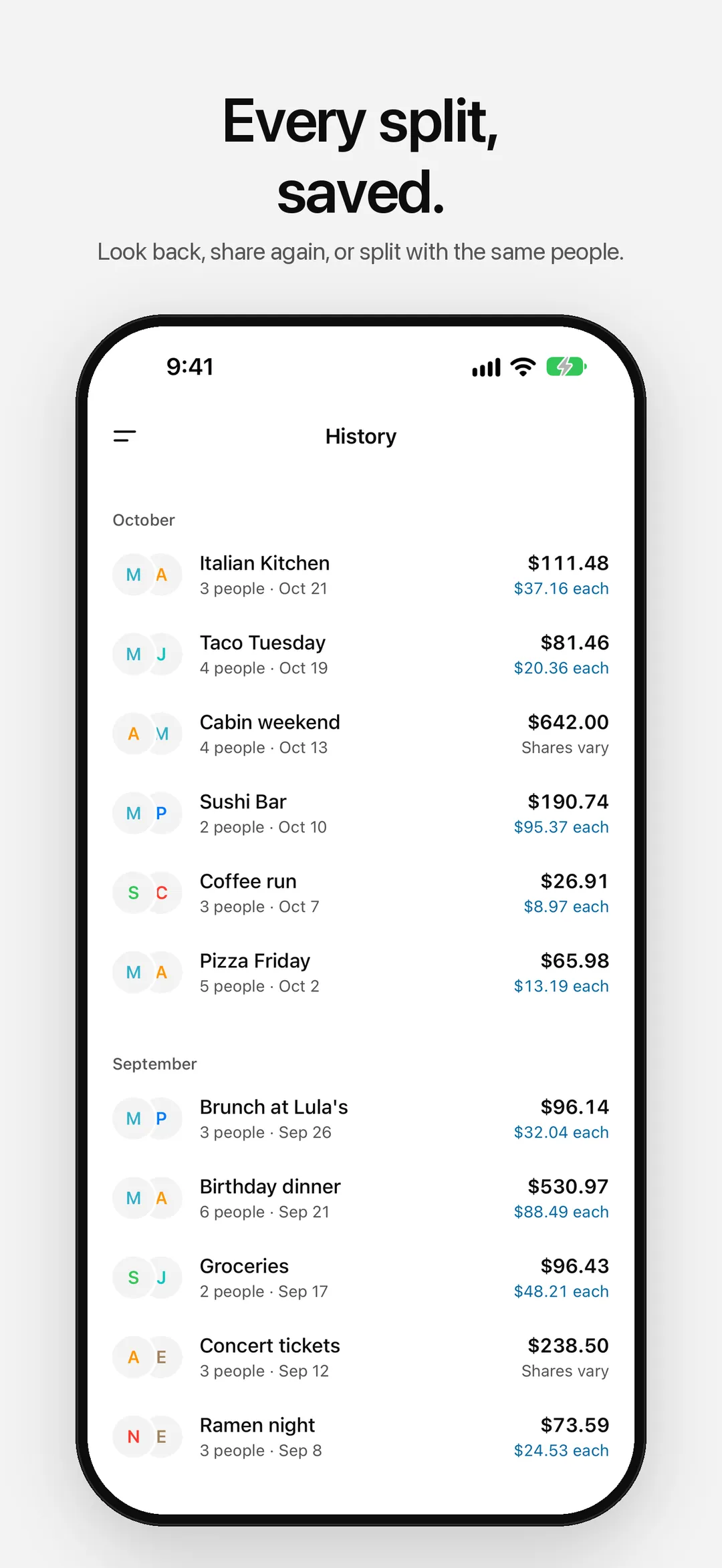
04 — History -
05 — People -
06 — Widgets -
07 — Dark Mode
Fair shares, fast.
- 01
Tax and Tip, Your Way
Enter tax as a rate or as the amount on the receipt. Pick a tip or set your own, on the bill before tax or with tax included.
- 02
Shares That Add Up
Every amount is rounded to the cent, and a leftover cent goes to the first person, so the shares always match the total.
- 03
Uneven Splits
Someone ordered more? Give them a fixed amount and everyone else splits the rest. You see everyone's share before you save.
- 04
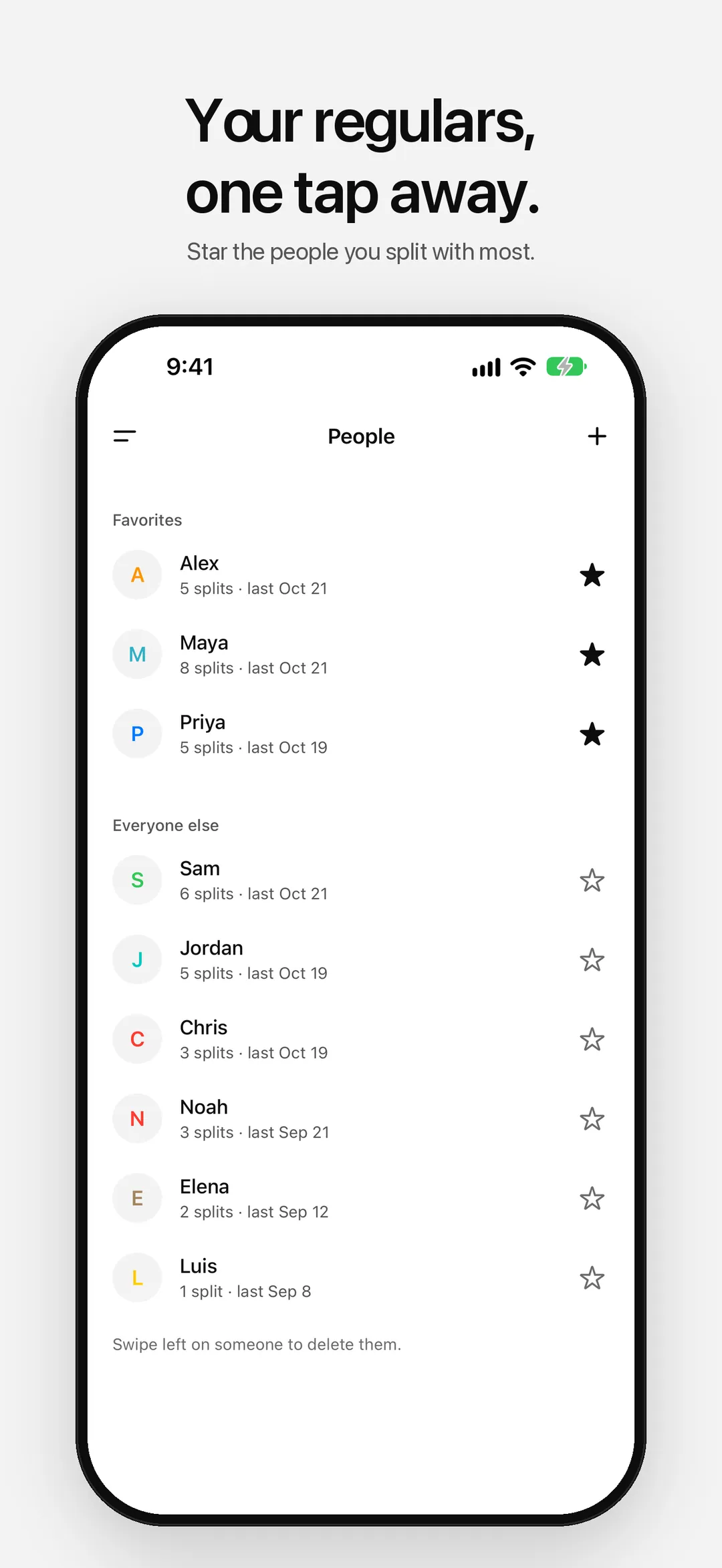
People and Favorites
Names you use are saved, and your favorites come first when you add people to a bill.
- 05
History
Every split is saved with everyone's share. Share it again, or start a new bill with the same people in a tap.
- 06
Share Card
Send a clean card or plain text to the group chat, with each person's share and the bill behind it.
- 07
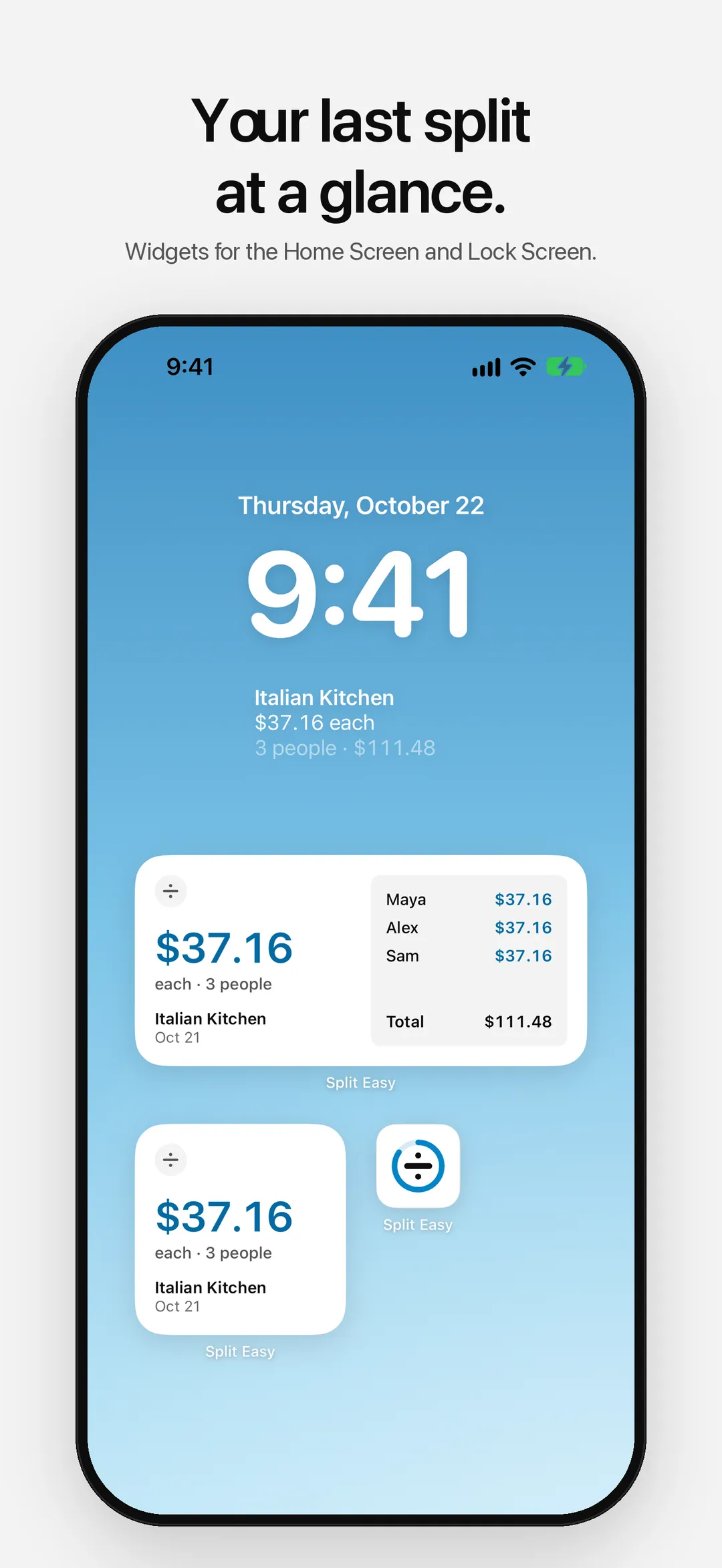
Widgets
Your last split on the Home Screen or the Lock Screen: what each person paid, at a glance.
- 08
Any Currency
Dollars, euros, yen, dinars and more, each with the right number of decimals and your region's formatting.
Set it up your way.
- 01
Your Accent
Pick one of eight accents to mark what each person pays. It sets the app icon too, with dark and tinted versions, and the widgets.
- 02
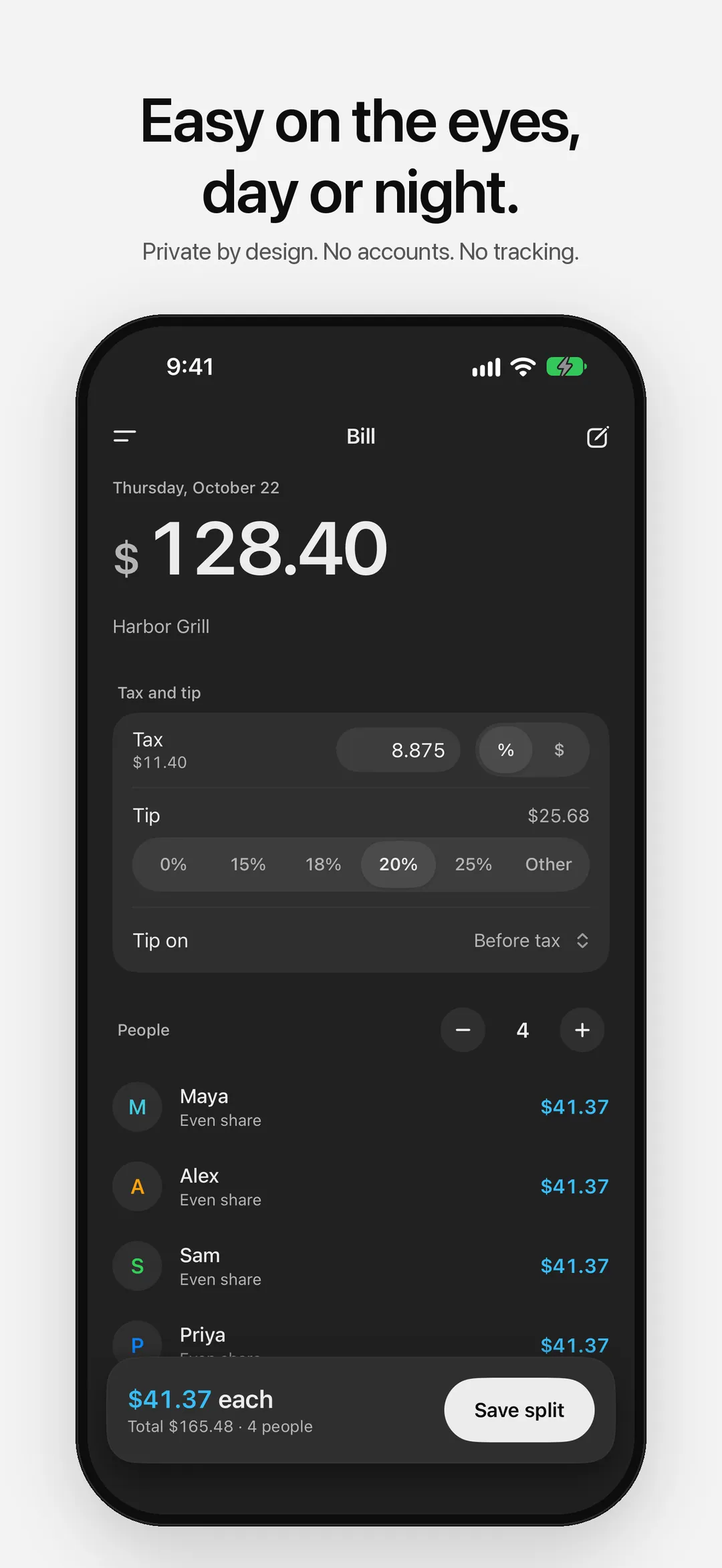
Day or Night
Follow your iPhone or pick Light or Dark. After dark, choose soft Graphite or true OLED Black.
- 03
Siri & Shortcuts
Say “Split a bill with Split Easy” to hear each share without opening the app.
Your splits stay yours.
No accounts. No ads. No tracking. No cloud sync. Your splits and the people you split with live on your device and nowhere else.
Read the full privacy policySplit the next bill.
Free on the App Store. No account required.

More apps

A daily checklist for your supplements, with reminders, streaks and a widget.

Speak naturally and get clean, ready-to-send text. Transcribed and cleaned up on your iPhone, never sent anywhere.

The classic game on a quiet board. Play the computer at three levels or a friend, with no ads.