MACRO TRACKING FOR IPHONE AND APPLE WATCH
Every bite, stashed.
A protein, carbs and fat tracker with a busy squirrel in it. Type what you ate in one line and Filbert stashes it in three little stores. The grams are always the biggest thing on the screen, and there is no good food or bad food.

Numbers first. Squirrel second.
-
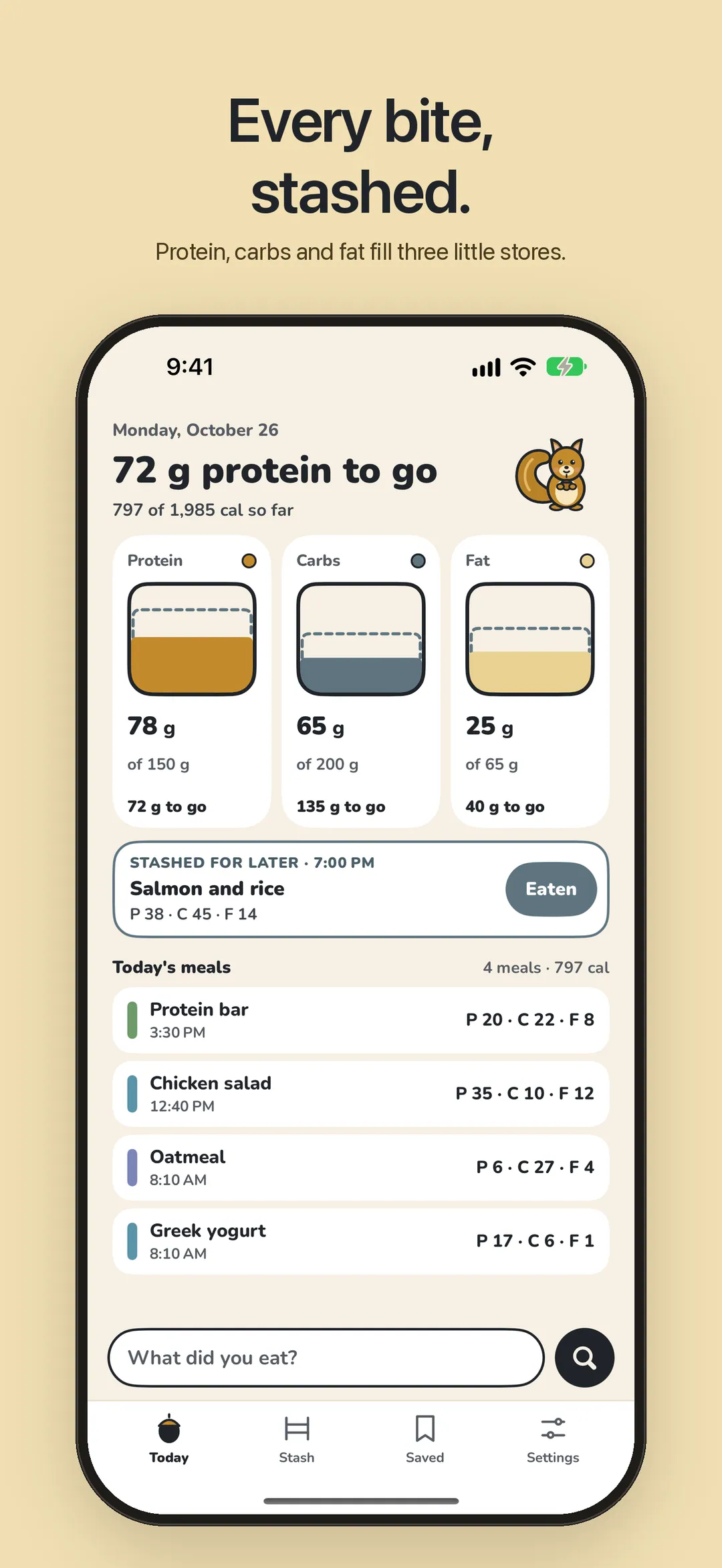
01 — Today -
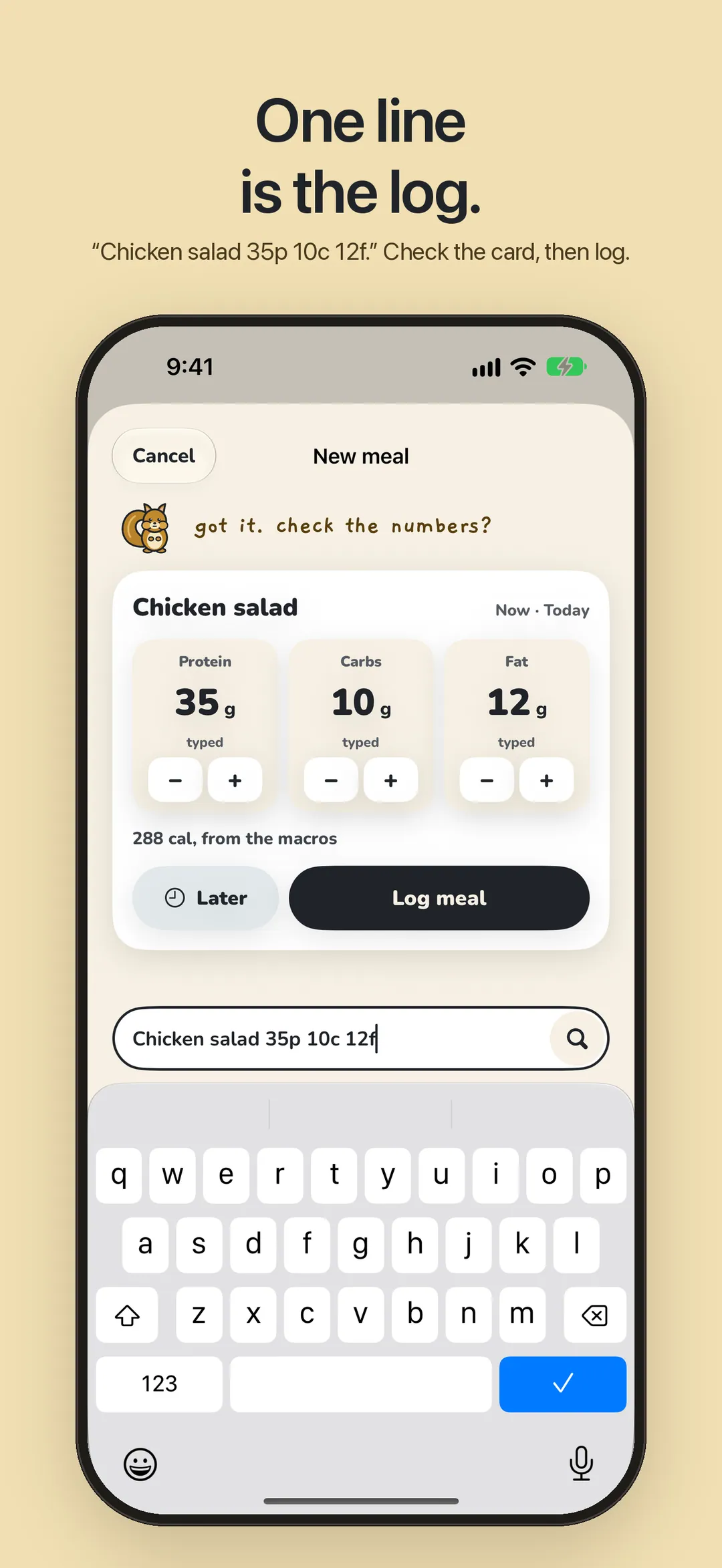
02 — One line to log -
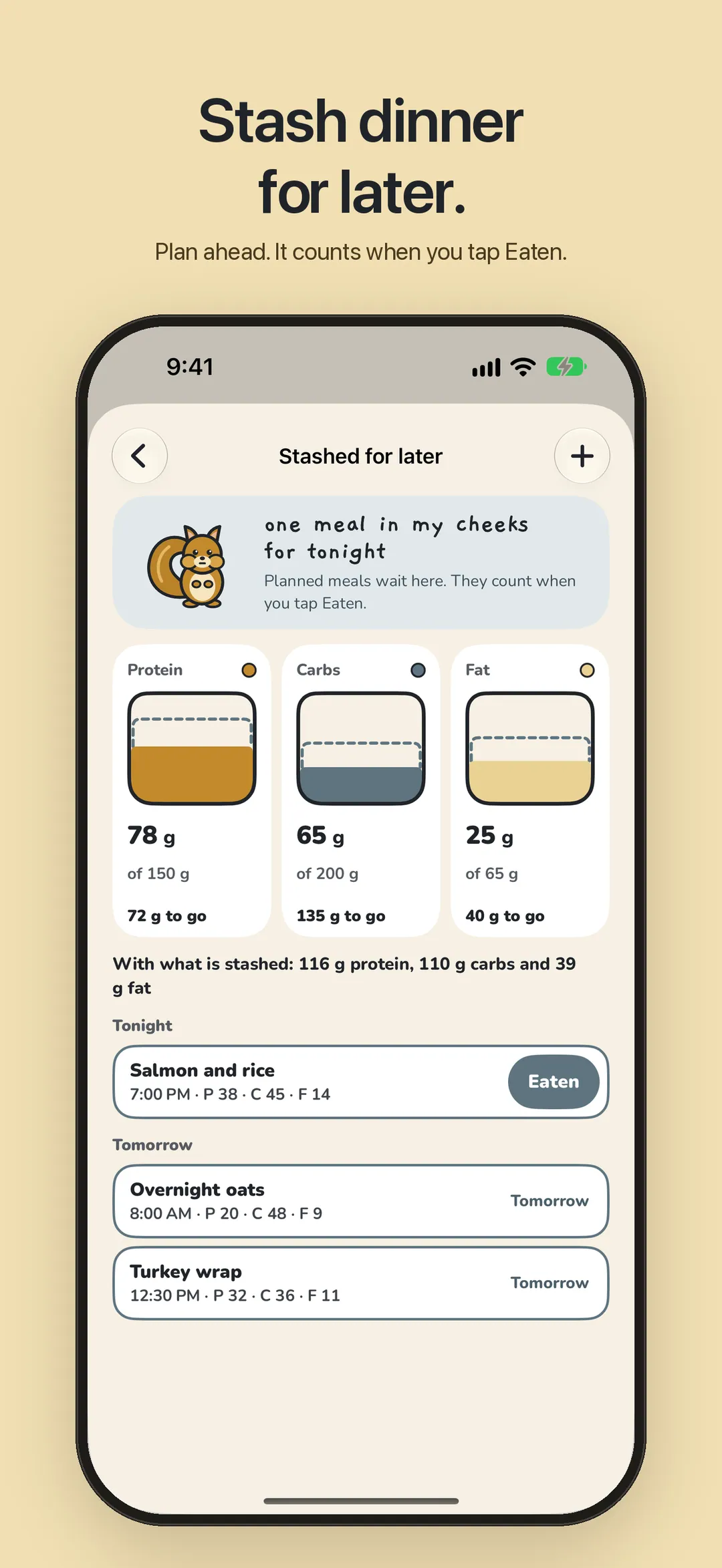
03 — Stash for later -
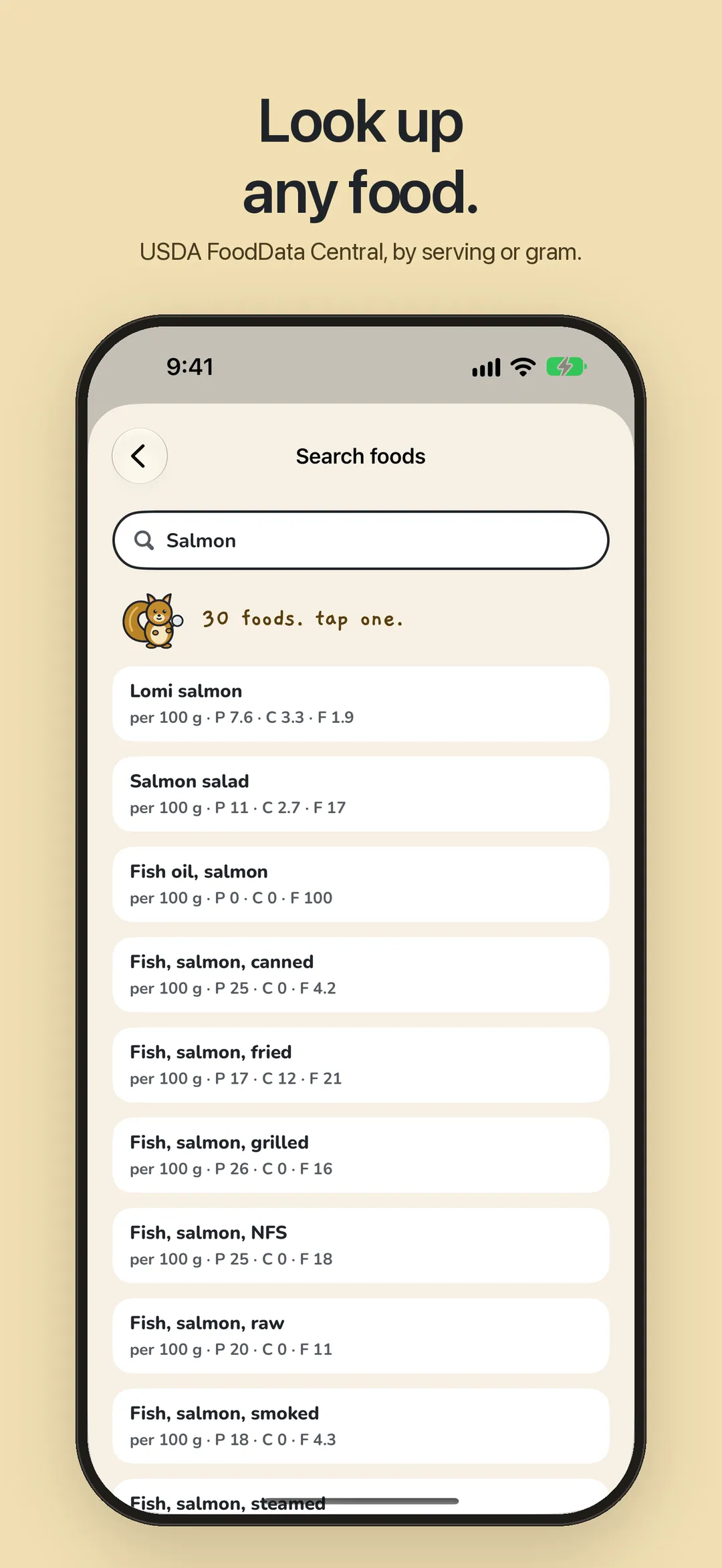
04 — Food search -
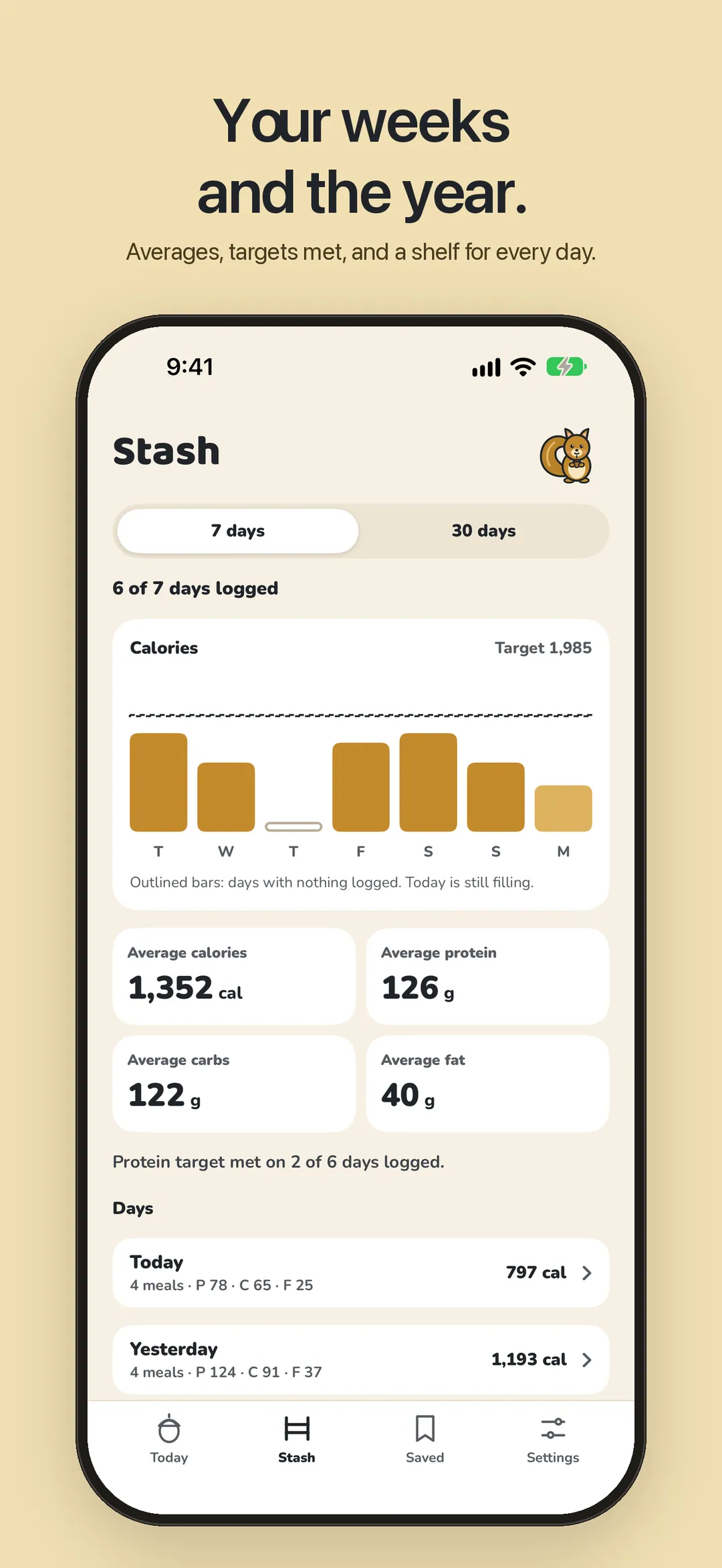
05 — Stash -
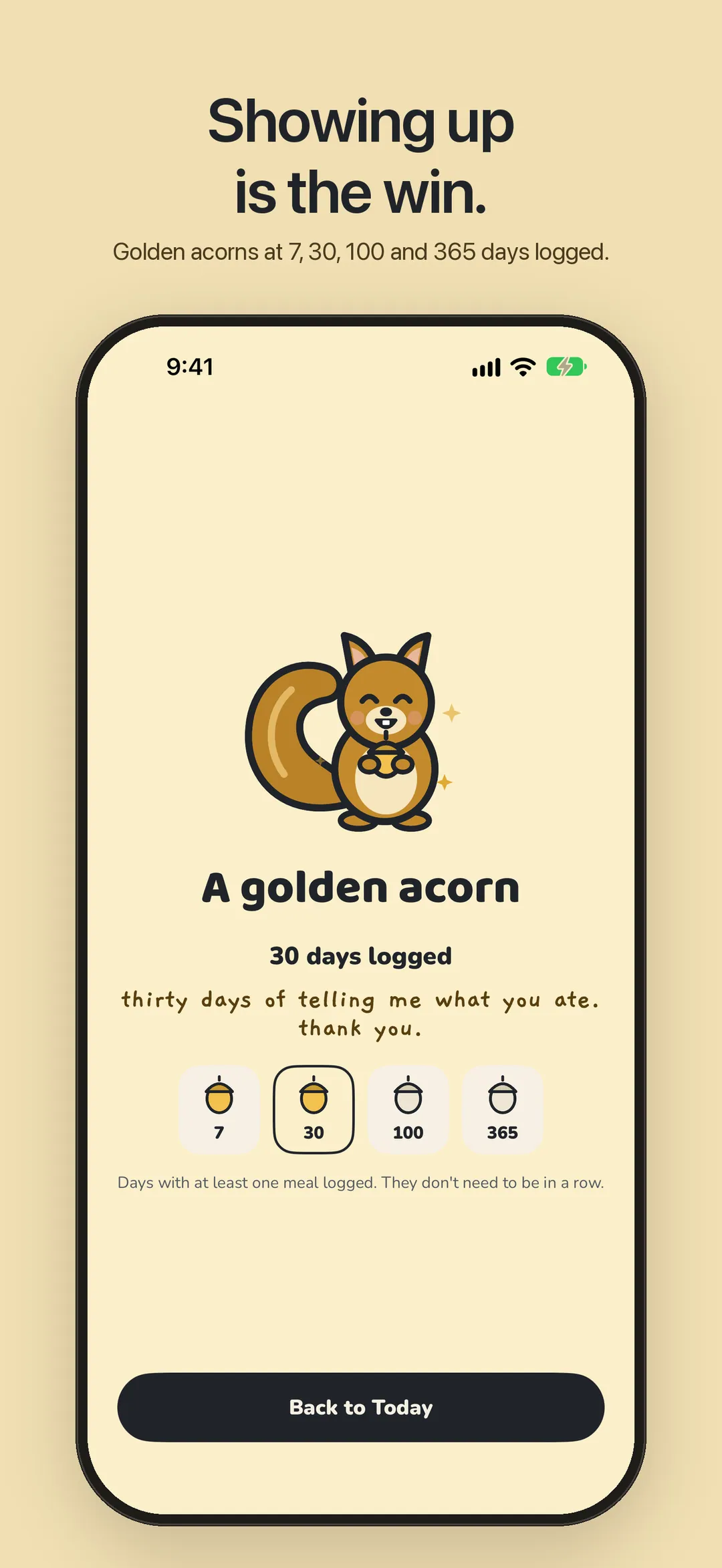
06 — Golden acorn
Say it, check it, stash it.
- 01
Type it the way you'd say it
“Chicken salad 35p 10c 12f.” Filbert reads the name and grams on your iPhone. Or search USDA FoodData Central and pick a serving.
- 02
Check the card
Nothing is logged until you say so. Nudge a number, then Log it now or stash it for later.
- 03
Watch the stores fill
Protein, carbs and fat against your targets, with what's left in plain words: “72 g protein to go”. Over is just a number.
Small paws, big stash.
- 01
One-line logging
“Chicken salad 35p 10c 12f”, “2 eggs 13p 1c 10f yesterday”. Read on your iPhone, checked on a card before it counts.
- 02
Three stores
Protein, carbs and fat against your daily targets. Calories add up from the grams on their own.
- 03
Stash for later
Plan dinner at lunch. It waits in Filbert’s cheeks, shows as a dotted line in the stores, and counts when you tap Eaten.
- 04
Saved meals
The meals you eat often, most used first. Two taps from Today, Siri or your wrist.
- 05
Look up any food
USDA FoodData Central, with servings or exact grams. Filbert does the maths.
- 06
Your weeks and the year
Calories per day against your target, average grams, how often you met protein, and the year as shelves of days.
- 07
Golden acorns
At 7, 30, 100 and 365 days logged. Days, not streaks: miss one and nothing resets.
- 08
Apple Watch
The three stores at a glance, saved meals in one tap, stashed meals marked eaten.
- 09
Widgets and Siri
Home Screen, Lock Screen, StandBy and Control Center. “Log a meal” and “Today’s macros” in Shortcuts.
- 10
Apple Health
If you turn it on, each meal is saved as protein, carbohydrates, total fat and dietary energy. Filbert never reads your Health data.
- 11
Yours to keep
Export every meal, saved meal and target as JSON or CSV any time, from Settings.
Private by design.
No account. No analytics. No ads. Your meals stay on your iPhone and Apple Watch. Food search sends only the words you type to USDA FoodData Central.
Read the privacy policyFree, with a tip jar.
Day and Night appearances, and four app icons.
Everything is free. Settings has four optional one-time tips, from an acorn to a winter store. They unlock nothing.
Filbert is for everyday nutrition tracking. It isn't medical advice; talk to a dietitian or doctor about the targets that are right for you.
Tell Filbert what you ate.
Free, coming to the App Store soon. No account required.
More apps

A fasting timer that shows your day as one ring, with a Live Activity and widgets. Try it free for a week.

Guided breathing with a calm visual guide and a tap at each breath. Apple Watch and Apple Health.

A private daily mood check-in with a Year in Pixels, widgets and an Apple Watch app.