FEVER LOG FOR IPHONE AND APPLE WATCH
Here till morning.
A temperature log for the whole family, with a friend in it. Mitts, a small penguin in a scarf, keeps you company at 3am while you look after someone. Log every reading, the thermometer and the medicine, and see plainly when the guidance is to call your doctor.

It depends on the thermometer, and on age.
- 01
The published line
Mitts uses the published line for each way of taking a temperature, from Seattle Children's Hospital.
- 02
When to call changes with age
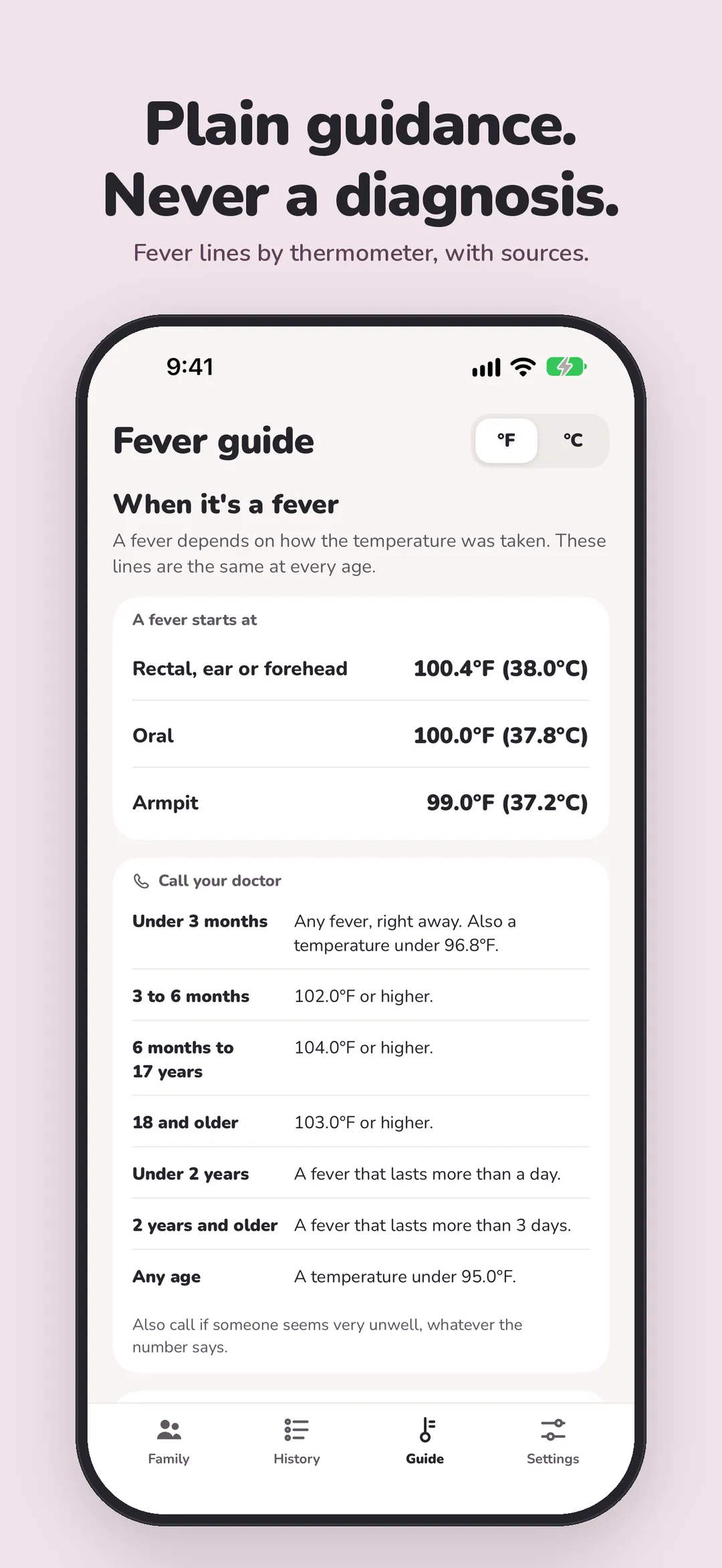
From the American Academy of Pediatrics and Mayo Clinic: any fever under 3 months, and different lines as children grow.
- 03
Never a diagnosis
Mitts doesn't diagnose and isn't medical advice. Call your doctor if you're worried, and call emergency services for an emergency.
For the 3am shift.
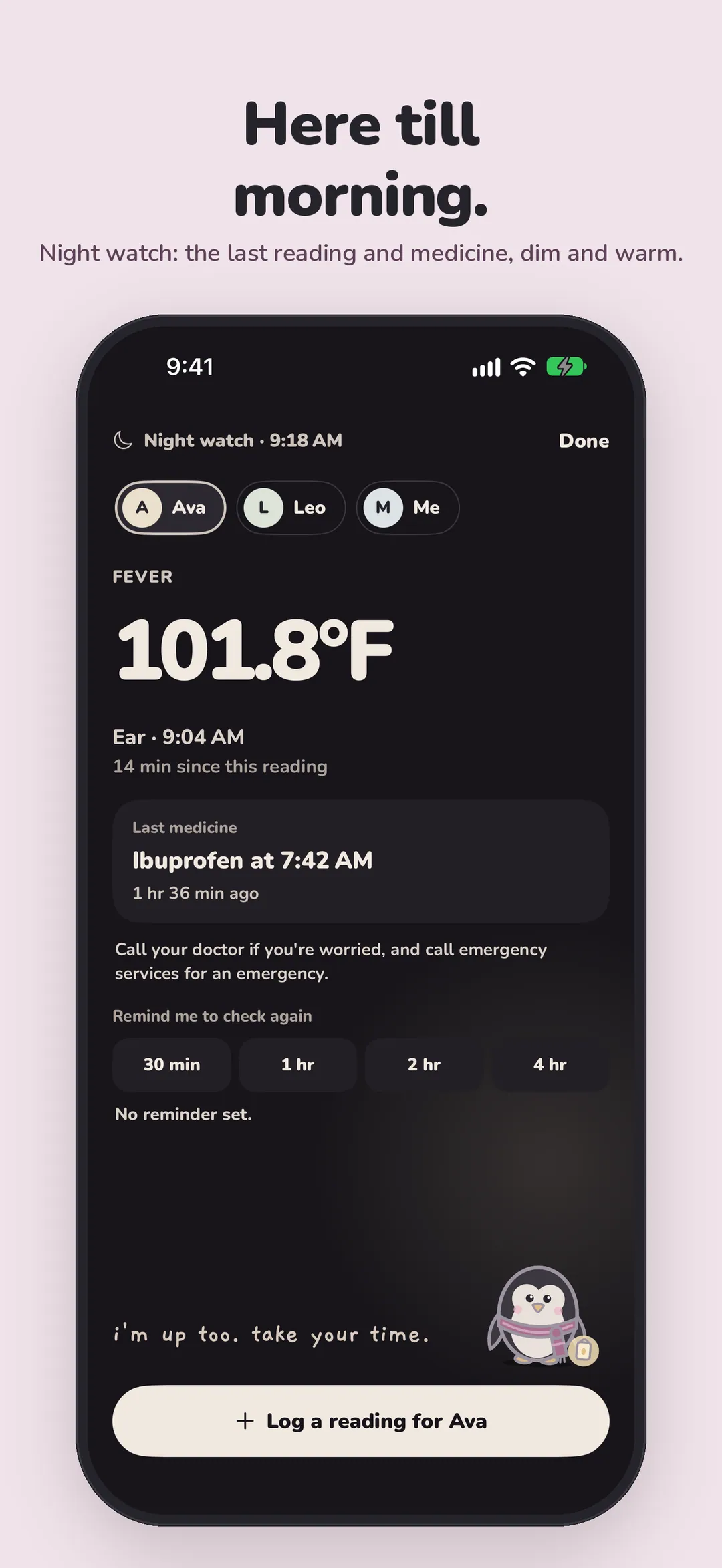
A warm, dim screen with one big number: the last reading, how long ago it was, and the last medicine and when you gave it. Set a soft reminder to check again, and it follows you to the Lock Screen, the Dynamic Island and your Apple Watch.
The numbers come first.
-
01 — Family -
02 — Night watch -
03 — New reading -
04 — Person -
05 — History -
06 — Fever guide -
07 — Hello
Everything a long night needs.
- 01
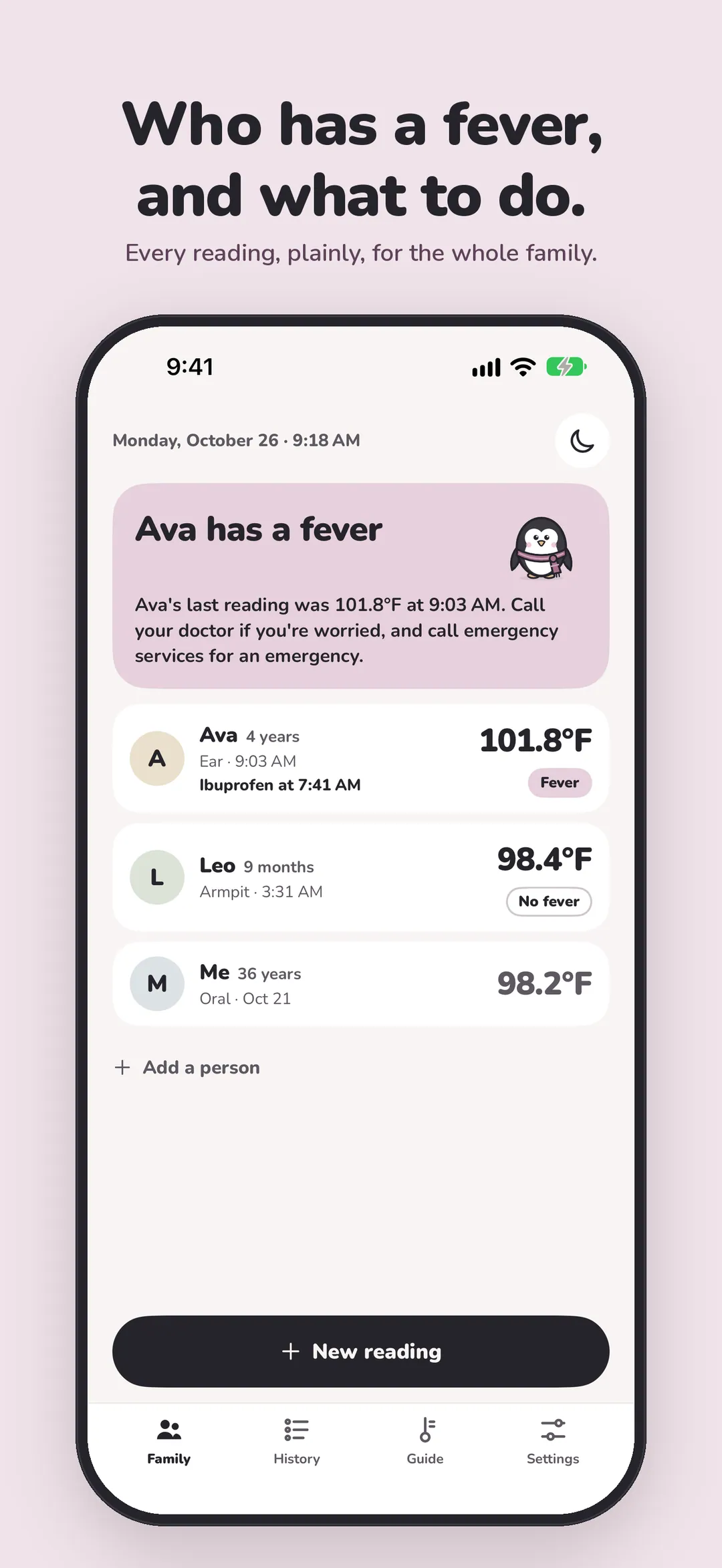
Your family at a glance
Everyone with their latest reading. A fever stands out with a plain line about what to do.
- 02
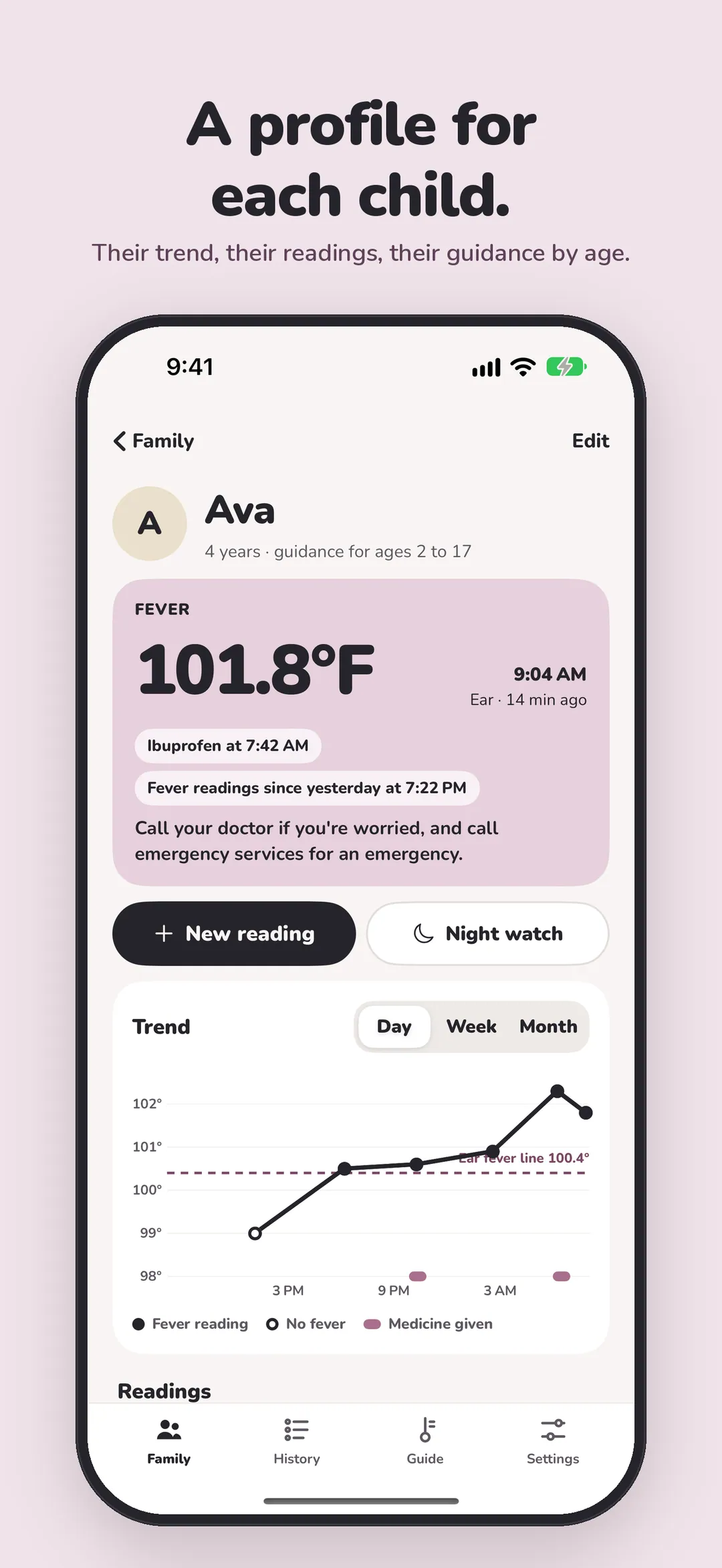
One profile per child
A name, a birth date and a color for each person. The guidance follows their age, from newborns to adults.
- 03
The right fever line
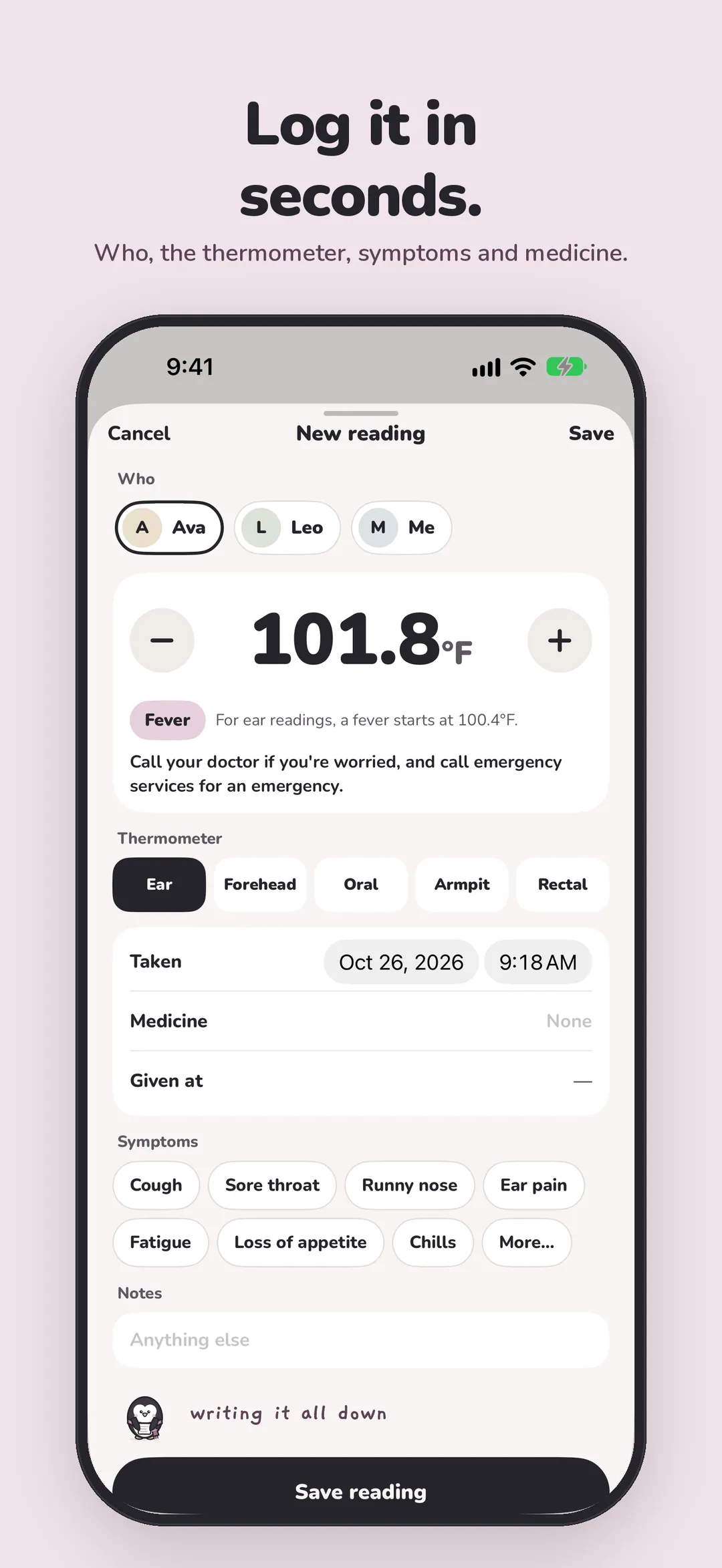
100.4°F (38.0°C) rectal, ear or forehead, 100.0°F (37.8°C) oral, 99.0°F (37.2°C) armpit.
- 04
Log a reading in seconds
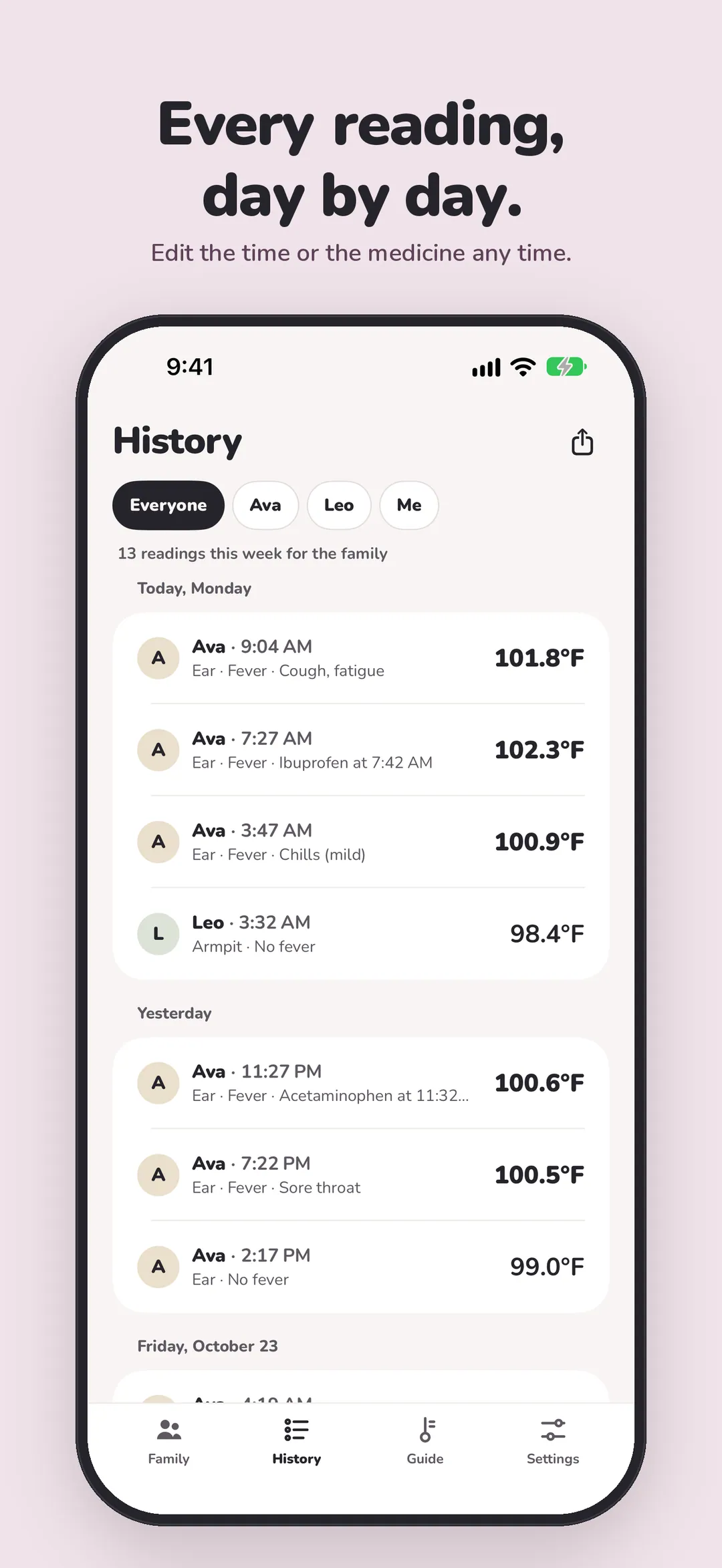
The temperature, the person, the thermometer. Add symptoms, medicine and notes when they help. °F or °C.
- 05
Night watch
A warm, dim screen for the small hours: the last reading, the last medicine and how long ago, in one look.
- 06
Check again, softly
After a reading, choose 1, 2 or 4 hours. One gentle nudge, with the sound off if a child is asleep.
- 07
Trends and history
Each person's day, week and month, with the fever line and when medicine was given. Every reading, day by day.
- 08
Ready for your doctor
A PDF report or a spreadsheet, for one person or everyone, with temperatures, symptoms, medicine and notes.
- 09
Widgets and StandBy
The latest reading on the Home Screen, the Lock Screen and the nightstand.
- 10
Apple Watch
Log a reading with the Digital Crown with one hand, and get the check-again nudge on your wrist.
- 11
Apple Health
Optionally save your own temperatures to Apple Health. The rest of the family stays in Mitts.
- 12
A fever guide with sources
Every line and when-to-call rule in one place, linked to Seattle Children’s, the AAP and Mayo Clinic.
Private by design.
No account. No analytics. No ads. No tracking. Your family's readings stay on your iPhone and Apple Watch, and Mitts makes no network requests.
Read the privacy policyFree, with a tip jar.
Coming from Temp Easy? Export a CSV from Temp Easy and open it in Mitts. Every reading comes across: thermometer, symptoms, medicine and notes.
Everything is free. If Mitts helps, Settings has optional one-time tips. They unlock nothing.
Mitts doesn't diagnose and isn't medical advice. Call your doctor if you're worried, and call emergency services for an emergency.
Nobody keeps watch alone.
Free, coming to the App Store soon. No account required.