CAFFEINE TRACKER
Know when your caffeine clears.
Log a drink in a sentence and Caffeine Easy tells you, in plain words, when you'll be under your sleep threshold. Ink on paper, with one color for the signal. No sign-up, no tracking.

See it in action.
-
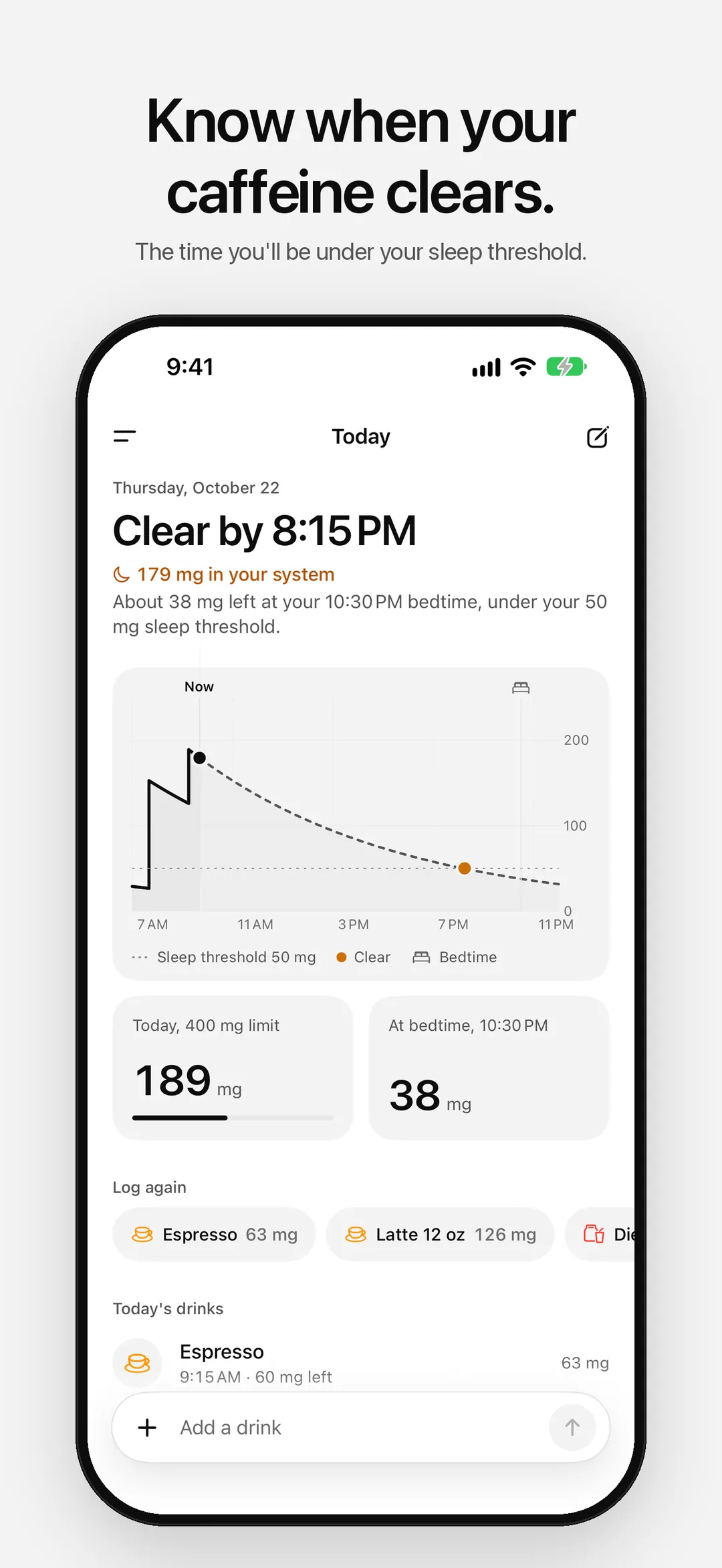
01 — Today -
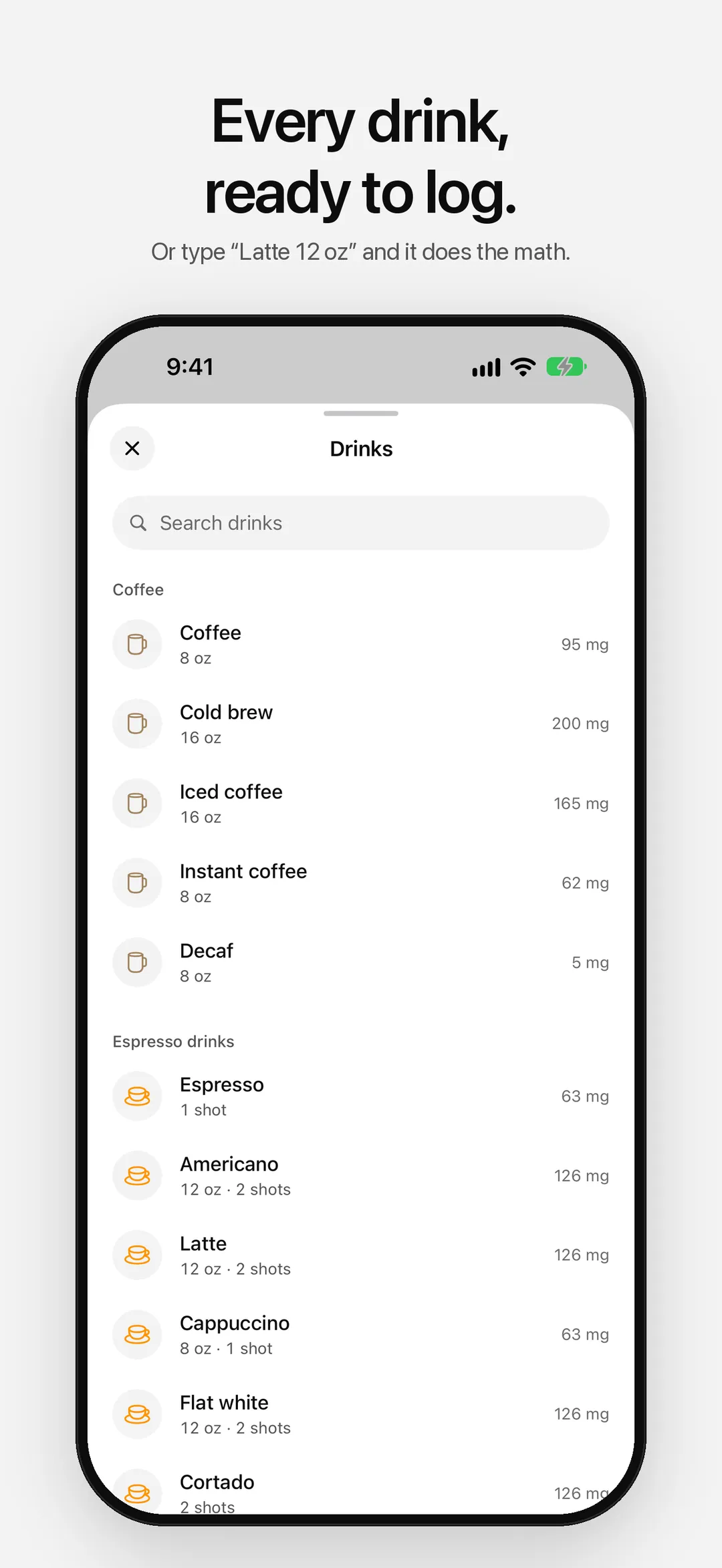
02 — Drinks -
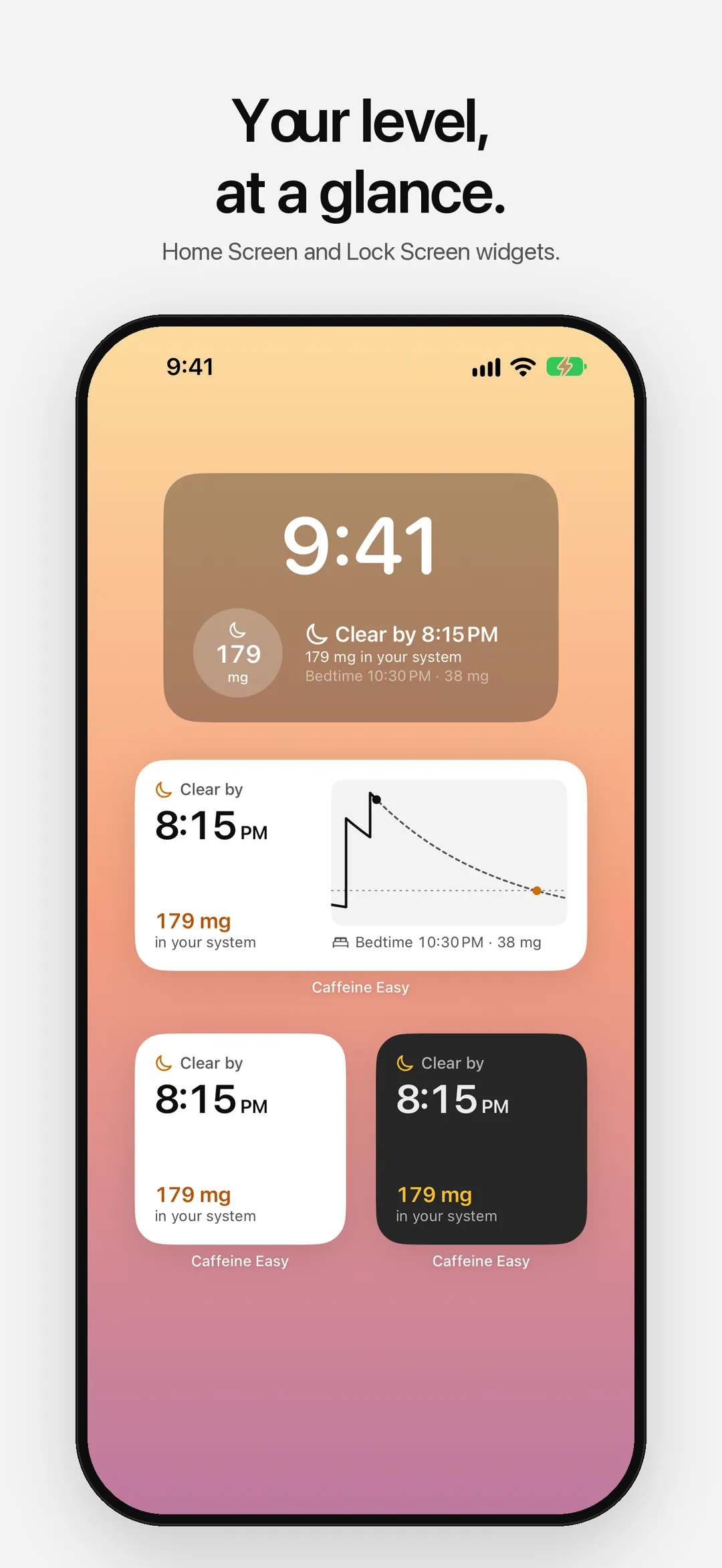
03 — Widgets -
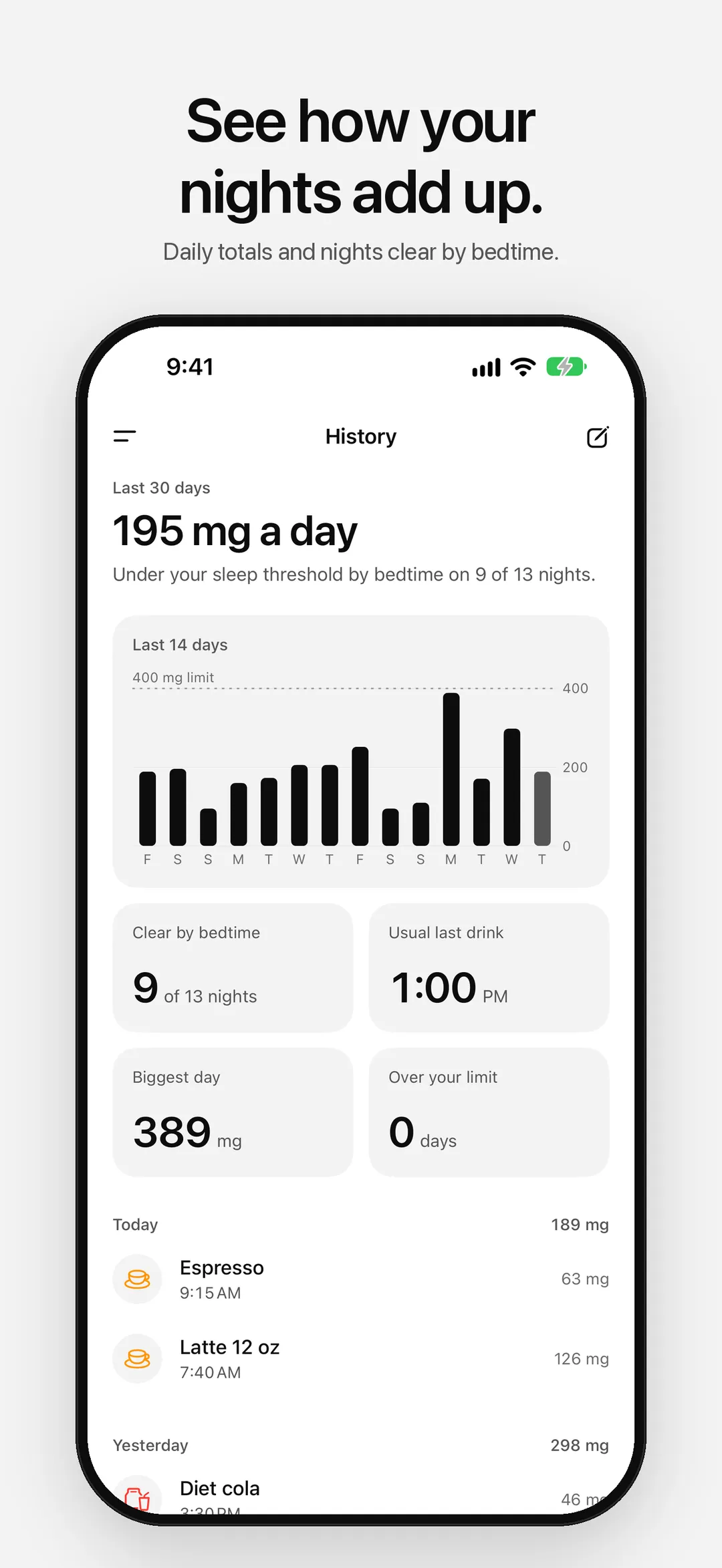
04 — History -
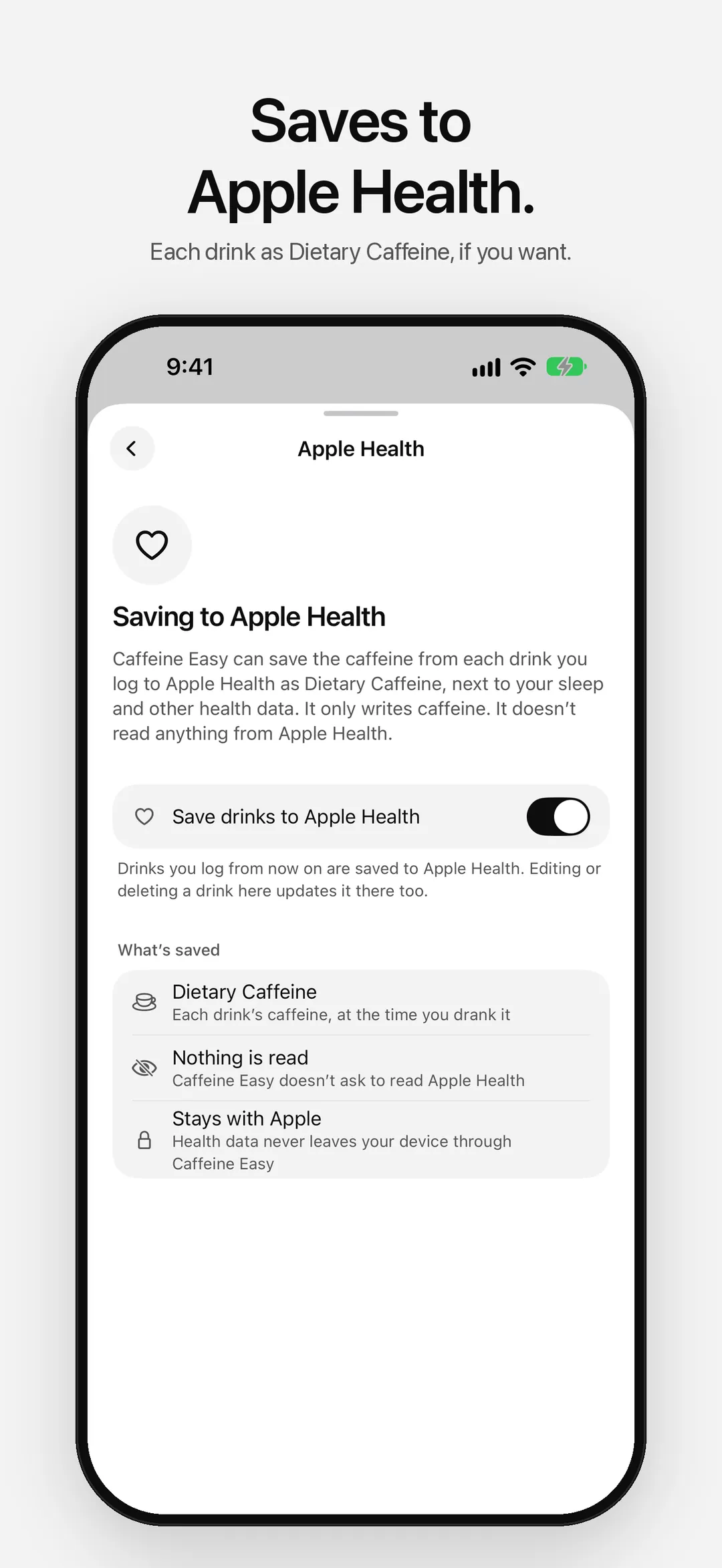
05 — Apple Health -
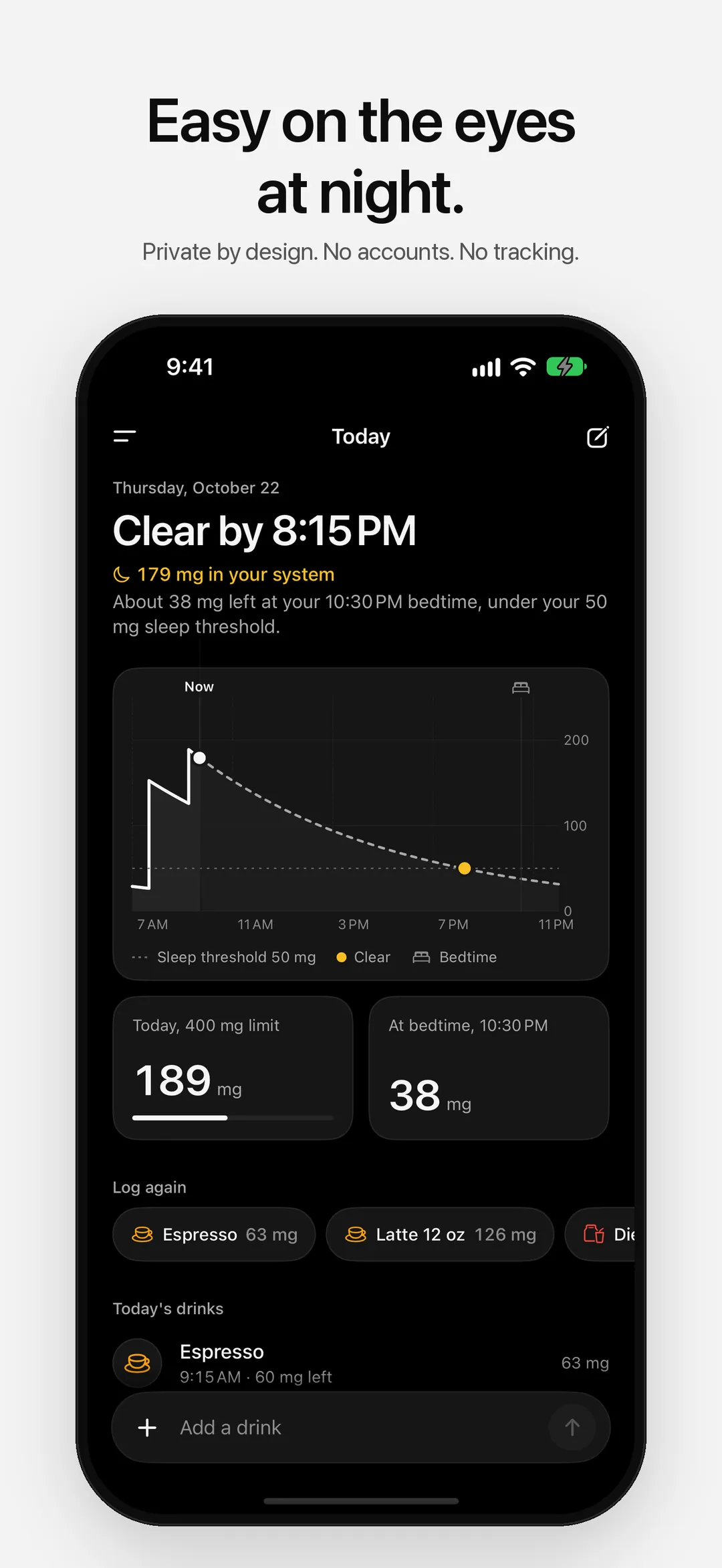
06 — Dark Mode
Caffeine, in plain words.
- 01
Clear by a time you can read
Today says it the way you'd ask it: “Clear by 10:40 PM” and “84 mg in your system”, with what's left at your bedtime.
- 02
Log a drink in a sentence
Type “Latte 12 oz” or “Espresso double” and the caffeine is worked out from typical amounts. Your usual drinks are one tap to log again.
- 03
A timeline of your day
Watch the day's caffeine rise with each drink and fall away through the evening, with your sleep threshold and bedtime marked.
- 04
Your threshold, your bedtime
Set the level you count as clear, from 25 to 100 mg, your bedtime, and how quickly you clear caffeine.
- 05
Apple Health
Turn it on to save each drink as Dietary Caffeine. Edit or delete a drink and Apple Health follows. Caffeine Easy only writes caffeine and never reads your health data.
- 06
Widgets that keep up
Home Screen and Lock Screen widgets work the level out as the day goes on, so the time and the number stay current.
5.7 hours.
That's the average half-life of caffeine: every 5.7 hours, half of what's in your system is gone. Caffeine Easy adds up what's left of every drink and finds when you'll be under your sleep threshold. It's an estimate, not medical advice.
Your drinks stay yours.
No ads. No tracking. No account. Your drinks stay on your device, and go to Apple Health only if you turn it on. Anonymous diagnostics (crash reports and which screens you use, never your drinks) help fix problems, and you can turn them off in Settings.
Read the full privacy policyKnow when you'll be clear.
Free on the App Store. No account required.

More apps

Short guided stretching routines with a timer for every stretch, Apple Health and Apple Watch.

Body temperature for the whole family: who has a fever, the right fever line for each age, and a report for your doctor.

Tune your guitar in seconds. See which way to turn each string, in eleven tunings or chromatic mode.