DAY COUNTDOWNS FOR IPHONE AND APPLE WATCH
Three, two, one... today.
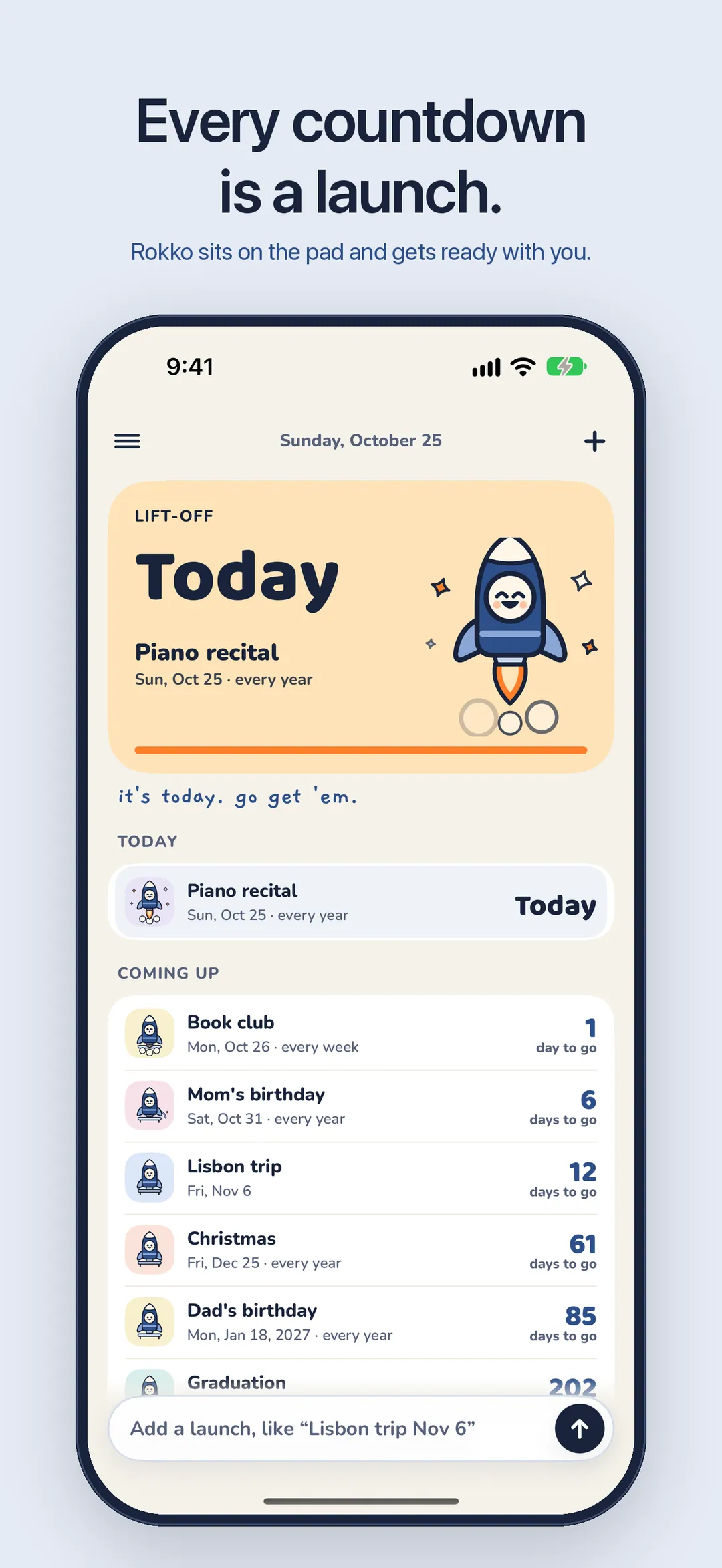
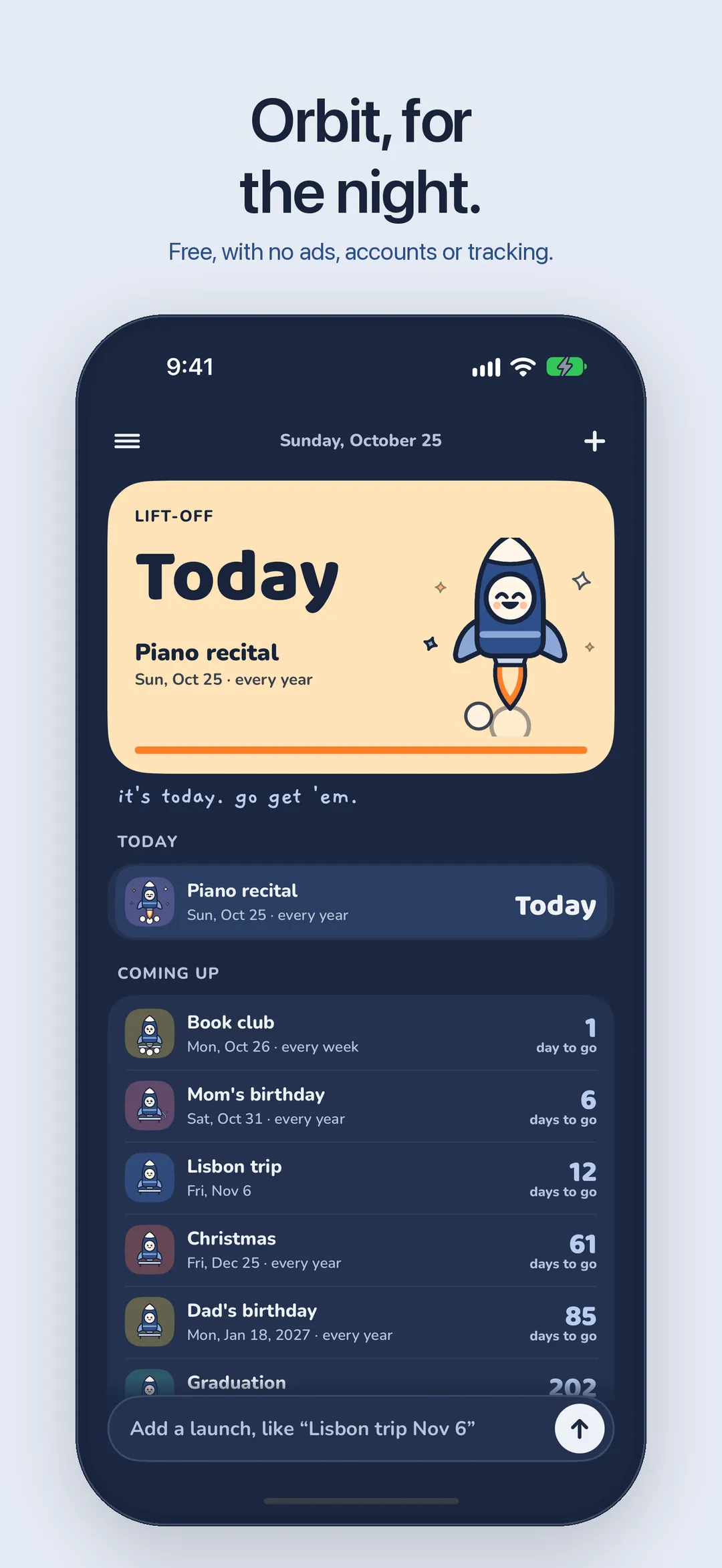
A countdown app with a friend in it. Rokko, a little rocket, sits on the pad for every day you're waiting for, fuels up as it gets close and blasts off with confetti stars on the day. After, it keeps cruising and counts the days since.
Type it like you'd say it.
-
01 — Your launch pad -
02 — Add in a sentence -
03 — A launch -
04 — Lift-off -
05 — Your sky -
06 — Widgets -
07 — Days since -
08 — Orbit
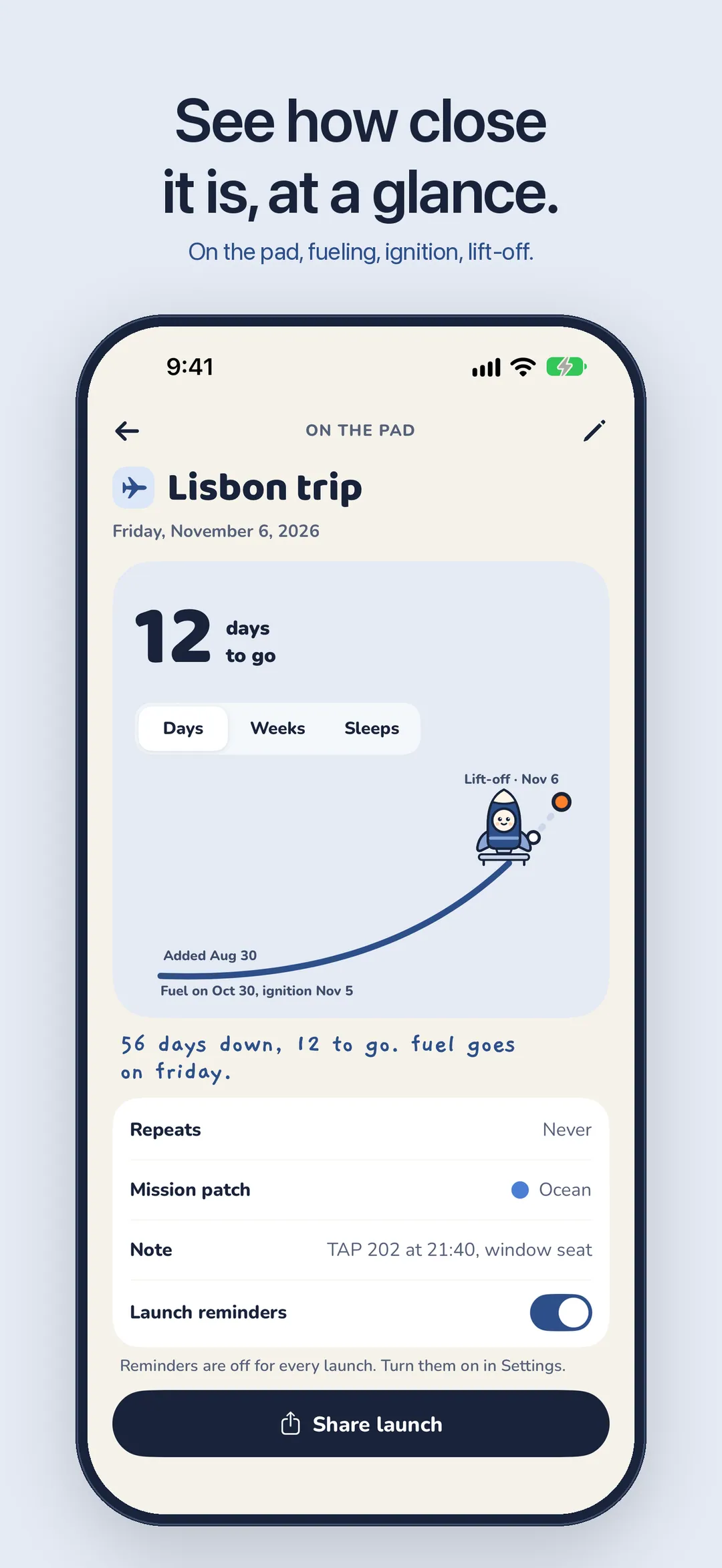
See how close it is before you read a number.
- 01
On the pad
Eight days or more: Rokko waits, blinking, and a flight path fills as the wait goes by.
- 02
Fueling
A week out, the fuel hose goes on. Good time to pack, plan or wrap the present.
- 03
Ignition
The day before, engines warm, with a Live Activity on your Lock Screen if you like.
- 04
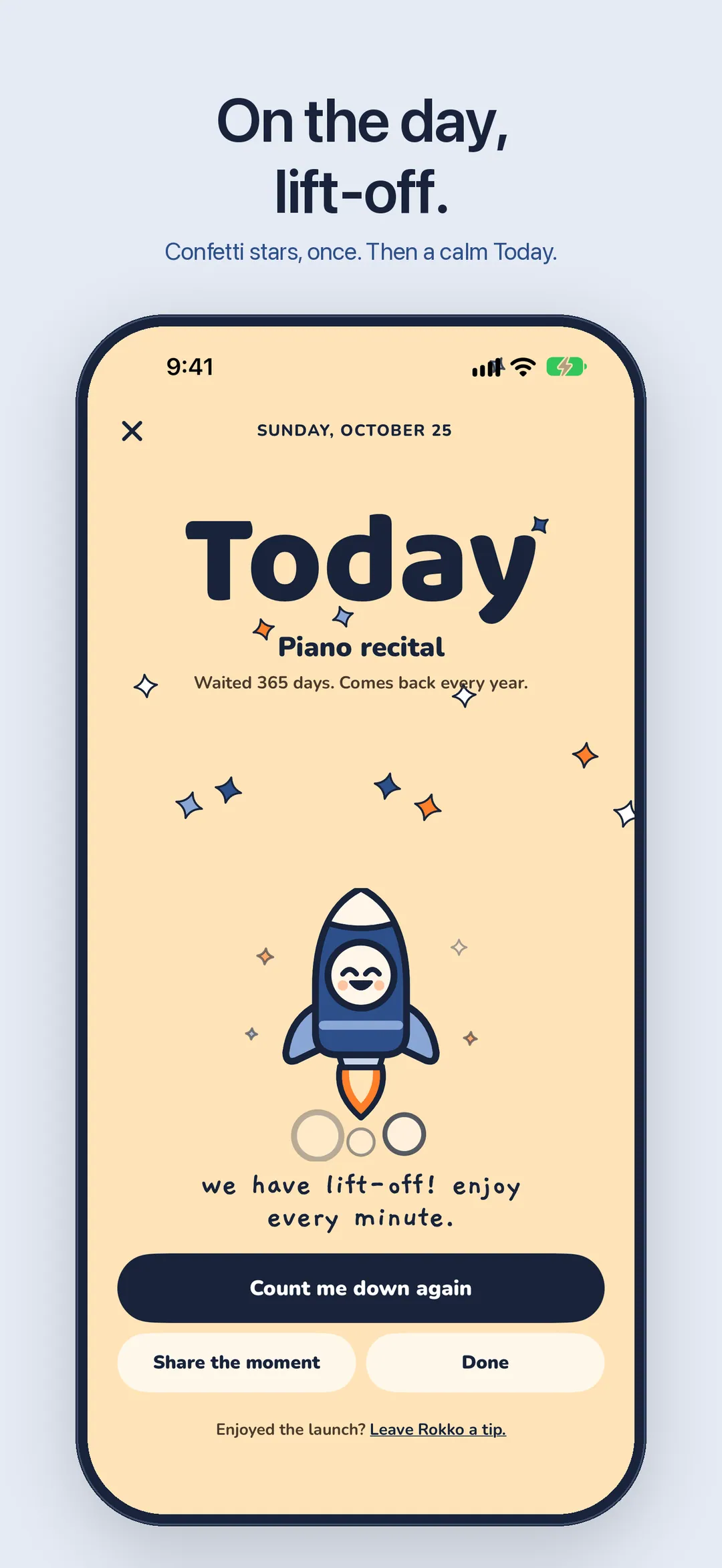
Lift-off
On the day, confetti stars the first time you look. Then it simply reads Today.
- 05
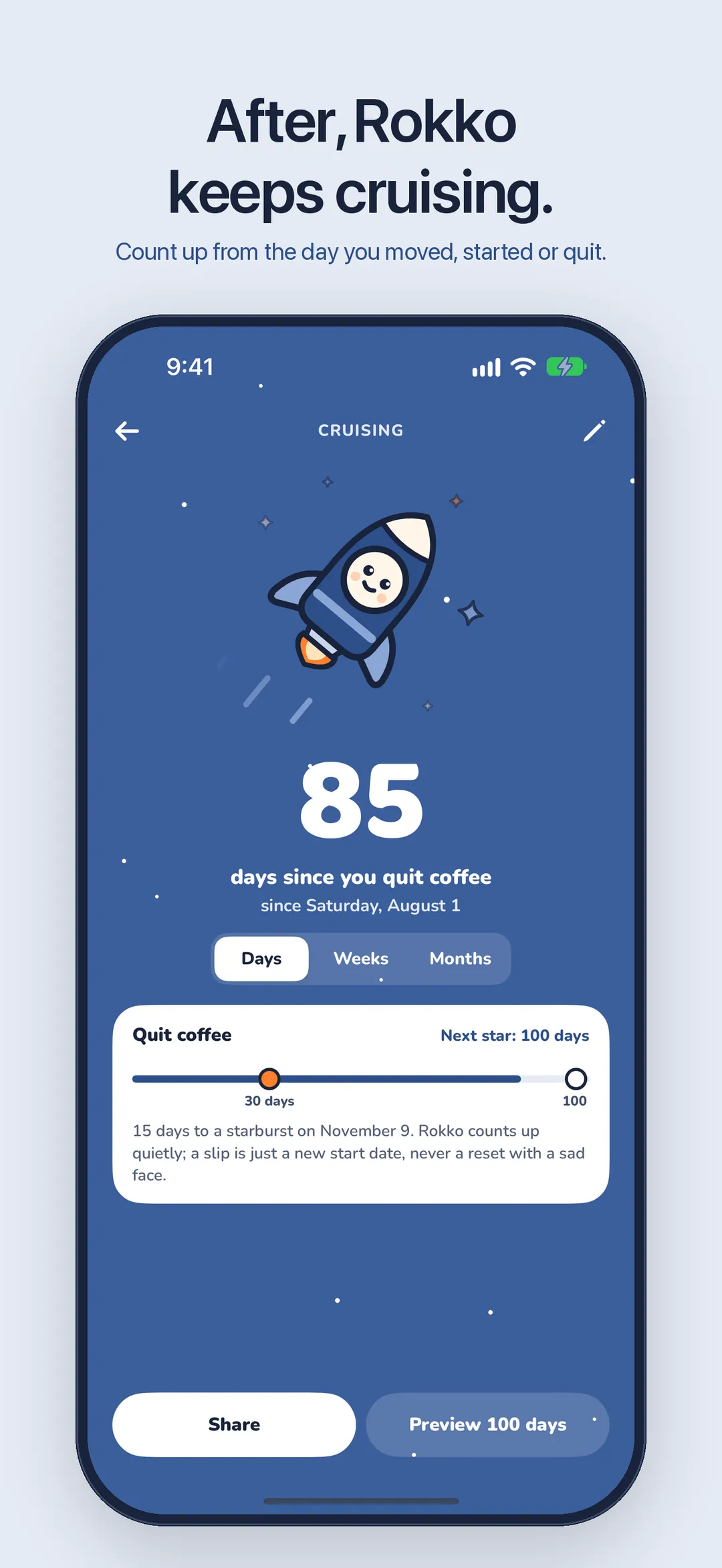
Cruising
One-time launches then count the days since. Repeats roll back onto the pad the next morning.
Days until, days since, and a party on the day.
- 01
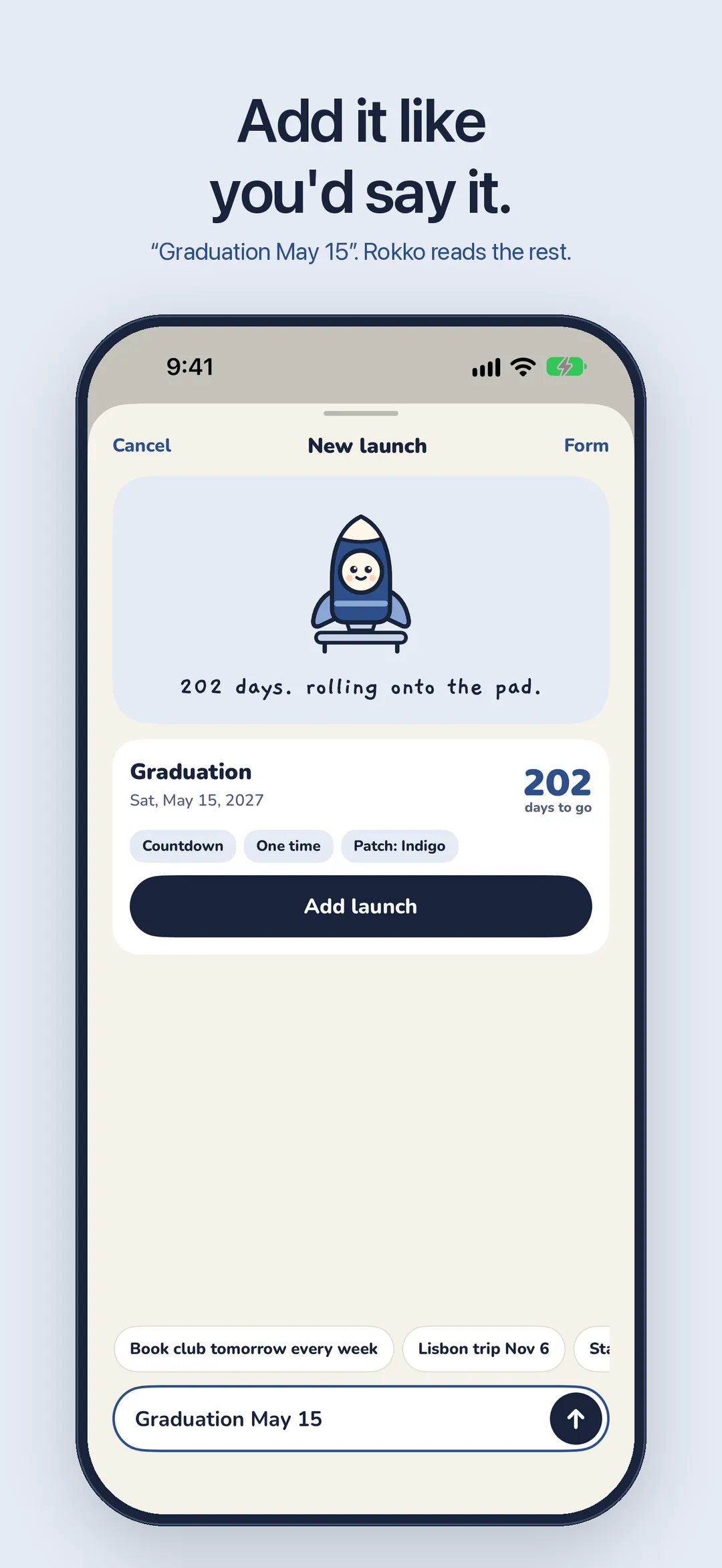
Add it in a sentence
"Lisbon trip Nov 6", "Mom's birthday Oct 31" or "Quit coffee 12 weeks ago". Or the full form with a repeat, a mission patch, an icon and a note.
- 02
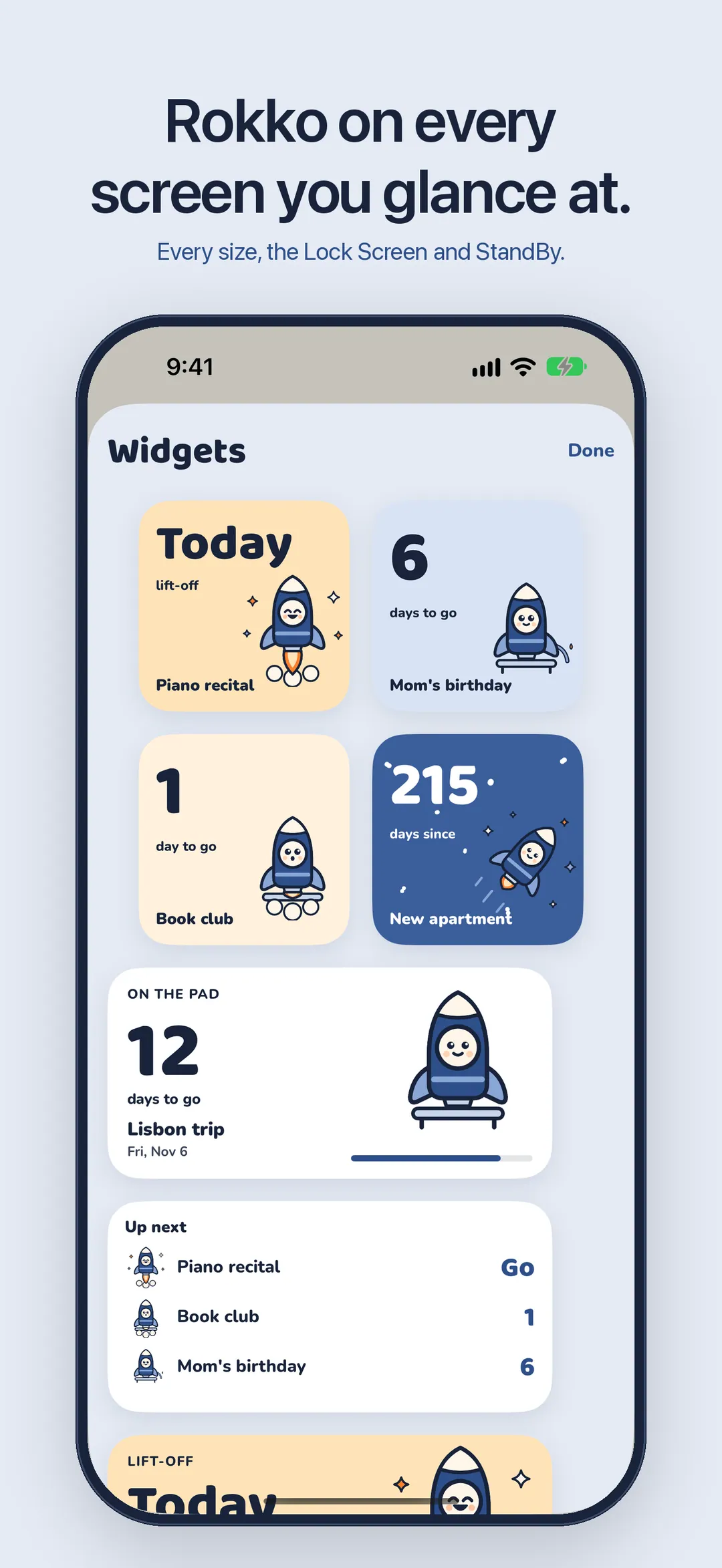
Widgets in every size
Small, medium, large and Up next on the Home Screen, circular, rectangular and inline on the Lock Screen, and StandBy. Each moves on by itself at midnight.
- 03
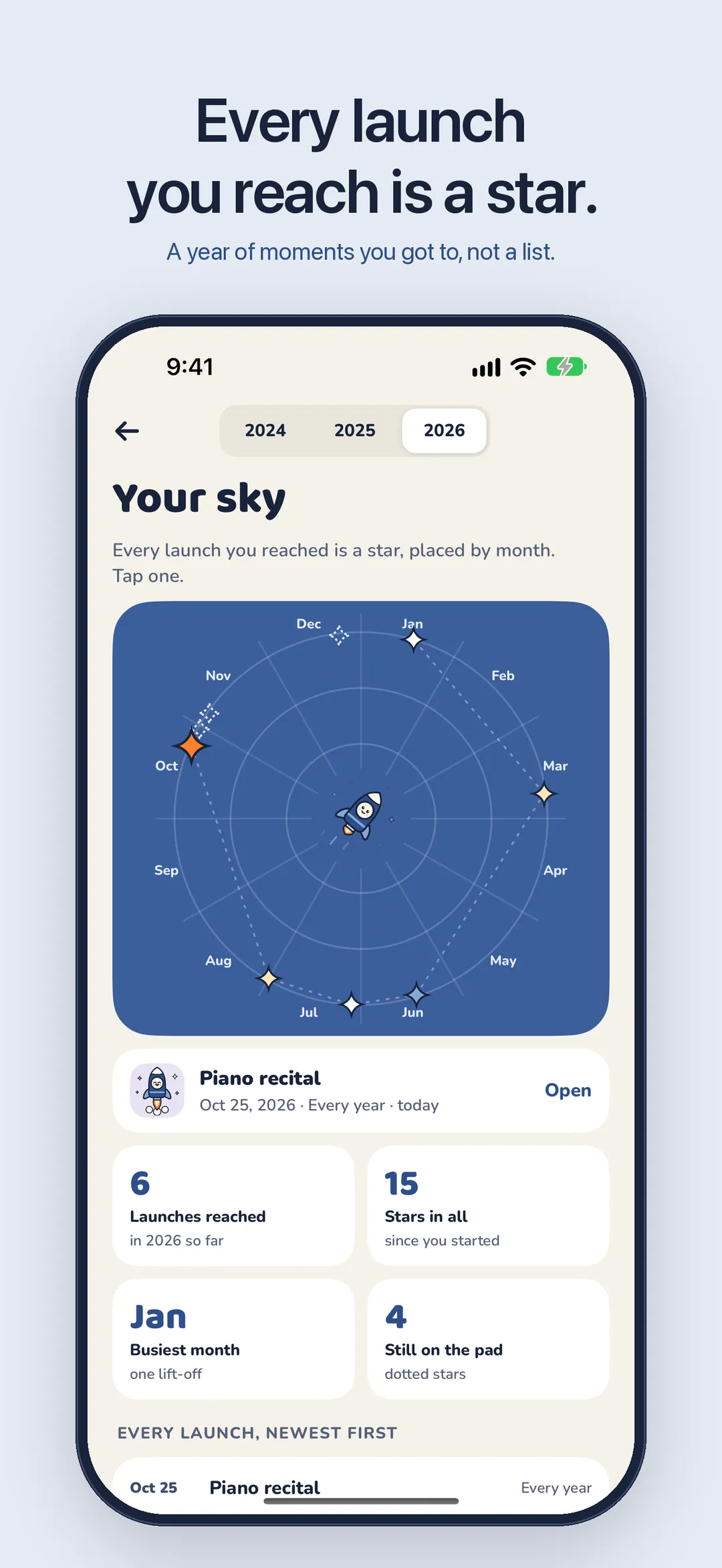
Your sky
Every launch you reach becomes a star, placed by month. A year of moments you got to, not a list.
- 04
Starbursts
At 100, 365 and 1,000 days since, and at your 10th, 25th and 50th lift-off.
- 05
Glance and go
A Control and the Action button to add a launch, Siri, and gentle optional reminders a week out, the evening before and the morning of.
- 06
Apple Watch
Your launches on your wrist, with complications and a Smart Stack widget.
- 07
Counts calendar days
Time zones and clock changes never move a count. February 29 comes back in leap years.
- 08
Coming from Count Easy?
If Count Easy is on your iPhone, Rokko reads its countdowns straight from it, in one tap: every day, repeat, color, icon and note. The old app keeps working as it was.
- 09
Private by design
No account. No analytics. No ads. No tracking. Your countdowns stay on your iPhone and Apple Watch, and Rokko makes no network requests.
- 10
Free, with a tip jar
Everything is free. If Rokko helps, Settings has optional one-time tips. They unlock nothing.
Something to look forward to.
Free, coming to the App Store soon. No account required.
More apps

A quiet launcher: your few essential apps, one tap each.

Track habits without the hassle. Add one in a sentence, keep your streaks, check off from widgets, and share your progress.

A Pomodoro timer whose screen takes the color of the session, with a Live Activity, widgets and an Apple Watch app.